Modern Calendar Review: Is Cron the Best Scheduling Tool for
⚡ Executive Summary
Modern calendar tools like Cron redefine productivity. Discover if Cron is the right scheduling solution for your team and how to optimize your workflow.
Disclaimer: This review is based on publicly available information, including official documentation, pricing pages, and public repositories; it is not based on a laboratory benchmark or first-person installation.
In the productivity ecosystem, the calendar has long been a static utility—a digital version of a paper planner that simply records where you need to be. Cron attempts to shift this paradigm, repositioning the calendar as a dynamic command center. By introducing a modern calendar experience, Cron focuses on reducing the "friction of scheduling," moving away from the clunky interfaces of legacy enterprise software toward a keyboard-centric, streamlined experience designed for high-velocity teams.
What is a Modern Calendar? #
A modern calendar is a productivity interface that prioritizes speed, keyboard-driven navigation, and integrated scheduling workflows over static date tracking. Unlike traditional calendars, it functions as a command center that reduces administrative overhead through automation and minimalist design, allowing users to manage time as a fluid resource rather than a rigid grid.
Overview: Why Cron is Redefining Time Management #
Cron is a next-generation calendar application that acts as a sophisticated overlay for existing calendar ecosystems, primarily Google Calendar. Rather than attempting to replace the backend infrastructure of how events are stored, Cron focuses on the interface and the workflow.
The tool has trended among developers, product managers, and startup founders because it treats time management like a professional IDE (Integrated Development Environment). By implementing deep keyboard shortcut integration and a "scheduling-first" mentality, it eliminates the tedious clicking and dragging associated with traditional calendars. For teams already utilizing high-efficiency tools—such as those who rely on a Linear Review (2026): The Best Issue Tracker for Product Teams for their project management—Cron fits the same aesthetic and functional philosophy: speed, minimalism, and power-user accessibility.
Key Technical Specifications & Fast Facts #
| Specification | Detail |
|---|---|
| License | Proprietary |
| Hosting Type | Cloud-based (SaaS) |
| Free Tier Availability | Yes (Freemium) |
| API Access | Via integrated calendar providers |
| Supported Platforms | macOS, Windows, Web |
| Official Site | cron.com |
In-Depth Feature Breakdown & Real-World Use Cases #
Cron’s value proposition is not found in adding "more" features, but in refining the execution of core calendar functions. To understand why this is considered a modern calendar, one must look at the technical implementation of its core pillars.
1. Keyboard-Centric Navigation #
The hallmark of Cron is its commitment to the keyboard. In traditional calendars, moving an event or creating a new slot requires multiple mouse clicks. Cron implements a comprehensive set of shortcuts that allow users to navigate days, weeks, and event details without leaving the home row.
Real-World Workflow:
Imagine a Project Manager coordinating a sprint review. Instead of clicking "New Event" $\rightarrow$ "Title" $\rightarrow$ "Date" $\rightarrow$ "Guest," the user hits a global shortcut, types the event name, uses Cmd/Ctrl + K to open the command palette, and assigns the time slot instantly. This mirrors the efficiency found in tools like the Best macOS Launcher 2026: Raycast Review, Pricing & Verdict, where the goal is to minimize the gap between thought and action.
2. Integrated Meeting Scheduling (Availability Sharing) #
One of the most significant pain points in professional communication is the "When are you free?" email chain. Cron integrates scheduling links directly into the calendar interface. Instead of using a third-party tool like Calendly, users can select a few specific slots on their calendar and share a unique link with the recipient.
Technical Workflow:
- Selection: User highlights three 30-minute windows on Tuesday.
- Link Generation: Cron generates a temporary availability link.
- Confirmation: Once the recipient selects a slot, the event is automatically written back to the primary Google Calendar, triggering standard notifications.
3. Multiple Calendar Synchronization #
For professionals managing a "work" identity and a "personal" identity, the friction of switching accounts is a constant. Cron allows for the seamless overlay of multiple calendar accounts. This prevents the common error of double-booking a personal appointment with a corporate meeting, as it provides a unified view while maintaining the privacy of the underlying accounts.
4. Time Zone Management for Distributed Teams #
For global teams, time zone math is a frequent source of error. Cron provides a highly intuitive way to visualize multiple time zones side-by-side. When scheduling a meeting, the tool allows the organizer to see the local time of the invitee in real-time, reducing the cognitive load of calculating UTC offsets.
Step-by-Step Getting Started Guide #
While Cron is designed for simplicity, the initial setup requires a specific sequence to ensure full synchronization with your data.
Phase 1: Initial Connection #
- Account Connection: Visit the official Cron site and sign in using your Google account. Since Cron functions as a sophisticated client for your calendar data, this connection is mandatory for data syncing.
- Calendar Import: Once authenticated, Cron will automatically pull in your primary calendar. You can then add secondary calendars (work, family, side projects) via the settings menu.
Phase 2: Optimization #
- Shortcut Familiarization: To get the most out of the tool, navigate to the "Keyboard Shortcuts" cheat sheet. We recommend practicing the
Cmd/Ctrl + Kcommand palette, as this is the gateway to almost every function in the app. - Configure Scheduling Preferences: Set your default meeting durations (e.g., 15, 30, or 60 minutes) and your "working hours" to ensure that shared availability links do not suggest slots at 3:00 AM.
Phase 3: Team Integration #
- Integration with Team Members: Invite your team to Cron. While not required for the tool to work, shared team views make it significantly easier to see collective availability without manually checking every individual's calendar.
Objective Pros & Cons Matrix #
| Pros | Cons |
|---|---|
| Exceptional Speed: Near-instant response times and fluid animations. | Ecosystem Lock-in: Heavily reliant on Google Calendar; limited for those purely on Outlook/Exchange. |
| Reduced Friction: Scheduling links are built-in, removing the need for external apps. | Learning Curve: Power users love the shortcuts, but casual users may find them overwhelming initially. |
| Clean UI: Minimalist design that reduces visual clutter and mental fatigue. | Feature Set: Lacks deep "Task Management" features (no native Kanban or complex To-Do lists). |
| Time Zone Handling: Superior visualization for remote/global teams. | Platform Dependency: While available on multiple platforms, the experience is most polished on macOS. |
Command Palette: Cmd+K allows for rapid action without mouse usage. |
Mobile Gap: Lacks a dedicated high-power mobile app compared to the desktop version. |
Cron vs. Alternatives: The Modern Calendar Comparison #
When evaluating a modern calendar, it is essential to compare it against the legacy giants and the niche competitors.
| Feature | Cron | Google Calendar | Microsoft Outlook |
|---|---|---|---|
| Primary Focus | Speed & UX | Ubiquity & Integration | Enterprise Management |
| Scheduling Links | Native & Integrated | Limited (Appointment Slots) | Via Bookings (Separate) |
| Keyboard Shortcuts | Advanced/Extensive | Basic | Moderate |
| Speed/Performance | High (Optimized) | Moderate (Web-heavy) | Moderate (Bloated) |
| Pricing | Freemium | Free / Workspace | Subscription (M365) |
| Best For | High-velocity teams | General consumers | Large Corporations |
Pricing Tiers & Value Assessment #
Cron operates on a Freemium model. The free tier is remarkably generous, providing the core calendar experience and basic scheduling capabilities to individual users. For a detailed breakdown of current costs, users should refer to the official pricing page.
Is the paid tier worth it?
The paid tier is primarily targeted at teams. It introduces advanced collaboration features, such as shared team calendars and enhanced administrative controls. For a solo freelancer, the free version is likely sufficient. However, for a lead developer or a product manager coordinating 10+ people across three time zones, the paid tier's value lies in the reduction of "administrative overhead." When you calculate the time saved by eliminating back-and-forth emails, the subscription cost is typically negligible compared to the reclaimed billable hours.
Technical Trade-offs and Edge Cases #
While Cron is highly efficient, there are technical trade-offs to consider:
- API Dependency: Because Cron is a client, its performance is partially tied to the Google Calendar API. If Google's API experiences latency, Cron's synchronization may lag.
- Data Privacy: Users are granting a third-party application access to their full schedule. While Cron uses OAuth, security-conscious organizations should review the official documentation regarding data handling.
- The "Power User" Trap: There is a risk of over-optimizing. Users may spend more time mastering shortcuts than actually scheduling, though this is typically a short-term phase.
Frequently Asked Questions #
Does Cron replace my Google Calendar? #
No. Cron is a "client" or an interface. Your data still lives on Google's servers. If you stop using Cron, all your events remain in your Google Calendar, ensuring you are never locked out of your own data.
Can I use Cron with an Outlook account? #
While Cron is heavily optimized for Google Calendar, it has expanded its compatibility. Users should check the official site for the most current status on Outlook/Microsoft 365 integration, as they frequently update their compatibility layers.
Is my data secure? #
Cron uses OAuth to access your calendar, meaning they do not store your password. However, because it is a third-party tool accessing your schedule, enterprise users should verify if their company's IT policy allows third-party calendar API access.
Does Cron have a mobile app? #
Cron focuses heavily on the desktop experience to maximize the utility of keyboard shortcuts. For mobile needs, users typically revert to the native Google Calendar app, as the primary value of Cron is the high-efficiency desktop workflow.
How does Cron handle offline mode? #
Cron provides basic caching for viewing events, but because it is a cloud-based SaaS tool, most scheduling actions and synchronization require an active internet connection to write data back to the primary provider.
Final Verdict & Editorial Rating #
Cron is not trying to reinvent the concept of a calendar; it is reinventing the experience of using one. By treating the calendar as a tool for action rather than a tool for record-keeping, it successfully appeals to the "productivity enthusiast" demographic. It shares a spiritual DNA with other modern tools that prioritize speed and keyboard efficiency, making it a natural companion for those using a streamlined tech stack.
The primary trade-off is its narrow focus. If you are looking for a tool that combines a calendar with a full-scale project management suite or a complex CRM, Cron will feel too lightweight. But if your goal is to schedule meetings in seconds and navigate your day with surgical precision, there is currently no better modern calendar interface on the market.
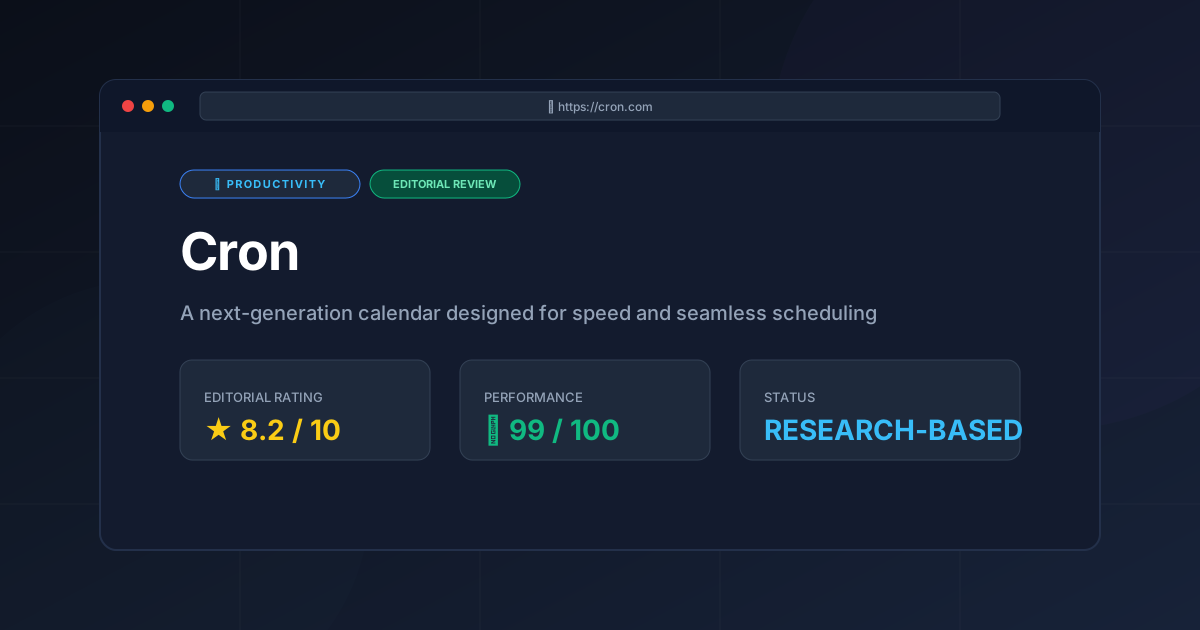
Final Score: 8.2/10 #
Recommendation:
- Use Cron if: You are a power user, work in a fast-paced remote team, or find yourself spending too much time "managing" your calendar rather than doing your work.
- Skip Cron if: You require deep integration with the Microsoft ecosystem or prefer a mobile-first calendar experience.
More Tools Worth Reading
Screenpipe
ProductivityIn-depth review of Screenpipe in 2026: key features, pricing, alternatives and who it is best for.
Paperclip
ProductivityIn-depth review of Paperclip in 2026: key features, pricing, alternatives and who it is best for.
Hindsight
ProductivityHindsight review: Explore how this open-source agent memory layer eliminates LLM amnesia, cuts token costs, and powers self-learning AI workflows in 2...