Run Local LLM Workflows: LM Studio Review (2026)
⚡ Executive Summary
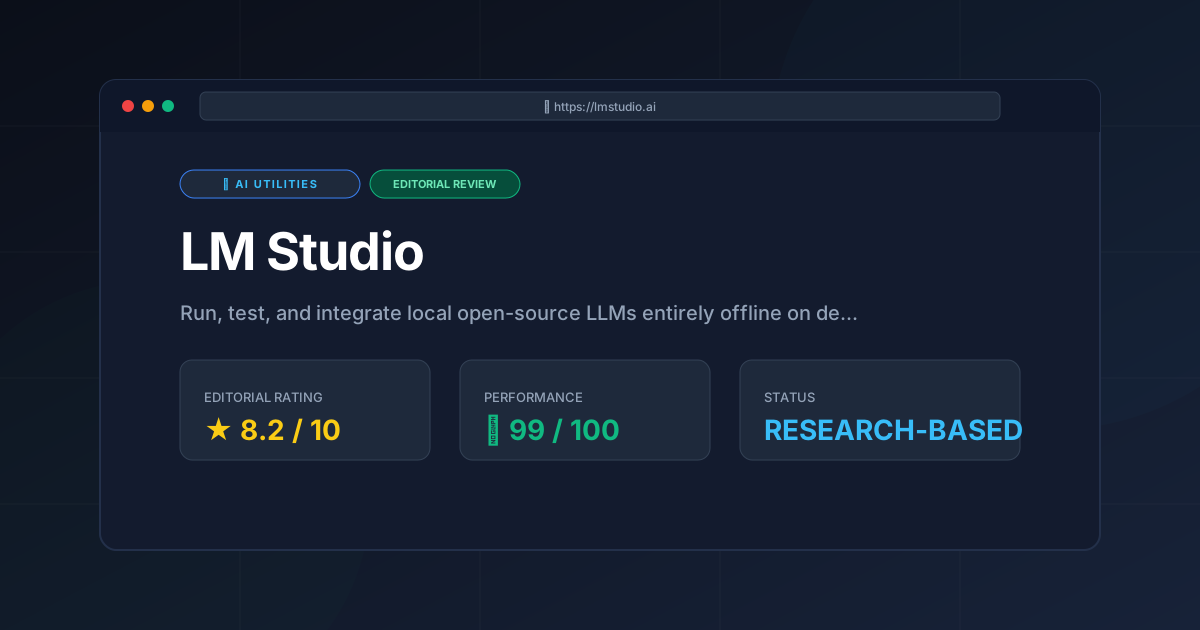
run local LLM tools with LM Studio in 2026. Learn about setup, pricing, top features, and trade-offs to improve your private AI workflows today.
The demand to run local LLM models on private workstations has grown rapidly. Privacy regulations, recurring API costs, and low-latency requirements encourage developers to host open-source models on their own hardware. LM Studio has become a leading desktop solution for this exact need. It offers an all-in-one graphical environment to discover, download, and serve quantized large language models across Apple Silicon, Windows, and Linux systems.
1. What Is LM Studio and How Does It Run Local LLM Workflows? #
LM Studio is a desktop application that allows developers and privacy-focused users to discover, download, and run local LLM models on macOS, Windows, and Linux. It wraps low-level C++ inference engines into an intuitive interface with a built-in Hugging Face browser and a local OpenAI-compatible REST server.
+-----------------------------------------------------------------------+
|                            LM Studio GUI                              |
|  +---------------------+  +--------------------+  +----------------+  |
|  | Model Search & HF   |  | Chat Interface &   |  | Server Console |  |
|  | GGUF Downloader     |  | Parameter Controls |  | Local REST API |  |
|  +----------+----------+  +---------+----------+  +-------+--------+  |
+-------------|-----------------------|---------------------|-----------+
              |                       |                     |
              v                       v                     v
+-----------------------------------------------------------------------+
|                       Inference Engine (llama.cpp)                    |
+-----------------------------------------------------------------------+
              |                       |                     |
              v                       v                     v
+-----------------------+   +-------------------+   +-------------------+
|  Apple Silicon Metal  |   | NVIDIA CUDA GPU   |   | AMD ROCm / CPU    |
+-----------------------+   +-------------------+   +-------------------+
By packaging C++ inference backends into a unified desktop app, LM Studio eliminates complex command-line builds. Users can easily adjust hardware acceleration settings, tweak prompt templates, and control quantization settings. Furthermore, according to the LM Studio Official Documentation, the application acts as an offline inference engine. It turns local machines into self-hosted API nodes without sending external network requests.
Key Technical Fast Facts #
| Specification | Technical Details |
|---|---|
| Software Type | Local Inference Server & GUI Model Manager |
| Operating Systems | macOS (Apple Silicon & Intel), Windows 10/11, Linux (AppImage) |
| Model Formats | GGUF format via direct Hugging Face integration |
| Hardware Backends | Apple Metal, NVIDIA CUDA, AMD ROCm, CPU (AVX2/AVX-512) |
| API Compatibility | Local OpenAI REST API (http://localhost:1234/v1) |
| Licensing Model | Free for personal use; commercial deployment requires corporate licensing |
| Official Site | lmstudio.ai |
2. Core Features and Practical Applications #
LM Studio fixes many common headaches in local AI management. It simplifies model discovery, standardizes prompt formatting, and streamlines hardware offloading.
Native Hugging Face Search and Quantization Downloader #
Finding quantized GGUF weights used to require manual searches across repository threads. LM Studio puts a real-time search interface directly inside the app. Developers can search for models like Llama 3, Mistral, Gemma, or a DeepSeek R1 local build.
The interface displays memory estimates for each quantization variant (such as Q4_K_M or Q8_0). Visual indicators show whether a model fit entirely inside VRAM or spill over into system RAM. This helps users avoid out-of-memory driver crashes before starting long downloads.
+--------------------------------------------------------------------+
|  Hugging Face Search: "DeepSeek-R1-7B"                            |
+--------------------------------------------------------------------+
|  Model Quantization  |  File Size  | Estimated Memory | Compatibility |
+----------------------+-------------+------------------+---------------+
|  Q4_K_M (Recommended)|  4.37 GB    | 6.80 GB VRAM     | FULL GPU      |
|  Q5_K_M              |  5.12 GB    | 7.60 GB VRAM     | FULL GPU      |
|  Q8_0                |  7.96 GB    | 10.20 GB VRAM    | CPU SPILLOVER |
+--------------------------------------------------------------------+
OpenAI-Compatible Local REST Server #
LM Studio includes an embedded HTTP web server. Enabling this option exposes endpoints at http://localhost:1234/v1 that follow OpenAI standard REST structures.
This compatibility allows existing applications to switch from cloud services to local hosting by updating the base URL. For instance, developers who build scraping scrapers or automated web bots with tools such as Browser Use or Crawl4AI can point their scripts straight to localhost:1234.
Similarly, teams evaluating browser automation options in our Browser Use vs Crawl4AI comparison can test local extraction pipelines without paying usage fees to commercial API providers.
Precision Hardware Control #
LM Studio provides manual sliders to adjust hardware resource distribution:
- GPU Layer Offloading: Users can pick the exact number of model layers sent to the GPU, keeping remaining layers in CPU memory.
- Context Window Allocation: Context limits can be scaled from 2,048 tokens up to 32,768+ tokens depending on available system RAM.
- Prompt Format Presets: Open-source models use unique chat templates like ChatML or Alpaca. LM Studio auto-detects these templates while allowing custom manual overrides.
Structured Outputs and Developer Tools #
Modern local AI agents require structured output generation and tool integration. LM Studio includes Model Context Protocol (MCP) support, JSON schema enforcement, and CLI controls like "LM Studio Bionic". Developers building modular agent networks—similar to the modular skill catalogues now available—can run reasoning workflows on private hardware.
3. Step-by-Step Setup Guide #
Setting up a local server with LM Studio requires no complex terminal setup or manual compilation steps.
[ Download Installer ] ---> [ Search Model Weights ]
                                    |
                                    v
[ Start Local REST API ] <-- [ Configure GPU Offloading ]
          |                         |
          v                         v
[ Target localhost:1234 ] <-- [ Test Prompt in Playground ]
Step 1: Installation #
Download the official package for macOS, Windows, or Linux. Run the setup wizard. The application includes all required C++ execution binaries and GPU drivers, so no separate CUDA or Python installation is needed.
Step 2: Download Model Weights #
Open the Search tab (magnifying glass icon). Enter a query like "DeepSeek-R1-Distill-Qwen-7B". Review the results, select a balance point like Q4_K_M, and click Download.
Step 3: Playground Chat Verification #
Switch to the Chat tab and pick the downloaded model from the top drop-down menu. Configure basic settings in the right sidebar:
- System Prompt: Define custom roles or task constraints.
- Temperature: Lower values increase determinism, while higher values improve creativity.
- GPU Acceleration: Verify that Metal or CUDA acceleration is turned on.
Type a query into the chat box to confirm that generation works correctly.
Step 4: Exposing the Local Server #
To connect third-party applications to your local instance:
- Open the Local Server tab.
- Select your loaded model.
- Click Start Server.
- Test the API endpoint using a standard terminal command:
curl http://localhost:1234/v1/chat/completions \
  -H "Content-Type: application/json" \
  -d '{
    "model": "local-model",
    "messages": [
      { "role": "user", "content": "How do I run local LLM workflows?" }
    ],
    "temperature": 0.7
  }'
4. Specific Limitations and Engineering Trade-Offs #
While LM Studio offers excellent desktop usability, users who plan to run local LLM tasks must evaluate four technical limitations.
Limitation 1: Proprietary Application Shell #
The core GUI of LM Studio is closed-source software. Although it relies on open-source execution engines like llama.cpp, the outer interface cannot be modified or audited by the public community. Organizations with strict open-source software policies may prefer fully open platforms like Ollama or Jan.ai.
Limitation 2: Desktop GUI Memory Overhead #
LM Studio uses an Electron desktop user interface. This framework consumes hundreds of megabytes of system RAM even when resting in the background. On hardware constrained to 8 GB or 16 GB of memory, this extra background usage reduces the space available for large model context windows.
Limitation 3: Lack of Multi-Node Tensor Parallelism #
LM Studio is built for single-node desktop hardware. It does not support splitting model layers across multiple physical server nodes over high-speed networks. Enterprise applications requiring massive multi-GPU scaling or distributed tensor parallelism need cluster tools like vLLM or TGI.
Limitation 4: No Built-in Training or Fine-Tuning Tools #
LM Studio is strictly an inference and serving engine. It provides no features for dataset curation, LoRA fine-tuning, or model weight training. Users must fine-tune models in separate Python environments before importing GGUF files into LM Studio.
Technical Trade-Off Summary #
+--------------------------+-------------------------------+-----------------------------------+
| Architecture Parameter   | LM Studio Approach            | Trade-off Impact                  |
+--------------------------+-------------------------------+-----------------------------------+
| App Architecture         | Closed-Source Electron GUI    | Higher RAM usage; no source access|
| Server Architecture      | Single Workstation Server     | Cannot scale to GPU clusters      |
| Workflow Support         | Pure Inference Engine         | Requires external tools for LoRA  |
| Endpoint Security        | Local IP without auth defaults| Needs reverse proxy for enterprise|
+--------------------------+-------------------------------+-----------------------------------+
5. Pros and Cons #
Pros #
- Simple Graphical User Interface: Visually controls hardware layer offloading, prompt formats, and context settings without command-line flags.
- Built-in Hugging Face Hub: Direct model searches streamline weight downloads and file organization.
- Standard REST API: OpenAI API structure lets developers plug local models into existing software stacks.
- Granular VRAM Allocation: Slider controls allow users to split model layers across GPU VRAM and CPU RAM.
- Air-Gapped Operation: Runs entirely offline to keep sensitive private data on local hardware.
Cons #
- Closed-Source Application: The graphical desktop wrapper remains proprietary.
- Electron Memory Footprint: Desktop GUI overhead uses system memory that could otherwise go to context storage.
- Single Workstation Scope: Lacks multi-node network cluster distribution for large enterprise loads.
- No Model Training Capabilities: Focuses solely on model inference and serving, omitting fine-tuning tools.
6. LM Studio vs Alternatives to Run Local LLM Workflows #
Choosing the best tool to run local LLM models depends on whether you prefer command-line tools, visual applications, or multi-GPU cluster servers.
+------------------+-----------------------+-----------------------+-----------------------+
| Feature          | LM Studio             | Ollama                | Jan.ai                |
+------------------+-----------------------+-----------------------+-----------------------+
| User Interface   | Graphical GUI         | Command-Line (CLI)    | Graphical GUI         |
| Source Code      | Proprietary GUI       | Fully Open Source     | Fully Open Source     |
| Model Discovery  | Hugging Face Search   | Ollama Hub            | Built-in Hub          |
| Context Controls | Visual Sliders        | Modelfile Configuration| Visual Drop-downs     |
| Server API       | OpenAI Compatible     | Custom + OpenAI API   | OpenAI Compatible     |
+------------------+-----------------------+-----------------------+-----------------------+
LM Studio vs. Ollama #
Ollama is a lightweight CLI engine ideal for headless Linux servers, Docker containers, and automated continuous integration pipelines. However, Ollama uses a proprietary registry format and lacks a built-in search UI. LM Studio provides a visual dashboard, Hugging Face search integration, and hardware allocation controls, making it more friendly for desktop usage.
LM Studio vs. Jan.ai #
Jan.ai is a fully open-source desktop alternative to LM Studio. Jan.ai offers strong privacy and open code access, but LM Studio currently provides more advanced GGUF model controls, broader hardware layer options, and more reliable prompt template setup.
7. Licensing, Pricing, and Commercial Utility #
LM Studio is offered as a free download for personal usage and evaluation.
+--------------------------------------------------------------------+
|                      LM Studio Licensing Tiers                     |
+--------------------------------------------------------------------+
|  Personal / Educational Use  |  Free Forever                       |
|  Local Testing / Prototyping |  Free Forever                       |
|  Commercial Organization     |  Enterprise Term License Required   |
+--------------------------------------------------------------------+
Pricing Model #
- Personal & Educational Use: Free to download and run locally without license fees or token caps.
- Commercial Enterprise Deployment: Companies deploying LM Studio across business hardware must review licensing terms on the official LM Studio Licensing Page.
Enterprise Value Realization #
Running inference on local hardware provides financial and operational advantages for businesses:
- Predictable Hardware Costs: Fixed capital investment in workstation GPUs replaces unpredictable, per-token cloud charges.
- Data Compliance: Sensitive internal code, IP, and customer documents stay on corporate machines, satisfying data privacy rules.
8. Frequently Asked Questions #
Can I run DeepSeek R1 models locally using LM Studio? #
Yes. Distilled GGUF versions of DeepSeek R1 can be downloaded via the built-in search bar and run locally on supported hardware.
What system hardware is required to execute local models? #
Memory requirements depend on the model parameter size:
- 7B to 8B Models: Require 8 GB to 16 GB of unified RAM or VRAM.
- 14B to 32B Models: Require 16 GB to 32 GB of VRAM or system RAM.
- 70B Models: Require 64 GB+ of dedicated VRAM or unified memory.
Does LM Studio require an internet connection during use? #
No. An active internet connection is only needed to download the app installer and model files. Once saved, LM Studio operates completely offline.
How does API key authentication work on the local server? #
By default, the local server at localhost:1234 does not enforce API key checks. If an external client requires an API key value, you can pass any dummy text string (such as "lm-studio").
Can LM Studio fine-tune or train local LLM weights? #
No. LM Studio is built exclusively for model inference, prompt testing, and API serving. Fine-tuning requires separate tools like Unsloth, Axolotl, or PyTorch.
9. Final Verdict & Editorial Rating #
LM Studio is an exceptional tool for developers and privacy-conscious users who want to run local LLM models on personal hardware. Its clean interface, direct Hugging Face integration, and OpenAI-compatible server make local model deployment straightforward.
However, its closed-source desktop shell, Electron memory usage, and single-node focus prevent a perfect score. Enterprise teams needing multi-GPU cluster setups or complete open-source transparency may favor headless engines like Ollama or vLLM. Nevertheless, LM Studio remains one of the best desktop applications for local AI workflows.
PulseTools Final Rating: 8.2 / 10
More Tools Worth Reading

Browser Use vs Crawl4AI: Which Is Better?
Ai UtilitiesBrowser use vs crawl4ai: scores, pricing, strengths and trade-offs side by side, and the constraints that actually decide the choice, written from pub...
Claude Code
Ai Utilitiesai cli agent review: Explore Claude Code’s terminal-native capabilities, pricing, and technical trade-offs to see if it can automate your dev workflow...
How to choose AI utilities for your workflow. Learn the 4 critical technical checks for data portability, pricing, and integrations to avoid vendor lo...