Lucide svg icon library Review (2026): Features & Verdict
⚡ Executive Summary
svg icon library Lucide reviewed for 2026. Discover why this open-source tool is the top choice for performance-driven developers and designers.
Disclaimer: This review is based on publicly available information, including official documentation, the public GitHub repository, and pricing pages; it is not a laboratory benchmark.
Overview: What is Lucide and Why is it Trending? #
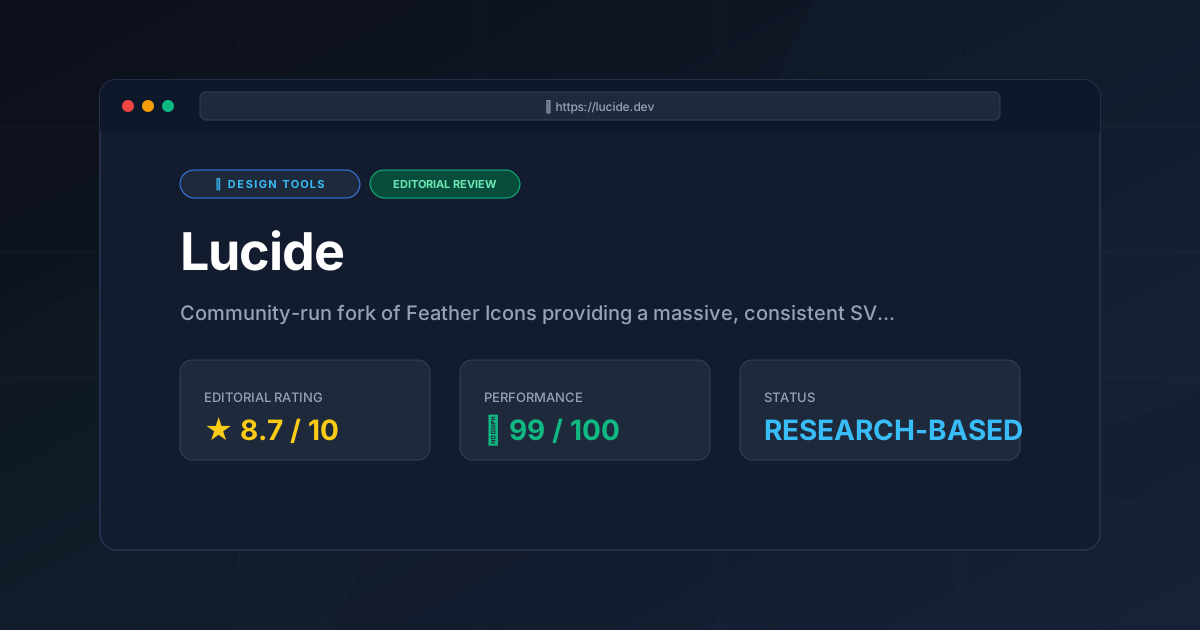
In the modern web development ecosystem, "icon fatigue" is a genuine productivity killer. Developers often find themselves caught between bloated libraries that degrade page performance and minimalist sets that lack the specific glyphs needed for complex enterprise dashboards. Lucide has emerged as a dominant force by positioning itself as the community-run fork of Feather Icons, providing a comprehensive svg icon library that balances aesthetic minimalism with technical scalability.
While Feather Icons provided a beautiful, minimalist aesthetic, its development slowed, leaving a gap in the market for a consistently styled, expanding library. Lucide fills this void by maintaining the "Feather look"—clean lines, consistent stroke weights, and a geometric feel—while aggressively expanding the icon count to cover a vast array of categories, from accessibility and finance to social media and system utilities.
Lucide is trending because it aligns perfectly with the current shift toward component-based architecture. It isn't just a collection of images; it is a set of highly optimized SVG components designed for the modern JavaScript stack. By prioritizing tree-shaking and framework-specific wrappers, Lucide ensures that developers only ship the icons they actually use, keeping bundle sizes lean and LCP (Largest Contentful Paint) scores low.
What is an svg icon library? #
An svg icon library is a curated collection of scalable vector graphics (SVGs) designed for consistent use across digital interfaces. Unlike raster images, these libraries provide mathematical paths that remain crisp at any resolution, allowing developers to programmatically adjust colors, stroke widths, and sizes without losing quality or increasing file size.
Key Technical Specifications & Fast Facts #
| Specification | Detail |
|---|---|
| License | ISC License (Open Source) |
| Hosting Type | Client-side / NPM Package / CDN |
| Free Tier Availability | 100% Free (Open Source) |
| API Access | Available via NPM packages and SVG exports |
| Supported Platforms | React, Vue, Svelte, Angular, Vanilla JS, Figma |
In-Depth Feature Breakdown & Real-World Use Cases #
1. Tree-Shakable SVG Components #
One of the primary technical advantages of the Lucide official site implementation is its architecture. Unlike older icon fonts (which require the browser to download a massive .ttf or .woff file containing thousands of icons), Lucide provides icons as individual modules.
Practical Workflow:
When using lucide-react, a developer imports only the specific icon needed:
import { Camera } from 'lucide-react';
During the build process (via Webpack, Vite, or Rollup), the "tree-shaking" mechanism identifies that only the Camera component is being used and discards the rest of the library. This is critical for performance-sensitive applications where every kilobyte of JavaScript impacts the user experience.
2. Consistent Stroke Weight and Customizability #
Lucide icons are built on a consistent 24x24 grid with a default stroke width of 2px. Because they are SVGs rather than filled shapes, they offer unparalleled flexibility.
Real-World Use Case:
Imagine a designer creating a "Light Mode" and "Dark Mode" for a SaaS dashboard. Instead of swapping out entire image files, the developer can simply change the stroke-width or color prop dynamically via CSS or JS. This allows for a cohesive visual language where icons can be made "thinner" for a sophisticated, airy look or "bolder" for high-accessibility interfaces. This level of precision is often required when pairing icons with Modern UI Components: Aceternity UI Review (2026) & Verdict, where high-end aesthetics are the priority.
3. Wide Variety of Categories & Community Growth #
While Feather was limited, Lucide is expansive. It covers everything from basic arrows and users to niche technical symbols. This makes it a viable "single source of truth" for a project, preventing the common mistake of mixing three different icon libraries in one app, which usually leads to visual inconsistency.
Practical Application:
For a complex system design project—perhaps one being mapped out in a Virtual Whiteboard Review: Excalidraw (2026) for System Design—Lucide provides the necessary breadth to represent servers, databases, clouds, and user flows without having to leave the ecosystem to find a specific "database" icon.
Step-by-Step Getting Started Guide #
Implementing this svg icon library into a project is straightforward, regardless of the framework.
Step 1: Installation #
Depending on your environment, install the package via your preferred package manager. For a React project:
npm install lucide-react or yarn add lucide-react
Step 2: Basic Implementation #
Import the desired icon and place it within your JSX.
import { ShoppingCart } from 'lucide-react';

const Navbar = () => {
  return (
    <nav>
      <ShoppingCart color="red" size={24} strokeWidth={1.5} />
    </nav>
  );
};
Step 3: Global Styling (Optional) #
To ensure consistency across an entire application, you can wrap your app in a configuration provider or use CSS variables to control the stroke and stroke-width globally. This prevents "style drift" as the project grows.
Step 4: Exporting for Design Tools #
If you are a designer, you can visit the official site and download icons as SVGs or use the Lucide Figma plugin to drag and drop icons directly into your mockups.
Technical Trade-offs and Edge Cases #
While Lucide is highly efficient, developers should be aware of specific technical trade-offs:
- SVG vs. Icon Fonts: While SVGs are superior for performance and accessibility, they can occasionally cause "layout shift" if dimensions are not explicitly defined in the CSS. Always set a fixed width and height for your icon containers.
- DOM Node Count: In extremely large data tables (e.g., 1,000+ rows) where every row has an icon, rendering 1,000 individual SVG elements can increase the DOM node count and slow down browser rendering. In these rare edge cases, using a single SVG sprite sheet is recommended.
- Stroke-based Rendering: Because Lucide is a stroke-based svg icon library, some very complex shapes may look slightly different across different browsers if
vector-effect="non-scaling-stroke"is not handled correctly during custom scaling.
Objective Pros & Cons Matrix #
Pros #
- Performance: Extremely lightweight due to tree-shaking; no "font-bloat."
- Consistency: Strict adherence to a geometric style ensures a professional look.
- Framework Support: First-class wrappers for React, Vue, Svelte, and Angular.
- Open Source: No licensing fees, no "Pro" paywalls for basic shapes.
- Customizable: Easy adjustment of stroke width, color, and size via props.
Cons #
- Stylistic Limitation: The "line-art" style is not suitable for projects requiring "filled" or "solid" icons.
- Not a Full Graphic Suite: It is an icon library, not a comprehensive illustration set.
- Dependency Management: While small, adding another NPM package is still a dependency to track.
Lucide vs. Competitors: Direct Comparison #
| Feature | Lucide | Heroicons | FontAwesome |
|---|---|---|---|
| Primary Style | Consistent Line Art | Modern/Bold Line & Solid | Diverse (Solid, Regular, Light) |
| Bundle Size | Very Low (Tree-shakable) | Very Low (Tree-shakable) | Medium to High (if using CSS) |
| Pricing | 100% Open Source | 100% Open Source | Freemium (Paid Pro Tier) |
| Customization | High (Stroke-based) | High (SVG-based) | Medium (CSS-based) |
| Best For | Clean, Minimalist SaaS | Tailwind CSS Projects | Enterprise/Legacy Apps |
Pricing Tiers & Value Assessment #
Lucide operates on a purely Open Source model. There are no "Pro" tiers, no monthly subscriptions, and no locked "Premium" icon sets. You can verify the licensing and contribution guidelines on the Lucide GitHub repository.
Value Assessment:
From a cost-benefit perspective, Lucide provides infinite value. It removes the financial friction associated with libraries like FontAwesome, where certain styles (like "Thin" or "Duotone") are locked behind a paywall. For startups and independent developers, this makes Lucide a "no-brainer" choice. The "cost" is simply the time spent integrating the library, which is minimal given the quality of the official documentation.
Frequently Asked Questions #
Is Lucide a complete replacement for Feather Icons? #
Yes. Lucide is a community-driven fork of Feather. It maintains the original design philosophy but adds hundreds of new icons and provides better support for modern frameworks, making it the superior choice for 2026.
Can I use Lucide in a project without a framework (Vanilla JS)? #
Absolutely. Lucide provides a vanilla JavaScript package that allows you to replace data-lucide attributes in your HTML with actual SVG elements at runtime, ensuring compatibility with any website.
Does Lucide support accessibility (ARIA) standards? #
Yes. Because Lucide icons are rendered as SVGs, you can easily add aria-hidden="true" for decorative icons or role="img" and <title> tags for icons that convey meaning, ensuring your site remains accessible.
How does Lucide handle icon updates? #
Since it is distributed via NPM, updating your icons is as simple as running npm update lucide-react. New icons are added frequently via community contributions to the public repository.
Does Lucide offer a paid "Pro" version? #
No. Lucide is entirely open source under the ISC license. All icons, including the most recent additions, are free for both personal and commercial use without a subscription.
Final Verdict & Editorial Rating #
Lucide is a masterclass in "doing one thing and doing it perfectly." It doesn't try to be a full-scale design system or a complex illustration library; it simply provides a massive, consistent, and performant svg icon library.
The primary trade-off is aesthetic. If your brand requires heavy, filled-in shapes or highly ornate imagery, Lucide's minimalist line art may feel too sparse. However, for the vast majority of modern web applications—especially those utilizing a clean, "inter-style" aesthetic—it is currently the gold standard.
It is particularly powerful when used alongside other modern tools. For instance, if you are building a landing page using a Best AI Website Builder? Framer AI Review (2026) & Verdict, the clean lines of Lucide icons will complement the polished, AI-generated layouts perfectly.
Final Score: 8.7/10 #
Who should use it?
- Frontend Developers who prioritize bundle size and performance.
- UI/UX Designers who want a consistent icon language across Figma and Code.
- SaaS Founders looking for a professional, free, and scalable icon solution.
- Open Source Contributors who want a library they can actually help grow.
More Tools Worth Reading
Spline
Design ToolsWeb 3D design made easy. Explore our deep dive into Spline 2026 to see how it transforms interactive sites—read now to optimize your design stack.
Storybook
Design ToolsUI component library management made easy. Explore our deep dive into Storybook 2026 to see if it is the right fit for your design system workflow.
Storyset
Design ToolsFree vector illustrations are the core of Storyset. Learn how to customize, animate, and deploy professional SVGs to boost your site conversion rates.