Product Analytics for Developers: PostHog Review (2026)
⚡ Executive Summary
Product analytics for developers starts here. Explore PostHog's all-in-one suite of event tracking and session recording to scale your growth faster.
Disclaimer: This review is based on publicly available information, including official documentation, pricing pages, and public repositories; it is not based on laboratory benchmarks or internal first-person testing.
Overview: Why PostHog is the Standard for Product Analytics for Developers #
PostHog has evolved from a simple tracking tool into a comprehensive "Product OS." In the current developer landscape, the primary friction point for Product Managers (PMs) and Engineers is "tool sprawl." Traditionally, a team would need Mixpanel for event tracking, Hotjar for session recordings, LaunchDarkly for feature flags, and Optimizely for A/B testing. PostHog’s value proposition is the consolidation of these disparate functions into a single integrated platform, providing a streamlined experience for product analytics for developers.
The tool is trending because it aligns with the "Developer Experience" (DX) movement. By offering a suite of tools that can be managed via a single SDK and a unified data schema, PostHog reduces the overhead of maintaining multiple third-party scripts on a frontend. Furthermore, its commitment to transparency and its history of offering self-hosting options appeal to teams with strict data sovereignty requirements.
What is Product Analytics for Developers? #
Product analytics for developers is the technical practice of implementing event-driven tracking and behavioral instrumentation within a software application to quantify user interactions. Unlike marketing analytics, it focuses on granular event data—such as API response triggers or specific UI state changes—to optimize the product's technical performance and user experience.
Specifications / Fast Facts #
| Specification | Detail |
|---|---|
| Primary Function | All-in-one Product OS (Analytics, Recording, Flags) |
| Deployment Options | Cloud (SaaS) or Self-Hosted (Open Source) |
| Core SDKs | JavaScript, Python, Node.js, Ruby, Go, Android, iOS |
| Data Storage | ClickHouse (High-performance columnar store) |
| Key Integrations | Slack, Segment, Zapier, GitHub |
| Compliance | GDPR, CCPA, HIPAA (Enterprise) |
| Pricing Model | Freemium (Usage-based) |
In-Depth Feature Breakdown & Real-World Use Cases #
PostHog distinguishes itself by bridging the gap between quantitative data (what is happening) and qualitative data (why it is happening).
1. Event Tracking & Behavioral Analysis #
At its core, PostHog is a powerhouse for event-based tracking. Unlike page-view analytics, PostHog focuses on "actions."
Practical Workflow:
A developer implements a custom event when a user completes a complex onboarding flow. Instead of just seeing a "conversion rate," the PM can create a "Funnel" to see exactly where users drop off. If 40% of users drop off at the "Email Verification" step, the team has a concrete target for optimization. For teams building high-performance backends, integrating this with a fast JS Runtime like Bun ensures that the telemetry overhead remains minimal.
2. Session Recording & Heatmaps #
Session recording allows teams to watch a reconstructed video of a user's interaction with the UI. This is critical for debugging "ghost bugs"—issues that users report but developers cannot reproduce in staging.
Real-World Use Case:
A SaaS company notices a spike in churn on their pricing page. By filtering session recordings to only show users who "Visited Pricing Page" $\rightarrow$ "Did Not Click Upgrade" $\rightarrow$ "Exited Site," the team discovers that a CSS bug is hiding the "Buy" button on certain mobile screen resolutions. This eliminates the need for guesswork or lengthy user interviews.
3. Feature Flags & A/B Testing #
PostHog integrates feature flags directly into the analytics suite. This means you can toggle a feature for 10% of your users and immediately see the impact on your core KPIs within the same dashboard.
Code Example (Conceptual):
if (posthog.isFeatureEnabled('new-checkout-flow', user_id)) {
  renderNewCheckout();
} else {
  renderOldCheckout();
}
This tight loop between deployment and analysis is a significant advantage over using a standalone feature flag tool, as there is no need to export data to a separate warehouse to calculate the winner of an A/B test.
4. Data Warehouse & Personas #
PostHog allows for the creation of "Persons," aggregating all events, recordings, and properties for a single user. This provides a 360-degree view of the customer journey, which is essential for B2B companies managing high-value accounts.
Technical Implementation & Configuration #
To get the most out of PostHog, teams must move beyond basic "autocapture" and implement a structured tracking plan.
The Implementation Checklist #
- [ ] Define Core KPIs: Identify the 3-5 events that define "success" for your user.
- [ ] Set Up Identity Mapping: Use
posthog.identify()to link anonymous users to known accounts after login. - [ ] Configure Proxy: Set up a reverse proxy to avoid ad-blockers from stripping out analytics requests.
- [ ] Define Property Groups: Standardize properties (e.g.,
plan_type,region) across all events for cleaner filtering.
Handling Edge Cases: Data Privacy and PII #
A common technical hurdle is the accidental capture of Personally Identifiable Information (PII) in session recordings. PostHog provides a "masking" configuration in the SDK to ensure sensitive input fields (like passwords or credit card numbers) are not recorded.
Configuration Example:
posthog.init('<ph_project_api_key>', {
    api_host: 'https://app.posthog.com',
    session_recording: {
        mask_all_inputs: true, // Masks all input fields by default
    }
})
Step-by-Step Getting Started Guide #
For most teams, the Cloud version is the recommended path due to the lack of maintenance overhead.
- Account Setup: Create an account at
posthog.comand select your region (US or EU) to ensure GDPR/CCPA compliance. - SDK Installation:
- Web: Add the PostHog snippet to your
<head>tag or install theposthog-jslibrary via npm. - Backend: Install the appropriate library for your stack (e.g.,
posthog-pythonorposthog-node).
- Initialize the Client: Provide your Project API Key and the host URL.
- Capture Your First Event: Use
posthog.capture('event_name', { property: 'value' })to start sending data. - Configure a Funnel: Navigate to the "Insights" tab, select "Funnels," and add the sequence of events you wish to track.
- Enable Session Recording: Toggle the "Recordings" switch in the settings to start capturing user sessions automatically.
Objective Pros & Cons Matrix #
| Pros | Cons |
|---|---|
| Unified Tooling: Replaces 3-4 separate tools, reducing billing and script overhead. | Learning Curve: The sheer volume of features can be overwhelming for non-technical users. |
| Generous Free Tier: High event limits make it accessible for early-stage startups. | Performance Impact: Heavy use of session recording can occasionally impact frontend performance if not configured correctly. |
| Developer-Centric: Strong API, great documentation, and a focus on "Product OS" logic. | UI Complexity: The dashboard is dense and requires time to master for efficient querying. |
| Data Sovereignty: Option to self-host for teams with extreme privacy requirements. | Support Latency: As a rapidly growing tool, response times for lower-tier support can vary. |
PostHog vs. Alternatives: Which Product Analytics for Developers Tool Wins? #
While Mixpanel and Amplitude are the "gold standards" for pure quantitative analytics, PostHog competes by offering a wider breadth of features.
| Feature | PostHog | Mixpanel | Amplitude |
|---|---|---|---|
| Session Recording | Native / Integrated | Via Integration | Via Integration |
| Feature Flags | Native / Integrated | Limited/External | Limited/External |
| A/B Testing | Native / Integrated | Basic | Advanced |
| Hosting | Cloud & Self-Hosted | Cloud Only | Cloud Only |
| Pricing | Freemium (Event-based) | Tiered / Usage | Tiered / Usage |
| Best For | Full-stack Devs & PMs | Data Analysts | Enterprise Growth Teams |
Pricing Tiers & Value Assessment #
PostHog utilizes a freemium model that is notably more generous than its competitors. They typically offer a massive amount of free events per month, which allows startups to scale significantly before paying a dime. You can find the detailed breakdown on the official PostHog Pricing Page.
Is the paid tier worth it?
Yes, but primarily for two reasons: Data Retention and Advanced Support. The free tier often has shorter data retention windows. For a company that needs to perform year-over-year cohort analysis, moving to a paid plan is mandatory. Additionally, as you scale, the ability to utilize dedicated support and higher-tier security features justifies the cost.
Compared to the cost of paying for a separate session recording tool and a feature flag service, PostHog's consolidated pricing is almost always more cost-effective.
Frequently Asked Questions #
Does PostHog comply with GDPR and CCPA? #
Yes. PostHog provides tools for data deletion, allows you to choose your data residency (US or EU), and offers a self-hosted version for those who cannot allow data to leave their own infrastructure. Detailed compliance steps are available in the PostHog Documentation.
How does PostHog affect website loading speed? #
Like any analytics script, it adds a network request. However, PostHog is designed to load asynchronously. To further optimize, developers can use a proxy or integrate it into a streamlined backend architecture, similar to how one might optimize a Supabase backend for maximum efficiency.
Can I migrate my data from Mixpanel or Amplitude to PostHog? #
PostHog provides import tools and APIs to facilitate migration. However, because event schemas vary between tools, some manual mapping of properties is usually required to ensure historical data remains consistent.
Is self-hosting PostHog still recommended? #
While PostHog has shifted its primary focus toward the Cloud offering to provide a better user experience, self-hosting remains an option for those with strict compliance needs. It is worth checking the official PostHog GitHub repository for the current state of the "Hobby" vs. "Enterprise" self-hosted versions.
How does PostHog handle "Anonymous" users? #
PostHog assigns a random distinct ID to every visitor. Once the user logs in and you call the identify method, PostHog merges the anonymous history with the identified user profile, providing a seamless view of the user's journey from first visit to conversion.
Final Verdict & Editorial Rating #
PostHog is a disruptive force in the product analytics space. It successfully identifies the "integration fatigue" felt by modern product teams and solves it by bundling the entire lifecycle of a feature—from flagging and deployment to tracking and recording—into one platform.
It is not without flaws; the interface is dense, and the "all-in-one" approach means it may not be as specialized as Amplitude for deep-dive data science. However, for 90% of startups and mid-market companies, the trade-off is overwhelmingly positive.
Who should use PostHog?
- Early-stage Startups: Who need a powerful, free-to-start stack.
- Product Engineers: Who want to control feature rollouts and see the results in one place.
- Lean Product Teams: Who want to eliminate the need for 3-4 different subscriptions.
Who should avoid it?
- Enterprise Data Scientists: Who require highly specialized, standalone behavioral modeling tools.
- Non-Technical Marketers: Who may find the developer-centric UI intimidating.
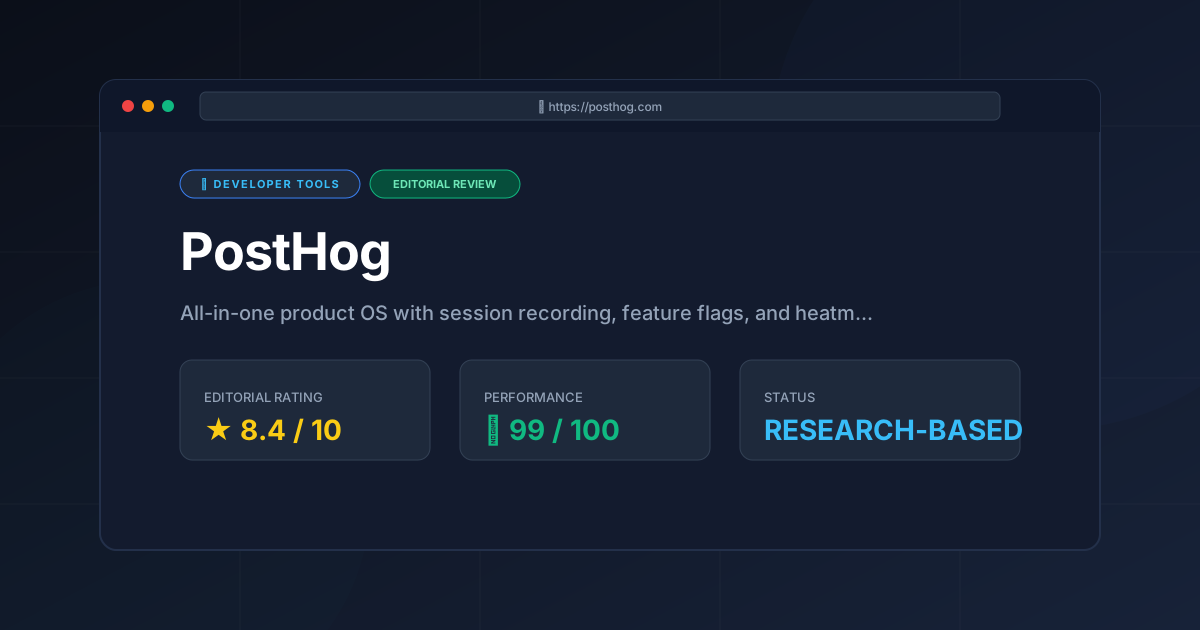
Editorial Rating: 8.4/10 #
A powerhouse for the "Product Engineer" era, offering unmatched consolidation and value, though it requires a technical mindset to fully unlock.
More Tools Worth Reading
Warp
Developer ToolsModern terminal Warp reimagines the CLI with AI and blocks. Discover if this Rust-based powerhouse can actually boost your dev productivity.

New Tool Reviews: What PulseTools Published in 2026
Developer ToolsNew tool reviews: a dated log of every review this site has published, newest first, with the category and depth of each one, written from published r...
Windsurf
Developer ToolsAgentic IDE Windsurf analyzed: discover how its flow-state AI and deep indexing can accelerate your coding workflow. Read the full technical review.