tldraw Review (2026): Best Open-Source Canvas SDK for Apps?
⚡ Executive Summary
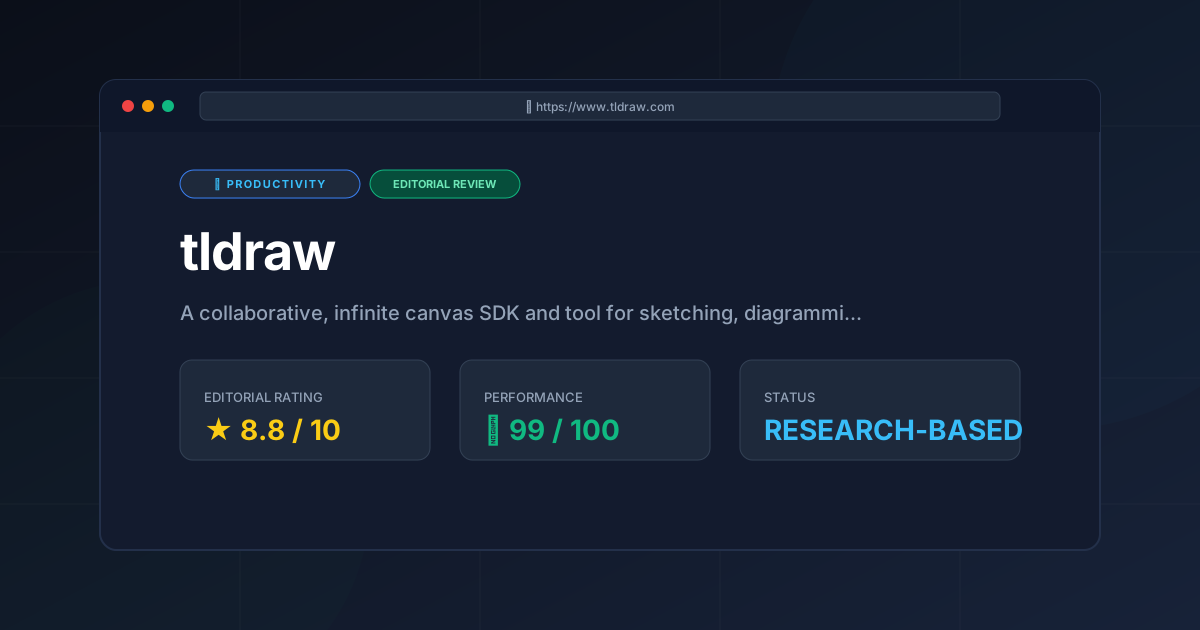
tldraw Review (2026): Analyze the features, SDK capabilities, and pricing of this collaborative canvas tool to accelerate your app development.
Please note that this review is based entirely on publicly available information, including official documentation, the public GitHub repository, and pricing pages, and does not represent a laboratory benchmark or hands-on testing by our team.
The demand for interactive, collaborative digital canvases has skyrocketed. Whether for visual brainstorming, system architecture, or educational interfaces, the "infinite canvas" is now a staple of modern web apps. Among the tools leading this shift is tldraw, a highly customizable, collaborative infinite canvas SDK and drawing tool. Unlike closed SaaS whiteboards, this platform is built for developers who want to embed and control their own canvas experiences.
This comprehensive review analyzes the architecture, core features, and commercial viability of the tool to help you decide if it fits your next project.
Overview #
tldraw is an open-source software development kit (SDK) and a free web-based sketching app. It allows developers to embed a high-performance, infinite whiteboard into their own React applications. It provides the underlying engine for shapes, zooming, and real-time collaboration, removing the need to build a complex canvas from scratch.
Technical Specifications & Fast Facts #
For technical teams evaluating this canvas engine for their software stack, here is a breakdown of its core specifications:
| Specification | Details |
|---|---|
| License | Custom/Source-Available (Free for non-commercial; paid for commercial) |
| Hosting Type | Self-hosted (as an SDK) or Cloud-hosted (via tldraw.com) |
| Free Tier | Yes (Personal use, education, and open-source projects) |
| API Access | Comprehensive TypeScript/JavaScript SDK |
| Supported Platforms | Web-first (React native; others via iframes) |
| State Management | Custom reactive engine (@tldraw/state and @tldraw/store) |
| Rendering Engine | Hybrid SVG and HTML-based rendering |
In-Depth Feature Breakdown & Real-World Use Cases #
To understand the power of this tool, we must look beyond basic drawing. We need to examine the technology that makes it a developer-first SDK.
1. The Infinite Canvas & Rich Vector Engine #
The software features an infinite canvas with smooth panning and zooming. Unlike raster tools, it uses a vector-based engine. Every line, rectangle, and text block is stored as a structured JSON object.
- Smart Arrow Routing: Arrows bind to shapes and adjust paths dynamically as you move objects.
- Aesthetic Toggles: Users can switch between a casual, hand-drawn style and clean geometric shapes.
- Performance: The engine uses CSS transforms for panning. This ensures the browser does not re-render every path on every frame.
2. Highly Customizable SDK & Custom Shapes #
The defining feature of the SDK is its extensibility. Developers are not limited to default shapes. By extending the ShapeUtil class, you can create interactive elements.
For example, a team building a database tool can create a "Table Schema" shape. This shape can contain HTML inputs and buttons while remaining a draggable canvas element. This level of flexibility is essential for those building visual knowledge bases, similar to the spatial organization found in our Visual PKM Guide: Heptabase Review (2026) Features & Verdict.
// Conceptual example of defining a custom shape utility
import { BaseBoxShapeUtil, HTMLContainer } from 'tldraw'

export class MyCustomCardUtil extends BaseBoxShapeUtil<any> {
  static type = 'custom-card' as const

  getDefaultProps() {
    return { w: 200, h: 120, title: 'Database Table' }
  }

  component(shape: any) {
    return (
      <HTMLContainer style={{ background: 'white', border: '2px solid black', padding: 8 }}>
        <h3>{shape.props.title}</h3>
        <p>Custom interactive canvas element.</p>
      </HTMLContainer>
    )
  }

  indicator(shape: any) {
    return <rect width={shape.props.w} height={shape.props.h} />
  }
}
3. Real-Time Multiplayer Collaboration #
The platform is designed for multiplayer use. Its state architecture is decoupled from the UI. This means the canvas state can sync across multiple clients in real time.
Developers can integrate third-party sync engines like Yjs or Liveblocks. This allows users to see cursors and edit shapes simultaneously without conflicts. For teams managing complex project workflows, this real-time synchronization is as critical as the streamlined issue tracking described in our Linear Review (2026): The Best Issue Tracker for Product Teams.
Step-by-Step Integration Guide #
Integrating the SDK into a React application is straightforward. Follow these steps to set up a basic canvas.
Step 1: Install the Packages #
Add the core package to your project using a package manager:
npm install tldraw
# or
yarn add tldraw
Step 2: Import and Render the Component #
Import the Tldraw component and its CSS. Ensure the parent container has a set height and width.
import { Tldraw } from 'tldraw'
import 'tldraw/tldraw.css'

export default function CanvasPage() {
  return (
    <div style={{ width: '100vw', height: '100vh' }}>
      <Tldraw />
    </div>
  )
}
Step 3: Customize the UI and Behavior #
You can hide the helper menu or style panel by passing configuration props:
<Tldraw
  showMenu={false}
  autoFocus={true}
  onMount={(editor) => {
    editor.createShapes([
      {
        id: 'shape:rect1',
        type: 'geo',
        x: 100,
        y: 100,
        props: { geo: 'rectangle', w: 150, h: 100 },
      },
    ])
  }}
/>
Technical Limitations & Trade-offs #
While the tool is powerful, it is not a universal solution. Objective analysis of the architecture reveals several critical trade-offs.
- React Framework Dependency: The SDK is deeply coupled with React. While it is possible to use it in Vue or Svelte via an
iframeandpostMessagecommunication, this introduces significant latency and complexity in state synchronization. It is not a framework-agnostic library. - DOM-Based Rendering Bottlenecks: Because tldraw uses a hybrid of SVG and HTML elements rather than a pure WebGL or Canvas-based approach, it faces performance degradation when rendering thousands of simultaneous objects. Complex documents with 5,000+ shapes may experience "jank" during panning.
- Commercial Licensing Friction: Unlike MIT-licensed tools, tldraw uses a source-available model. Companies building a for-profit product must purchase a commercial license. This creates a financial barrier for early-stage startups compared to fully open-source alternatives.
- Limited Native Mobile Support: While the web app is responsive, the SDK is designed for the browser. Implementing a truly native mobile experience requires wrapping the app in a WebView, which lacks the fluidity of a native Swift or Kotlin canvas implementation.
Objective Pros & Cons Matrix #
Pros #
- Great Developer Experience: It offers strong TypeScript types and clear lifecycle methods.
- Fluid UI: The interface is intuitive and works well on touch devices.
- Rich Ecosystem: An active community contributes plugins and custom shapes.
- Flexible State: The
@tldraw/statelibrary can be used without the UI for headless operations. - Multiplayer Ready: It plugs into collaborative backends with minimal setup.
Cons #
- React-Centric: Integration into other frameworks is cumbersome.
- Commercial Costs: Paid licenses are mandatory for commercial software.
- Scale Limits: Performance dips with extremely high object counts.
- Learning Curve: Mastering the
ShapeUtiland state store requires significant TypeScript knowledge.
tldraw vs. Competitors: Direct Comparison #
| Feature / Metric | tldraw | Excalidraw | Miro | Figma FigJam |
|---|---|---|---|---|
| Primary Target | Developers / SDK | Quick Sketching | Enterprise | Design Teams |
| Open Source | Source-Available | Yes (MIT) | No | No |
| SDK Customization | Extremely High | Moderate | Low | Low |
| Rendering Tech | SVG / HTML | HTML5 Canvas | Canvas / WebGL | WebGL |
| Self-Hosting | Fully Supported | Fully Supported | Not Supported | Not Supported |
Pricing Tiers & Value Assessment #
The project uses a source-available, dual-licensing model. This is a key detail for businesses. You can find the full details on the official pricing page.
- Non-Commercial Use: Free for personal projects, education, and open-source work.
- Commercial Use: A paid license is required if you embed the SDK into a commercial product.
Value Assessment: For companies building a visual website builder or an EdTech platform, the license is cost-effective. It saves thousands of hours of engineering. You avoid the struggle of building zoom/pan logic and debugging pointer events. You can view the technical implementation details in the public GitHub repository.
Frequently Asked Questions #
Can I use this in a non-React project? #
Yes, but it requires a workaround. Since the SDK is built for React, developers using Vue or Svelte typically embed the canvas within an iframe. Communication between the parent application and the canvas is then handled via the postMessage API to sync state and trigger actions.
How does the tool handle data persistence? #
The standalone app saves data to local storage. When utilizing the SDK, developers use the store API to listen for changes in real-time. This allows you to serialize the canvas state into a JSON object and save it to a backend database like PostgreSQL or MongoDB.
Is it suitable for complex CAD drawings? #
No, it is not a CAD replacement. While excellent for wireframing and sketching, the SVG/HTML rendering engine is not optimized for the precision and scale of CAD. Performance will drop significantly if the canvas contains tens of thousands of highly detailed vector paths.
What is the difference between @tldraw/tldraw and @tldraw/editor? #
@tldraw/editor is the core headless engine. It handles the mathematical state and rendering logic without providing a user interface. @tldraw/tldraw is the full-featured package, including the default UI, menus, and toolbars. Use the editor package for a completely custom UI.
How do I implement real-time collaboration? #
tldraw does not provide the backend sync server by default. Instead, it provides the hooks to connect to one. Developers typically integrate Yjs (a CRDT framework) or Liveblocks to handle the synchronization of shape data and cursor positions across multiple users.
Final Verdict & Editorial Rating #
tldraw is an exceptional piece of engineering that fundamentally changes how developers approach infinite canvases. By offering a React-friendly SDK and a polished UI, it fills the gap between simple drawing libraries and restrictive enterprise whiteboards.
However, the rating is tempered by the framework lock-in and the commercial licensing requirements. For a developer already invested in the React ecosystem, the time saved on building complex zoom/pan and shape-binding logic is immense. For those seeking a completely free, framework-agnostic tool, Excalidraw remains a stronger choice.
PulseTools Editorial Rating #
- Developer Experience (DX): 9.5/10
- Performance & Responsiveness: 7.5/10
- Features & Customizability: 9.2/10
- Licensing & Cost Accessibility: 6.5/10
Overall Score: 8.2 / 10
Recommendation: We highly recommend this SDK for software developers and product teams building interactive, React-based web apps. For casual users, the free web app remains a top-tier, lightweight alternative to heavy enterprise tools.
More Tools Worth Reading
Screenpipe
ProductivityIn-depth review of Screenpipe in 2026: key features, pricing, alternatives and who it is best for.
Paperclip
ProductivityIn-depth review of Paperclip in 2026: key features, pricing, alternatives and who it is best for.
Hindsight
ProductivityHindsight review: Explore how this open-source agent memory layer eliminates LLM amnesia, cuts token costs, and powers self-learning AI workflows in 2...