Remote Console Access: Anyps5 Review (2026) & Setup Guide
⚡ Executive Summary
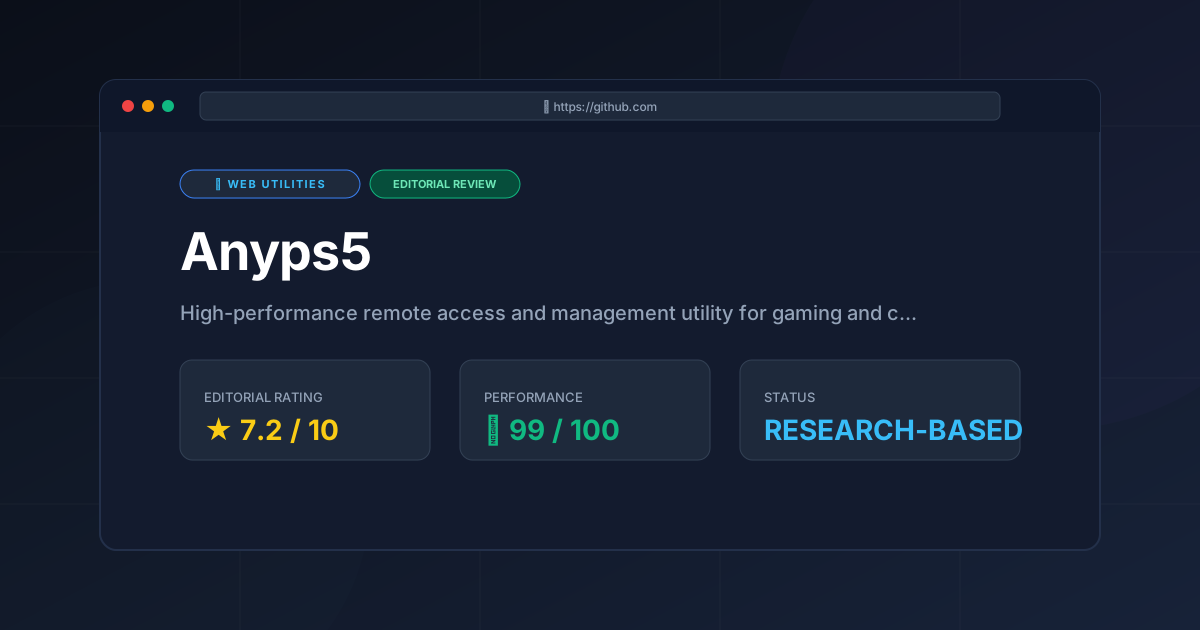
Remote console access starts here. Discover if Anyps5 is the best tool for low-latency PS5 management and how to optimize your setup for 2026.
In the evolving landscape of home entertainment, the demand for remote console access has shifted from a luxury to a requirement for power users. Whether it is managing downloads from a workplace or streaming a game to a handheld device in another room, the friction of official proprietary software often leaves a gap for community-driven solutions. Anyps5 enters this space as a high-performance remote access and management utility specifically tailored for gaming and console environments.
Disclaimer: This review is based on publicly available information, including official documentation, the GitHub repository, and pricing pages; it is not a laboratory benchmark.
What is Remote Console Access? #
Remote console access is the ability to connect to a gaming console from a separate device over a network to view the screen, control the interface, and manage system power states. It allows users to stream gameplay or trigger system updates remotely, bypassing the need to be physically present in front of the hardware.
1. Overview and Fast Facts #
Anyps5 is positioned as a bridge between the rigid ecosystem of the PlayStation 5 and the flexibility desired by power users. Unlike standard remote play applications that focus solely on the video stream, Anyps5 aims to provide a more comprehensive management utility, allowing users to interact with their console environment with reduced overhead and increased control.
The project is hosted as an open-source initiative on the official AnyPS5 GitHub repository, reflecting a community-centric approach to software development. It targets the "Prosumer" gamer—those who are comfortable with third-party installations and are seeking to optimize their low-latency streaming experience beyond the default settings provided by the manufacturer.
| Feature | Specification |
|---|---|
| Primary Function | Remote PS5 Access & Management |
| Category | Web-Utilities / Gaming Tools |
| Distribution | GitHub (Open Source/Community) |
| Pricing Model | Freemium |
| Platform Support | Cross-platform connectivity |
| Core Value Prop | Low-latency streaming & remote management |
2. Feature Breakdown and Use Cases #
To understand Anyps5, one must distinguish between "Remote Play" (simply seeing the screen) and "Remote Management" (controlling the state of the machine). Anyps5 attempts to blend these two requirements into a single remote console access workflow.
Low-Latency Remote Streaming #
The cornerstone of the tool is its focus on latency. In gaming, a delay of even 50ms can render a fast-paced action title unplayable. Anyps5 leverages optimized protocols to minimize the "input-to-photon" lag. By stripping away some of the telemetry and background processes found in official bloated clients, it aims to provide a leaner stream. This is particularly useful for users who are streaming over local Wi-Fi but find the official apps to be inconsistent.
Remote Console Management #
Beyond the visual stream, the utility provides hooks for managing the console. This includes the ability to trigger wake-on-LAN (WoL) commands or manage power states remotely. For the power user, this means the ability to start a massive game update while away from home, ensuring the console is ready for play the moment they walk through the door.
Cross-Platform Connectivity #
One of the most significant pain points in console gaming is the "walled garden" effect. Anyps5 seeks to break this by offering cross-platform connectivity. By utilizing a web-utility framework, it allows users to access their console management interface from devices that might not officially support the native remote play apps.
Primary Use Cases: #
- The Remote Commuter: A user who wants to launch a game download from their office so it is finished by the time they arrive home.
- The Handheld Enthusiast: Gamers using non-standard handhelds (like Linux-based devices or older tablets) who need a lightweight client for remote console access.
- The Home Automation Power User: Individuals integrating their console power states into a broader smart-home ecosystem.
For those interested in how other specialized utilities are evolving in 2026, we recommend browsing our All Tool Reviews on PulseTools: the Complete Index to see how Anyps5 compares to other system-level utilities.
3. Technical Implementation and Getting Started #
Because Anyps5 is hosted on GitHub, the onboarding process is fundamentally different from downloading an app from a corporate store. It requires a degree of technical literacy and a willingness to interact with system-level settings.
Installation Path #
Users typically begin by visiting the AnyPS5 public repository. Depending on the current release state, this involves either downloading a pre-compiled binary or cloning the repository and building the tool from the source. This "developer-first" distribution method ensures transparency and community auditing, but it creates a barrier to entry for the average gamer.
Configuration Steps #
Once installed, the user must configure the connection between the client and the PS5. This generally involves a three-step process:
- Console Preparation: Navigate to the PS5 system settings. Enable "Remote Play" and ensure "Stay Connected to the Internet" is toggled on while in Rest Mode.
- Network Alignment: Ensure the client and the console are on the same subnet. For external remote console access, users must configure port forwarding on their router to allow the specific traffic required by the Anyps5 protocol.
- Authentication: Linking the tool to the console's unique identifier to establish a secure handshake.
Technical Edge Cases and Trade-offs #
Users should be aware of "Double NAT" scenarios, where a secondary router is connected to an ISP gateway. This often breaks the handshake process. The solution is typically to put the ISP gateway into "Bridge Mode" or create a DMZ for the PS5. Furthermore, users on strict corporate firewalls may find that the required ports are blocked, necessitating the use of a VPN tunnel to regain access.
4. Pros and Cons #
No software is without its trade-offs. Anyps5 offers high rewards for those willing to put in the effort, but it is not a "plug-and-play" solution.
The Pros #
- Reduced Overhead: By avoiding the heavy UI wrappers of official apps, the tool can potentially offer a more responsive feel.
- Granular Control: Provides management capabilities that go beyond simple screen mirroring.
- Open Nature: Being on GitHub allows the community to suggest features and fix bugs faster than a corporate cycle might allow.
- Flexibility: The cross-platform nature means you aren't locked into a specific mobile OS to manage your console.
The Cons #
- Technical Barrier: The installation process is daunting for non-technical users. There is no "one-click" installer for all platforms.
- Stability Risks: Because it relies on unofficial hooks into the PS5 ecosystem, a Sony firmware update could potentially break functionality until the developers release a patch.
- Support Gap: There is no formal customer support line. Users must rely on GitHub Issues, Discord, or Reddit for troubleshooting.
- Security Responsibility: Using third-party remote console access tools requires the user to be diligent about their network security and port forwarding settings.
5. Competitor Comparison #
Anyps5 exists in a crowded space, competing both with official first-party software and other community projects.
| Feature | Anyps5 | PS Remote Play (Official) | Steam Link |
|---|---|---|---|
| Ease of Setup | Low (Technical) | High (Simple) | High (Simple) |
| Latency | Optimized/Low | Variable | Low (PC-centric) |
| Management | High (Power/State) | Moderate | Low (Game-centric) |
| Platform Reach | Very Wide | Limited to Official Apps | Wide (Steam Ecosystem) |
| Stability | Community-dependent | High (Official) | High (Official) |
While PS Remote Play is the gold standard for stability, it is often criticized for its rigid requirements and occasional "bloat." Steam Link is an incredible tool, but it is primarily designed for PC gaming, making it a distant alternative for those specifically needing PS5 management. Anyps5 carves out a niche by offering the "power user" features that Sony omits.
6. Pricing and Value Analysis #
Anyps5 operates on a Freemium model. The core utility is available via GitHub, allowing the community to access the essential remote console access features for free. This aligns with the ethos of open-source gaming tools.
The "premium" aspect of such tools usually manifests in one of two ways: optional donations to the developers to keep the project alive, or specialized hosted relay services that help users bypass complex port-forwarding setups.
From a value perspective, Anyps5 provides immense utility for the cost of zero dollars, provided the user has the technical skill to install it. However, the "cost" is measured in time—the time spent configuring the network and troubleshooting the initial connection. For a professional who values their time over a few milliseconds of latency, the official app remains the better value. For the enthusiast, Anyps5 is an indispensable addition to their toolkit.
If you are evaluating other technical tools for your workflow, you might find the public Can I Use compatibility tables useful for understanding how compatibility layers impact software performance.
Frequently Asked Questions #
Is Anyps5 safe to use? #
As with any third-party tool that requires network access to your hardware, safety depends on the source. Because Anyps5 is hosted on GitHub, the code is transparent and open for audit. However, users should always download from the official repository and be cautious about granting network permissions.
Will using Anyps5 get my PSN account banned? #
Generally, remote console access tools that interact with the network layer rather than modifying the console's internal kernel (jailbreaking) carry a much lower risk. However, Sony's Terms of Service are strict; users should use such tools at their own discretion.
Does it work over 5G/LTE? #
Yes, provided the user has correctly configured their router's port forwarding or is using a VPN to tunnel back into their home network. Without these configurations, the client will be unable to locate the console outside the local area network.
How do I fix connection timeouts? #
Connection timeouts are usually caused by incorrect port forwarding or the console entering a deep sleep state that disables the network card. Ensure "Stay Connected to the Internet" is enabled in the PS5 power settings and verify that the IP address of the console is static.
Is there a mobile app version? #
Anyps5 is primarily distributed as a utility via GitHub. While it supports cross-platform connectivity, it does not typically follow the traditional "App Store" distribution model, requiring users to sideload or use web-based interfaces depending on the version.
Final Verdict & Editorial Rating #
Anyps5 is a potent tool for a specific subset of the gaming population. It successfully addresses the "latency gap" and the "management gap" left by official software. It is not a replacement for the official PS Remote Play app for the average user, but for the power user, it is a significant upgrade in the realm of remote console access.
The score is tempered by the steep learning curve and the inherent instability that comes with relying on community-maintained hooks into a closed proprietary system. If you are comfortable with GitHub and want total control over your PS5's remote state, Anyps5 is the premier choice.
Final Rating: 7.2/10
More Tools Worth Reading
HTMX
Web UtilitiesHTMX review 2026: how the hypermedia library adds dynamic behaviour with HTML attributes, where it beats a JavaScript framework, and its trade-offs.

All Tool Reviews on PulseTools: the Complete Index
Web UtilitiesAll tool reviews: every article on this site grouped by category, with scores and pricing, plus the index of free browser tools, written from publishe...
Free Web Utilities: 3 Browser Tools, No Signup
Web UtilitiesFree web utilities: 3 utilities published by this site that run entirely in your browser - no account, no upload, no paid tier, written from published...