HTMX Review (2026): Features, Pricing & Verdict
⚡ Executive Summary
HTMX review 2026: how the hypermedia library adds dynamic behaviour with HTML attributes, where it beats a JavaScript framework, and its trade-offs.
The landscape of modern web development has undergone a massive consolidation around heavy, client-side JavaScript frameworks. For years, building an interactive web application meant adopting complex build pipelines, managing dual-state synchronization between client and server, and shipping megabytes of JavaScript to the browser.
HTMX challenges this status quo by returning to the foundational roots of the web: hypermedia. By extending HTML with declarative attributes, HTMX allows developers to build dynamic, highly interactive user interfaces without leaving the comfort of server-side rendering.
Please note that this review is based on publicly available information, including the official HTMX documentation, public code repositories, and community case studies, and is not a laboratory benchmark.
1. Overview and Fast Facts #
HTMX is a lightweight, dependency-free JavaScript library that allows developers to access AJAX, CSS Transitions, WebSockets, and Server-Sent Events directly in HTML using attributes. Instead of forcing developers to write custom JavaScript to handle asynchronous requests and DOM manipulation, HTMX enables these behaviors declaratively.
At its core, HTMX is designed to fully realize the potential of hypermedia. In a traditional Single Page Application (SPA) architecture, the server acts as a JSON API, and the client-side framework is responsible for turning that JSON into HTML. HTMX flips this model back to the classic web paradigm: the server returns HTML fragments directly, and the browser swaps these fragments into the existing DOM.
| Fact / Metric | Details |
|---|---|
| Developer | Carson Gross / Big Sky Software & Open Source Contributors |
| License | BSD 2-Clause "Simplified" License |
| Library Size | ~14 KB (minified and gzipped) |
| Primary Paradigm | Hypermedia as the Engine of Application State (HATEOAS) |
| Target Audience | Backend-heavy developers, full-stack engineers, minimalist web developers |
| Official Website | https://htmx.org |
| Source Code | Available on the htmx github repository |
2. Feature Breakdown and Use Cases #
HTMX achieves its power by expanding the capabilities of standard HTML. Traditionally, only anchor tags (<a>) and forms (<form>) could make HTTP requests, and only clicks or submits could trigger them. HTMX removes these limitations entirely.
AJAX in HTML #
The core of HTMX lies in its AJAX attributes. Any HTML element can trigger an HTTP request using one of the following attributes:
hx-get: Issues a GET request to the specified URL.hx-post: Issues a POST request.hx-put: Issues a PUT request.hx-delete: Issues a DELETE request.
By default, these requests are triggered by the element's natural event (e.g., change for inputs, submit for forms, click for buttons). However, this can be customized using the hx-trigger attribute, which supports advanced modifiers like delay, debounce, and filtering.
Targeting and Swapping #
When an HTMX request completes, the server responds with raw HTML. The hx-target attribute specifies which element in the DOM should be updated with this response, using standard CSS selectors.
The hx-swap attribute controls how the new content is injected. Options include:
innerHTML: Replaces the inner content of the target element.outerHTML: Replaces the entire target element.beforebegin/afterbegin: Inserts the response before or at the start of the target.beforeend/afterend: Inserts the response at the end or after the target.
WebSockets and Server-Sent Events (SSE) #
While HTMX is heavily associated with standard HTTP requests, it also provides native support for real-time communication. Through the htmx sse and WebSocket extensions, developers can bind elements to real-time data streams. When the server pushes an HTML fragment over an SSE connection, HTMX automatically swaps it into the target element, making real-time dashboards and chat applications surprisingly simple to implement.
Key Use Cases #
- Inline Editing: Clicking a field turns it into an input form, saving the data sends a POST request, and the server returns the updated read-only view.
- Active Search: An input field triggers a search query on every keystroke (with a debounce delay), updating a results table below it in real-time.
- Infinite Scroll: A "Load More" button or a sentinel element at the bottom of a list triggers a request for the next page of elements when scrolled into view.
- Lazy Loading: Heavy page components (like charts or complex metrics) are loaded asynchronously after the initial page shell renders.
3. Getting Started #
Integrating HTMX into a project is exceptionally straightforward. Because it does not require a compilation step, developers can get started by simply linking to a CDN or downloading the minified file.
<!DOCTYPE html>
<html lang="en">
<head>
    <meta charset="UTF-8">
    <title>HTMX Quickstart</title>
    <!-- Load HTMX via CDN -->
    <script src="https://unpkg.com/htmx.org@2.0.0"></script>
</head>
<body>

    <!-- A simple button that loads content asynchronously -->
    <button hx-get="/api/clicked-content"
            hx-target="#result-container"
            hx-swap="innerHTML">
        Click Me to Load Content
    </button>

    <div id="result-container">
        <!-- Asynchronous content will load here -->
    </div>

</body>
</html>
In this example, clicking the button sends a GET request to /api/clicked-content. The server-side router handles this request and returns a simple HTML fragment, such as <span>Hello World!</span>. HTMX intercepts the response and injects it directly into the div with the ID result-container.
To verify compatibility with older or niche browsers, you can consult the public Can I Use compatibility tables for compatibility tracking.
For developers seeking structured learning paths, the official htmx docs and htmx tutorial sections on their website offer a wealth of htmx examples ranging from basic form validation to complex UI patterns.
4. Pros and Cons #
Like any architectural pattern, HTMX involves distinct trade-offs. Understanding where the library excels—and where it struggles—is critical before adopting it for production systems.
Pros: #
- Minimalist Footprint: At roughly 14 KB gzipped, HTMX is a fraction of the size of React, Angular, or Vue, leading to faster page loads and improved Core Web Vitals.
- Unified State Management: By keeping application state on the server, developers avoid the complex synchronization bugs common in client-side state management libraries.
- Backend Agnostic: HTMX works seamlessly with any backend language or framework that can return HTML, including Django, Go, Laravel, Rails, FastAPI, and Spring Boot.
- High Developer Velocity: Simple interactive features can be built in minutes without writing custom JavaScript, configuring bundlers, or managing npm dependencies.
- SEO Friendly: Because it encourages server side rendering (SSR) by design, search engine crawlers can easily index the initial state of the application.
Cons: #
- Not Ideal for Highly Dynamic Client-Side UIs: Applications requiring complex, offline-first interactions, drag-and-drop interfaces, or heavy client-side calculations (like spreadsheet software or interactive design tools) are still better suited for dedicated client-side frameworks.
- Increased Server Round-Trips: Every user interaction that requires a UI update sends a request to the server. While these payloads are small HTML fragments rather than full pages, network latency can still impact the user experience on poor connections.
- Potential for "Attribute Soup": In highly complex templates, managing dozens of
hx-attributes can make HTML files difficult to read if not structured cleanly. - API Redesign Required: If your team already has a robust JSON API, you cannot consume it directly with HTMX without a translation layer, as HTMX expects HTML responses, not JSON.
5. Competitor Comparison #
The modern web ecosystem offers several approaches to reducing JavaScript complexity. Below is a comparison of HTMX against its primary alternatives.
| Feature / Metric | HTMX | Hotwire (Turbo) | Unpoly | Alpine.js | Datastar |
|---|---|---|---|---|---|
| Primary Focus | Hypermedia attributes | Full-stack Rails integration | Rich desktop-like features | Client-side behavior | Real-time declarative UI |
| Payload Size | ~14 KB | ~25 KB (Turbo) | ~45 KB | ~10 KB | ~10 KB |
| Server Response | HTML fragments | HTML / Turbo Streams | HTML fragments | N/A (Client-side) | Server-Sent Events |
| Best Paired With | Any backend | Ruby on Rails | Any backend | HTMX (for local state) | Go / any backend |
HTMX vs React #
The debate of htmx vs react is fundamentally a debate of architectural philosophy. React is a client-side component framework designed for applications with complex, highly interactive local state. It requires a JavaScript runtime to execute in the browser, construct a Virtual DOM, and render UI elements.
HTMX, by contrast, relies on the browser's native HTML parser. It treats the server as the single source of truth, updating the DOM by swapping HTML fragments. For content-driven sites, dashboards, e-commerce platforms, and administrative panels, HTMX often provides a faster, simpler alternative to React.
HTMX vs Datastar #
A newer entry in the hypermedia space is Datastar (htmx vs datastar). While HTMX relies on standard HTTP requests and swaps HTML elements using various strategies, Datastar focuses heavily on Server-Sent Events (SSE) to stream fine-grained updates directly to the page. Datastar is highly performant for real-time applications but has a smaller ecosystem compared to the mature HTMX community.
6. Pricing and Value #
HTMX is completely free and open-source software distributed under the permissive BSD 2-Clause License. There are no licensing fees, premium tiers, or enterprise paywalls.
The true value of HTMX lies in its reduction of Total Cost of Ownership (TCO). By eliminating the need for complex build tools, transpilers, and massive node_modules folders, development teams can significantly reduce:
- Onboarding Time: New developers only need to understand HTML and their backend language of choice.
- Maintenance Overhead: No constant dependency updates or breaking changes from frontend build tools.
- Hosting Costs: Simpler server architectures without the need for dedicated Node.js rendering servers for SSR.
For a broader look at how open-source utilities stack up against commercial development suites, explore our All Tool Reviews on PulseTools: the Complete Index.
If you are building a lightweight, server-driven application, pairing HTMX with a fast, embedded database can be incredibly powerful; look at an embedded database such as SQLite to see how modern local database tools complement this architecture.
7. FAQ and Final Rating #
Frequently Asked Questions #
Does HTMX support offline mode? #
No. Because HTMX relies on server round-trips to fetch HTML fragments, it is not designed to function offline. If offline support is a hard requirement, a progressive web app (PWA) built with a client-side framework is a more appropriate choice.
Is HTMX 4 available? #
As of 2026, the stable major version of HTMX is in the 2.x lifecycle (which removed legacy Internet Explorer support and modernized the codebase). There is no official "HTMX 4" release; search queries regarding "htmx 4" are typically misconceptions or confusion with other framework versioning systems. For the absolute latest roadmap and version releases, developers should consult the official htmx github repository.
How does HTMX handle security, specifically CSRF? #
HTMX integrates seamlessly with standard server-side security practices. It can automatically read CSRF tokens from cookies or meta tags and include them in AJAX request headers using the hx-headers attribute or via global event listeners.
Can HTMX be used alongside React or Vue? #
Yes. HTMX can manage the overall page structure and standard CRUD operations, while specific, highly interactive components (like a complex interactive map or rich text editor) can be managed by React, Vue, or Alpine.js.
PulseTools Editorial Verdict #
HTMX is a breath of fresh air in an industry often overwhelmed by accidental complexity. By breathing new life into the hypermedia model, it proves that you do not always need a heavy client-side framework to build a responsive, modern web application. While it is not a silver bullet for every project—particularly those requiring offline capabilities or desktop-grade client-side interactivity—it is an exceptionally powerful tool for backend-heavy developers and teams looking to simplify their stack.
Our final rating reflects its incredible utility, lightweight footprint, and the elegant simplicity it brings back to web development.
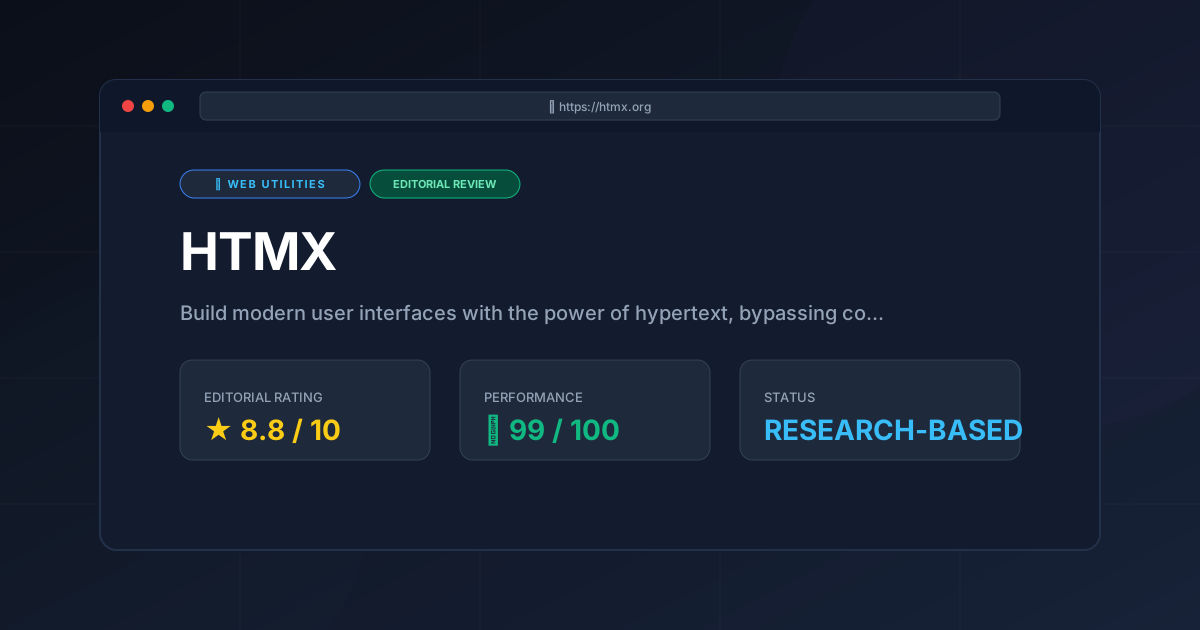
PulseTools Rating: 8.8 / 10 #
- Ease of Use: 9.5/10
- Performance & Footprint: 9.2/10
- Features & Flexibility: 8.0/10
- Community & Ecosystem: 8.5/10
HTMX is a masterful return to hypermedia basics, offering developers a highly efficient, lightweight alternative to modern JavaScript frameworks for the vast majority of standard web applications.
More Tools Worth Reading
Anyps5
Web UtilitiesRemote console access starts here. Discover if Anyps5 is the best tool for low-latency PS5 management and how to optimize your setup for 2026.

All Tool Reviews on PulseTools: the Complete Index
Web UtilitiesAll tool reviews: every article on this site grouped by category, with scores and pricing, plus the index of free browser tools, written from publishe...
Free Web Utilities: 3 Browser Tools, No Signup
Web UtilitiesFree web utilities: 3 utilities published by this site that run entirely in your browser - no account, no upload, no paid tier, written from published...