Claude AI Review (2026): Features, Pricing & Verdict
⚡ Executive Summary
Claude AI is the premier LLM for coding and long-context analysis. Discover the technical trade-offs and pricing to see if it fits your workflow.
Disclaimer: This review is based on publicly available information, including official documentation, pricing pages, and public repositories, and is not a laboratory benchmark.
As the landscape of Large Language Models (LLMs) matures, the industry has shifted from a race for raw parameter count to a race for "reasoning density" and utility. Claude AI, developed by Anthropic, has emerged as a primary contender in this shift. Positioned not just as a chatbot but as a sophisticated reasoning engine, it has carved out a specific niche among developers, technical writers, and data analysts who require high-fidelity output and the ability to process massive amounts of data in a single session.
What is Claude AI? #
Claude AI is a family of large language models (LLMs) developed by Anthropic that prioritizes "Constitutional AI" for safer, more predictable responses. It is specifically engineered for high-reasoning tasks, offering a massive context window for analyzing long documents and a dedicated "Artifacts" UI for real-time code and content iteration.
The current trend driving the adoption of this tool is the transition from simple prompt-response interactions to "workspace" interactions. By moving beyond the chat bubble, the platform allows users to view, edit, and iterate on code, websites, and documents in a dedicated side-by-side UI. This makes it an essential tool for those integrating AI into a professional software development lifecycle or a complex content creation pipeline.
Key Technical Specifications & Fast Facts #
| Specification | Detail |
|---|---|
| License | Proprietary |
| Hosting Type | Cloud-based (SaaS) |
| Free Tier Availability | Yes (Usage limits apply) |
| API Access | Yes (via Anthropic Console) |
| Supported Platforms | Web Browser, iOS, Android |
| Context Window | 200k+ tokens (varies by model version) |
| Primary Focus | Nuanced reasoning, coding, and long-context analysis |
In-Depth Feature Breakdown & Real-World Use Cases #
1. High-Fidelity Coding and Technical Reasoning #
Unlike general-purpose models that may provide "boilerplate" code that requires significant debugging, the system is recognized for producing production-ready logic. Its strength lies in understanding complex architectural requirements and adhering to specific style guides.
Practical Workflow Example:
A developer needs to migrate a legacy Python script to a modern asynchronous framework using asyncio. Instead of asking for a snippet, the developer uploads the entire 500-line legacy file. The model analyzes the synchronous bottlenecks and provides a refactored version that maintains the original business logic while implementing non-blocking I/O. This capability is further enhanced when paired with a Claude Artifacts Review (2026): Features, Pricing & Verdict, which allows the developer to see the code execution or preview the resulting UI in real-time.
2. Massive Context Window (200k+ Tokens) #
The ability to process 200,000 tokens (roughly 150,000 words) in a single prompt is a transformative feature for analysts. This eliminates the need for complex RAG (Retrieval-Augmented Generation) setups for medium-sized datasets.
Practical Workflow Example:
An analyst can upload three separate 50-page PDF annual reports from competing companies. They can then prompt: "Compare the R&D expenditure trends across these three documents and identify which company is pivoting most aggressively toward edge computing, citing specific page numbers." The model can scan the entirety of the provided text to find disparate data points and synthesize them into a coherent table.
3. Artifacts UI: From Chat to Workspace #
The Artifacts feature fundamentally changes the UX of AI. When the model generates a significant piece of content—such as a React component, a Mermaid diagram, or a comprehensive technical specification—it renders it in a separate window.
Practical Workflow Example:
A product manager asks for a user flow diagram for a new onboarding process. Rather than receiving a text-based description, the system generates a live Mermaid.js diagram in the Artifacts window. The manager can then say, "Add a step for email verification after the sign-up page," and the visual diagram updates instantly without re-printing the entire chat history.
4. Nuanced Reasoning and Tone Control #
The model is often cited for having a more "human" and less "robotic" prose style than its competitors. It excels at tasks requiring diplomatic tone, subtle nuance, or strict adherence to a specific persona without slipping into generic AI tropes.
Step-by-Step Getting Started Guide #
To maximize the utility of the platform, follow this technical configuration path:
- Account Creation: Visit https://claude.ai and sign up using an email address or a Google account. Phone verification is mandatory for security.
- Selecting Your Tier: Start with the Free tier to explore the interface. If you hit message limits—especially when using large attachments—transition to the Pro subscription.
- Initiating Your First Project:
- Click the "New Chat" button.
- Use the paperclip icon to upload documents (PDF, TXT, CSV) or paste large blocks of code.
- Provide a structured prompt: "I am uploading a technical manual. Please summarize the installation steps into a checklist for a junior technician."
- Utilizing Artifacts: When the model generates a code block or a document, look for the window appearing on the right side of the screen. Use this area to iterate on the content through follow-up prompts.
- API Integration (For Developers): To build the model into custom apps, navigate to the Anthropic Pricing Page to evaluate costs and generate API keys via the Console.
Critical Limitations and Technical Trade-offs #
While powerful, the tool is not without significant drawbacks that impact professional workflows.
1. Over-Active Safety Guardrails (The "Refusal" Problem)
Due to the "Constitutional AI" framework, the model can be overly cautious. It occasionally refuses to answer benign prompts or generate specific types of content if it perceives a marginal violation of its safety guidelines. This "false positive" refusal rate can be frustrating for power users.
2. Aggressive Message Caps
The free tier implements relatively tight limits on the number of messages. More importantly, these limits scale inversely with the size of the context window. If you upload a 100-page PDF, you will hit your message limit significantly faster than if you were chatting with short prompts.
3. Lack of Native Real-Time Web Depth
While it can process provided uploads, its native real-time web browsing is less integrated than some rivals. It cannot "surf" the web with the same autonomy as specialized agents. For those needing deep web automation, integrating it with a tool like Browser Use AI Review (2026): Features, Pricing & Verdict is often necessary.
4. Latency in High-Reasoning Models
The "Opus" model, while the most capable, exhibits noticeable latency. For simple tasks, the response time is significantly slower than "Haiku" or competitor models like GPT-4o, making it less suitable for real-time chat applications.
Objective Pros & Cons Matrix #
| Pros | Cons |
|---|---|
| Superior Coding: Higher accuracy in complex logic and refactoring. | Strict Safety Filters: Can be over-cautious, refusing benign prompts. |
| Context Window: Ability to "read" entire codebases in one go. | Message Caps: Free tier limits are restrictive with large files. |
| Artifacts UI: Seamless transition from conversation to visual output. | No Native Web Search: Lacks deep, integrated real-time browsing. |
| Natural Prose: Less prone to "AI-speak" and repetitive phrasing. | Latency: High-end models (Opus) can be slow to respond. |
Claude AI vs. Competitors: Direct Comparison #
| Feature | Claude AI | ChatGPT | Gemini |
|---|---|---|---|
| Best For | Coding, Long-form Analysis | General Purpose, Voice | Google Ecosystem, Speed |
| Context Window | Very High (200k+) | Moderate to High | Extremely High (1M+) |
| Coding Ability | Exceptional | Very Strong | Strong |
| UI Innovation | Artifacts (Side-by-side) | GPTs / Canvas | Integrated Google Docs |
| Pricing | Freemium | Freemium | Freemium |
| Speed | Variable (Opus is slower) | Fast (GPT-4o) | Very Fast |
Pricing Tiers & Value Assessment #
The service operates on a Freemium model.
- Free Tier: Provides access to the latest models with daily message limits. This is ideal for casual users or those testing the model's reasoning capabilities.
- Pro Tier: A monthly subscription that offers significantly higher usage limits, priority access during peak traffic, and early access to new features.
Is the paid tier worth it?
For the average user, the free tier is sufficient. However, for Developers and Analysts, the Pro tier is a high-value investment. The ability to upload multiple large files and maintain a long conversation without hitting a "limit reached" wall is critical for professional productivity. If your workflow involves analyzing 50+ page documents or building multi-file applications, the Pro tier pays for itself in time saved.
Frequently Asked Questions #
How does Claude AI handle data privacy? #
Anthropic states that data sent via the consumer interface (claude.ai) may be used to train their models unless users explicitly opt out. However, data sent via the API is generally not used for training. Users should review the official privacy policy for the most current terms.
Can Claude AI browse the live internet? #
While it can process information provided in uploads and has extensive training data, its native real-time web browsing is more limited than some competitors. For tasks requiring live web interaction, users often pair it with external automation tools to bridge the gap.
What is the difference between Claude Opus, Sonnet, and Haiku? #
These represent different model sizes. Opus is the most intelligent and capable but slowest; Sonnet is the balanced mid-tier for general use; Haiku is the fastest and most cost-effective for simple, high-volume tasks.
Does Claude AI support multiple languages? #
Yes, the model is multilingual and can translate, write, and reason in numerous languages. While its highest proficiency remains in English, it handles major global languages with high accuracy and nuanced grammar.
How does the context window affect my message limit? #
The message limit is not just a count of messages, but a measure of total tokens processed. Uploading a massive document fills the "context window," meaning the model must re-read that document with every new message, which exhausts your quota much faster.
Final Verdict & Editorial Rating #
Claude AI is not merely another chatbot; it is a sophisticated tool for cognitive labor. Its primary advantage is not just "intelligence," but the utility of its interface (Artifacts) and the scale of its memory (Context Window). It transforms the AI experience from a simple Q&A into a collaborative workspace.
However, the tool is hampered by an overly restrictive safety layer and a pricing/limit structure that can feel punitive for free users working with large datasets. While it excels in coding fidelity, the latency of its top-tier model prevents it from being a perfect 10.
Who should use Claude AI?
- Developers: If you need an AI that understands the nuances of a large codebase.
- Analysts: If you frequently synthesize information from multiple long-form documents.
- Technical Writers: If you require a natural, nuanced tone without the "robotic" feel of other LLMs.
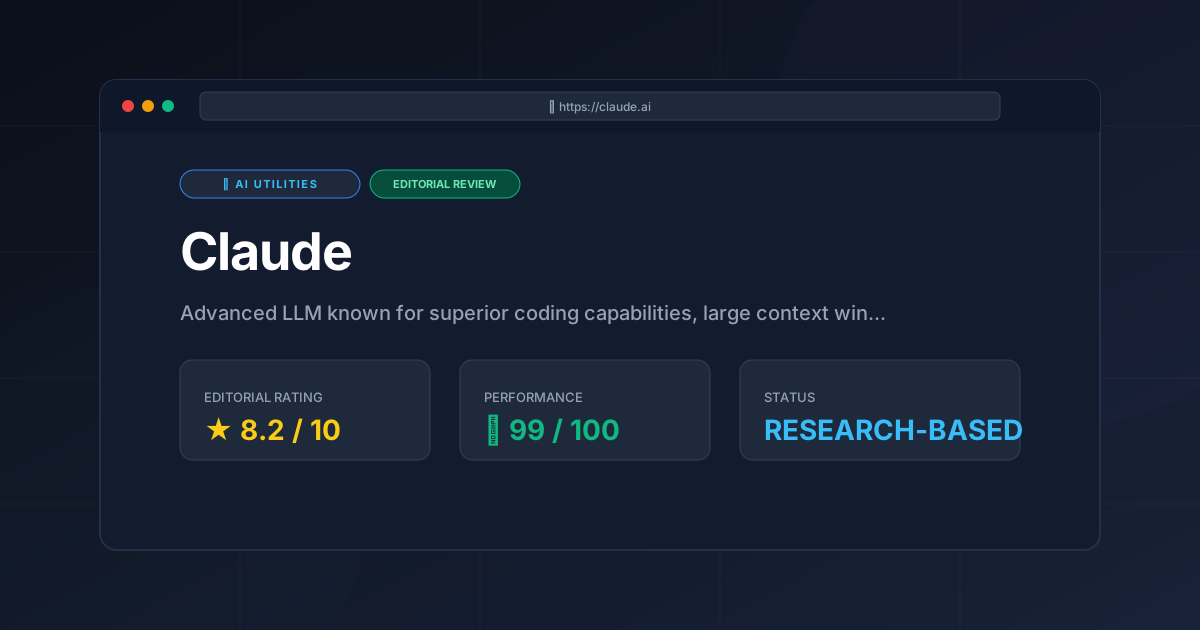
Editorial Rating: 8.2/10
The score reflects a deduction for strict safety filters and aggressive message caps, balanced by industry-leading coding accuracy and the revolutionary Artifacts UI.
More Tools Worth Reading
Cline
Ai UtilitiesCline AI is a powerful open-source autonomous coding agent for VS Code. Read our deep-dive review to discover its features, costs, and setup workflows...
Tavily
Ai UtilitiesAI search API Tavily reviewed for 2026. Discover how it optimizes RAG workflows and reduces LLM hallucinations to build better AI agents.
v0.dev
Ai UtilitiesAI UI generator v0.dev reviewed. Learn how this Vercel tool transforms prompts into React code to accelerate your frontend development workflow.