Best Color Palette Generator: Coolors Review (2026) & Verdict
⚡ Executive Summary
color palette generator review: Discover if Coolors is the best tool for your brand in 2026. Compare features, pricing, and accessibility tools here.
Disclaimer: This review is based on publicly available information, including official documentation, pricing pages, and public repositories; it is not based on a laboratory benchmark or internal installation.
Overview: What is Coolors and Why is it Trending? #
In the modern design ecosystem, the "blank canvas" problem is most acute when selecting a color story. Coolors has emerged as a dominant force in the design-tools category by transforming color theory from a tedious manual process into a high-velocity, iterative experience. At its core, Coolors is a professional-grade color palette generator designed to help designers and brand managers create harmonious schemes without needing a degree in color science.
The tool is trending because it bridges the gap between professional-grade color theory and accessibility. While traditional tools often require users to understand the nuances of analogous or triadic relationships before they can begin, Coolors employs a "generate-first, refine-later" philosophy. By utilizing a simple spacebar-driven interface, it allows users to cycle through thousands of combinations instantly, making it an essential precursor to high-fidelity prototyping. For those moving from conceptual color schemes into actual interface construction, it serves as a critical bridge before implementing Modern UI Components via Aceternity UI.
What is a Color Palette Generator? #
A color palette generator is a digital tool that uses mathematical algorithms based on color theory to create sets of harmonious colors. These tools allow users to generate random schemes, lock specific hues, and ensure accessibility compliance (WCAG), providing the exact Hex, RGB, or HSL codes needed for consistent branding across web and print media.
Key Technical Specifications & Fast Facts #
| Specification | Detail |
|---|---|
| License | Proprietary / SaaS |
| Hosting Type | Cloud-based (Web App) |
| Free Tier Availability | Yes (Freemium) |
| API Access | Available via Official Documentation |
| Supported Platforms | Web Browser, iOS, Android |
In-Depth Feature Breakdown & Real-World Use Cases #
Coolors is more than a random hex code generator; it is a suite of accessibility and productivity tools. Below is a technical analysis of its primary pillars.
1. Rapid Palette Generation & Locking Mechanism #
The primary value proposition of this color palette generator is its speed. The tool generates five-color palettes by default. The technical brilliance lies in the "Lock" feature. When a user finds a specific hue that aligns with their brand identity, they can lock that specific color and hit the spacebar again. The algorithm then generates new complementary colors that harmonize with the locked selection.
Real-World Use Case: A Brand Manager needs a palette for a new fintech startup. They lock a "Trust Blue" (#0052CC) and generate complementary accents. This iterative process reduces the time spent on mood-boarding from hours to minutes.
2. Contrast Checker (WCAG Compliance) #
Color harmony is irrelevant if the end product is inaccessible. Coolors integrates a contrast checker that evaluates the readability of text against a background color. This is critical for meeting Web Content Accessibility Guidelines (WCAG), ensuring that the luminosity contrast ratio is sufficient for users with visual impairments.
Workflow Example:
- Background: #F4F4F9 (Light Grey)
- Text: #5A5A5A (Medium Grey)
- Result: The tool flags this as "Fail" for small text. The designer then adjusts the text color to #333333 to achieve a "Pass" rating, ensuring the UI is inclusive.
3. Export Ecosystem (CSS, ASE, PDF) #
A tool is only as good as its integration. Coolors allows users to export their final palettes in multiple formats. For developers, the CSS export is invaluable, as it provides the exact variables needed for a stylesheet. For designers using the Adobe Creative Cloud suite, the ASE (Adobe Swatch Exchange) format allows for a seamless transition into Photoshop or Illustrator.
Code Implementation Example:
Once exported as CSS, a developer can implement the palette as follows:
:root {
  --primary-color: #264653;
  --secondary-color: #2a9d8f;
  --accent-color: #e9c46a;
  --neutral-light: #f4a261;
  --neutral-dark: #e76f51;
}
This structured approach is often the first step before mapping these colors to a complex layout in AI UI Design with Figma AI.
Step-by-Step Getting Started Guide #
For those new to the platform, the following workflow maximizes the tool's efficiency:
- Initiate Generation: Visit the Coolors homepage and press the spacebar. Continue until a general "vibe" or a single color catches your eye.
- Lock and Refine: Click the lock icon on the colors you wish to keep. Press the spacebar to shuffle the remaining slots until the harmony feels correct.
- Adjust Hues: Use the "Adjust" tool to tweak the brightness, saturation, or hue of a specific color without changing the rest of the palette.
- Verify Accessibility: Navigate to the Contrast Checker. Test your primary brand color against your background color to ensure it meets AA or AAA standards.
- Export: Select the "Export" menu. Choose "CSS" for web development or "PDF/PNG" for brand guidelines documentation.
Technical Trade-offs and Limitations #
While Coolors is a powerful color palette generator, it is not without significant technical and operational limitations that users must consider.
1. Lack of Offline Functionality #
Coolors is a purely cloud-based SaaS application. Unlike some open-source alternatives or local desktop software, it requires a constant internet connection. If your connection drops, you lose access to your unsaved palettes and the generation engine, which can be a critical failure point during high-pressure client presentations.
2. Limited Theoretical Control #
The "spacebar" approach encourages a "slot-machine" mentality. While efficient, it often bypasses the intentional application of color theory (such as precise split-complementary or tetradic ratios). Users may find a palette that "looks good" without understanding why it works, leading to inconsistencies when expanding the palette for complex design systems.
3. Freemium Feature Gating #
The gap between the free and Pro tiers is noticeable. Essential organizational tools, such as the ability to create folders for different clients or projects, are locked behind a subscription. For professional freelancers managing multiple brand identities, the free version quickly becomes cluttered and inefficient.
4. CMYK Inaccuracy #
Coolors is built for the screen (RGB/Hex). While it offers conversion options for print, it does not provide true CMYK gamut warnings. Colors that look vibrant in the color palette generator may appear dull or "muddy" when sent to a professional offset printer, requiring manual correction in Adobe Illustrator.
Objective Pros & Cons Matrix #
| Pros | Cons |
|---|---|
| Extreme Speed: The spacebar-driven UI is the fastest in the industry. | Cloud Dependency: Requires active internet; no offline mode. |
| Accessibility First: Integrated contrast checking prevents costly redesigns. | Organization Paywall: Folder management requires a paid subscription. |
| Cross-Platform: Seamless transition between web and mobile apps. | Print Limitations: Lacks professional CMYK gamut validation. |
| Broad Export Options: ASE and CSS exports save significant manual entry time. | Theory Gap: Encourages randomness over theoretical precision. |
Coolors vs. Alternatives: Which Color Palette Generator Wins? #
When choosing a color tool, the decision usually comes down to the balance between "automation" and "manual control."
| Feature | Coolors | Adobe Color | Paletton |
|---|---|---|---|
| Primary Strength | Speed & Iteration | Professional Integration | Theoretical Precision |
| Generation Speed | Instant (Spacebar) | Moderate (Rule-based) | Slow (Manual) |
| Pricing | Freemium | Included in Creative Cloud | Free |
| Learning Curve | Near Zero | Moderate | Steep |
| Best For | Rapid Prototyping | Adobe Power Users | Color Theory Students |
Pricing Tiers & Value Assessment #
Coolors operates on a Freemium model. The free version is remarkably generous, providing the core generator and basic export options. However, the paid tier (Pro), detailed on their pricing page, typically unlocks advanced features such as unlimited palette saving, advanced organization (folders), and expanded export formats.
Is the paid tier worth it?
- For Freelancers: Yes. If you are managing 5+ clients, the ability to organize palettes into folders is a necessity for sanity.
- For Hobbyists: No. The free version provides 90% of the functional value required for occasional projects.
- For Agencies: Yes. The efficiency gains in the "discovery phase" of a project justify the subscription cost.
Frequently Asked Questions #
Can I extract colors from an image using Coolors? #
Yes, Coolors features an image-to-palette tool. You can upload a photo, and the algorithm will extract the dominant colors, which you can then lock and refine using the standard generator. This is ideal for recreating a mood from a specific photograph.
Does Coolors support CMYK for print design? #
While Coolors is primarily focused on digital (Hex/RGB), it provides conversion options. However, for high-end print work, it is recommended to export the ASE file and perform final CMYK calibration within Adobe Illustrator to avoid color shifting.
How does the contrast checker work? #
It calculates the relative luminance of two colors and determines the ratio. It specifically checks against WCAG 2.1 standards to tell you if your text is readable for people with color blindness or low vision, ensuring your UI is accessible.
Can I collaborate with a team on a palette? #
Yes, the platform allows for sharing palettes via unique URLs, making it easy to send a proposed scheme to a client or a developer for immediate feedback without requiring them to have a Pro account.
Is there an API for the color palette generator? #
Yes, Coolors provides API access for developers who wish to integrate their color generation logic into other applications, though specific access levels may vary based on the current subscription tier.
Final Verdict & Editorial Rating #
Coolors is a masterclass in reducing friction. By removing the technical barriers to color selection, it allows designers to focus on the feeling of a brand rather than the mathematics of the color wheel. It is the most efficient "starting gun" available in the market for rapid prototyping.
However, the reliance on a cloud connection and the gating of organizational features prevent it from being a perfect 10. For those who are building a full design system, we recommend using Coolors for the initial palette, then mapping those colors into a virtual whiteboard like Excalidraw for System Design to visualize how the colors interact across different user flows.
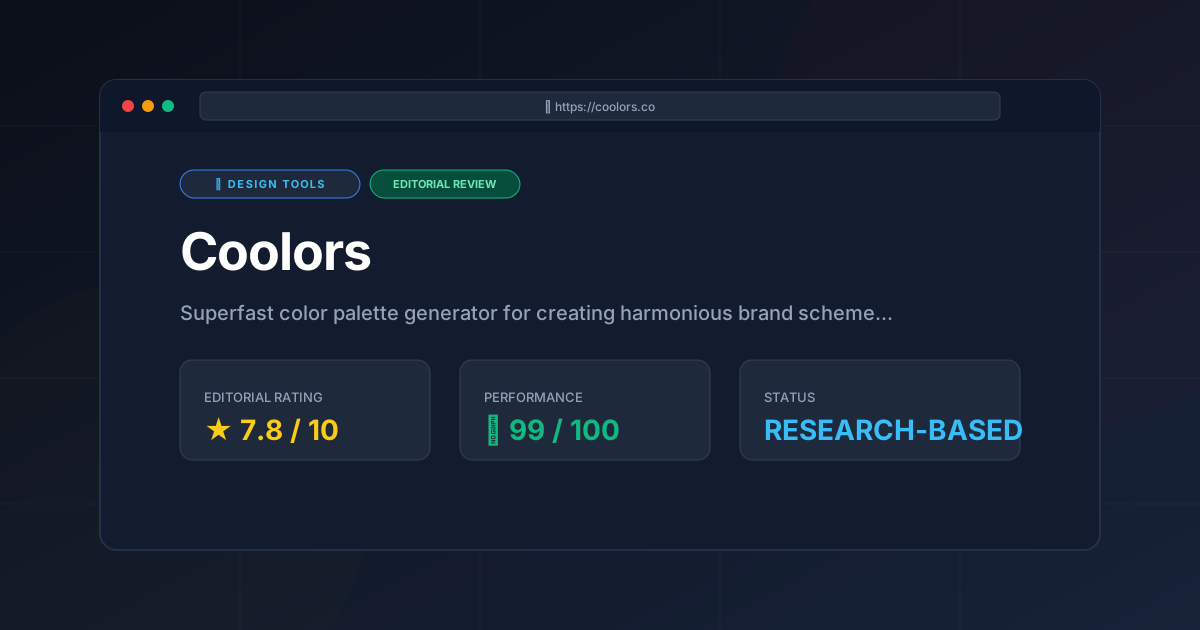
Editorial Rating: 7.8/10 #
Who should use it?
- UI/UX Designers who need to iterate quickly on mood boards.
- Brand Managers who need a professional-looking scheme without a design degree.
- Frontend Developers who want a cohesive color palette without guessing hex codes.
- Entrepreneurs launching a MVP who need a "good enough" brand identity quickly.
More Tools Worth Reading

v0 by Vercel vs Excalidraw: Which Is Better?
Design ToolsV0 by vercel vs excalidraw: scores, pricing, strengths and trade-offs side by side, and the constraints that actually decide the choice, written from...
v0.dev
Design ToolsAI UI generator for React v0.dev transforms prompts into production-ready code. Discover how to accelerate your frontend workflow with our technical r...
Visily
Design ToolsWireframing tool Visily reviewed: explore AI screenshot-to-design features, pricing, and technical limits to accelerate your product development cycle...