Virtual Whiteboard Review: Excalidraw (2026) for System Design
⚡ Executive Summary
Virtual whiteboard tools like Excalidraw redefine rapid sketching. Explore our technical deep dive into its E2EE and open-source architecture to boost...
Disclaimer: This review is based on publicly available information, including official documentation, the public GitHub repository, and pricing pages; it is not based on a laboratory benchmark or internal performance testing.
Overview: What is Excalidraw and Why is it Trending? #
In an era of hyper-polished design tools and complex enterprise whiteboarding suites, Excalidraw has carved out a significant niche by embracing the "lo-fi" aesthetic. At its core, Excalidraw is a virtual whiteboard that mimics the feel of a hand-drawn sketch. For developers, architects, and product managers, this is not merely a stylistic choice—it is a functional one.
The "hand-drawn" look signals that a diagram is a work in progress. When a stakeholder sees a polished, pixel-perfect diagram, they often assume the design is finalized. When they see an Excalidraw sketch, they understand it is a conceptual draft open to iteration. This psychological shift reduces friction during the early stages of system design.
Excalidraw has trended upward because it removes the "blank canvas anxiety" associated with heavy tools. It prioritizes speed of thought over precision of alignment, making it an essential system design tool for those who need to communicate complex technical ideas without spending hours on formatting.
What is a Virtual Whiteboard for Technical Design? #
A virtual whiteboard is a digital canvas that enables real-time, collaborative sketching and diagramming. Unlike formal CAD software, these tools prioritize fluidity and rapid ideation, allowing distributed teams to map out system architectures, user flows, and conceptual wireframes as if they were standing in a physical room with a marker.
Key Technical Specifications & Fast Facts #
| Specification | Detail |
|---|---|
| License | MIT License (Open Source) |
| Hosting Type | Client-side / Self-hostable |
| Free Tier Availability | Fully Free (Open Source version) |
| API Access | Available via Excalidraw Package/Library |
| Supported Platforms | Web Browser (Cross-platform) |
In-Depth Feature Breakdown & Real-World Use Cases #
1. Collaborative Sketching & Real-Time Sync #
Excalidraw utilizes a peer-to-peer approach to collaboration. Instead of forcing every user into a heavy account-based ecosystem, it allows for the creation of shared sessions. This is particularly useful during "sprint grooming" or "architecture review" meetings.
Practical Workflow:
A lead developer starts a session and shares the URL with the team. As the team discusses a new microservices architecture, multiple cursors appear on the screen. One developer draws the API Gateway, another sketches the Database clusters, and a third adds the Cache layer—all in real-time. Because the tool is lightweight, the latency is minimal, allowing the conversation to drive the drawing rather than the tool hindering the conversation.
2. End-to-End Encryption (E2EE) #
Privacy is a primary concern for technical teams sketching proprietary infrastructure. Excalidraw implements end-to-end encryption for its collaborative sessions. The encryption keys are stored in the URL fragment (after the #), meaning the server facilitating the connection never sees the actual content of the drawing.
Technical Implication:
For a security-conscious organization, this means the "blueprint" of their internal network is never stored in plain text on a third-party server. This makes it a viable alternative to corporate tools that require extensive legal vetting for data residency.
3. The Component Library Ecosystem #
While the core tool is minimal, the "Libraries" feature allows users to import community-made shapes. Instead of drawing a "Kubernetes Pod" or an "AWS S3 Bucket" from scratch, users can browse a public gallery and add these components to their local palette.
Real-World Use Case:
When mapping out a cloud migration, a developer can import the official AWS or Azure icon sets. This bridges the gap between a "rough sketch" and a "technical diagram," ensuring that while the lines look hand-drawn, the symbols are industry-standard and recognizable. If you are building a full-scale application and need a more polished front-end, you might pair these sketches with Modern UI Components: Aceternity UI Review (2026) & Verdict to move from concept to high-fidelity implementation.
Step-by-Step Configuration & Getting Started Guide #
Getting started with Excalidraw is intentionally frictionless. There is no "onboarding wizard" because the interface is designed to be intuitive.
Initial Setup #
- Access the Canvas: Navigate to
excalidraw.com. You are immediately presented with a blank canvas. - Master the Basic Tools:
- Rectangle/Diamond/Circle: Use these for process blocks and decision nodes.
- Arrow Tool: The most critical tool for system design. Click and drag from one object to another to create a connection.
- Text Tool: Double-click any area to label your components.
- Utilize the "Sloppiness" Setting: In the left-hand panel, you can adjust the "Sloppiness" level. Choosing "Architect" gives a cleaner look, while "Ultra-Sloppy" emphasizes the virtual whiteboard feel.
Advanced Configuration #
- Import Libraries: Click the "Library" icon (bookshelf symbol) in the top toolbar. Browse the community gallery for "Cloud Architecture" or "UML" and click "Add to Library."
- Self-Hosting (For Enterprises): To deploy Excalidraw on your own infrastructure, clone the repository from GitHub and use Docker. This ensures that all data remains within your VPC, eliminating third-party data risks.
- Export and Share: Once your diagram is complete, you can export it as a PNG or SVG. For live collaboration, click the "Live Collaboration" button to generate a secure link.
Objective Pros & Cons Matrix #
Pros #
- Zero Friction: No account required to start sketching; immediate utility.
- Psychological Advantage: The hand-drawn style encourages feedback and iteration.
- Privacy-First: E2EE ensures that sensitive architecture diagrams remain private.
- Open Source: The ability to self-host means enterprises can maintain total control over their data.
- Performance: Extremely fast load times compared to heavy enterprise whiteboards.
Cons #
- Lack of Advanced Automation: No "auto-layout" or "smart-snapping" features found in professional CAD or diagramming tools.
- Limited Version Control: While you can undo/redo, it lacks a robust "version history" or "branching" system for complex projects.
- No Native Database Integration: You cannot link shapes to live data or external documentation (e.g., Jira tickets) natively within the canvas.
- Manual Organization: Large diagrams can become cluttered quickly as there are no "folders" or "layers" to manage complexity.
Excalidraw vs. Alternatives: Choosing the Right Virtual Whiteboard #
| Feature | Excalidraw | Miro | Lucidchart |
|---|---|---|---|
| Primary Aesthetic | Hand-drawn / Lo-fi | Polished / Corporate | Technical / Formal |
| Startup Speed | Instant (No Login) | Moderate (Account Req.) | Moderate (Account Req.) |
| Pricing | Open Source / Free | Freemium / Subscription | Freemium / Subscription |
| Encryption | E2EE (Session-based) | Standard TLS/SSL | Enterprise Grade |
| Best For | Rapid Ideation & Devs | Team Brainstorming | Formal Documentation |
While Miro is a powerhouse for general business collaboration, Excalidraw is a specialized virtual whiteboard that prioritizes the developer's need for speed. Lucidchart remains the gold standard for formal ISO-compliant diagrams, but it is often too slow for a quick "whiteboard session" during a Zoom call. For those seeking a deeper dive into similar tools, see our Virtual Whiteboard Review: Excalidraw (2026) Features & Verdict.
Pricing Tiers & Value Assessment #
Excalidraw operates primarily as an open-source project. The core experience available at excalidraw.com is free.
Is there a paid tier?
Excalidraw offers "Excalidraw Plus," as detailed on their official pricing page, which provides a more structured experience including:
- Cloud Storage: Saving your drawings to an account rather than relying on local browser storage or exported files.
- Team Workspaces: Organized areas for different projects.
- Advanced Collaboration: Enhanced permissions and management tools.
Value Assessment:
For the individual developer or a small freelance team, the open-source version is more than sufficient. The value of the paid tier is found in organization and persistence. If you find yourself managing 50+ different architecture sketches and losing track of .excalidraw files on your hard drive, the Plus tier is a worthwhile investment. However, for those who simply need a place to sketch during a meeting, the free version is unbeatable.
Frequently Asked Questions #
Is Excalidraw a replacement for a full UI design tool like Figma? #
No. Excalidraw is for conceptual design and system architecture. It lacks the precision, prototyping capabilities, and CSS-handoff features of a UI tool. It is used before Figma, not instead of it, to map out the logic before the visual polish.
Can I host Excalidraw on my own servers? #
Yes. Because it is open source under the MIT License, you can deploy it via Docker or other methods on your own infrastructure. This is highly recommended for companies with strict data sovereignty requirements or internal security mandates.
How do I save my work if I don't have an account? #
Excalidraw saves your work to your browser's local storage. However, this is volatile and can be cleared by browser cache settings. To ensure your work is safe, you should export the drawing as a .excalidraw file or a high-resolution image.
Does Excalidraw support AI-generated diagrams? #
Excalidraw has integrated basic AI capabilities, such as "Text to Diagram," in certain versions and plugins. While it isn't as comprehensive as a dedicated AI UI Generator: Galileo AI Review (2026) & Verdict, it can help jumpstart a sketch from a text prompt.
How does the E2EE collaboration actually work? #
Excalidraw uses a peer-to-peer connection where the encryption key is shared via the URL fragment. Because the server only facilitates the connection and does not possess the key, the data remains encrypted and private between the collaborating participants.
Final Verdict & Editorial Rating #
Excalidraw is a masterclass in "doing one thing and doing it perfectly." It does not try to be a project management tool, a database, or a high-fidelity design suite. It is a virtual whiteboard that captures the essence of a marker on a physical board.
The primary trade-off is the lack of "enterprise" features—there are no complex permission hierarchies or automated layout engines. But for its target audience (developers and architects), these are often distractions rather than features. The combination of E2EE, open-source availability, and a low-friction entry point makes it an essential tool in the modern technical stack.
Who should use it?
- Software Engineers: For sketching system designs, flowcharts, and API sequences.
- Product Managers: For creating rapid wireframes that don't look "too finished."
- Educators: For explaining complex concepts in a visual, approachable way.
Who should avoid it?
- Graphic Designers: Those requiring pixel-perfect precision and advanced typography.
- Compliance Officers: Those needing formal, standardized documentation for regulatory audits.
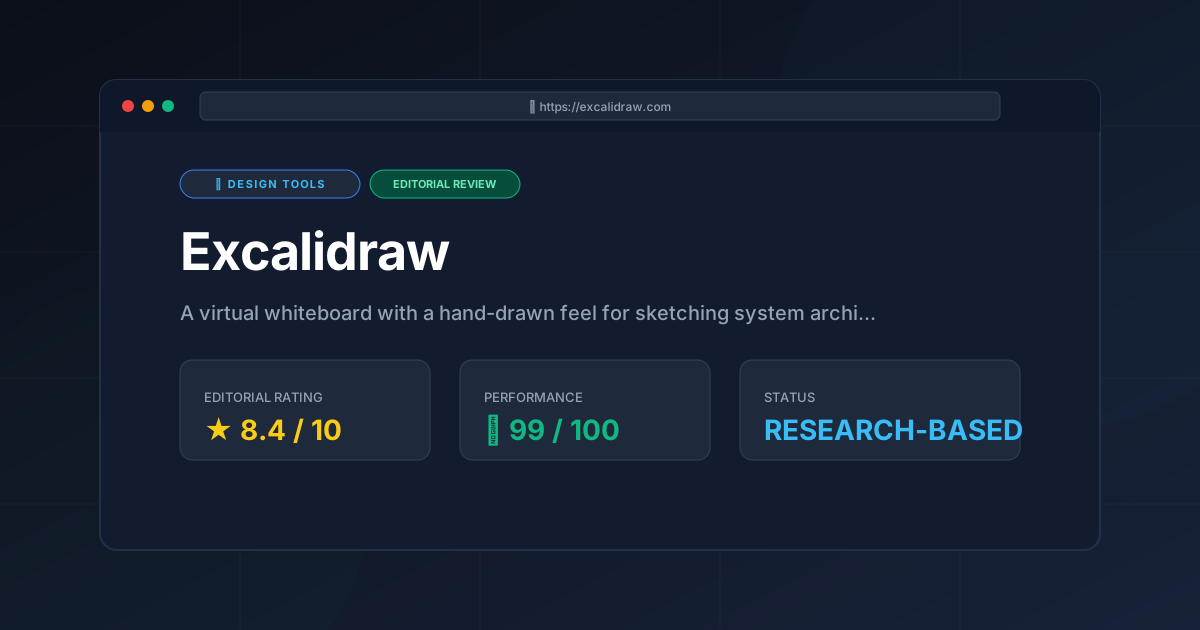
Editorial Rating: 8.4/10 #
A near-perfect tool for rapid ideation, held back only by its inherent lack of advanced organizational features for massive-scale projects.
More Tools Worth Reading

v0 by Vercel vs Excalidraw: Which Is Better?
Design ToolsV0 by vercel vs excalidraw: scores, pricing, strengths and trade-offs side by side, and the constraints that actually decide the choice, written from...
v0.dev
Design ToolsAI UI generator for React v0.dev transforms prompts into production-ready code. Discover how to accelerate your frontend workflow with our technical r...
Visily
Design ToolsWireframing tool Visily reviewed: explore AI screenshot-to-design features, pricing, and technical limits to accelerate your product development cycle...