AI Code Formatter Review: Jeff (2026) Features & Verdict
⚡ Executive Summary
ai code formatter Jeff streamlines LLM outputs by removing noise and fixing indentation. Learn how to clean AI snippets instantly for production use.
Disclaimer: This review is based on publicly available information, including official documentation, the pricing page, and public repositories; it is not based on laboratory benchmarks or first-person installation tests.
Overview: What is Jeff and Why is it Trending? #
As Large Language Models (LLMs) have become primary partners in the software development lifecycle, a new friction point has emerged: the "LLM Artifact." While AI can generate complex logic in seconds, the resulting code snippets often arrive with inconsistent indentation, non-standard naming conventions, or "hallucinated" formatting that clashes with a project's existing style guide.
Enter Jeff, a micro-SaaS utility specifically engineered to bridge the gap between AI-generated raw output and production-ready code. Unlike general-purpose IDE formatters, Jeff is positioned as an ai code formatter designed to handle the specific idiosyncrasies of LLM outputs. It focuses on the "cleanup" phase—removing the conversational fluff, fixing broken indentation, and ensuring that a snippet generated by an AI is instantly compatible with a developer's local environment.
Jeff is trending because it addresses a high-frequency, low-complexity pain point. Developers are tired of manually deleting "Here is the updated code:" prefixes and fixing trailing commas before they can even run a test. By automating this "janitorial" work, Jeff allows developers to maintain a faster flow state.
What is an AI Code Formatter? #
An ai code formatter is a specialized utility designed to sanitize and standardize code snippets generated by Large Language Models. Unlike traditional formatters that enforce a project-wide style guide, these tools specifically remove conversational AI "noise," fix structural hallucinations (like mismatched brackets), and normalize indentation to make AI-generated logic instantly paste-ready for IDEs.
Key Technical Specifications & Fast Facts #
To understand where Jeff fits into a technical stack, we must look at its operational parameters. As a micro-SaaS, it prioritizes accessibility over complex infrastructure.
| Specification | Detail |
|---|---|
| License | Proprietary (SaaS) |
| Hosting Type | Cloud-based / Web Utility |
| Free Tier Availability | Yes (Currently 100% Free) |
| API Access | Check official site for current status |
| Supported Platforms | Web Browser (Cross-platform) |
| Primary Category | AI-Utilities |
In-Depth Feature Breakdown & Real-World Use Cases #
Jeff does not attempt to replace a full-scale CI/CD pipeline; instead, it acts as a surgical tool for snippet optimization. Here is a detailed analysis of its core functionality.
1. AI-Specific Code Linting #
Standard linters often throw hundreds of errors when pasted with raw AI code because the AI might use a mix of tabs and spaces or omit necessary imports. Jeff’s linting engine is tuned for "snippet cleanup." It identifies common LLM patterns—such as incomplete blocks or mismatched brackets—and suggests corrections before the code ever hits the IDE.
Real-World Use Case: A developer prompts an LLM for a complex Python function. The AI returns the code but forgets to close a dictionary brace at the end of a 50-line snippet. Jeff identifies the structural imbalance and flags it for immediate correction, preventing a SyntaxError upon execution.
2. Format Standardization #
While tools like Prettier handle general formatting, Jeff focuses on the transition from "Chat Window" to "Code Editor." It strips away Markdown artifacts and enforces a standardized layout that aligns with industry norms. This is particularly useful when moving code between different LLMs (e.g., moving a snippet from a GPT-based tool to a Claude-based environment).
Real-World Use Case: When using an AI CLI Agent Review: Claude Code (2026) Features & Verdict style workflow, you may find that different agents have different "opinions" on whitespace. Jeff acts as the neutral ground, normalizing the output so that the git diff remains clean and focused on logic changes rather than whitespace shifts.
3. Snippet Optimization #
Beyond mere aesthetics, Jeff aims to optimize the "density" of the code. This involves removing redundant comments that AI often inserts (e.g., # This function adds two numbers) and ensuring that the logic is presented in the most concise, readable format possible.
Real-World Use Case: An AI generates a JavaScript utility with excessive boilerplate and verbose comments. Jeff optimizes the snippet by removing the fluff, leaving only the functional code and essential documentation, making it easier to integrate into a professional codebase.
Technical Implementation: How to Use Jeff #
Because Jeff is designed as a micro-SaaS utility, the barrier to entry is intentionally low. To maximize the efficiency of this ai code formatter, follow these technical steps:
- Access the Utility: Navigate to the official URL at
https://jeff.ai. - Input Raw AI Output: Copy the entire response from your LLM. Do not attempt to manually strip the "Here is the code" text; Jeff is designed to handle the raw Markdown block.
- Paste into Jeff: Paste the content into the primary input field. The tool uses a parsing layer to isolate the code block from the natural language.
- Select Formatting Preferences: Choose your target language (e.g., TypeScript, Python, Rust) and the desired formatting standard if available.
- Execute Cleanup: Trigger the formatting process. Jeff will strip the noise and apply the linting rules.
- Export to IDE: Copy the cleaned snippet and paste it directly into your editor.
Edge Cases and Trade-offs #
While efficient, users should be aware of specific technical limitations:
- Nested Markdown: If an AI generates code that contains further markdown examples inside a string, the parser may occasionally misidentify the end of the code block.
- Custom Style Guides: Jeff follows general industry standards. If your organization uses a highly non-standard indentation rule (e.g., 3 spaces), you will still need a final pass with your local IDE formatter.
- Token Limits: Extremely large snippets (over 2,000 lines) may experience latency during the cloud-based formatting process.
Objective Pros & Cons Matrix #
No tool is perfect. Jeff solves a specific problem, but that specificity creates inherent trade-offs.
Pros
- Zero Friction: No installation, no configuration files, and no account setup required for basic use.
- Specialized Focus: Unlike general formatters, it understands the "noise" associated with LLM outputs.
- Cost Effective: Currently free, making it an easy addition to any developer's toolkit.
- Speed: Rapidly transforms a messy chat response into a clean snippet.
Cons
- Manual Step: It requires a "copy-paste-copy" cycle, which adds a step to the workflow compared to integrated IDE plugins.
- Limited Scope: It is a snippet utility, not a project-wide refactoring tool.
- Dependency on Web: As a cloud utility, it requires an internet connection and involves sending code to an external server.
- Lack of Custom Rules: It lacks the deep
.prettierrcorpyproject.tomlcustomization found in professional-grade formatters.
Jeff vs. Alternatives: Which AI Code Formatter to Use? #
Jeff occupies a unique niche. While it overlaps with Prettier and Black, its intent is different. Prettier and Black are for maintaining a codebase; Jeff is for cleaning an import.
| Feature | Jeff | Prettier | Black |
|---|---|---|---|
| Primary Goal | AI Snippet Cleanup | General Formatting | Deterministic Python Formatting |
| Input Type | Raw LLM Output | Source Files | Python Files |
| Setup Time | Instant (Web) | Moderate (npm/Config) | Moderate (pip/Config) |
| Pricing | Free | Open Source | Open Source |
| Best For | Rapid AI Prototyping | Web Dev / JS / TS | Python Professionalism |
| Speed | High (per snippet) | High (per project) | High (per project) |
Pricing Tiers & Value Assessment #
Currently, Jeff is listed as Free on its pricing page.
From a value assessment perspective, the "cost" of the tool is not monetary but rather the time spent in the manual copy-paste loop. For developers who are heavily utilizing AI agents—perhaps integrating them with a Browser Use AI Review (2026): Features, Pricing & Verdict workflow to scrape and generate code—the time saved on manual cleanup far outweighs the time spent pasting into Jeff.
If Jeff were to introduce a paid tier in the future, the value would likely lie in IDE Integration (a VS Code extension) or API Access for automated pipelines. Until then, it represents an exceptional value proposition as a free utility.
Frequently Asked Questions #
Is Jeff a replacement for my IDE's built-in formatter? #
No. Your IDE formatter (like Prettier or the built-in VS Code formatter) is designed for project-wide consistency. Jeff is a "pre-processor" that cleans up the messiness of AI-generated text before it enters your project, acting as a bridge between the LLM and your editor.
Does Jeff support all programming languages? #
Jeff is designed for the most common languages generated by LLMs, including Python, JavaScript, TypeScript, and Java. For a comprehensive and updated list of currently supported languages, it is best to check the official documentation at https://jeff.ai.
Is my code safe when I paste it into Jeff? #
As with any cloud-based utility, you are sending data to a third-party server. While Jeff is a utility for developers, those working with highly sensitive, proprietary, or regulated code should review the privacy policy on the official site or avoid pasting sensitive keys/secrets.
Can Jeff fix logic errors in my AI code? #
No. Jeff is a formatting and linting utility. It can fix syntax errors (like a missing bracket) and formatting issues, but it cannot "debug" the actual logic of the code. You still need to run tests to ensure the AI's logic is correct.
How does Jeff differ from a standard Linter? #
A standard linter checks for code quality and potential bugs within a file. Jeff focuses on the "ingestion" phase, stripping away the conversational text and markdown formatting that LLMs wrap around code, which would otherwise cause a standard linter to fail immediately.
Final Verdict & Editorial Rating #
Jeff is a textbook example of a "micro-SaaS" that succeeds by doing one small thing exceptionally well. It doesn't try to be an IDE, a compiler, or a full AI agent; it simply removes the friction of using AI-generated code.
For the professional developer, the manual nature of the tool is its biggest drawback. However, for students, hobbyists, and rapid prototypers, it is an invaluable time-saver. It fills the gap between the "Chat" and the "Code," ensuring that the transition is seamless and the resulting snippets are clean.
Who should use Jeff?
- Developers who use LLMs for 50% or more of their initial drafting.
- Users who find themselves constantly fighting with AI-generated indentation.
- Developers who want a quick way to normalize snippets across different AI models.
Who should skip Jeff?
- Developers working in high-security environments where cloud-pasting is prohibited.
- Those who already have a highly automated AI-to-IDE pipeline.
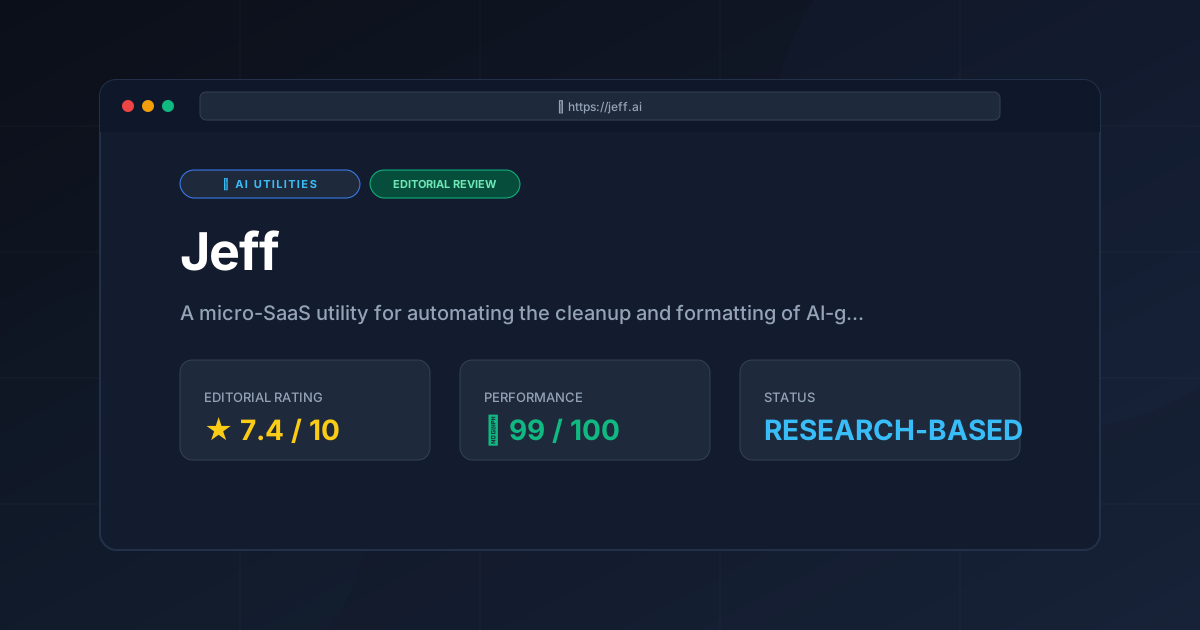
Editorial Rating: 7.4/10 #
A highly useful, specialized ai code formatter that earns high marks for accessibility and focus, though it is held back by its manual workflow and lack of deep customization.
More Tools Worth Reading
Cline
Ai UtilitiesCline AI is a powerful open-source autonomous coding agent for VS Code. Read our deep-dive review to discover its features, costs, and setup workflows...

Tavily
Ai UtilitiesAI search API Tavily reviewed for 2026. Discover how it optimizes RAG workflows and reduces LLM hallucinations to build better AI agents.
v0.dev
Ai UtilitiesAI UI generator v0.dev reviewed. Learn how this Vercel tool transforms prompts into React code to accelerate your frontend development workflow.