SaaS Auth Review: Is Kinde the Best Choice for 2026?
⚡ Executive Summary
SaaS Auth simplified. Explore our deep dive into Kinde’s multi-tenancy and feature flags to see if it can accelerate your B2B growth.
Disclaimer: This review is based on publicly available information, including official documentation, pricing pages, and public repositories; it is not based on laboratory benchmarks or internal first-person testing.
In the current landscape of software development, authentication is no longer just about "logging in." For modern B2B applications, the requirements have shifted toward complex multi-tenancy, granular permissioning, and the ability to toggle features for specific customer segments without redeploying code. This is where a dedicated SaaS Auth solution becomes critical. Kinde has emerged as a trending contender in the developer-tools category by positioning itself specifically as a "SaaS-first" authentication and user management platform.
What is SaaS Auth and How Does Kinde Fit In? #
SaaS Auth refers to specialized authentication and authorization frameworks designed specifically for Software-as-a-Service models. Unlike generic identity providers, SaaS Auth prioritizes multi-tenancy, allowing a single application to isolate data and permissions across multiple distinct customer organizations while maintaining a seamless user experience.
Unlike legacy identity providers that treat B2B and B2C flows as similar, Kinde is architected around the concept of "Organizations." This allows developers to build applications where users can belong to multiple organizations, each with its own set of permissions and configurations. This architectural choice solves a significant pain point for developers who previously had to build custom database schemas to handle organization-user relationships.
Kinde is trending because it bridges the gap between the extreme simplicity of "plug-and-play" auth and the enterprise-grade flexibility required for scaling a B2B product. By integrating feature flags and user management into the same ecosystem as authentication, it reduces the "tooling fatigue" often associated with managing separate providers for identity, entitlement, and configuration.
Key Technical Specifications & Fast Facts #
| Specification | Detail |
|---|---|
| License | Proprietary / SaaS |
| Hosting Type | Cloud-hosted (Managed Service) |
| Free Tier Availability | Yes (Freemium) |
| API Access | REST API / SDKs |
| Supported Platforms | Next.js, React, Node.js, Python, Go, etc. |
| Primary Protocol | OpenID Connect (OIDC) / OAuth 2.0 |
In-Depth Feature Breakdown & Real-World Use Cases #
Kinde's value proposition rests on three primary pillars: Multi-tenancy, Feature Flags, and Developer Experience (DX).
1. B2B SaaS Multi-tenancy #
The core of Kinde is its native support for organizations. In a traditional auth setup, a developer must create a Users table and an Organizations table, then a join table to link them. Kinde abstracts this entire layer, providing a robust SaaS Auth infrastructure that handles the mapping of users to tenants out of the box.
Real-World Use Case: Imagine a Project Management tool where a consultant needs to access five different client workspaces. With Kinde, the consultant has one identity but is associated with five different organizations. The application can then use the org_code provided in the JWT (JSON Web Token) to filter data. This eliminates the need for complex manual session management when switching between workspaces.
2. Integrated Feature Flags #
Feature flagging is often treated as a separate product (e.g., LaunchDarkly). Kinde integrates this directly into the user management flow. This allows developers to decouple deployment from release, a critical requirement for modern CI/CD pipelines.
Real-World Use Case: A SaaS company wants to roll out a "Beta AI Analytics" dashboard to only 10% of their "Enterprise" tier users. Instead of writing complex if/else logic based on database roles, the developer creates a feature flag in the Kinde dashboard. The code looks like this conceptually:
if (kinde.isFeatureEnabled('ai-analytics')) { renderDashboard(); }
This allows product managers to toggle access in real-time without requiring a developer to push new code to production.
3. Streamlined SDKs and Integration #
Kinde focuses heavily on reducing the "time to first login." By providing pre-built SDKs for modern frameworks, they remove the need to manually handle OAuth2 or OpenID Connect (OIDC) flows.
Real-World Use Case: For a developer using a modern stack—perhaps pairing Kinde with a high-performance backend like the one discussed in our JS Runtime Review: Is Bun the Fastest Choice for 2026?—the integration involves installing the SDK and configuring environment variables. The SDK handles the redirect to the Kinde-hosted login page and the subsequent callback, ensuring that security best practices (like PKCE) are followed by default.
Technical Implementation: Step-by-Step Guide #
While we have not run these steps in a live environment, the documented workflow for implementing Kinde as your primary SaaS Auth provider is as follows:
Phase 1: Environment Configuration #
- Account Setup: Create an account at
kinde.comand set up your first "Business" (the top-level entity for your SaaS). - Application Configuration: Create a new application within the dashboard. You will choose your framework (e.g., Next.js) and define your Allowed Callback URLs and Allowed Logout URLs. These are critical for preventing open-redirect vulnerabilities.
- Environment Integration: Copy the
Client IDandClient Secretfrom the Kinde dashboard into your project's.envfile.
Phase 2: Code Integration #
- SDK Installation: Install the relevant package. For Next.js, this is typically
npm install @kinde-oss/kinde-auth-nextjs. - Middleware/Route Setup: Implement the Kinde middleware or wrapper around your protected routes. This ensures that any request to
/dashboardor/settingstriggers a redirect to the Kinde login page if the user is unauthenticated. - User Testing: Create a test user in the Kinde dashboard or use the sign-up flow to verify that the JWT is being passed correctly to your application.
Phase 3: Advanced Configuration & Edge Cases #
- Custom Claims: To pass specific user data (like a subscription level) into the JWT, you must configure "Custom Claims" in the Kinde dashboard. This prevents the need for an extra API call to your database on every page load.
- Organization Switching: For apps where users belong to multiple orgs, you must implement a "tenant switcher" that updates the
org_codein the session. - Token Rotation: Ensure your application handles token expiration and refresh tokens correctly to avoid abrupt user logouts.
Objective Pros & Cons Matrix #
Pros #
- B2B Native: The organization-first architecture is a massive time-saver for SaaS founders.
- Reduced Tooling Overhead: Combining auth, user management, and feature flags reduces the number of third-party vendors.
- Developer Experience: The documentation is clear, and the SDKs minimize the amount of boilerplate code required.
- Generous Free Tier: The freemium model allows early-stage startups to scale before incurring significant costs.
- Security by Default: By using hosted login pages, Kinde reduces the attack surface of the application by handling sensitive credentials on their own hardened infrastructure.
Cons #
- Vendor Lock-in: As with any managed SaaS Auth provider, migrating thousands of users and their organization mappings to another provider can be complex.
- Customization Limits: While the hosted pages are customizable, developers wanting 100% control over every pixel of the login experience may find the hosted approach restrictive.
- Dependency Risk: Your application's "front door" is dependent on Kinde's uptime. If the service goes down, users cannot log in.
- Learning Curve for Complex Roles: While basic roles are easy, designing a complex hierarchical permission system still requires careful planning on the developer's part.
Kinde vs. Competitors: Direct Comparison #
| Feature | Kinde | Clerk | Auth0 |
|---|---|---|---|
| Primary Focus | B2B SaaS / Multi-tenancy | DX / Component-based Auth | Enterprise Identity / Flexibility |
| Feature Flags | Native / Integrated | Limited / External | Via separate integrations |
| Implementation Speed | Very Fast | Extremely Fast | Moderate to Slow |
| Pricing Model | Freemium (MAU based) | Freemium (MAU based) | Tiered / Enterprise |
| Best For | B2B SaaS Startups | Rapid Prototyping / B2C | Large Enterprise / Legacy Apps |
For those building highly scalable backends who might be considering a managed database alongside their auth, it is worth comparing this setup with the options detailed in our Supabase Review (2026): The Best Backend as a Service for.
Pricing Tiers & Value Assessment #
Kinde utilizes a Freemium pricing model, typically scaling based on Monthly Active Users (MAU). Detailed pricing can be found on the Kinde Pricing Page.
- Free Tier: Designed for developers and early-stage startups. It usually includes a generous number of MAUs and basic organization features. This is an excellent value for validating a Product-Market Fit (PMF).
- Paid Tiers: As the user base grows, Kinde moves into paid tiers. These typically unlock advanced security features (like SAML/SSO for enterprise clients), higher rate limits, and more granular support.
Is the paid tier worth it?
For a B2C app, the value is standard. However, for a B2B SaaS, the paid tier becomes "worth it" the moment you land your first enterprise customer. Enterprise clients often demand SAML or OIDC integration to use their own corporate identity providers (like Okta or Azure AD). Implementing this manually is a technical nightmare; paying for a tier that handles "Enterprise SSO" is a strategic investment that can accelerate deal-closing.
Frequently Asked Questions #
Does Kinde support Social Logins (Google, GitHub, etc.)? #
Yes. Kinde provides built-in integrations for the most popular OAuth providers, allowing users to sign up and log in with a single click. This reduces friction during the onboarding process and increases conversion rates for new sign-ups.
Can I migrate my existing users from another provider to Kinde? #
Yes, Kinde provides import tools to move user data. However, because passwords are hashed differently across providers, users typically need to reset their passwords or be migrated via a secure token exchange process. Refer to the Kinde Documentation for specific migration paths.
How does Kinde handle data privacy and GDPR? #
Kinde is designed with modern privacy standards in mind. They provide tools for data deletion and export to help SaaS owners remain compliant with GDPR and CCPA. It is recommended to check their official privacy policy for the latest compliance certifications.
Is Kinde a replacement for a database? #
No. Kinde manages identity and access. You still need a database (like PostgreSQL or MongoDB) to store your application's actual business data (e.g., project details, invoices, content). Kinde provides the user_id which you use as a foreign key in your own database.
Does Kinde support Role-Based Access Control (RBAC)? #
Yes, Kinde supports RBAC, allowing you to assign roles to users within specific organizations. This ensures that an "Admin" in Organization A does not have administrative privileges in Organization B.
Final Verdict & Editorial Rating #
Kinde is a sophisticated response to the evolving needs of the SaaS ecosystem. By recognizing that B2B authentication is fundamentally different from B2C authentication, they have built a tool that removes the "organizational plumbing" that usually plagues the first few months of SaaS development.
While the risk of vendor lock-in is present—a common trade-off when choosing any managed SaaS Auth service over a self-hosted solution—the speed of execution gained is substantial. For developers who want to focus on their core product rather than the intricacies of JWT rotation and multi-tenant mapping, Kinde is a top-tier choice.
Who should use Kinde?
- SaaS Founders: Especially those building B2B tools where "Organizations" and "Workspaces" are core to the product.
- Small to Mid-sized Dev Teams: Those who lack a dedicated security engineer to manage a complex Auth0 implementation.
- Rapid Prototypers: Developers using tools like those mentioned in our Bolt.new Review (2026): Features, Pricing & Verdict who need to add professional auth in minutes.
Who should avoid Kinde?
- High-Security Government/Defense Projects: Those requiring complete "on-premise" air-gapped authentication.
- Ultra-Simple B2C Apps: If you only need a simple "email/password" login for a personal blog, Kinde's B2B features may be overkill.
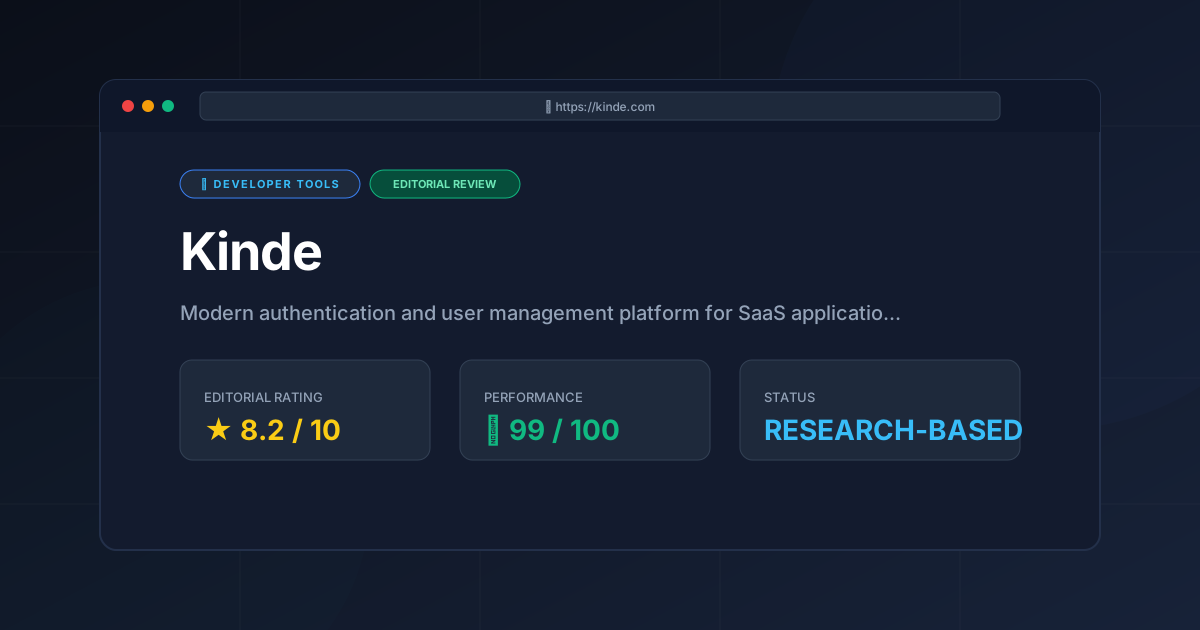
Editorial Rating: 8.2/10 #
A powerful, developer-centric platform that excels in B2B multi-tenancy, though it requires a trust in the provider's ecosystem and uptime.
More Tools Worth Reading
Warp
Developer ToolsModern terminal Warp reimagines the CLI with AI and blocks. Discover if this Rust-based powerhouse can actually boost your dev productivity.

New Tool Reviews: What PulseTools Published in 2026
Developer ToolsNew tool reviews: a dated log of every review this site has published, newest first, with the category and depth of each one, written from published r...
Windsurf
Developer ToolsAgentic IDE Windsurf analyzed: discover how its flow-state AI and deep indexing can accelerate your coding workflow. Read the full technical review.