Bolt.new Review (2026): Features, Pricing & Verdict
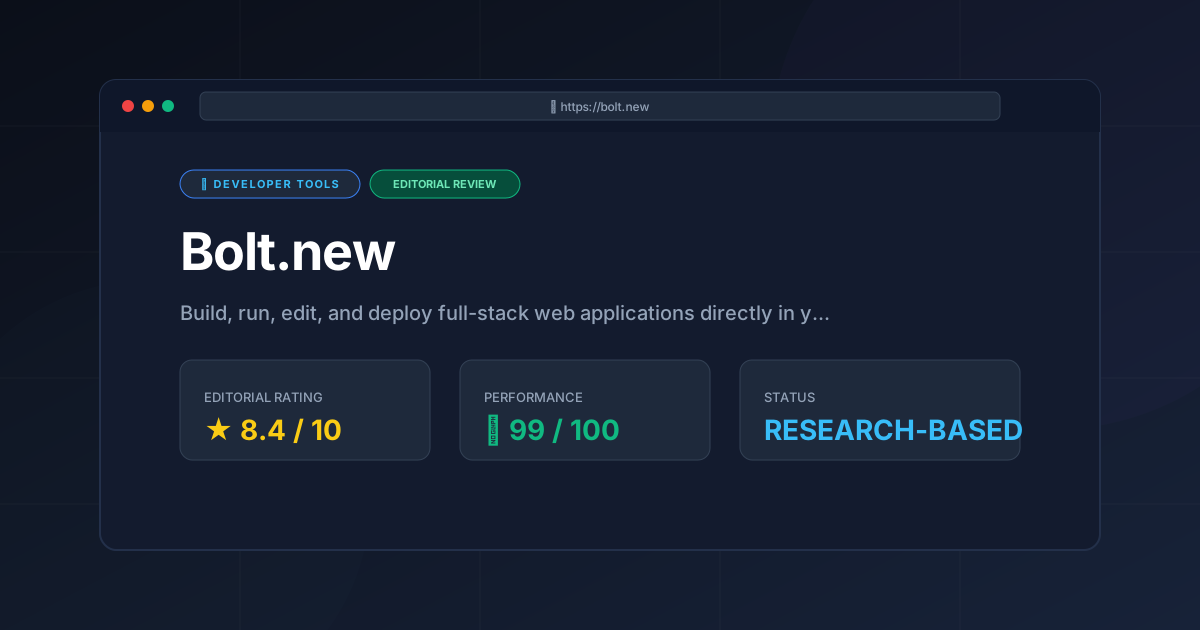
⚡ Executive Summary
Explore our in-depth review of Bolt.new in 2026. We analyze its AI full-stack capabilities, WebContainer tech, pricing, and how it compares to rivals.
Please note that this review is based on publicly available information (including official documentation, pricing pages, and public repositories) and does not represent a laboratory benchmark or first-person hands-on testing by our team.
The landscape of software development has shifted dramatically from simple code completion to autonomous, agentic development environments. Among the most prominent tools driving this shift is Bolt.new, an AI-powered development platform created by StackBlitz. Promoted with the promise to "build, run, edit, and deploy full-stack web applications directly in your browser using AI," Bolt.new aims to bridge the gap between prompt-based design tools and fully fledged local integrated development environments (IDEs).
Unlike traditional AI coding assistants that merely output code snippets for you to copy and paste, Bolt.new provisions a live, interactive development environment inside your browser tab. By combining LLM-driven code generation with StackBlitz’s proprietary WebContainer technology, it allows developers to run Node.js servers, install npm packages, execute terminal commands, and deploy production-ready applications without ever installing a local dependency.
In this exhaustive review, we will dissect Bolt.new’s architecture, evaluate its core features, compare it against leading alternatives, and analyze whether its paid tiers offer genuine value for professional developers and rapid prototypers.
Overview: What is Bolt.new and Why is it Trending? #
Bolt.new is an AI-powered web development agent that allows users to prompt, build, and deploy full-stack applications entirely within a browser. By utilizing WebContainers, it runs a live Node.js environment in the browser tab, enabling the AI to write code, install dependencies, and execute servers in real-time.
Traditionally, if you wanted to test an AI-generated full-stack application, you had to:
- Initialize a local repository.
- Install the correct version of Node.js and package managers.
- Install dependencies (and resolve version conflicts).
- Configure environment variables.
- Run a local development server.
- Manually debug runtime errors by feeding them back to an LLM.
Bolt.new collapses this entire pipeline into a single browser tab. When you prompt Bolt.new to build an application, it doesn't just write the code; it creates a virtual workspace, installs the necessary npm packages, starts a Vite or Next.js development server, and displays a live preview of the application. If a runtime error occurs, the built-in AI agent detects the error in the console, writes a patch, and restarts the server automatically.
This seamless integration of generation, execution, and self-healing debugging is why Bolt.new has captured the attention of developers, product managers, and startup founders looking to build Minimum Viable Products (MVPs) at unprecedented speeds. For those seeking a more traditional but AI-enhanced IDE experience, our Cursor Review (2026): Features, Pricing & Verdict provides a great comparison of local-first AI coding.
Key Technical Specifications & Fast Facts #
To understand how Bolt.new operates under the hood, it is helpful to look at its core technical specifications:
| Specification | Details |
|---|---|
| Core Technology | WebContainers (WebAssembly-based Node.js runtime) |
| License | Core open-source repository (stackblitz/bolt.new under MIT License); Hosted platform is Proprietary |
| Hosting Type | Cloud-hosted (SaaS) with client-side execution via WebContainers |
| Free Tier Availability | Yes (Freemium model with daily token limits) |
| API Access | Available via developer tokens and custom integrations (verify current API pricing on the official site) |
| Supported Platforms | Any modern web browser supporting WebAssembly and SharedArrayBuffer (Chrome, Firefox, Edge, Safari) |
| Primary Frameworks | React, Next.js, Vite, Vue, Svelte, Express, NestJS, Tailwind CSS |
In-Depth Feature Breakdown & Real-World Use Cases #
To truly appreciate what sets Bolt.new apart from standard AI code generators, we must look closely at its three pillar features.
1. WebContainer-Powered In-Browser Runtime #
The true engine behind Bolt.new is WebContainers. Developed by StackBlitz, WebContainers allow a Node.js environment to run entirely inside the browser's security sandbox using WebAssembly (Wasm).
- How it works: When Bolt.new initiates a project, it boots a virtual operating system inside your browser. It compiles a virtual TCP network stack, allowing Node.js servers to run locally in your browser and map to virtual ports.
- Why it matters: Because the runtime is local to your browser, package installations are incredibly fast (often faster than on local machines due to optimized caching), and there is no server-side latency or hosting cost for running the dev server.
- Limitations: Because it runs in a browser sandbox, you cannot run native binaries that aren't compiled to WebAssembly. This means you are largely restricted to the Node.js ecosystem; running native Python, Go, or Docker containers directly inside the WebContainer is not supported.
2. AI-Driven Code Generation and Auto-Debugging #
Bolt.new utilizes advanced LLMs optimized for code generation and multi-file editing. When you issue a prompt, the AI doesn't just generate a single file; it plans a directory structure, writes the configuration files (such as package.json, tsconfig.json, and vite.config.ts), and executes the installation commands in the background.
[User Prompt] ──> [AI Planner] ──> [File System Generation]
                                           │
                                           ▼
[Live Preview] <── [WebContainer Dev Server] <── [npm install]
       │
       └─ (If Error Occurs) ──> [AI Auto-Debugger] ──> [Code Patch]
If the development server throws an error during compilation or runtime, Bolt.new’s agent intercepts the terminal's standard error (stderr) output. It automatically feeds this error back into its context window, analyzes the cause, writes a corrective patch, and applies it to the virtual filesystem, resuming the server without user intervention. This automated context gathering is similar to the logic explored in our Repomix Review (2026): Features, Pricing & Verdict, which focuses on packing repository context for LLMs.
3. Full-Stack Multi-File Editing #
Many AI design tools (like v0.dev) are exceptional at generating single-page UI components. However, they struggle when an application requires a backend database, state management across multiple views, and API routing.
Bolt.new excels at full-stack orchestration. For example, if you ask it to build a task manager with a backend API:
- It will scaffold a frontend directory (e.g., React + Tailwind CSS).
- It will scaffold a backend directory (e.g., Express.js).
- It will set up a local, in-memory database or configure SQLite via WebAssembly.
- It will write the API fetch calls on the frontend to communicate with the Express backend over the virtual network.
Step-by-Step Getting Started Guide #
Getting started with Bolt.new is straightforward, requiring no terminal configuration or git cloning.
Step 1: Access the Platform #
Navigate to https://bolt.new. You can begin prompting immediately, though signing in with a GitHub account is recommended to save your progress and access deployment features.
Step 2: Define Your Project Prompt #
In the central prompt bar, enter a detailed description of the application you want to build. For the best results, specify your desired tech stack and core features.
Example Prompt:
"Build a full-stack Kanban board application using React, Tailwind CSS, and Express.js. Include drag-and-drop functionality for cards, a dark mode toggle, and a mock Express API that persists data to the browser's LocalStorage."
Step 3: Monitor the Build Process #
Once you submit the prompt, Bolt.new will open a split-screen interface:
- Left Panel (Chat & Terminal): Displays the AI's step-by-step plan, the files it is creating, and a live terminal showing
npm installand server startup commands. - Right Panel (Live Preview & Code Editor): Displays the running application. You can switch tabs here to view the generated directory tree and inspect or manually edit the code.
Step 4: Refine and Iterate #
If you notice a bug or want to add a feature, simply type it into the chat. For instance: "Add a priority label (Low, Medium, High) to each Kanban card and allow filtering by label." The AI will locate the relevant files, modify the state management, update the UI components, and hot-reload the preview.
Step 5: Deploy to Production #
Once you are satisfied with your application, click the Deploy button in the top-right corner. Bolt.new offers one-click deployments to popular static and serverless hosting providers such as Netlify, Vercel, or StackBlitz projects. Alternatively, you can click Open in StackBlitz to transition the project into a full-featured cloud IDE, or download the project as a ZIP file to run it locally.
Objective Pros & Cons Matrix #
To maintain an objective perspective, it is crucial to weigh Bolt.new's innovative capabilities against its architectural limitations.
Pros #
- Zero-Setup Friction: Eliminates the "it works on my machine" problem by running the entire development stack in a standardized browser sandbox.
- True Full-Stack Execution: Unlike frontend-only generators, it runs actual Node.js backends, enabling realistic API routing and server-side logic.
- Self-Healing Codebase: The ability of the AI to read terminal errors and automatically apply bug fixes dramatically reduces debugging time.
- Seamless Export Paths: Easily transition from AI-assisted generation to manual coding by downloading the source code or pushing directly to GitHub.
- Open-Source Core: The underlying open-source repository allows developers to inspect the prompt structures and run self-hosted variants.
Cons #
- Resource Intensive: Running WebContainers and complex LLM operations in-browser can heavily tax system memory (RAM) and CPU, causing lag on older or lower-spec hardware.
- Node.js Ecosystem Lock-in: Because WebContainers rely on Node.js compiled to WebAssembly, you cannot run native Python (e.g., Django/FastAPI), Go, Rust, or Ruby backends.
- Token Consumption Rates: Complex projects with large codebases can consume daily token quotas rapidly, requiring users to upgrade to paid tiers quickly.
- Limited Offline Support: While WebContainers can theoretically run offline, the AI generation and debugging features require a constant, high-speed internet connection to communicate with the LLM servers.
Bolt.new vs. Competitors: Direct Comparison #
The AI-assisted development space is highly competitive. Here is how Bolt.new stacks up against its primary rivals:
| Feature / Metric | Bolt.new | v0.dev | Lovable.dev | Replit Agent |
|---|---|---|---|---|
| Primary Focus | Full-stack Node.js apps | UI/UX & Frontend components | Production-ready SaaS apps | Full-stack multi-language apps |
| Runtime Environment | In-browser (WebContainers) | None (Static preview only) | In-browser sandbox | Cloud VM (Virtual Machine) |
| Backend Support | Node.js only | No backend execution | Limited / Serverless | Full (Python, Go, Node, etc.) |
| Self-Healing Terminal | Yes | No | Yes | Yes |
| Pricing Model | Freemium | Freemium | Freemium | Paid subscription |
| Best For | Rapid full-stack prototyping | Component design & UI | Clean frontend SaaS MVPs | Complex, multi-language backends |
Key Takeaways from Comparison: #
- v0.dev remains the gold standard for generating pristine, highly polished UI components using Tailwind and shadcn/ui, but it lacks a native backend runtime.
- Replit Agent is more powerful for complex backend architectures (like Python/Django with PostgreSQL databases) because it runs on a dedicated cloud VM, but it lacks the instant, lightweight boot times of Bolt.new's WebContainers.
- Bolt.new occupies the ideal middle ground for developers who want a fast, zero-latency full-stack environment specifically within the JavaScript/TypeScript ecosystem.
Pricing Tiers & Value Assessment #
Bolt.new operates on a Freemium model. While users can build basic applications on the free tier, professional use will quickly necessitate a paid subscription.
- Free Tier: Offers a limited daily allotment of tokens. This is excellent for testing the platform, building simple single-page applications, or exploring the interface.
- Paid Tiers (Pro / Team): Provide significantly higher token limits, access to more advanced LLM models, faster generation speeds, and priority support.
- Value Assessment: For freelance developers, agency engineers, and startup founders, the paid tier is highly cost-effective. The time saved by avoiding local environment setups, dependency resolution, and manual deployment configurations can easily offset the monthly subscription cost. However, for hobbyists or developers who prefer writing code manually and only use AI for autocomplete, the free tier or a standard Copilot subscription may suffice. For the most up-to-date pricing structures and token allocations, we highly recommend checking the official Bolt.new pricing page.
Frequently Asked Questions #
1. Can Bolt.new build mobile applications? #
Bolt.new is primarily designed for web applications. While you can build Progressive Web Apps (PWAs) or responsive web designs that look excellent on mobile devices, it does not natively compile or run iOS (Swift) or Android (Kotlin) code. However, you can use it to build web previews of React Native or Capacitor projects.
2. How does Bolt.new handle database persistence? #
Because WebContainers run entirely in the browser's memory sandbox, any local database (like SQLite or an in-memory array) will reset when the browser tab is refreshed. To achieve permanent data persistence, you must prompt Bolt.new to connect to an external cloud database (such as Supabase, Firebase, or Neon) using API keys stored securely in environment variables.
3. Can I import my existing local projects into Bolt.new? #
Yes. You can drag and drop an existing project folder or connect a GitHub repository to Bolt.new. The platform will analyze the project, boot it up inside a WebContainer, and allow you to continue developing and editing it using the AI agent.
4. Is the code generated by Bolt.new production-ready? #
The code generated by Bolt.new is highly structured and clean, but like all LLM-generated code, it should be reviewed by a human developer before deployment to production. Particular attention should be paid to security practices, such as input validation, authentication flows, and the handling of sensitive API keys.
Final Verdict & Editorial Rating #
Bolt.new represents a massive leap forward in the evolution of AI-driven development. By marrying the generative power of modern LLMs with the local execution capabilities of WebContainers, StackBlitz has created a tool that feels less like a simple coding assistant and more like an autonomous junior developer working alongside you.
While it is constrained by the limitations of the browser sandbox—namely, its restriction to the Node.js ecosystem and its high demand on system memory—it is an unparalleled tool for rapid prototyping, building MVPs, and exploring new web frameworks.
Editorial Rating: 8.4 / 10 #
- Innovation: 9.5/10
- Features & Capabilities: 8.5/10
- Performance & Speed: 8.0/10
- Value for Money: 8.0/10
Who should use it?
Frontend and full-stack developers, startup founders looking to build rapid MVPs, product managers wanting to prototype features quickly, and educators teaching modern web development.
Who should avoid it?
Developers working on heavy non-JS backends (Python, Go, C#), those building native mobile apps, or engineers working in highly restricted corporate environments with strict offline or security policies.
More Tools Worth Reading
Supabase
Developer ToolsOpen source firebase alternatives are evolving. Discover if Supabase is the right backend for your 2026 project with our deep technical analysis.
Supabase Edge Functions
Developer ToolsSupabase Edge Functions review: Explore the Deno-powered serverless architecture, pricing, and limitations to accelerate your global app deployment.
Supabase
Developer ToolsBackend-as-a-Service redefined. Explore our deep dive into Supabase 2026 to see if this open-source powerhouse is the right choice for your next proje...