LiveWorld Review (2026): Best Global Live-Stream Aggregator?
⚡ Executive Summary
LiveWorld Review (2026): Explore the open-source 3D geospatial stream aggregator. Discover features, technical limits, and our final expert verdict.
As the Lead Technical Reviewer at PulseTools, I have monitored the rise of niche data visualization tools that bridge the gap between raw API data and immersive user experiences. LiveWorld review analysis reveals a tool that transforms the fragmented landscape of 24/7 YouTube live cameras into a cohesive, geospatial experience. By mapping real-time video feeds to a 3D interactive globe, it removes the friction of traditional search-based discovery.
Disclaimer: This review is based on publicly available information, including official documentation, the project's public repository, and the official pricing page; it is not based on laboratory benchmarks or first-person installation tests.
What is LiveWorld? #
LiveWorld is an open-source geospatial aggregator that maps 24/7 YouTube live streams—specifically public cameras—onto an interactive 3D globe. It allows users to visually navigate the planet and click active nodes to view real-time footage, effectively turning the world's public streams into a searchable, spatial database.
Key Technical Specifications & Fast Facts #
| Specification | Detail |
|---|---|
| License | Open Source |
| Hosting Type | Self-hosted or Web-based |
| Free Tier Availability | Yes (Fully Open Source) |
| API Access | Dependent on YouTube Data API |
| Supported Platforms | Web Browsers (Cross-platform) |
| Primary Tech Stack | WebGL / JavaScript / YouTube API |
In-Depth Feature Breakdown & Real-World Use Cases #
LiveWorld is categorized under design tools because its primary value lies in its spatial UI/UX. It solves the "discovery problem" of live streaming through three core technical pillars.
1. Geospatial Stream Mapping #
The core of LiveWorld is its ability to associate a YouTube stream ID with a specific latitude and longitude. This transforms a list of links into a spatial database. For developers, this represents a challenge in data normalization—ensuring that the metadata provided by stream owners is accurate enough to place the pin correctly on the globe.
Practical Workflow Example:
Imagine a developer building a global weather monitoring dashboard. Instead of creating a static list of links, they could implement a LiveWorld-style logic:
- Fetch stream IDs via the YouTube API.
- Parse the description for location keywords or coordinates.
- Pass these coordinates into a WebGL-based globe (like Three.js or Cesium) to render the marker.
2. Production Developer Workflow #
LiveWorld is designed with a "production-first" mindset. This means the codebase is structured to be scalable and maintainable, rather than just a quick prototype. It emphasizes a clean separation between the data layer (the list of cameras) and the presentation layer (the 3D globe).
For engineers looking to refine their own UI components, studying the LiveWorld official site implementation of the globe interface is highly beneficial. If you are currently building a complex dashboard, you might find that combining this spatial approach with Modern UI Components: Aceternity UI Review (2026) & Verdict could result in a highly professional, high-conversion landing page or internal tool.
3. Real-Time API Integration #
The tool relies on the ability to verify if a stream is actually "Live." Since YouTube streams can go offline or change IDs, LiveWorld must handle state management effectively. It doesn't just store a link; it validates the active status of the stream to ensure the user doesn't click a dead node.
Use Case: Urban Planning & Tourism
While primarily a tool for developers, the end-result is a powerful asset for urban planners or digital tourists. By visualizing the density of live cameras in a specific city, one can gauge the "digital visibility" of an area. For those managing these visual references, integrating a tool like Design Asset Management: Eagle Review (2026) & Verdict can help organize screenshots and coordinates for a more robust archive.
Step-by-Step Getting Started Guide #
Since LiveWorld is open source, the barrier to entry is low for those with basic technical knowledge.
Technical Installation Checklist #
- [ ] Git installed on local machine
- [ ] Node.js (LTS version) installed
- [ ] Google Cloud Console account for API keys
- [ ] Basic knowledge of JSON for coordinate editing
Configuration Steps #
- Repository Access: Navigate to the public repository. Clone the repository to your local environment using
git clone. - Environment Setup: Install the necessary dependencies. Depending on the stack, you will run
npm installoryarn install. - API Configuration: To customize the stream list or expand the database, you will need a YouTube Data API key from the Google Cloud Console. Add this key to your
.envfile. - Local Execution: Run the development server (e.g.,
npm run dev). - Customization: Modify the coordinate JSON files to add your own curated list of 24/7 cameras.
- Deployment: Deploy the application to a platform like Vercel, Netlify, or a private VPS to make your global camera map public.
Objective Pros & Cons Matrix #
| Pros | Cons |
|---|---|
| Zero Licensing Cost: Being open source, there are no monthly fees for developers. | Platform Lock-in: Heavily reliant on YouTube's API; changes to terms can break the tool. |
| High Visual Impact: The 3D globe interface is far more engaging than a standard list. | Data Decay: Location data is often crowdsourced or parsed, leading to inaccurate pin placement. |
| Developer-Centric: Clean codebase that serves as a learning resource for geospatial UI. | Hardware Demands: Rendering a 3D WebGL globe is resource-intensive for older GPUs/CPUs. |
| Niche Utility: Solves a specific discovery problem for live global content. | Limited Source Range: Cannot aggregate Twitch, Facebook Live, or private RTSP streams. |
Critical Limitations & Technical Trade-offs #
While LiveWorld is an impressive feat of engineering, it is important to acknowledge the specific trade-offs inherent in its architecture:
- API Quota Constraints: The YouTube Data API has strict daily quotas. For high-traffic self-hosted instances, the tool may stop updating stream statuses unless the developer implements a sophisticated caching layer or requests a quota increase from Google.
- Coordinate Precision: Because the tool relies on metadata from YouTube descriptions, there is a significant "accuracy gap." Many streams are placed in the center of a city rather than at the exact camera location, reducing its utility for precise geospatial analysis.
- Single-Source Dependency: The tool is a wrapper, not a platform. If YouTube disables embedding for specific streams or changes its API authentication method, the entire frontend becomes a collection of dead links.
- Client-Side Rendering Load: The use of a 3D globe means the browser must handle significant geometry and texture rendering. On mobile devices or low-end laptops, this leads to noticeable frame drops and increased battery drain.
LiveWorld vs. Competitors: Direct Comparison #
| Feature | LiveWorld | Standard Map Directories | Custom API Dashboards |
|---|---|---|---|
| Primary Focus | Live YouTube Streams | Static Locations | Raw Data/Metrics |
| Visual Style | Interactive 3D Globe | 2D Flat Map | Tables/Charts |
| Pricing | Open Source | Varies (Often SaaS) | Custom Build Cost |
| Speed | Fast (Client-side render) | Moderate | Variable |
| Best For | Developers & Explorers | General Users | Enterprise Analysts |
Pricing Tiers & Value Assessment #
LiveWorld operates on an Open Source model. According to the official pricing page, there are no "Pro" or "Enterprise" tiers.
Is the "Free" model sustainable?
For a tool of this nature, the open-source model is the most logical choice. It allows the community to contribute new camera coordinates and fix bugs in the mapping logic. The "cost" to the user is not monetary, but rather the technical effort required to host and maintain the instance.
From a value perspective, LiveWorld provides immense utility for those who want a curated, visual way to experience the world. If you are managing a large library of similar visual assets, you might consider using a tool like Design Asset Management: Eagle Review (2026) & Verdict to organize your references alongside your LiveWorld implementation.
Frequently Asked Questions #
Does LiveWorld host the videos itself? #
No. LiveWorld is an aggregator. It embeds YouTube players via the official API. All bandwidth, video hosting, and content moderation are handled entirely by Google and YouTube.
Can I add my own live stream to the globe? #
Yes. As an open-source tool, you can modify the data source (typically a JSON or database file) to include your own YouTube stream ID and the corresponding GPS coordinates.
Does it work on mobile devices? #
The tool is web-based and responsive. However, the 3D globe interaction is significantly more intuitive on a desktop with a mouse than on a touch screen due to the complexity of orbiting and zooming.
Is there a risk of API quota exhaustion? #
Yes. If you are self-hosting and experience high traffic, you may hit the YouTube Data API limits. It is recommended to implement server-side caching for stream status checks to minimize redundant API calls.
Can it aggregate streams from Twitch or Facebook? #
No. The current architecture is specifically built for the YouTube Data API. Integrating other platforms would require a complete rewrite of the data ingestion and embedding layers.
Final Verdict & Editorial Rating #
LiveWorld is a brilliant intersection of design and utility. It takes a mundane task—searching for live cams—and turns it into an exploratory experience. While it is not a "platform" in the sense of having its own content, its value as a discovery engine and a technical blueprint for developers is undeniable.
However, the rating is tempered by its total dependency on the YouTube ecosystem and the inherent performance overhead of WebGL globes. If YouTube were to change its embedding policies or API access, LiveWorld would require a significant pivot to remain viable.
Who should use it?
- Developers looking for a production-ready example of 3D geospatial mapping.
- Digital Explorers who prefer visual discovery over search queries.
- UI/UX Designers interested in non-linear navigation patterns.
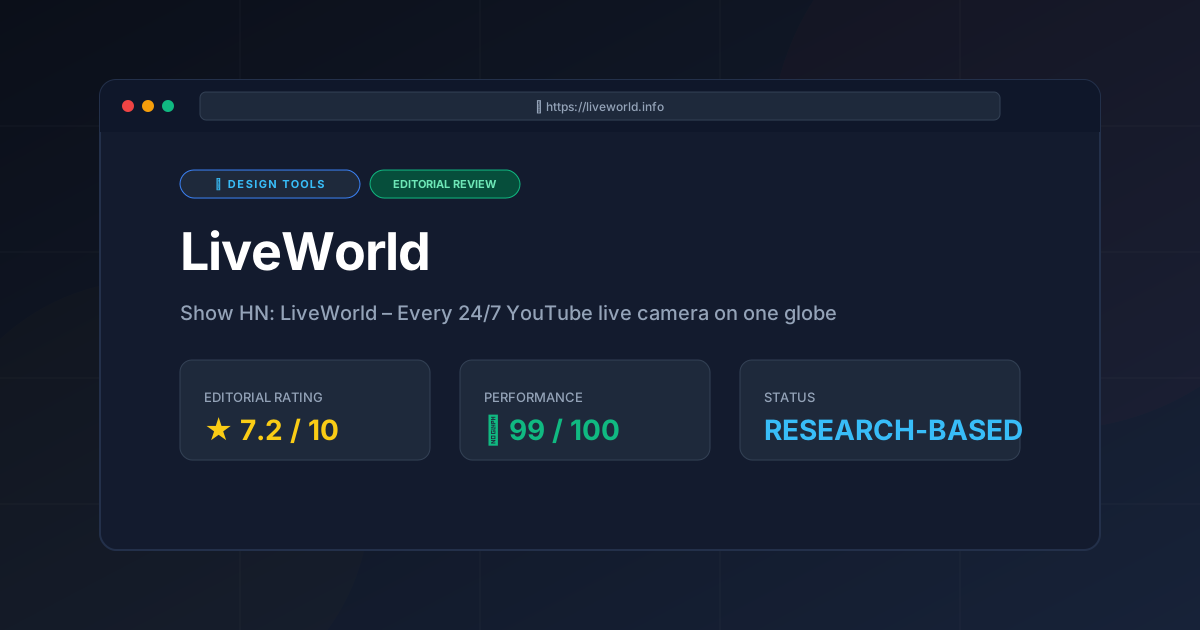
Editorial Rating: 7.2/10 #
Recommendation: If you are a developer looking to build a visually stunning, data-driven map, LiveWorld is a must-study. For the average user, it is a fascinating way to "travel" the world from a browser, provided you have the hardware to support the 3D rendering.
More Tools Worth Reading

v0 by Vercel vs Excalidraw: Which Is Better?
Design ToolsV0 by vercel vs excalidraw: scores, pricing, strengths and trade-offs side by side, and the constraints that actually decide the choice, written from...
v0.dev
Design ToolsAI UI generator for React v0.dev transforms prompts into production-ready code. Discover how to accelerate your frontend workflow with our technical r...
Visily
Design ToolsWireframing tool Visily reviewed: explore AI screenshot-to-design features, pricing, and technical limits to accelerate your product development cycle...