Open Source Design Tool: Penpot Review (2026) & Verdict
⚡ Executive Summary
Open source design tool Penpot reviewed. Discover how its SVG-native engine and Flex Layout bridge the gap between design and code. Read the full verdict.
Disclaimer: This review is based on publicly available information, including official documentation, the public repository, and pricing pages; it is not based on laboratory benchmarks or first-person installation tests.
The divide between design and development has historically been a source of friction in product cycles. Designers create visual representations in proprietary formats, and developers spend hours translating those visuals into CSS and HTML. Penpot enters this ecosystem not just as another design tool, but as a bridge. By utilizing an open source design tool philosophy, Penpot leverages SVG as its native format and implements a layout engine that mirrors modern web standards, aiming to eliminate the "translation layer" between a mockup and a live product.
What is an Open Source Design Tool? #
An open source design tool is a collaborative graphics and prototyping platform whose source code is publicly available for anyone to inspect, modify, and host. Unlike proprietary software, these tools prevent vendor lock-in by using open standards (like SVG) and often allow organizations to self-host the application on their own servers for maximum data privacy and security.
Overview: Why Penpot is Trending in 2026 #
Penpot is the first professional-grade design and prototyping platform that uses SVG (Scalable Vector Graphics) as its native file format. Unlike many of its competitors that rely on proprietary binary formats or complex internal coordinate systems, Penpot treats the canvas as a living web document.
The tool is trending primarily because of the industry-wide shift toward "DesignOps" and the desire for vendor independence. As teams seek to avoid the rising costs of "per-seat" licensing and demand more transparency in how their design assets are stored, an open-source alternative that doesn't sacrifice professional-grade features becomes highly attractive. Furthermore, its focus on "Flex Layout"—a system directly inspired by CSS Flexbox—makes it a natural choice for teams that want their designs to be technically feasible from the first pixel.
Key Technical Specifications & Fast Facts #
| Specification | Detail |
|---|---|
| License | Open Source (MPL 2.0) |
| Hosting Type | Cloud (SaaS) or Self-Hosted (Docker) |
| Free Tier Availability | Yes (Cloud Free Tier & Self-Hosted) |
| API Access | Yes, available for integration |
| Supported Platforms | Web-based (Cross-platform browser access) |
| Primary Format | SVG (Scalable Vector Graphics) |
In-Depth Feature Breakdown & Technical Substance #
1. SVG-Native Engine and Web Standards #
Most design tools export to SVG, but Penpot is SVG. This means that every element created on the canvas is fundamentally a vector graphic that follows web standards. This architectural choice removes the need for complex conversion algorithms during the handoff process.
Technical Edge Case: SVG Optimization
In traditional tools, exporting a complex icon often results in "bloated" SVG code containing unnecessary metadata or proprietary groups. Because Penpot adheres to the official SVG specifications, the output is clean and standard-compliant. This allows a developer to copy the SVG code directly from the tool and paste it into a React or Vue component without needing a third-party optimizer like SVGO.
2. Flex Layout (CSS-like Logic) #
Perhaps the most disruptive feature of this open source design tool is the Flex Layout. While other tools use "Auto Layout" (a proprietary approximation of responsiveness), Penpot implements logic that mirrors the CSS Flexbox model.
Configuration Example:
When a designer creates a navigation bar, they can set the container to display: flex with justify-content: space-between. If the designer adds a new menu item, the layout adjusts automatically based on the same rules a browser would use to render the page. This reduces the "back-and-forth" where a developer tells a designer, "This layout is impossible to implement with CSS." For those building highly complex interfaces, integrating these layouts with Modern UI Components: Aceternity UI Review (2026) & Verdict can further accelerate the transition from prototype to production.
3. Self-Hosting and Data Sovereignty #
Penpot is built for the browser, meaning it allows real-time co-editing without requiring software installation. Because it is open-source, organizations can host their own instances via Docker, ensuring that sensitive intellectual property never leaves their internal infrastructure.
Deployment Trade-offs:
- Cloud Hosting: Zero maintenance, instant setup, but data resides on Penpot's servers.
- Self-Hosting: Full control over data residency and security audits, but requires internal DevOps resources to manage the public repository and server updates.
Real-World Use Case: A government agency or a high-security fintech firm cannot use cloud-based design tools due to compliance regulations. By self-hosting Penpot, they gain the collaborative benefits of a modern design tool while maintaining 100% control over their data.
4. Prototyping and Interaction #
Penpot allows users to create interactive prototypes by linking frames and defining transitions. While it may not yet match the deep logic of high-end prototyping tools, it covers the essential needs of user flow mapping and stakeholder presentations. For teams that need to brainstorm the logic of these flows before moving into high-fidelity design, combining Penpot with a Virtual Whiteboard Review: Excalidraw (2026) for System Design provides a complete end-to-end pipeline from ideation to handoff.
Step-by-Step Implementation Guide #
To successfully integrate Penpot into a professional production pipeline, follow these technical steps:
Step 1: Deployment Selection #
- For Rapid Prototyping: Visit
penpot.appand create an account for immediate cloud access. - For Enterprise Security: Install Docker and Docker Compose on your Linux server. Pull the Penpot images from the official registry and configure your
docker-compose.yamlto define persistence volumes for the PostgreSQL database.
Step 2: Asset Migration #
Use the import function to bring in SVG files. If migrating from a proprietary tool, export your assets as SVGs first. Note that while it is a strong Figma alternative, direct file conversion may vary in complexity; checking the official documentation for the latest import plugins is recommended.
Step 3: Establishing the Design System #
Create "Components" for reusable elements (buttons, inputs, headers). Define your global colors and typography. This ensures that a change to a primary brand color propagates across all 50+ screens of your application instantly.
Step 4: Applying Responsive Logic #
Instead of manually positioning elements using absolute coordinates, wrap your components in Flex Layout containers. Set your "Gap" and "Padding" values to match your CSS framework (e.g., Tailwind CSS spacing scales) to ensure the design is responsive.
Step 5: Developer Handoff #
Invite developers to the project as "Viewers." They can inspect the properties of elements and see the CSS-like values. Because the tool uses an open source design tool architecture, the gap between the "Inspect" panel and the actual code editor is minimal.
Objective Pros & Cons Matrix #
| Pros | Cons |
|---|---|
| Open Source: No vendor lock-in; full control over data via self-hosting. | Plugin Ecosystem: Smaller library of community plugins compared to Figma. |
| Developer-Centric: Flex Layout and SVG-native engine reduce handoff friction. | Learning Curve: Designers used to "free-form" dragging may find Flex Layout restrictive. |
| Cost-Effective: Extremely generous free tier and free self-hosted version. | Feature Parity: Some advanced prototyping animations are missing. |
| Web-Standard Based: High fidelity between design and final CSS implementation. | Performance: Very large files in the browser may experience lag on low-RAM machines. |
Penpot vs. Alternatives: Comparison Analysis #
| Feature | Penpot | Figma | Adobe XD |
|---|---|---|---|
| Core Engine | SVG-Native | Proprietary | Proprietary |
| Layout Logic | CSS Flex Layout | Auto Layout | Stacks/Padding |
| Pricing | Open Source / Free Cloud | Freemium / Subscription | Subscription |
| Hosting | Cloud or Self-Hosted | Cloud Only | Cloud/Local |
| Best For | Dev-Designer Synergy | Large Agency Teams | Adobe Ecosystem Users |
| Speed | Fast (Browser-based) | Very Fast (Wasm) | Moderate |
While Figma is currently the industry standard, particularly with the integration of AI UI Design with Figma AI Review (2026): Features & Verdict, Penpot wins on transparency and technical alignment with the web.
Pricing Tiers & Value Assessment #
Penpot operates on a model that is fundamentally different from the "per-seat" subscription traps common in the industry. Detailed pricing can be found on their official pricing page.
- Self-Hosted: Free. This is the ultimate value proposition for technical teams who can manage their own infrastructure.
- Cloud Free Tier: Highly accessible for individuals and small teams, providing the core feature set without cost.
- Paid Tiers: Penpot offers paid plans for those who prefer the convenience of managed cloud hosting with additional support and enterprise-grade features.
Is the paid tier worth it? For most small-to-medium teams, the free cloud version is sufficient. However, for enterprises that require guaranteed uptime, priority support, and managed backups without the overhead of maintaining their own Docker clusters, the paid cloud tier provides significant operational peace of mind.
Frequently Asked Questions #
Can I migrate my Figma files to Penpot? #
Penpot supports SVG imports, which is the common denominator between most design tools. While there isn't a "one-click" perfect migration for every complex Figma prototype, most visual assets can be moved over via SVG. It is recommended to check the official Penpot community forums for the latest migration scripts.
Does Penpot support mobile app design? #
Yes. While it is web-native, you can set your canvas size to any mobile resolution. The Flex Layout is particularly useful for mobile design, as it mimics how responsive mobile websites and hybrid apps actually behave in a real browser environment.
Is self-hosting Penpot difficult? #
If you are familiar with Docker and Docker Compose, the setup is relatively simple. Penpot provides a detailed installation guide. If you are not technical or do not have access to a server, the cloud version is the better choice for your team.
How does Penpot handle version control? #
Penpot allows for project organization and collaboration. Because it is an open source design tool that can be self-hosted, teams can implement their own backup and versioning strategies at the server level, such as database snapshots or filesystem backups.
Is Penpot suitable for high-fidelity prototyping? #
Yes, it supports interactive prototypes with linked frames and transitions. While it may lack some of the hyper-advanced logic found in specialized prototyping tools, it is more than sufficient for 90% of user flow mapping and stakeholder presentations.
Final Verdict & Editorial Rating #
Penpot is a sophisticated, principled tool that addresses the most painful part of the design process: the handoff. By committing to SVG and CSS Flexbox, it stops treating the design as a "picture of a website" and starts treating it as a "blueprint for a website."
It is not a "Figma killer" in terms of sheer plugin volume or market saturation, but it is a superior choice for teams that value open standards, data sovereignty, and technical accuracy. The trade-off is a slightly smaller community ecosystem, but the benefit is a workflow that is fundamentally more honest to the medium of the web.
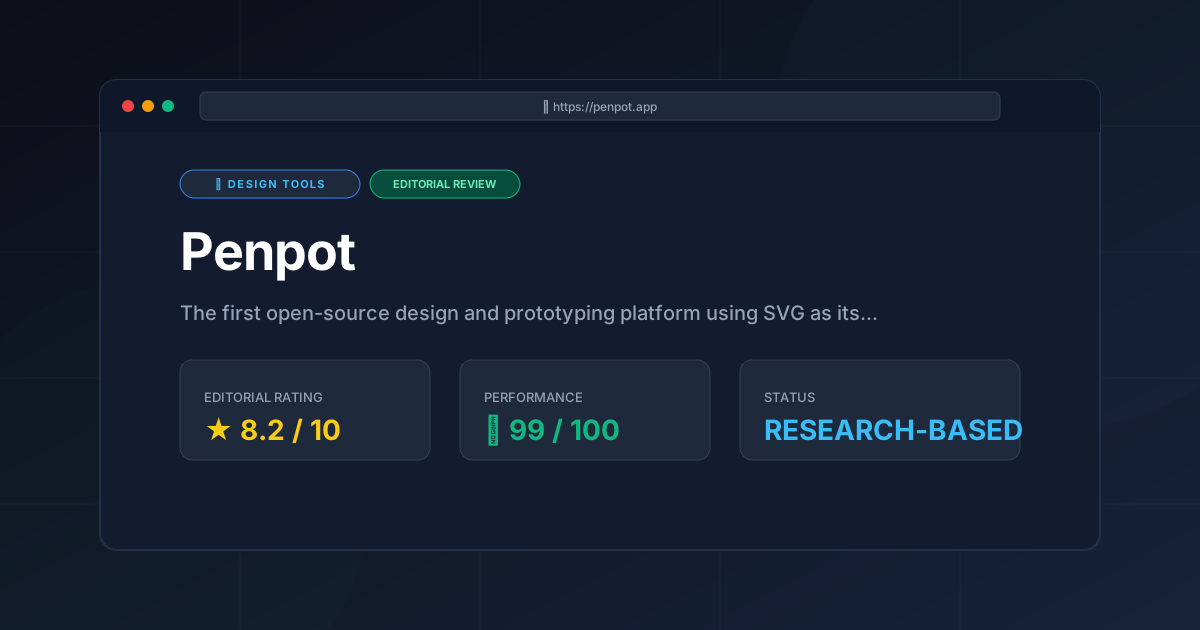
Final Score: 8.2/10 #
Who should use Penpot?
- Developers who design: You will love the Flex Layout and SVG native code.
- Privacy-conscious organizations: The self-hosting option is a game-changer.
- Open-source advocates: Those who want to move away from proprietary subscription models.
- Lean Product Teams: Teams that want to minimize the gap between the mockup and the final build.
More Tools Worth Reading

v0 by Vercel vs Excalidraw: Which Is Better?
Design ToolsV0 by vercel vs excalidraw: scores, pricing, strengths and trade-offs side by side, and the constraints that actually decide the choice, written from...
v0.dev
Design ToolsAI UI generator for React v0.dev transforms prompts into production-ready code. Discover how to accelerate your frontend workflow with our technical r...
Visily
Design ToolsWireframing tool Visily reviewed: explore AI screenshot-to-design features, pricing, and technical limits to accelerate your product development cycle...