Stirling PDF Review (2026): The Ultimate Self-Hosted Tool
⚡ Executive Summary
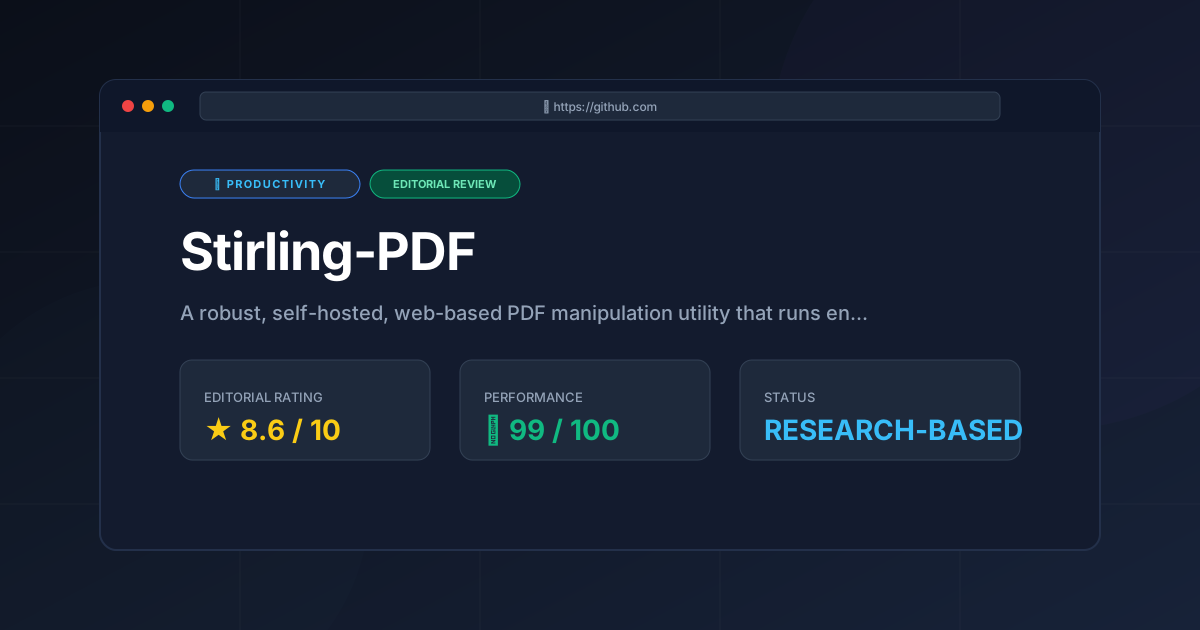
Stirling PDF review for 2026: Discover how this self-hosted tool secures your documents, replaces paid SaaS, and streamlines your local workflows today.
Managing PDF documents is a universal requirement across modern business workflows, yet it remains a persistent operational bottleneck. For years, organizations faced a difficult choice. They had to pay steep licensing fees for desktop suites like Adobe Acrobat, or upload sensitive corporate data to third-party cloud converters. Stirling PDF solves this dilemma by offering a robust, self-hosted, web-based utility that runs entirely on your own infrastructure. This open-source platform has rapidly gained traction among developers, system administrators, and privacy-conscious enterprises worldwide.
By packaging complex command-line utilities into an intuitive web interface, this local application democratizes advanced document processing. It keeps your underlying data secure, private, and fully under your control.
What is Stirling PDF? #
What is Stirling PDF? #
Stirling PDF is a free, open-source, self-hosted web application that allows users to perform a wide range of PDF manipulation tasks locally. It provides features like merging, splitting, compressing, and OCR without sending sensitive documents to external servers, ensuring complete data privacy and security.
+-------------------------------------------------------------------+
|                          Your Local Network                       |
|                                                                   |
|   +------------------+      HTTPS      +-----------------------+  |
|   |   Client Browser | <-------------> |  Stirling-PDF Docker  |  |
|   +------------------+                 +-----------------------+  |
|                                                    |              |
|                                        (All processing local)     |
|                                                    v              |
|                                        +-----------------------+  |
|                                        |  Local PDF Engine     |  |
|                                        |  & Tesseract OCR      |  |
|                                        +-----------------------+  |
+-------------------------------------------------------------------+
The platform is trending in 2026 due to a broader industry shift toward data sovereignty. As organizations seek to optimize their workflows with the best productivity tools in 2026, reducing reliance on third-party SaaS providers has become a top priority. Just as modern teams adopt open-source scheduling tools like Cal.com to keep calendar data in-house, deploying Stirling PDF alongside other self-hosted systems allows teams to retain absolute control over their document pipelines.
Key Technical Specifications & Fast Facts #
For IT decision-makers and system administrators, understanding the technical foundation of a self-hosted tool is critical. Below is a breakdown of the core technical specifications of this open-source utility.
| Specification | Details |
|---|---|
| License | GNU General Public License v3.0 (GPL-3.0) |
| Hosting Type | Self-hosted (Docker, Kubernetes, Bare-metal Java) |
| Free Tier Availability | 100% Free and Open Source (No hidden paywalls) |
| API Access | Fully documented REST API |
| Supported Platforms | Linux, Windows, macOS (via Docker or Java Runtime) |
| Primary Technologies | Java, Spring Boot, Thymeleaf, PDFBox, Tesseract OCR |
| Authentication Support | Local Auth, OAuth2, Keycloak, Authelia, OIDC |
In-Depth Feature Breakdown & Real-World Use Cases #
The core strength of Stirling PDF lies in its modularity. It is not just a simple file merger. Instead, it is a highly capable platform that can replace several standalone utilities.
1. Core PDF Manipulation (Merge, Split, Rotate, Crop) #
At its core, this application provides a highly visual, drag-and-drop interface for basic document organization. Users can upload multiple files, reorder pages visually, and rotate individual sheets that were scanned upside down. You can also split large documents into single-page files.
- Real-World Use Case: A real estate firm receives a 150-page closing package containing contracts, disclosures, and tax forms. Using this local suite, an administrative assistant can quickly split the master document into individual, labeled files. They can crop out unnecessary margin guides without exposing sensitive client financial data to a public web service.
2. Advanced OCR Text Recognition & Office Conversions #
One of the most powerful capabilities of this platform is its integration with Tesseract OCR. This allows the system to perform optical character recognition on scanned, image-only PDFs. This process transforms them into fully searchable documents. Additionally, it leverages LibreOffice under the hood. This integration facilitates high-fidelity conversions between PDF and Microsoft Office formats like Word, Excel, and PowerPoint.
- Real-World Use Case: An accounting department needs to extract data from hundreds of legacy scanned invoices. By routing these files through the built-in OCR engine, the text becomes selectable and searchable. This allows automated scripts to parse invoice numbers and totals easily.
3. Enterprise-Grade Security (Redaction, Passwords, Watermarking) #
Because this software runs entirely locally, it is an ideal local PDF converter for highly regulated industries. This includes healthcare, finance, and legal services. It includes built-in tools to:
- Apply cryptographic passwords and restrict permissions (preventing printing or copying).
- Permanently redact sensitive information (such as Social Security numbers or medical IDs) rather than just drawing a black box over them.
- Add customizable watermarks to draft agreements or proprietary designs.
Developer Integration: The REST API #
For developers looking to automate document workflows, the platform exposes its entire feature set via a structured REST API. This allows you to programmatically merge, convert, or OCR documents from other internal applications.
Here is an example of how a developer can programmatically merge two PDF files using a simple curl command against a self-hosted instance:
curl -X 'POST' \
  'http://localhost:8080/api/v1/general/merge-pdfs' \
  -H 'accept: */*' \
  -H 'Content-Type: multipart/form-data' \
  -F 'fileInput=@document_part1.pdf;type=application/pdf' \
  -F 'fileInput=@document_part2.pdf;type=application/pdf' \
  --output merged_document.pdf
This API-first design makes the tool an excellent backend utility for custom ERPs, CRMs, or document management systems. It integrates smoothly alongside other modern business tools, such as modern calendar applications, to build a cohesive, automated workspace.
Advanced Configuration & Deployment Deep Dive #
Deploying this software is remarkably straightforward, particularly if you are familiar with containerization. While it can run as a standalone Java application, the recommended deployment method is via Docker.
Prerequisites #
- A server or local machine with Docker and Docker Compose installed.
- Approximately 1GB of free RAM (more is recommended if you plan to run heavy OCR tasks).
Deployment via Docker Compose #
Create a directory for your deployment and save the following configuration as docker-compose.yml:
version: '3.8'

services:
  stirling-pdf:
    image: frooodle/s-pdf:latest
    container_name: stirling-pdf
    ports:
      - '8080:8080'
    volumes:
      - ./trainingData:/usr/share/tessdata # For OCR languages
      - ./extraConfigs:/configs
      - ./logs:/logs
    environment:
      - DOCKER_ENABLE_SECURITY=false # Set to true to enable login/auth
      - INSTALL_BOOK_AND_MIME_DETECTION=true
      - LANGS=en_US
    restart: unless-stopped
Launching the Application #
- Open your terminal and navigate to the directory containing your
docker-compose.ymlfile. - Run the following command to start the container in detached mode:
docker compose up -d- Once the container is running, open your web browser and navigate to
http://localhost:8080. - You will see the dashboard, ready to process files locally.
Advanced Environment Variables #
To customize your installation, you can modify several environment variables within your configuration file:
SECURITY_ENABLE_LOGIN: Set totrueto require user authentication. This is crucial when exposing the application to the public internet.SYSTEM_DEFAULT_LOCALE: Changes the default language of the user interface.OCR_LANGS: Specifies which language packs to download for Tesseract OCR. For example, setting this toeng,spa,deuinstalls English, Spanish, and German support.
Reverse Proxy Configuration (Nginx) #
If you plan to expose the application to your team over a domain, using a reverse proxy like Nginx is highly recommended. This ensures secure HTTPS traffic. Below is a standard Nginx configuration block:
server {
    listen 443 ssl;
    server_name pdf.yourcompany.com;

    ssl_certificate /etc/letsencrypt/live/pdf.yourcompany.com/fullchain.pem;
    ssl_certificate_key /etc/letsencrypt/live/pdf.yourcompany.com/privkey.pem;

    client_max_body_size 100M; # Crucial for processing large PDF files

    location / {
        proxy_pass http://localhost:8080;
        proxy_set_header Host $host;
        proxy_set_header X-Real-IP $remote_addr;
        proxy_set_header X-Forwarded-For $proxy_add_x_forwarded_for;
        proxy_set_header X-Forwarded-Proto $scheme;
    }
}
Objective Pros & Cons Matrix #
To maintain our commitment to honesty and objective analysis, we have highlighted both the strengths and the practical limitations of this self-hosted tool.
Pros #
- Absolute Data Privacy: Your files never leave your server. This ensures compliance with GDPR, HIPAA, and internal security policies.
- Zero Licensing Fees: As an open-source tool, there are no per-user subscription fees or artificial usage limits.
- Comprehensive Feature Set: Combines merging, splitting, compressing, OCR, password protection, and format conversion in one place.
- Active Community: Highly active development on the official GitHub repository ensures frequent updates, security patches, and new feature additions.
- Low Resource Idle Footprint: When not actively processing files, the container consumes minimal system resources.
Cons #
- Self-Hosting Overhead: Requires technical knowledge to deploy, secure, and maintain. This is especially true when configuring reverse proxies and SSL certificates.
- Resource-Intensive Processing: Heavy operations like OCR or converting complex Word documents can temporarily spike CPU and RAM usage on low-spec hosting environments.
- Utilitarian UI: While clean and functional, the interface lacks some of the polished, hyper-modern aesthetic refinements found in premium commercial SaaS platforms.
- No Native Cloud Storage Sync: Out-of-the-box integration with cloud storage providers (like Google Drive or OneDrive) is limited compared to commercial alternatives. This requires manual uploads or custom API scripting.
Stirling PDF vs. Competitors: Direct Comparison #
How does this open source PDF tools suite stack up against industry giants and popular web-based converters? The table below provides a direct comparison.
| Feature / Metric | Stirling PDF | Adobe Acrobat Pro | ILovePDF | Smallpdf |
|---|---|---|---|---|
| Deployment | Self-Hosted / Local | Desktop / Cloud | Cloud SaaS | Cloud SaaS |
| Data Privacy | Maximum (100% Local) | Medium (Cloud Sync) | Low (Third-party upload) | Low (Third-party upload) |
| Pricing Model | Free / Open Source | Subscription ($19.99+/mo) | Free tier / Paid SaaS | Free tier / Paid SaaS |
| OCR Capabilities | Yes (Tesseract) | Yes (Proprietary) | Yes (Paid tier) | Yes (Paid tier) |
| API Availability | Yes (Free/Included) | Yes (Paid enterprise) | Yes (Paid developer tier) | Yes (Paid developer tier) |
| Best For | Self-hosters, IT Teams, Privacy-centric orgs | Individual power users, Enterprise design | Casual users, Quick one-off tasks | Small teams wanting a polished SaaS |
Pricing Tiers & Value Assessment #
The application is distributed under the GPL-3.0 license. This means it is 100% free to use, modify, and distribute. There are no premium tiers, locked features, or usage caps.
However, when evaluating the "true cost" of the platform, organizations must factor in infrastructure and maintenance costs:
- Hosting Costs: If deployed on a public cloud provider (like AWS, DigitalOcean, or Hetzner), you will pay for the underlying compute resources. Typically, a small $5 to $15/month VPS is sufficient for small teams.
- Maintenance Overhead: Your IT staff will need to allocate time for initial setup, configuring backups, managing domain names/SSL certificates, and performing occasional software updates.
For teams with existing self-hosted infrastructure, this utility offers an extraordinary value proposition. It completely eliminates the need for recurring per-seat SaaS licenses.
Frequently Asked Questions #
1. Is Stirling PDF completely safe for highly confidential documents? #
Yes, provided your hosting environment is secure. Because the application runs entirely on your own server or local machine, no data is ever transmitted to external servers. This makes it an excellent self hosted PDF editor for organizations bound by strict compliance frameworks like HIPAA or GDPR.
2. Can I customize the branding of the web interface? #
Yes. The platform supports extensive customization. According to the official Stirling PDF documentation, administrators can change the app name, logo, HTML templates, and even custom CSS directly through the configuration files. This is highly beneficial for MSPs or IT departments looking to provide a branded utility to their clients or employees.
3. How does the OCR quality compare to commercial alternatives? #
The software utilizes Tesseract OCR, which is widely considered the gold standard for open-source text recognition. While highly accurate for standard fonts and clean scans, it may require some fine-tuning of language packs. It may not match the specialized handwriting-recognition capabilities of premium, proprietary AI engines used by Adobe.
4. Can I run Stirling PDF on a Raspberry Pi or low-power NAS? #
Yes. The project offers multi-architecture Docker builds, including support for ARM64 devices. It runs comfortably on a Raspberry Pi 4/5 or a modern Synology NAS. However, intensive tasks like multi-page OCR will take longer to process on lower-powered CPUs.
5. How do I update Stirling PDF to the latest version? #
If you are using Docker, updating the application is as simple as pulling the latest image and restarting your container. You can run docker compose pull followed by docker compose up -d to apply the latest updates and security patches automatically.
Final Verdict & Editorial Rating #
This software is an outstanding achievement in the open-source productivity space. It successfully bridges the gap between powerful, complex command-line document utilities and the user-friendly interfaces expected by modern business professionals.
For organizations that prioritize data privacy, compliance, and cost-efficiency, it is an absolute must-have addition to their self-hosted portfolio. While the initial setup and maintenance require some technical literacy, the long-term savings in licensing fees and the peace of mind regarding data sovereignty make it an easy recommendation.
PulseTools Editorial Rating: 8.6 / 10 #
- Feature Completeness: 9.0/10
- Data Privacy & Security: 10.0/10
- Ease of Deployment: 8.0/10
- User Interface & UX: 7.5/10
If your team is ready to break free from restrictive document-processing subscriptions while keeping your data strictly under your own lock and key, this is arguably the best self-hosted solution available today. Check out the official GitHub repository to begin your deployment.
More Tools Worth Reading
Screenpipe
ProductivityIn-depth review of Screenpipe in 2026: key features, pricing, alternatives and who it is best for.
Paperclip
ProductivityIn-depth review of Paperclip in 2026: key features, pricing, alternatives and who it is best for.
Hindsight
ProductivityHindsight review: Explore how this open-source agent memory layer eliminates LLM amnesia, cuts token costs, and powers self-learning AI workflows in 2...