Workflow Automation for SecOps: Tines Review (2026)
⚡ Executive Summary
Workflow automation for security teams starts here. Discover if Tines is the right orchestration tool for your SOC to reduce MTTR and manual toil.
Disclaimer: This review is based on publicly available information, including official documentation, pricing pages, and public repositories; it is not a laboratory benchmark.
In the modern enterprise environment, the "tool sprawl" phenomenon has created a massive visibility gap. Security Operations Centers (SOCs) and DevOps teams often find themselves jumping between a dozen different dashboards to investigate a single alert. To solve this, many organizations are turning to advanced workflow automation to create a layer of "connective tissue" across their security stack.
Tines has emerged as a critical player in this space. Unlike general-purpose automation tools that focus on simple "if-this-then-that" logic, Tines is engineered for complex, multi-step orchestration. It positions itself as a no-code platform that doesn't sacrifice the power of a pro-code environment, allowing engineers to build sophisticated security playbooks without writing thousands of lines of Python or Bash scripts.
What is Workflow Automation in Tines? #
Tines is a no-code automation platform designed to connect disparate software tools via APIs to automate complex operational tasks. It allows technical teams to ingest data, apply logic, and trigger actions across multiple systems without writing manual code, primarily serving the needs of security and IT operations.
The reason Tines is trending in 2026 is the shift toward "Hyper-automation" in cybersecurity. As threat actors use AI to automate attacks, defenders must automate their response. By visiting the official Tines website, users can see how the platform allows teams to ingest data from any API, manipulate that data using a flexible internal logic system, and push actions back into other tools—such as blocking an IP in a firewall or creating a ticket in a project management system.
For teams already utilizing Best Productivity in 2026: 5 Top Picks Reviewed, Tines represents the "industrial grade" end of the automation spectrum—moving beyond simple task management into full-scale operational orchestration.
Key Technical Specifications & Fast Facts #
| Specification | Detail |
|---|---|
| License | Proprietary / Commercial |
| Hosting Type | Cloud (SaaS) |
| Free Tier Availability | Yes (Community Edition) |
| API Access | Full REST API Integration |
| Supported Platforms | Any tool with a REST API (HTTP/HTTPS) |
| Primary Category | Productivity / SecOps Orchestration |
In-Depth Feature Breakdown & Real-World Use Cases #
Tines differentiates itself by avoiding "rigid" integrations. Instead of relying solely on pre-built plugins that can break when an API updates, Tines provides a flexible framework to interact with any web service. This makes it a superior choice for high-stakes workflow automation where reliability is non-negotiable.
1. Flexible API Integration (The HTTP Request Action) #
The core of Tines is the HTTP Request action. Rather than waiting for a "native integration" to be built, a user can simply input the API endpoint, authentication headers, and payload of any service. This is detailed extensively in the Tines Documentation, which outlines how to handle various authentication methods.
Real-World Use Case: Automated Phishing Triage
- Trigger: An employee reports a suspicious email via a webhook.
- Action: Tines sends the URL found in the email to a threat intelligence API (like VirusTotal) via an HTTP request.
- Logic: If the "malicious" score is > 5, Tines automatically triggers an API call to the email server to delete the message from all user inboxes.
2. No-Code Workflow Builder (The Storyboard) #
Tines uses a visual "Storyboard" where "Agents" (individual steps) are connected by lines. This allows for complex branching logic, loops, and parallel processing without writing code.
Real-World Use Case: Employee Onboarding/Offboarding
When a user is removed from the HR system, Tines can trigger a sequence:
- Disable Active Directory account.
- Revoke SaaS licenses.
- Notify the IT manager via Slack.
- Log the completion in a tracking tool. For those managing the broader project lifecycle, integrating these alerts into Project Tracking with Asana (2026): Full Review & Guide ensures that the human element of offboarding is documented.
3. Advanced Event-Driven Triggers #
Tines doesn't just run on a schedule; it reacts to events in real-time. Using webhooks and polling agents, it can monitor external systems for specific changes, providing a robust foundation for workflow automation that requires immediate response.
Real-World Use Case: Cloud Infrastructure Drift Detection
Tines can poll a cloud provider's API (AWS/Azure/GCP) every 10 minutes. If a security group is changed to "Open to World" (0.0.0.0/0), Tines can immediately revert the change and alert the DevOps team, effectively creating a self-healing infrastructure.
Technical Implementation: Step-by-Step Guide #
For those new to no-code orchestration, the learning curve is moderate. To implement a professional workflow automation sequence, follow these technical steps:
Step 1: Environment Setup #
Sign up for the Community Edition. Once inside, create a "Storyboard." This is your primary workspace. Ensure you have the API documentation for the tools you intend to connect (e.g., Jira, Slack, or CrowdStrike).
Step 2: Configuring the Ingress (The Trigger) #
Add a "Webhook Agent." Tines generates a unique URL. You must copy this URL and paste it into the "Webhook" or "Outgoing Webhook" section of your source tool.
- Edge Case: If the source tool does not support webhooks, use a "HTTP Request Agent" configured as a poller to check for updates every X minutes.
Step 3: Data Transformation and Filtering #
Incoming data is usually a raw JSON blob. Use an "Event Transformation Agent" to parse this data.
- Example: Use a Liquid template to extract only the
alert_idandseverityfrom a 500-line JSON response. This prevents downstream agents from being overwhelmed by irrelevant data.
Step 4: Implementing Conditional Logic #
Create a "Trigger Agent" to act as a gatekeeper.
- Configuration: Set a rule where the workflow only proceeds if
severity == 'Critical'. If the condition is not met, the workflow terminates or routes to a "Low Priority" Slack channel.
Step 5: Executing the Egress (The Action) #
Connect the logic gate to an "HTTP Request Agent." Configure the API call to your destination tool.
- Pro Tip: Use the "Credentials" store to hide your API keys. Never hard-code secrets directly into the agent configuration.
Step 6: Validation and Iteration #
Send a test payload. Tines allows you to see the exact JSON input and output for every single agent in the chain. If an agent fails, the "Event History" will show the exact HTTP error code (e.g., 401 Unauthorized or 404 Not Found), allowing for rapid debugging.
Objective Pros & Cons Matrix #
| Pros | Cons |
|---|---|
| API Agnostic: Connects to any tool with a REST API. | Steep Learning Curve: Requires knowledge of JSON and HTTP methods. |
| No Vendor Lock-in: Not dependent on a limited library of plugins. | Pricing Jump: Significant gap between Community and Enterprise tiers. |
| High Visibility: Visual storyboards simplify auditing of complex logic. | Not for Simple Tasks: Overkill for basic "Save to Drive" tasks. |
| Powerful Data Manipulation: Advanced JSON parsing and reshaping. | Visual Clutter: Extremely complex stories can become hard to navigate. |
Tines vs. Alternatives: Comparing Workflow Automation #
When evaluating workflow automation tools, it is essential to distinguish between "task automation" and "orchestration."
| Feature | Tines | Torq | Zapier |
|---|---|---|---|
| Primary Focus | SecOps / Complex Ops | Hyper-automation / SOC | General Productivity |
| Integration Style | API-First / Flexible | Hybrid (Native + API) | Plugin-Based |
| Logic Complexity | Very High | High | Low to Medium |
| Setup Speed | Medium (Requires API knowledge) | Medium | Very Fast |
| Pricing | Freemium / Enterprise | Enterprise | Tiered Subscription |
| Best For | Security Engineers | Large SOC Teams | Small Biz / Solopreneurs |
Pricing Tiers & Value Assessment #
Tines operates on a Freemium model, as detailed on their official pricing page.
- Community Edition: A generous offering for individuals and small teams to build and test workflows. It is an excellent way to prove the value of automation before requesting a budget.
- Enterprise Tiers: Pricing is typically custom and based on the scale of the organization and the volume of events processed.
Is the paid tier worth it?
For a standard business user, probably not. However, for a Security Engineer or DevOps Lead, the value proposition is high. The cost of a single manual breach response or a misconfigured cloud bucket far outweighs the annual subscription cost. The "value" here is measured in the reduction of Mean Time to Respond (MTTR).
Frequently Asked Questions #
Do I need to know how to code to use Tines? #
No, you do not need to write Python or Javascript. However, you must understand how APIs work, specifically how to read JSON and how HTTP methods (GET, POST, PUT, DELETE) function. It is "no-code" in execution, but "technical" in conceptual requirement.
How does Tines handle sensitive data like API keys? #
Tines utilizes a dedicated "Credentials" management system. This allows users to store secrets securely in an encrypted vault and reference them within agents using variables, ensuring that actual keys are never exposed in the visual storyboard logic.
Can Tines replace a full SIEM (Security Information and Event Management) tool? #
No. Tines is an orchestrator, not a log aggregator. It does not store terabytes of logs for long-term analysis. Instead, it takes the alerts generated by your SIEM and automates the response actions that follow those alerts.
Is Tines suitable for non-technical teams? #
Generally, no. While it is a no-code tool, the conceptual overhead of API orchestration—such as understanding headers, payloads, and status codes—is too high for a typical marketing or HR user. It is built specifically for technical operators.
How does Tines handle API versioning changes? #
Because Tines uses a flexible HTTP Request agent rather than a rigid plugin, users can update the API endpoint or payload in one agent to match a new API version without needing to wait for the vendor to release a software update.
Final Verdict & Editorial Rating #
Tines is a sophisticated instrument for a specific type of professional. It successfully bridges the gap between the rigidity of traditional SOAR (Security Orchestration, Automation, and Response) tools and the simplicity of consumer-grade automation.
The platform's greatest strength is its refusal to limit the user to a set of pre-defined "integrations." By treating the API as the primary interface, Tines ensures that as long as a software tool has a web interface, Tines can automate it. The trade-off is a higher barrier to entry; you cannot simply "click and play" without a basic understanding of web architecture.
Who should use Tines?
- Security Engineers looking to automate repetitive triage and response.
- DevOps Teams managing complex cloud infrastructure deployments.
- IT Operations tasked with coordinating workflows across disparate legacy and modern systems.
Who should avoid Tines?
- Non-technical users who want simple task automation.
- Micro-businesses with very simple workflows that can be handled by cheaper, plugin-based alternatives.
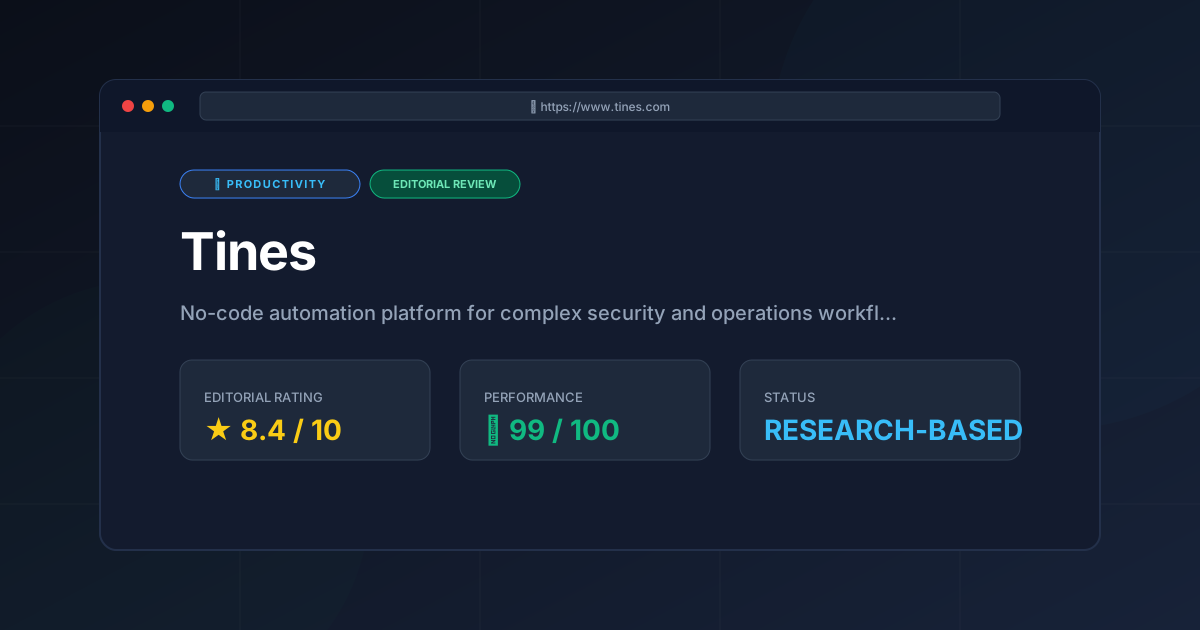
Editorial Rating: 8.4/10 #
Tines is an elite tool for technical orchestration. It loses points only for its steep conceptual learning curve and the pricing jump for enterprise features, but it remains a gold standard for SecOps workflow automation.
More Tools Worth Reading
Screenpipe
ProductivityIn-depth review of Screenpipe in 2026: key features, pricing, alternatives and who it is best for.
Paperclip
ProductivityIn-depth review of Paperclip in 2026: key features, pricing, alternatives and who it is best for.
Hindsight
ProductivityHindsight review: Explore how this open-source agent memory layer eliminates LLM amnesia, cuts token costs, and powers self-learning AI workflows in 2...