Aider AI Review (2026): The Best Terminal AI Coding Agent?
⚡ Executive Summary
Aider AI turns your terminal into an autonomous Git coding assistant. Explore features, cost breakdowns, LLM setups, and real trade-offs in our 2026 review.
Command-line tools remain essential for core software development work. While modern graphical code editors bundle integrated AI sidebars, Aider AI takes a distinct, terminal-native path. It functions directly inside standard terminal environments as an autonomous pair programmer. By integrating local Git repositories with modern large language models, this tool modifies local source files, executes test suites, and automates structured commits on disk.
Please note that this technical review is based on publicly available documentation, architectural specifications, and user data, rather than a hands-on laboratory benchmark. This guide breaks down system mechanics, configuration options, token economics, and key operational trade-offs.
Overview #
Aider AI is an open-source, command-line AI coding assistant that pairs with developers inside local Git repositories to automate multi-file edits, run diagnostic loops, and generate atomic commits using standard language model APIs.
       +---------------------------------------------------+
       |                 Developer Prompt                  |
       +---------------------------------------------------+
                                 |
                                 v
       +---------------------------------------------------+
       |            Aider AI CLI & Repo Mapper             |
       |       (Tree-sitter AST & Context Builder)         |
       +---------------------------------------------------+
                                 |
              +------------------+------------------+
              |                                     |
              v                                     v
   +--------------------+                 +--------------------+
   |   Architect LLM    |                 |     Editor LLM     |
   | (High-Level Plan)  |                 | (Diff Generation)  |
   +--------------------+                 +--------------------+
              |                                     |
              +------------------+------------------+
                                 |
                                 v
       +---------------------------------------------------+
       |            Disk Edits & Git Auto-Commit           |
       +---------------------------------------------------+
Instead of requiring a dedicated graphical IDE or browser app, the system runs as a lightweight terminal process. It analyzes the workspace directory, builds syntactic repo maps, and routes requests to foundation models via standardized REST or local endpoints. Because the software modifies files directly on local disk, developers retain full control over their build tools and environment configurations.
Specifications / Fast Facts #
| Parameter | Specification Details |
|---|---|
| Primary Tool Name | Aider (Aider AI) |
| Latest Release Cycle | 2026 Active Production Release |
| License Type | Apache 2.0 (Open Source) |
| User Interface | Command-Line Interface (CLI / Terminal) |
| Supported Models | Claude 3.5 Sonnet, OpenAI GPT-4o/o1, DeepSeek R1/V3, Local LLMs (Ollama/vLLM) |
| Repository Mapping Engine | Tree-sitter Abstract Syntax Tree (AST) Parsing |
| Version Control Prerequisite | Git (Required for diff generation and rollback tracking) |
| Runtime Environment | Python 3.9+ environment via pip or pipx |
| Official Repositories | Aider GitHub Repository |
| Official Documentation | Official Aider Documentation |
Technical Architecture and Core Capabilities #
The utility relies on three distinct technical subsystems to manage code modifications without exceeding token limits or breaking target build pipelines.
AST-Based Repository Mapping #
Large language models frequently suffer from quality degradation when entire codebases are loaded into prompt context windows. To address context bloat, the CLI constructs a compact, high-density map of your local workspace using Tree-sitter parsing.
This engine parses raw source code into Abstract Syntax Trees (ASTs). It extracts essential symbol metadata—such as class definitions, type signatures, and cross-file method invocations—while stripping out internal method bodies until explicit file edits are requested. This architectural approach delivers global project awareness to the model while conserving valuable prompt tokens.
Automated Unified Diff Edits and Git Integration #
When handling complex development tasks, software edits rarely stay isolated within a single source file. Modifying a backend API route typically requires matching updates across database schemas, type signatures, and test suites.
+-----------------------------------------------------------------+
|                    Aider Edit Pipeline Workflow                 |
+-----------------------------------------------------------------+
|  1. Prompt Input -> Developer describes multi-file change       |
|  2. Context Assembly -> AST map + user files sent to API        |
|  3. Diff Generation -> Model returns concise block diff format  |
|  4. Local Disk Patch -> CLI modifies files in target workspace  |
|  5. Verification -> Linter/Tests evaluate local code changes    |
|  6. Commit Generation -> Git automatically records atomic commit|
+-----------------------------------------------------------------+
After receiving response payloads from the model, the application applies precise, unified block diffs directly to target files. If diffs patch cleanly without syntax errors, the tool invokes Git subprocesses to stage changes and author descriptive commit messages. If an applied change introduces unexpected side effects, running the /undo command immediately reverts working trees to the prior Git commit.
Dual-Model Architect Mode #
Complex software engineering tasks require high-level logical reasoning alongside swift code generation. To optimize cost and latency, the system offers a dual-model execution mode:
- Architect Model: A high-capacity reasoning model (such as Claude 3.5 Sonnet or DeepSeek R1) analyzes input requirements and outputs a structured execution strategy.
- Editor Model: A lighter, high-throughput model converts the architect plan into exact code diffs applied to local files.
This decoupled architecture lowers API bills while minimizing syntax mistakes during large refactoring jobs. Developers building modular agentic architectures—like those outlined in our Agent Native Review (2026): Best Framework for Agentic Apps?—will find this structured task delegation familiar.
Self-Healing Linter and Test Repair Loops #
Catching regression errors early keeps pull request queues clean. The command-line assistant configures automated feedback loops that evaluate changes using local test suites and static analysis utilities.
For web services built on modern backend stacks—such as those built on a hosted PostgreSQL backend—you can link the terminal CLI directly to fast static checking tools like Biome (such as Biome). When a compiler or linter flags unused imports or missing type annotations, the CLI intercepts stderr streams, passes error logs back to the language model, and applies targeted corrections automatically.
Practical Setup and Workspace Configuration #
Deploying the terminal client requires Python 3.9 or newer and an active local Git repository.
1. Installation Methods #
Install the package using pipx for isolated global execution, or standard pip inside Python virtual environments:
# Recommended global installation via pipx
pipx install aider-chat

# Alternative installation inside active virtualenv
pip install aider-chat
2. Model API Key Setup #
The platform operates on a bring-your-own-key framework. Define credentials in your active shell environment:
# Set credentials for Anthropic models
export ANTHROPIC_API_KEY="sk-ant-api03-xxxx..."

# Set credentials for OpenAI models
export OPENAI_API_KEY="sk-proj-xxxx..."

# Set credentials for DeepSeek models
export DEEPSEEK_API_KEY="sk-ds-xxxx..."
3. Workspace Initialization #
Navigate to your project repository and launch the CLI alongside target working files:
cd /path/to/target-repository
aider src/services/auth.ts src/models/user.ts
4. Project Configuration File (.aider.conf.yml) #
To maintain consistent settings across development teams, store configuration directives inside a local .aider.conf.yml file:
# Workspace-level Aider configuration
model: claude-3-5-sonnet-20241022
architect: true
auto-commits: true
lint-cmd: "npx biome check --write"
test-cmd: "npm test"
gitignore: true
map-tokens: 2048
5. Interactive Terminal Slash Commands #
Inside an active terminal session, slash commands control context state and tool behavior:
/add <path>: Adds target files or directories to active prompt context./drop <path>: Removes specified files from context to reduce token usage./architect: Toggles dual-model planning mode on or off./lint: Runs configured linting commands and fixes reported errors automatically./test: Executes specified test runners and repairs failing unit tests./undo: Reverts the most recent Git commit generated by the tool./clear: Clears session history while preserving files loaded in context./exit: Terminates the interactive shell session cleanly.
Concrete Limitations and Operational Trade-Offs #
While flexible, using Aider AI introduces distinct operational limitations that teams should evaluate before adopting it in production pipelines.
1. Absence of Visual Side-by-Side Diff Interfaces #
Unlike graphical IDEs like VS Code or Cursor, the CLI displays code updates as terminal text output. Evaluating multi-file diffs across ten complex modules using standard terminal ANSI text requires significant effort. Visual inspection of complex logic shifts remains faster and less error-prone inside graphical diff engines.
2. High Token Expenditure During Automated Test Loops #
Automated diagnostic feedback loops save time, but they can quickly inflate API bills. Each test failure loop re-sends selected files along with build failure logs back to model endpoints. Without strict context management using /drop, a single debugging cycle can consume hundreds of thousands of tokens within minutes.
3. Strict Dependency on Git Repositories and Log Noise #
The application cannot function inside directories lacking Git tracking. Furthermore, generating an automated Git commit after every applied prompt fills project histories with granular, single-line commits. Development teams must enforce strict branch squash policies before merging code into production branches.
4. Context degradation in Large Legacy Repositories #
Although Tree-sitter abstract syntax mapping compresses reference structures, large legacy codebases exceeding 100,000 lines of code still encounter context limits. High-level AST maps can drop indirect dependencies in complex dynamic languages, requiring developers to manually locate and attach relevant files using /add.
Tool Comparison: Aider AI vs. Alternatives #
Choosing the right development assistant depends on your team's preferred operational environment—whether in the terminal, inside visual code editors, or within browser workspaces.
| Feature / Dimension | Aider AI | Cursor | Cline (VS Code Extension) | Bolt.new |
|---|---|---|---|---|
| Primary Interface | Command-Line (Terminal) | Forked VS Code IDE | VS Code Extension Panel | Web Browser Workspace |
| Git Integration | Automated local Git commits | Manual Git staging | Manual Git staging | Virtual WebContainer |
| Model Selection | Cloud APIs & Local LLMs | Anthropic, OpenAI, custom | OpenRouter, direct API keys | Platform defaults |
| Editing Engine | Disk-level unified diffs | Inline graphical diffs | Agent workspace diffs | In-browser virtual files |
| Configuration Setup | CLI flags & YAML files | IDE Settings GUI | Extension Settings | Web Dashboard |
| Pricing Model | Open source + API costs | $20/month subscription | Free extension + API costs | Tiered subscription |
| Best Suited For | DevOps, SSH, Terminal Power Users | Full-time IDE developers | VS Code agent workflows | Rapid web prototyping |
Browser-based tools allow developers to scaffold full-stack applications instantly without local setup, as highlighted in our Cursor vs Bolt.new comparison. By contrast, Aider targets backend engineers and systems programmers who work directly on local file systems using traditional terminal workflows.
Pricing Model and Token Economics #
The software is distributed as open-source software under the Apache 2.0 license. There are no monthly tool subscriptions, enterprise seat fees, or user licensing costs. Full installation guidelines are available via the Official Aider Documentation.
Operating costs depend entirely on model provider token pricing:
- Software License Fee: $0 (Free, Open Source).
- Paid API Endpoints: Per-token billing through Anthropic, OpenAI, DeepSeek, or OpenRouter.
- Local LLM Deployment: $0 API fees when routing prompts to local models running via Ollama or vLLM on local hardware.
Token Cost Reduction Strategies #
To manage API costs during extended coding sessions, apply these strategies:
- Prune Unused Files: Issue
/dropon large files as soon as local refactoring tasks complete. - Exclude Build Artifacts: Configure
.aider.conf.ymlto exclude compiled output directories, lockfiles, and asset bundles. - Leverage Local Models for Routine Tasks: Route basic code formatting tasks to local LLM instances, reserving premium reasoning models for complex refactoring.
Frequently Asked Questions #
What models are compatible with Aider AI? #
The tool supports any foundation model accessible via standard REST endpoints. Supported providers include Anthropic (Claude 3.5 Sonnet), OpenAI (GPT-4o, o1), DeepSeek (V3, R1), and OpenRouter. It also integrates directly with local engines like Ollama and vLLM for fully offline execution.
Is Aider AI completely free to use? #
Yes, the underlying software is 100% free and open source. However, unless you connect the CLI to local LLMs hosted on your own hardware, you must pay model providers directly for API token usage.
How does Aider AI handle code privacy and security? #
The software does not maintain central servers or upload full repositories to third-party databases. Prompts sent to model providers contain only the files currently added to session context, along with AST structural signatures. For strict privacy mandates, point the client to locally hosted Ollama endpoints.
Why is Git required to run Aider AI? #
Git tracks workspace edits, computes unified file diffs, enables rollback capabilities via /undo, and records atomic commits. Launching the executable in a directory without an initialized Git repository triggers an initialization error.
How can developers undo erroneous code changes? #
Run the /undo command within an active terminal session. This action reverts the most recent Git commit generated by the tool, restoring working directories to their prior state without losing unstaged manual edits made before the prompt.
Final Verdict & Editorial Rating #
Aider AI is a practical coding tool designed for developers who prefer working in terminal environments. By combining local Git workflows with AST repo mapping, it provides effective autonomous pair-programming capabilities without forcing engineers into proprietary IDEs or monthly subscription fees.
However, operating in terminal environments requires clear trade-offs. The lack of visual side-by-side diffing, potential for rapid token usage during automated test loops, and strict Git dependency require careful developer oversight. For backend engineers, systems administrators, and command-line power users, it remains an excellent terminal tool.
- Architecture & Git Integration: 9.2/10
- Model Flexibility & Agility: 9.4/10
- AST Mapping & Context Efficiency: 8.8/10
- Ease of Use (Terminal Interface): 7.2/10
- Cost Efficiency & Value: 8.5/10
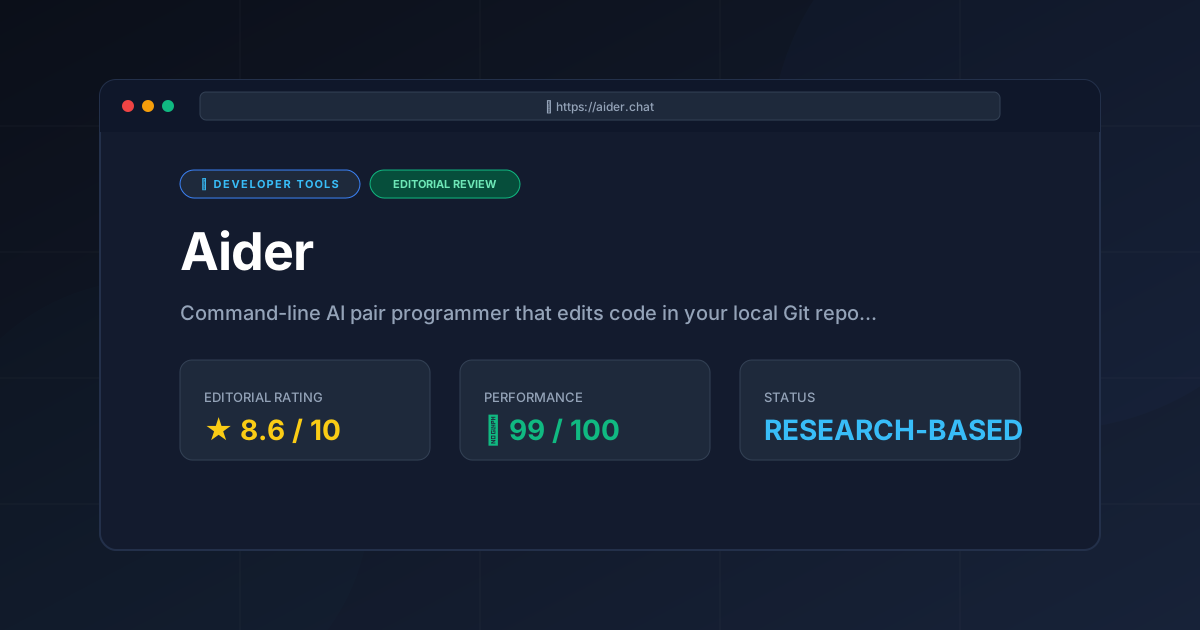
Overall Editorial Rating: 8.6 / 10
More Tools Worth Reading
Rea
Developer ToolsCodebase discovery made easy. Explore our deep dive into Rea to see how AI-driven semantic indexing reduces developer onboarding time and cognitive lo...
Bruno
Developer Toolsbruno api client is a fast, open-source, and Git-friendly API testing tool. Read our comprehensive 2026 review to see if it is the right choice for yo...
Agent Native
Developer ToolsAgent Native review (2026): Explore the open-source framework for building autonomous AI agents. Learn about features, pricing, and technical setup to...