Bruno API Client Review (2026): Features, Pricing & Verdict
⚡ Executive Summary
bruno api client is a fast, open-source, and Git-friendly API testing tool. Read our comprehensive 2026 review to see if it is the right choice for your team.
The landscape of API development tools has undergone a massive shift over the last few years. What were once lightweight utility tools designed to send a quick HTTP request have evolved into heavy, cloud-centric enterprise platforms. For many developers, this evolution has introduced unwanted friction: mandatory cloud accounts, forced synchronization of sensitive environment variables, and bloated user interfaces.
Enter the bruno api client, a fast, open-source, Git-friendly API client that stores collections directly in your local folder. Bruno represents a philosophical return to simplicity, privacy, and developer-centric workflows.
This review is based on publicly available information, including the official GitHub repository and official documentation. It is an objective analysis of the tool's architecture, features, and suitability for modern development workflows.
1. Overview and Fast Facts #
At its core, the Bruno desktop application is designed to challenge the status quo established by dominant players like Postman and Insomnia. It is built on a simple premise: your API collections should reside in your local file system, co-located with your application code, and managed via your existing version control systems.
Before diving into the technical mechanics, it is worth addressing a humorous quirk of modern search engine algorithms. If you search for "Bruno" online, you are highly likely to encounter search suggestions for the legendary pop star Bruno Mars, queries about a bruno mars concert, or ticket availability for a bruno mars sofi stadium concert. While we can appreciate the showmanship of a sold-out stadium performance, this review is strictly focused on the open-source developer tool that is making its own waves in the software engineering community.
Fast Facts Table #
| Metric/Feature | Details |
|---|---|
| Primary Function | Desktop API Client (REST, GraphQL, gRPC) |
| License | Open Source (MIT License) |
| Storage Architecture | Offline-first, local folder storage |
| Markup Language | Bru (.bru plain-text files) |
| Supported Platforms | macOS, Windows, Linux |
| Official Website | usebruno.com |
2. What is the Bruno API Client? #
The bruno api client is an open-source, offline-first desktop application designed for testing and managing APIs. Unlike traditional tools that store collections in proprietary clouds, Bruno saves requests locally as plain-text files using the .bru markup language. This allows developers to version-control their API collections seamlessly using Git.
This architectural choice completely changes how development teams collaborate. Instead of relying on external cloud synchronization services, teams can treat their API collections as code. The collections live directly inside the application's repository, making them subject to the same pull request, code review, and branching strategies as the rest of the codebase.
3. Core Features and Technical Architecture #
To understand the value of the Bruno desktop application, one must examine its core technical architecture. The tool is built using Electron, but it avoids the performance pitfalls often associated with the framework by keeping its footprint minimal and avoiding continuous cloud synchronization loops.
The Bru Markup Language #
The defining technical innovation of the bruno api client is the Bru markup language. Traditional API clients save collections in massive, deeply nested JSON files. If you have ever tried to merge a Postman collection conflict in Git, you know it is a recipe for headache.
Bruno solves this by saving each request as a separate, human-readable file using the .bru extension. The syntax is clean and declarative:
meta {
  name: Get User Profile
  type: http
  seq: 1
}

get {
  url: {{baseUrl}}/users/123
  body: none
  auth: inherit
}
This design allows developers to read, write, and modify requests using any standard text editor. It also means that your API documentation is literally written in plain text, making it incredibly easy to maintain.
Git-Friendly Local Storage #
Because Bruno stores your collections as a folder of .bru files directly on your local drive, it integrates seamlessly with Git.
- No Cloud Sync Required: There is no proprietary cloud database syncing your data.
- Native Collaboration: To share a collection with your team, you simply commit the folder to your Git repository.
- Conflict Resolution: If two developers modify different requests, Git handles the merge automatically. If they modify the same request, resolving the conflict in a
.brufile is as simple as resolving a conflict in a standard code file.
This approach aligns perfectly with modern development practices, where configuration-as-code is highly valued. For instance, just as modern web developers use lightweight, configuration-driven tools like Biome for code quality (such as Biome), API developers are adopting Bruno to keep their API testing suites clean, local, and version-controlled.
Offline-First Desktop Client #
Bruno is fully functional offline. It does not require an internet connection to launch, nor does it force you to sign in to an account to access your collections. This is a massive win for security-conscious organizations, financial institutions, and developers working in air-gapped environments. Your API keys, tokens, and endpoints never leave your machine unless you explicitly push them to your own remote repository.
4. Advanced Scripting, Variables, and Automation #
Beyond basic request sending, Bruno provides robust capabilities for scripting and automation. This is essential for testing complex API workflows that require dynamic authentication, state management, and response validation.
Pre-Request and Post-Response Scripting #
Bruno supports scripting using JavaScript. This allows you to execute code before a request is sent (pre-request) and after a response is received (post-response). Because Bruno runs on top of a Node.js-compatible runtime, you can import NPM packages to extend its capabilities, making it highly adaptable to complex enterprise APIs.
For example, a pre-request script can generate a dynamic signature or timestamp:
const CryptoJS = require("crypto-js");
const timestamp = new Date().getTime();
const message = "request-data-" + timestamp;
const hash = CryptoJS.HmacSHA256(message, "secret-key").toString();

req.setHeader("X-Signature", hash);
req.setHeader("X-Timestamp", timestamp);
A post-response script can extract an authentication token and save it to an environment variable for subsequent requests:
const data = res.getBody();
if (data && data.token) {
  bru.setEnvVar("authToken", data.token);
}
Environment Variables and Security #
Managing environments (e.g., Development, Staging, Production) is highly secure in Bruno. You can define environment variables in .bru files. To prevent leaking secrets, you can store sensitive values in a local environment file and add it to your .gitignore file. This ensures that your API structure is committed to Git, but your private keys remain safely on your local machine.
When building highly secure backends—such as those utilizing PostgreSQL and modern backend-as-a-service platforms—keeping your database connection strings and local API endpoints entirely offline is crucial. Bruno ensures that local testing environments remain strictly local.
5. CI/CD Integration with the Bru CLI #
A major advantage of the Bruno API client is its headless execution capability. While the desktop application provides a rich user interface, the bru-cli package allows you to run your collections in automated environments.
Installing the CLI #
The CLI can be installed globally via npm:
npm install -g @usebruno/cliRunning Collections in CI/CD #
To run a collection, you navigate to the directory containing your .bru files and execute the run command:
bru run --env LocalThis command executes all requests in the collection sequentially, evaluates assertions, and outputs the results directly to the terminal. You can configure the CLI to output reports in various formats, such as JUnit or JSON, which can be parsed by CI/CD platforms.
Here is an example of a GitHub Actions workflow file (.github/workflows/api-tests.yml) that runs Bruno tests on every pull request:
name: API Integration Tests

on: [push, pull_request]

jobs:
  test:
    runs-on: ubuntu-latest
    steps:
      - name: Checkout Code
        uses: actions/checkout@v4

      - name: Set up Node.js
        uses: actions/setup-node@v4
        with:
          node-version: '20'

      - name: Install Bruno CLI
        run: npm install -g @usebruno/cli

      - name: Run API Tests
        run: bru run --env Staging
This seamless integration makes Bruno a powerful tool for maintaining API reliability without relying on expensive cloud-based testing suites.
6. Step-by-Step Guide: Getting Started with Bruno #
Setting up Bruno is straightforward and takes only a few minutes. Because it is a multi-platform desktop application, you can install it using your preferred package manager or by downloading the installer directly from the official Bruno website.
Step 1: Installation #
On macOS, you can install Bruno via Homebrew:
brew install brunoFor Windows users, Winget is available:
winget install Bruno.BrunoLinux users can download Debian/RPM packages or install Bruno via Flatpak.
Step 2: Creating Your First Collection #
- Launch the Bruno desktop application.
- Click on "Create Collection" on the home screen.
- Choose a name for your collection (e.g.,
Payment-Gateway-API). - Select a local folder on your computer where the collection files will be stored. If you are working on an existing project, you can select a folder inside your project's Git repository (e.g.,
./api-tests). - Click "Create".
Step 3: Adding a Request #
Once your collection is created, right-click on the collection name in the sidebar and select "New Request". You will be prompted to enter:
- Name: e.g.,
Get System Status - Type: HTTP or GraphQL
- Method: GET, POST, PUT, DELETE, etc.
- URL: e.g.,
https://api.example.com/status
Click "Create", and Bruno will generate a new .bru file inside your chosen local directory. You can now configure headers, query parameters, body payloads, and auth settings directly in the UI.
Step 4: Writing Assertions #
To ensure your API behaves correctly, you can add assertions directly to your request. In the request editor, navigate to the "Assert" tab and add key-value pairs:
- Expression:
res.status - Operator:
eq - Value:
200
This simple assertion ensures that the request must return a 200 OK status code to pass.
7. Pros, Cons, and Technical Trade-offs #
No developer tool is perfect, and choosing the right one requires a candid look at the trade-offs involved.
Pros #
- Exceptional Performance: Because it lacks heavy cloud-syncing overhead, Bruno launches instantly and executes requests with minimal latency.
- True Git Integration: Storing collections as plain-text files completely eliminates the pain of managing API collections across team branches.
- Privacy and Compliance: No external cloud storage means zero risk of leaking proprietary API keys or customer data to third-party servers.
- No Forced Accounts: You can use 100% of the core application without ever creating an account or providing an email address.
- Open Source Community: Active development on GitHub ensures rapid bug fixes, transparent roadmaps, and community-driven feature additions.
Cons #
- Collaboration Learning Curve: Teams accustomed to Postman's instant cloud sharing must adapt to a Git-based workflow. Non-technical stakeholders (like product managers or QA testers who do not use Git) may find this transition challenging.
- Fewer Built-in Enterprise Integrations: Legacy tools offer native integrations with a vast array of enterprise security, monitoring, and CI/CD platforms out of the box. Bruno requires more manual configuration for advanced CI/CD pipelines.
- No Built-in Mock Servers: Unlike Postman, which allows you to spin up cloud-hosted mock servers with a single click, Bruno focuses strictly on being a client. Mocking must be handled via external tools or local scripts.
Edge Cases and Limitations #
When evaluating the bruno api client for large-scale enterprise use, certain limitations must be considered. For instance, if your team relies heavily on visual, browser-based development environments such as Bolt.new, you may find that desktop-only clients require a shift in developer habits. Additionally, very large payloads (such as multi-gigabyte file uploads) can occasionally strain the Electron-based UI, though this is a common limitation among most desktop API clients.
8. Competitor Comparison: Bruno vs. Postman vs. Insomnia #
To understand where the bruno api client fits in the market, it is helpful to compare it directly to the two giants of the API client space: Postman and Insomnia.
| Feature | Bruno | Postman | Insomnia |
|---|---|---|---|
| Primary Storage | Local Folder (Git-friendly) | Cloud-first (Proprietary) | Cloud/Local Hybrid |
| File Format | Plain-text .bru |
Monolithic JSON | Monolithic JSON/YAML |
| Account Required | No | Yes (for most features) | Yes (for cloud sync) |
| License | Open Source (MIT) | Proprietary | Proprietary / Core Open |
| Git Integration | Native (via your own Git) | Paid Enterprise Feature | Paid/Cloud-dependent |
| Offline Capability | 100% Offline | Limited / Degraded | Limited |
The migration toward Bruno is largely driven by policy changes in competing tools. When Insomnia restricted scratchpad features and pushed users toward mandatory cloud accounts, it sparked significant pushback from developers who valued their offline workflows. Bruno positioned itself as the premier open source postman alternative, capturing a large segment of the developer community that demands local-first software.
9. Pricing, Licensing, and Value Proposition #
When evaluating the financial impact of adopting the bruno api client, organizations will find its pricing model highly refreshing.
- The Core Client: 100% Free and Open Source under the MIT License. There are no artificial limits on the number of collections, requests, environments, or team members you can have.
- The Golden Edition: For users who wish to support the project's development, Bruno offers a "Golden Edition." This is a paid, one-time purchase license that unlocks advanced quality-of-life features (such as an inbuilt Git client, cookie consent management, and advanced scripting capabilities).
Because the Golden Edition is a one-time payment rather than a recurring monthly subscription, it offers exceptional long-term value for both individual developers and enterprise engineering teams looking to cut down on SaaS subscription fatigue. For exact pricing tiers and to purchase a license, we recommend checking the official pricing page on the Bruno website.
10. Frequently Asked Questions #
Can I import my existing Postman or Insomnia collections into Bruno? #
Yes. Bruno includes a built-in import tool that allows you to import collections and environment files directly from Postman or Insomnia formats. While highly complex pre-request scripts might require manual adjustments, standard requests, headers, and payloads import seamlessly.
How does Bruno handle sensitive environment variables (like API keys)? #
Bruno allows you to create environment files. To prevent leaking secrets, you can store sensitive values in a local environment file and add it to your .gitignore file. This ensures that your API structure is committed to Git, but your private keys remain safely on your local machine.
Is Bruno suitable for automated testing in CI/CD pipelines? #
Yes. Bruno offers a command-line interface (CLI) called bru-cli. You can install this CLI in your CI/CD pipelines (such as GitHub Actions or GitLab CI) to run your Bruno collections as automated integration tests against your staging or production environments.
Is the bruno api client related to Bruno Mars or his concerts? #
No. Despite the similarity in names, the bruno api client has absolutely no affiliation with the singer Bruno Mars, his concert tours, or his performances at venues like the SoFi Stadium. It is purely a software utility designed for API development.
11. Final Verdict & Editorial Rating #
Bruno is an outstanding piece of developer tooling. By returning to a local-first, Git-friendly architecture, it resolves the primary pain points that have plagued modern API clients for years. It respects developer privacy, integrates naturally into existing version control workflows, and boasts a lightweight footprint that makes it a joy to use daily.
While it may lack some of the polished, cloud-hosted enterprise bells and whistles of Postman, its core execution is flawless for teams that already utilize Git for collaboration.
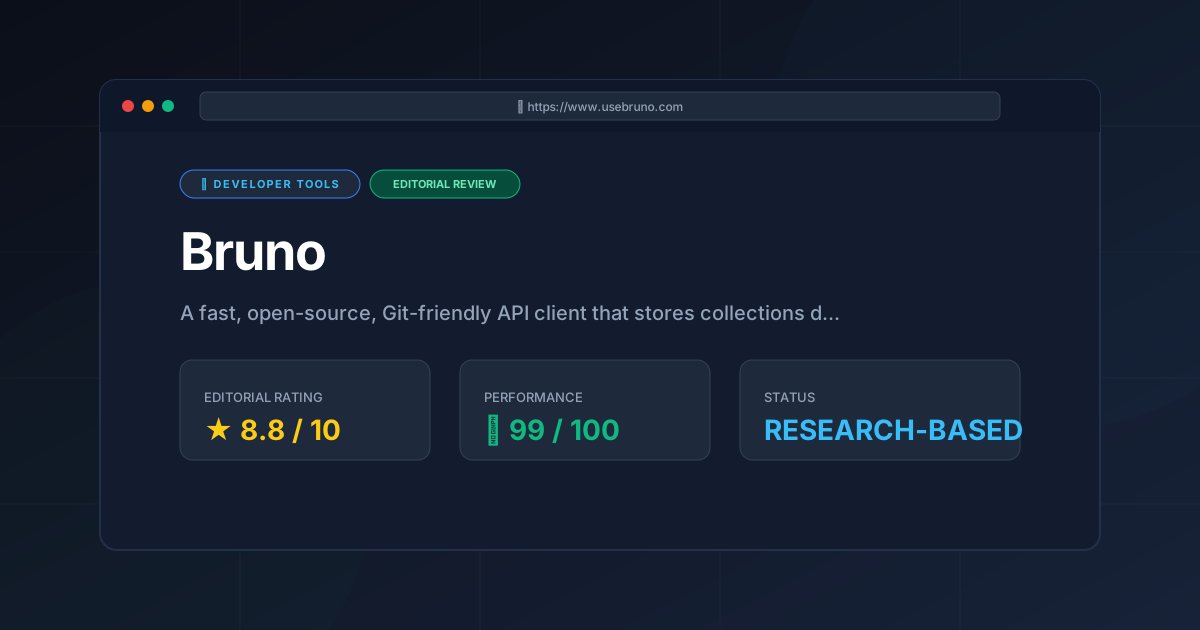
PulseTools Rating: 8.8 / 10
More Tools Worth Reading
Aider
Developer ToolsAider AI turns your terminal into an autonomous Git coding assistant. Explore features, cost breakdowns, LLM setups, and real trade-offs in our 2026 r...
Rea
Developer ToolsCodebase discovery made easy. Explore our deep dive into Rea to see how AI-driven semantic indexing reduces developer onboarding time and cognitive lo...
Agent Native
Developer ToolsAgent Native review (2026): Explore the open-source framework for building autonomous AI agents. Learn about features, pricing, and technical setup to...