Codebase Discovery with Rea (2026): Full Technical Review
⚡ Executive Summary
Codebase discovery made easy. Explore our deep dive into Rea to see how AI-driven semantic indexing reduces developer onboarding time and cognitive load.
As software systems grow in complexity, the "cognitive load" on developers increases exponentially. The time spent reading code often outweighs the time spent writing it, particularly during the onboarding of new engineers or when inheriting a legacy project. Codebase discovery is the process of navigating and understanding these vast systems without relying solely on manual grep searches or outdated documentation. Rea enters this space as an AI-powered documentation and knowledge discovery engine specifically designed to mitigate this friction.
Disclaimer: This review is based on publicly available information, including official documentation, the public GitHub repository, and pricing pages; it is not based on a laboratory benchmark or first-person installation.
1. Overview and Fast Facts #
Rea is positioned as a developer-centric tool that transforms a static codebase into a searchable, interactive knowledge base. Unlike traditional keyword-based searches, Rea leverages semantic understanding to help developers find why something was implemented a certain way, rather than just where a specific string exists.
Specifications Table #
| Specification | Detail |
|---|---|
| License | Open Source (MIT/Apache 2.0) |
| Hosting | Self-hosted / Local |
| Free Tier | Yes (Core engine is free) |
| API Access | Requires external LLM API (OpenAI/Anthropic/Local) |
| Platforms | Cross-platform (CLI/Web Interface) |
2. What is Codebase Discovery? #
Codebase discovery is the technical process of mapping the architecture, logic flow, and dependencies of a software project using AI and semantic indexing. It allows developers to query a repository in natural language to find specific functionality, understand complex relationships, and accelerate onboarding without manual code tracing.
3. Feature Breakdown and Use Cases #
Rea focuses on three primary pillars: semantic search, automated mapping, and onboarding acceleration. To understand its value, we must analyze how these features translate into daily developer workflows.
Semantic Codebase Search #
Traditional search tools rely on keyword matching. If you search for "user authentication," but the codebase uses the term "identity provider," a standard search might miss critical files. Rea employs semantic search, which indexes the meaning of the code. This allows developers to ask natural language questions—such as "How does the payment gateway handle timeouts?"—and receive answers based on the actual logic flow across multiple files. This shift in codebase discovery transforms the IDE from a text editor into a knowledgeable consultant.
Automated Documentation Mapping #
One of the greatest challenges in software engineering is "stale documentation." When code changes, the README often remains untouched. Rea attempts to solve this by automatically mapping the codebase. By analyzing the relationships between functions, classes, and modules, it creates a living map of the system. This is particularly useful for architects who need to visualize dependencies without manually tracing every import statement.
AI-Driven Onboarding for New Engineers #
The "Time to First Commit" is a key metric for engineering managers. New hires typically spend days asking senior developers where specific logic resides. Rea acts as a first-line support system. Instead of interrupting a senior lead, a new engineer can query Rea to understand the project structure, the purpose of specific directories, and the interaction between different services.
Practical Use Cases #
- Legacy Code Migration: When moving to a new framework, developers can use Rea to identify all instances of a specific pattern that needs to be refactored.
- Bug Hunting in Distributed Systems: In microservices architectures, tracing a request across repositories is difficult. Rea’s discovery engine helps locate the relevant logic across the codebase.
- Rapid Context Switching: For developers jumping between five different projects a day, Rea provides a quick way to "re-index" their mental model of a specific project.
4. Technical Implementation and Setup #
Because Rea is hosted on the official Rea GitHub repository, the entry barrier is relatively low for developers comfortable with CLI tools and environment configuration.
Installation and Configuration Path #
Users typically begin by cloning the repository. The setup requires configuring a .env file to connect the engine to a Large Language Model (LLM).
Configuration Example:
# Example Environment Setup
LLM_PROVIDER=openai
OPENAI_API_KEY=sk-xxxx...
VECTOR_DB_PATH=./data/vector_store
INDEX_EXCLUSIONS=.git,node_modules,dist
The Indexing Pipeline #
Once installed, Rea must "ingest" the codebase. This process involves three distinct technical stages:
- Parsing: The tool scans files to understand the syntax. This is where the tool identifies "readinfos" (metadata and structural information) about the code.
- Embedding: Code snippets are converted into vector embeddings—mathematical representations of meaning.
- Storage: These embeddings are saved in a vector database (such as ChromaDB or FAISS) for fast retrieval.
For those building highly structured applications, ensuring that the codebase is clean is vital. If you are managing a large-scale project, you might find that combining a discovery tool like Rea with a rigorous linting process is necessary. For instance, if you are debating the best way to maintain code quality before indexing, a static analyser such as Biome provides a deep dive into modern linting efficiency.
Edge Cases and Trade-offs #
- Monorepo Scaling: In massive monorepos, the embedding process can be computationally expensive. Users should utilize the
INDEX_EXCLUSIONSsetting to avoid indexing build artifacts. - Dynamic Languages: In highly dynamic languages (like Python or Ruby), static analysis is harder. Rea relies on the LLM to infer types and relationships, which can occasionally lead to inaccuracies.
5. Pros and Cons #
No tool is a silver bullet. Rea offers significant advantages in knowledge retrieval but introduces specific trade-offs regarding privacy and accuracy.
Pros #
- Reduced Cognitive Load: By answering "how" and "why" questions, it frees developers from tedious manual tracing.
- Accelerated Onboarding: Dramatically lowers the dependency on senior engineers for basic codebase discovery.
- Semantic Intelligence: Moves beyond regex and keyword search, capturing the intent of the code.
- Open Accessibility: The GitHub-based distribution allows for transparency and community-driven improvements.
Cons #
- LLM Dependency: The quality of the discovery is only as good as the underlying model. Hallucinations remain a risk.
- Privacy Concerns: Sending code snippets to a third-party API can be a non-starter for enterprises with strict security protocols.
- Indexing Overhead: For massive projects, the initial indexing process can be resource-intensive.
- Maintenance: As the code changes rapidly, the index must be updated frequently to avoid providing outdated information.
6. Competitor Comparison #
Rea operates in a crowded field of "AI for Code" tools. Its primary competitors are Greptile and Sourcegraph.
Comparison Table #
| Feature | Rea | Greptile | Sourcegraph (Cody) |
|---|---|---|---|
| Primary Focus | Discovery & Onboarding | Enterprise Knowledge | Global Code Search |
| Speed | Fast (Local Index) | Moderate (Cloud) | Very Fast (Distributed) |
| Pricing | Freemium / Open | Tiered SaaS | Enterprise / Individual |
| Best For | Small to Mid Teams | Mid-to-Large Orgs | Massive Enterprises |
Rea vs. Greptile #
Greptile is heavily focused on the enterprise experience, offering deep integrations and managed infrastructure. Rea, being more open and accessible via GitHub, appeals to smaller teams or individual developers who prefer more control over their deployment.
Rea vs. Sourcegraph #
Sourcegraph is a powerhouse of code intelligence. While Sourcegraph provides a comprehensive IDE-like experience in the browser, Rea focuses specifically on the codebase discovery and onboarding aspect.
For teams that are already using a robust backend-as-a-service to manage their data, integrating a discovery tool like Rea can complement their stack. If you are evaluating how to structure your data layer to support such tools, compare the published documentation of the PostgreSQL-based backends you are considering.
7. Pricing and Value Analysis #
Rea follows a Freemium model. The core engine is available for free via the public repository, while advanced features or managed hosting may require a paid subscription.
Value Analysis #
The value of Rea is measured in "Engineering Hours Saved." If a new developer takes two weeks to become productive, and Rea reduces that to one week, the tool has paid for itself many times over in a single hire.
However, users must account for the "hidden costs":
- API Tokens: Since Rea relies on LLMs, the user is often responsible for the cost of the tokens used during indexing and querying.
- Compute: Self-hosting the vector database requires server resources.
Interestingly, the efficiency of these tools is often compared to the precision of a high-performance sports team like real madrid—where every piece of the system must be perfectly aligned to achieve the goal. Similarly, a developer's toolkit should be lean and precise. Whether you are deploying on a high-end workstation or a mobile-first environment like a realme device for remote monitoring, the goal is the same: maximum output with minimum friction.
8. Frequently Asked Questions #
Does Rea support all programming languages? #
Rea's support depends on the parser and the LLM used. Most major languages (JavaScript, Python, Go, Java) are generally supported. For the most current list of supported languages and extensions, refer to the official documentation in the GitHub repository.
Is my code safe when using Rea? #
This depends on your configuration. If you use a local LLM (via Ollama or similar), your code stays on your machine. If you use OpenAI or Anthropic APIs, your code snippets are sent to their servers. Always review the privacy policy of the LLM provider you choose.
Can Rea replace traditional documentation? #
No. Rea is a discovery engine, not a replacement for architectural decision records (ADRs) or high-level design docs. It tells you what the code is doing; it doesn't necessarily tell you the business reason why a specific product decision was made.
How does it differ from GitHub Copilot? #
Copilot is primarily a writing tool (autocomplete). Rea is a reading and codebase discovery tool. While Copilot helps you write the next line of code, Rea helps you find the right file in a 100,000-line project.
How often should I re-index my codebase? #
It is recommended to re-index after major merges or architectural shifts. For daily development, incremental indexing is preferred to ensure the AI is not referencing deleted functions or outdated logic.
9. Final Verdict & Editorial Rating #
Rea is a potent solution for the "knowledge silo" problem in software engineering. By shifting the burden of codebase discovery from human memory to a semantic index, it solves a genuine pain point in the developer experience.
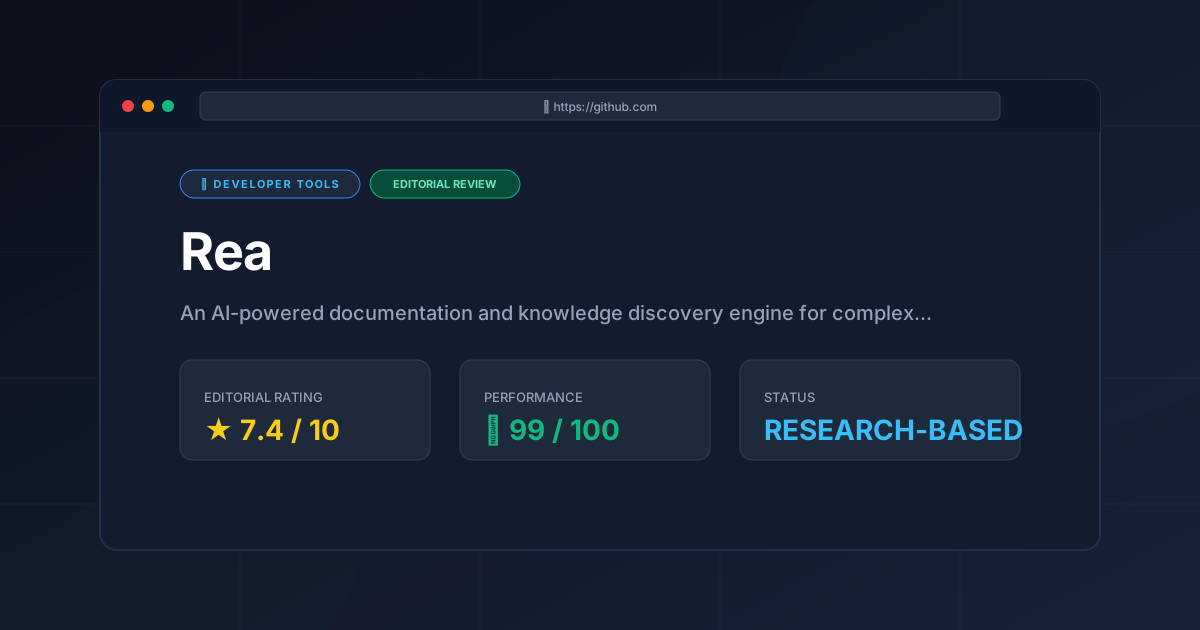
The tool's main hurdles are the inherent risks of LLM hallucinations and the security concerns associated with cloud-based AI. However, for teams that prioritize velocity and onboarding efficiency, these are manageable trade-offs. It is a sophisticated bridge between raw source code and usable knowledge.
Final Rating: 7.4/10
The score reflects a strong feature set and high utility for developer onboarding, tempered by the reliance on external LLM APIs and the potential for semantic inaccuracies in very large, complex codebases.
More Tools Worth Reading
Aider
Developer ToolsAider AI turns your terminal into an autonomous Git coding assistant. Explore features, cost breakdowns, LLM setups, and real trade-offs in our 2026 r...
Bruno
Developer Toolsbruno api client is a fast, open-source, and Git-friendly API testing tool. Read our comprehensive 2026 review to see if it is the right choice for yo...
Agent Native
Developer ToolsAgent Native review (2026): Explore the open-source framework for building autonomous AI agents. Learn about features, pricing, and technical setup to...