Best Scheduling Tool for Teams: Cal.com Review (2026)
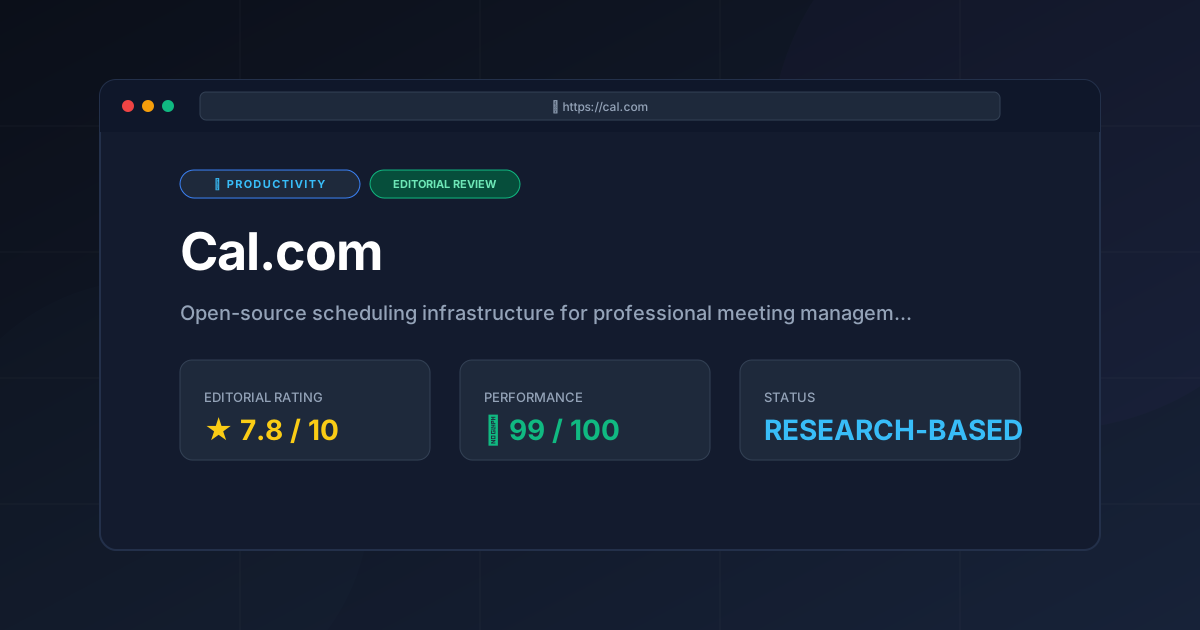
⚡ Executive Summary
Scheduling tool for teams review: Discover why Cal.com is the top open-source choice for 2026. Compare features, pricing, and self-hosting options here.
Disclaimer: This review is based on publicly available information, including official documentation, pricing pages, and the public code repository; it is not based on laboratory benchmarks or first-person installation tests.
Overview: What is Cal.com and Why is it Trending? #
In the landscape of productivity software, scheduling has long been dominated by closed-source, proprietary "link-senders." Cal.com has disrupted this space by positioning itself not just as a scheduling tool for teams, but as "scheduling infrastructure." While most tools focus on the end-user experience of picking a time slot, Cal.com targets the architectural needs of teams and enterprises that require total control over their data and workflow.
The trend driving Cal.com's rise is the broader industry shift toward "Open Core" software. By providing an open-source foundation, Cal.com appeals to developers and privacy-conscious organizations that refuse to let their meeting metadata sit in a black box. It transforms the simple act of booking a meeting into a programmable event, allowing for deep integration into existing business logic. For those looking for the best productivity in 2026: 5 top picks reviewed, Cal.com stands out as the primary alternative for those who find proprietary tools too restrictive.
What is a Scheduling Tool for Teams? #
A scheduling tool for teams is a collaborative software application that automates appointment booking by syncing multiple users' digital calendars. It allows external parties to view collective or individual availability and book meetings without back-and-forth emails, while automatically handling time zone conversions and routing leads to the correct team member based on predefined logic.
Key Technical Specifications & Fast Facts #
| Specification | Detail |
|---|---|
| License | Open Source (AGPLv3 / Proprietary for Cloud) |
| Hosting Type | Cloud (SaaS) or Self-Hosted (Docker/Vercel) |
| Free Tier Availability | Yes (Individuals) |
| API Access | Comprehensive REST API |
| Supported Platforms | Web, iOS, Android (via Web/Wrapper) |
In-Depth Feature Breakdown & Real-World Use Cases #
Cal.com differentiates itself through three primary technical pillars: self-hosting capabilities, advanced routing, and multi-calendar synchronization.
1. Self-Hosting and Data Sovereignty #
Unlike its primary competitors, Cal.com allows organizations to host the entire application on their own infrastructure. This is a critical requirement for healthcare providers (HIPAA compliance) or legal firms where data residency is non-negotiable.
Workflow Example:
An enterprise deploys Cal.com via Docker on their own AWS instance. Instead of sending user data to a third-party server, all booking metadata remains within the company's VPC (Virtual Private Cloud). This eliminates the need for complex third-party data processing agreements and ensures that the functionality remains an internal asset. Technical details on deployment can be found in the official Cal.com documentation.
2. Custom Routing and Logic #
Routing is where Cal.com moves beyond a simple calendar. Routing allows a team to direct a lead to the correct person based on specific criteria (e.g., company size, region, or product interest).
Workflow Example:
A sales team sets up a "Discovery Call" link. When a user clicks it, they are asked: "What is your monthly budget?"
- If Budget < $1,000 $\rightarrow$ Route to "Automated Demo Video."
- If Budget $1,000 - $5,000 $\rightarrow$ Route to "Junior Account Executive."
- If Budget > $5,000 $\rightarrow$ Route to "Senior Account Manager."
This logic prevents high-value leads from being buried in a general queue and optimizes the team's time.
3. Multi-Calendar Sync and Conflict Resolution #
For professionals managing multiple roles—such as a founder who also consults—managing "ghost" conflicts is a nightmare. Cal.com allows users to connect multiple calendars (Google, Outlook, Apple) and treat them as a single source of truth for availability.
Workflow Example:
A consultant connects their personal Google Calendar and their corporate Outlook Calendar. When a client views their Cal.com link, the tool checks both calendars. If a "Doctor's Appointment" is marked on the personal calendar, that slot is automatically blocked on the professional booking page. This level of synchronization is a step up from basic tools, though it competes closely with the streamlined experience found in the modern calendar review: is Cron the best scheduling tool for power users.
Technical Implementation: Step-by-Step Setup #
While the tool is complex, the onboarding process is designed to be intuitive.
- Account Creation: Visit
cal.comand sign up. You can choose the Cloud version for immediate use or clone the public GitHub repository if you intend to self-host. - Calendar Integration: Connect your primary calendar (Google, Outlook, or CalDAV). This is the most critical step, as it defines your "Available" vs. "Busy" states.
- Event Type Configuration: Create your first "Event Type." Define the duration (e.g., 30 minutes), the buffer time (e.g., 10 minutes between meetings), and the location (Zoom, Google Meet, or a physical address).
- Availability Settings: Set your working hours. You can create different schedules for different days of the week or specific "overrides" for holidays.
- Link Distribution: Copy your unique booking link and add it to your email signature, website, or social media profiles.
- Advanced Setup (Optional): For teams, invite colleagues to your organization and set up "Round Robin" scheduling to distribute meetings evenly across the team.
Pros & Cons Matrix #
| Pros | Cons |
|---|---|
| Open Source Core: Full transparency and auditability of the codebase. | Operational Overhead: Self-hosting requires dedicated DevOps resources. |
| Data Sovereignty: Ability to keep all PII within a private cloud. | UI Complexity: Steeper learning curve than minimalist competitors. |
| Advanced Routing: Powerful lead qualification and distribution logic. | API Fragility: Dependent on third-party OAuth (Google/Microsoft). |
| Generous Free Tier: High value for individual users. | Tiered Feature Gap: Key team features locked behind higher costs. |
Critical Limitations and Trade-offs #
No scheduling tool for teams is perfect. To provide an honest assessment, we must highlight four specific technical and operational trade-offs inherent to Cal.com.
1. The "Self-Hosting Tax" #
While self-hosting is a headline feature, it introduces significant operational overhead. You are responsible for database backups, security patches, and server uptime. If your Docker container crashes, your booking page goes offline. For non-technical teams, the "freedom" of open source becomes a maintenance burden.
2. UI Density and Cognitive Load #
The interface is designed for power users. Compared to minimalist competitors, Cal.com's dashboard is dense. Finding specific advanced settings—like complex routing rules or custom CSS for booking pages—often requires digging through multiple sub-menus, which can lead to a steeper learning curve for administrative staff.
3. API Dependency Fragility #
Like all tools in this category, Cal.com is a wrapper around Google and Microsoft APIs. When these giants update their OAuth protocols or API rate limits, the scheduling tool for teams can experience intermittent sync delays. While Cal.com is fast to patch, the dependency is an external risk you cannot control.
4. Feature Fragmentation between Tiers #
There is a noticeable gap between the community (free) version and the enterprise offerings. Some of the most powerful "team" features are locked behind pricing tiers that may be prohibitively expensive for small startups, creating a "feature cliff" where the tool suddenly becomes much more expensive once you move past a few users.
Cal.com vs. Alternatives: Which Scheduling Tool Wins? #
| Feature | Cal.com | Calendly | SavvyCal |
|---|---|---|---|
| Open Source | Yes | No | No |
| Self-Hosting | Yes | No | No |
| Routing Logic | Advanced | Standard | Moderate |
| Pricing Model | Freemium / Open Core | Freemium / SaaS | Subscription |
| Speed/UX | High (Fast) | Very High (Polished) | High (Intuitive) |
| Best For | Teams, Devs, Enterprises | General Business Users | Power Users / Solopreneurs |
Pricing Tiers & Value Assessment #
Cal.com operates on a Freemium model. For individual users, the free tier is exceptionally generous, offering most of the core scheduling features without a monthly fee. Detailed costs can be verified on the official pricing page.
The Paid Tiers (Team/Enterprise):
The paid versions focus on organizational management. Features like team routing, advanced analytics, and priority support are locked behind these tiers.
Is the paid tier worth it?
- For Individuals: No. The free version is likely sufficient.
- For Small Teams: Yes. The "Round Robin" and "Collective" scheduling features save hours of manual coordination.
- For Enterprises: Absolutely. The ability to self-host and maintain data sovereignty justifies the cost for any organization with strict compliance requirements.
Frequently Asked Questions #
Can I use Cal.com for free forever? #
Yes, for individual use on their cloud platform, Cal.com offers a robust free tier. If you choose to self-host the community version, you can maintain your own infrastructure for free, though you are responsible for the server costs and maintenance.
How does Cal.com handle time zones? #
The scheduling tool for teams automatically detects the visitor's time zone via the browser and converts the host's availability accordingly. This eliminates the "what time is that for you?" email chain and prevents booking errors across international borders.
Is it difficult to self-host Cal.com? #
It requires a basic understanding of Docker, PostgreSQL, and environment variables. While not "one-click" for a non-technical person, it is well-documented for developers. Most users find the Cloud version significantly more practical.
Does it integrate with CRM tools? #
Yes, Cal.com supports various integrations via Zapier and its own native API. This allows you to push booking data into CRMs or project management tools, making it a powerful addition to a technical stack.
What is the difference between Round Robin and Collective scheduling? #
Round Robin distributes meetings evenly among a group of available team members to balance workload. Collective scheduling only shows time slots where all selected team members are available, which is ideal for panel interviews or stakeholder meetings.
Final Verdict & Editorial Rating #
Cal.com is not just a "Calendly alternative"; it is a fundamental shift in how scheduling is approached. By treating the calendar as infrastructure rather than a service, it empowers the user. While it may be "overkill" for someone who only needs to book one meeting a month, it is an indispensable scheduling tool for teams that view their scheduling process as a part of their conversion funnel.
However, the rating is tempered by the complexity of the UI and the significant maintenance burden associated with self-hosting. For users who want a "zero-config" experience, the depth of this tool might feel cumbersome. For those who value transparency, ownership, and programmable workflows, it is currently the gold standard.
Editorial Rating: 7.8/10 #
Who should use it?
- Technical Teams & Developers: Who want to integrate scheduling into their own products.
- Privacy-Centric Organizations: Who require self-hosting for compliance.
- Sales Teams: Who need advanced routing to qualify leads before they hit a calendar.
- Multi-Hyphenate Professionals: Who manage multiple calendars across different life domains.
More Tools Worth Reading
Screenpipe
ProductivityIn-depth review of Screenpipe in 2026: key features, pricing, alternatives and who it is best for.
Paperclip
ProductivityIn-depth review of Paperclip in 2026: key features, pricing, alternatives and who it is best for.
Hindsight
ProductivityHindsight review: Explore how this open-source agent memory layer eliminates LLM amnesia, cuts token costs, and powers self-learning AI workflows in 2...