Open Source Scheduling: Cal.com Review (2026) & Guide
⚡ Executive Summary
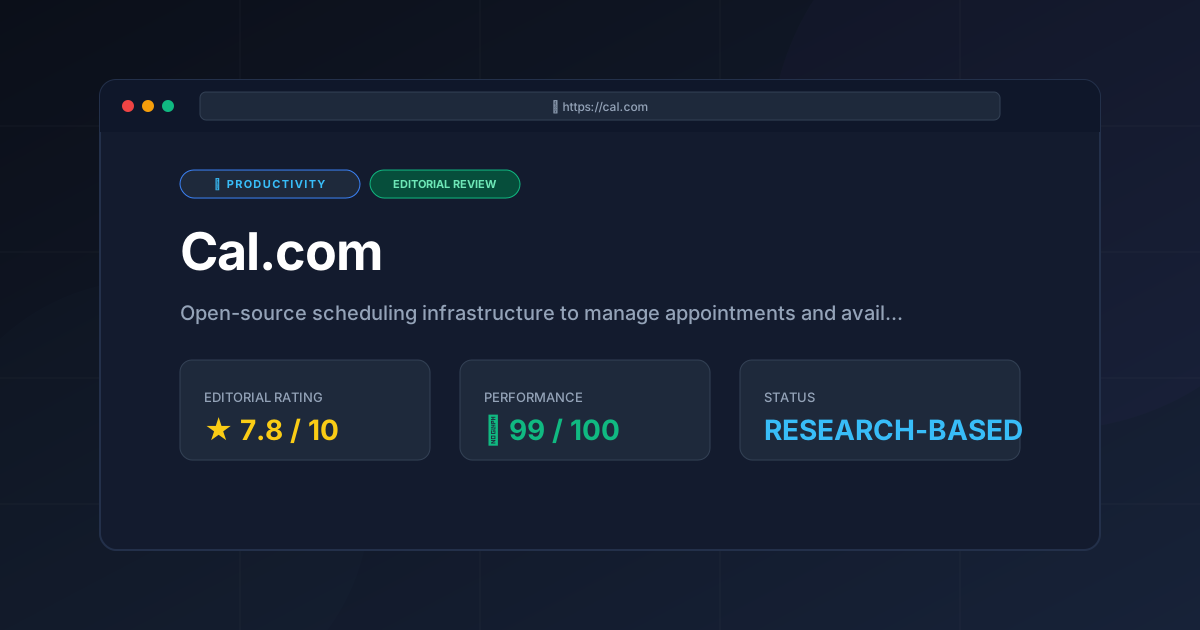
Open source scheduling redefined. Cal.com offers total data sovereignty and routing logic. Learn if this infrastructure is right for your team.
Disclaimer: This review is based on publicly available information, including official documentation, pricing pages, and public repositories; it is not a laboratory benchmark.
Scheduling has evolved from a simple "pick a time" interaction into a complex layer of business infrastructure. For years, the market was dominated by closed-source SaaS models that locked user data and branding behind monthly subscriptions. Cal.com has emerged as a disruptive force by positioning itself not just as a tool, but as "scheduling infrastructure." By embracing open source scheduling, it allows organizations to maintain sovereignty over their data while providing the high-level polish expected of modern productivity software.
Overview #
Open source scheduling refers to appointment booking software whose source code is publicly available for anyone to inspect, modify, and host. Unlike proprietary SaaS tools, it allows businesses to self-host their scheduling infrastructure on private servers, ensuring total control over user data, privacy compliance, and custom feature development.
The tool is trending primarily because of the global shift toward data privacy and "digital sovereignty." Enterprises are increasingly wary of storing sensitive client availability and contact data on third-party servers. Cal.com solves this by offering a cloud-hosted version for convenience and a self-hosted version for total control. Furthermore, its ability to handle complex routing—directing a lead to different team members based on specific criteria—makes it a viable alternative to enterprise-grade CRM scheduling modules.
Pros & Cons Matrix #
| Pros | Cons |
|---|---|
| Total Data Sovereignty: Full control via self-hosting. | High DevOps Overhead: Self-hosting requires server management. |
| Advanced Routing: Complex lead qualification logic. | UI Density: Steep learning curve for non-technical users. |
| Deep White-Labeling: Complete removal of third-party branding. | OAuth Friction: Manual API setup for self-hosted calendars. |
| Extensive API: Highly programmable for custom workflows. | Support Gap: Slower response times for community edition. |
Key Technical Specifications & Fast Facts #
| Specification | Detail |
|---|---|
| License | Open Source (AGPLv3) |
| Hosting Type | Cloud (SaaS) or Self-Hosted (Docker/Vercel) |
| Free Tier Availability | Yes (Individuals) |
| API Access | Comprehensive REST API |
| Supported Platforms | Web, iOS, Android (via Web App) |
| Primary Tech Stack | Next.js, TypeScript, Prisma, PostgreSQL |
In-Depth Feature Breakdown & Real-World Use Cases #
1. Self-Hosting and Data Sovereignty #
The most significant technical differentiator for Cal.com is the ability to self-host. For a healthcare provider or a legal firm, storing appointment data on a third-party server may pose compliance risks. By deploying the software via Docker or a similar containerization method, these organizations can keep their database within their own VPC (Virtual Private Cloud).
Workflow Example:
A security-conscious firm deploys Cal.com on an internal AWS instance. They connect their internal Active Directory for authentication and ensure that all booking data remains within their encrypted database, bypassing the public cloud entirely. This is a primary driver for those seeking a robust open source scheduling solution.
2. Complex Routing and Team Logic #
While basic tools offer "round-robin" scheduling, Cal.com provides sophisticated routing. This allows a business to qualify a lead before they ever see a calendar.
Workflow Example:
A sales team creates a "Discovery Call" event. The routing logic is configured as follows:
- If the user selects "Enterprise" as their company size $\rightarrow$ Route to Senior Account Executive.
- If the user selects "Startup" $\rightarrow$ Route to Junior SDR.
- If no specific rep is available $\rightarrow$ Fall back to a general team pool.
This level of automation is a key reason why many are considering this as the best scheduling tool for teams: Cal.com review (2026).
3. White-Labeling and Brand Integration #
For agencies and consultants, the "Powered by [Tool]" branding on a booking page can look unprofessional. Cal.com allows for deep white-labeling, enabling users to remove Cal.com branding and use their own custom domains and CSS.
Workflow Example:
A consulting agency integrates the Cal.com embed directly into their React-based portfolio site. By using the API and custom CSS, the booking widget matches the site's typography and color palette perfectly, making the scheduling experience feel like a native feature of the agency's own website rather than a third-party plugin.
4. Extensive Integration Ecosystem #
Cal.com doesn't attempt to be a calendar; it acts as the glue between your calendar and your business tools. It integrates with Google Calendar, Outlook, and Apple Calendar, but extends further into payment gateways (Stripe) and video conferencing (Zoom, Google Meet).
Workflow Example:
A coach sets up a "Paid Consultation" event. The workflow is:
- Client selects a time.
- Cal.com redirects to Stripe for payment.
- Upon successful payment, the event is added to the coach's Google Calendar.
- A Zoom link is automatically generated and emailed to the client.
Technical Implementation: Step-by-Step Guide #
For Cloud Users (Fastest Path) #
- Account Creation: Visit the official Cal.com website and sign up using your preferred identity provider.
- Calendar Sync: Navigate to "Calendars" in the settings and connect your primary work calendar to prevent double-bookings.
- Event Type Creation: Define your "Event Types" (e.g., "15-Minute Intro"). Set the duration, buffer times, and availability windows.
- Distribution: Copy your unique booking link or use the "Embed" code to place the scheduler on your website.
For Self-Hosted Users (Technical Path) #
Deploying an open source scheduling system requires a basic understanding of DevOps. Follow these steps for a standard Docker deployment:
- Environment Setup: Ensure you have Docker and Docker Compose installed on a Linux-based server (Ubuntu 22.04 LTS recommended).
- Clone Repository: Clone the official Cal.com GitHub repository to your local machine or server.
- Configuration: Create and edit your
.envfile. You must defineNEXT_PUBLIC_WEBAPP_URL,DATABASE_URL(PostgreSQL), and your OAuth credentials for Google/Outlook. - Database Migration: Run the Prisma migration command to initialize your PostgreSQL schema.
- Deployment: Execute
docker-compose up -dto launch the application containers. - DNS Mapping: Point your custom domain to your server's IP and configure SSL via Let's Encrypt or Cloudflare.
Critical Limitations and Trade-offs #
While the platform is powerful, it is not without significant friction points that users must consider before migrating.
- DevOps Overhead: The "free" nature of self-hosting is a misnomer for non-technical users. Maintaining a production-ready instance requires managing database backups, SSL certificates, and server security patches. For many, the time cost of maintenance outweighs the subscription cost of a SaaS tool.
- UI Complexity and Density: The administrative dashboard is designed for power users. The settings menu is deeply nested and can be overwhelming for non-technical staff, leading to a steeper learning curve compared to streamlined tools.
- OAuth Configuration Friction: Setting up calendar integrations (Google/Microsoft) on a self-hosted instance is tedious. You must create your own developer apps in the Google Cloud Console and Azure Portal, which involves navigating complex permission scopes and verification processes.
- Support Disparity: While the community forum is active, there is a noticeable gap in immediate, high-touch support for the community edition. If a critical bug hits your self-hosted instance, you are dependent on your own debugging skills or the timeline of public GitHub issues.
Cal.com vs. Alternatives: The Open Source Scheduling Landscape #
| Feature | Cal.com | Calendly | TidyCal |
|---|---|---|---|
| Core Model | Open Source / SaaS | Proprietary SaaS | Proprietary (One-time fee) |
| Self-Hosting | Yes | No | No |
| White-Labeling | Advanced | Limited (Paid) | Basic |
| Routing Logic | Complex/Custom | Standard | Basic |
| Pricing | Freemium | Subscription | Low One-time / Subscription |
| Best For | Devs, Privacy-focused Orgs | General Corporate Use | Solopreneurs / Budget-conscious |
While Cal.com offers the most flexibility, users seeking a "zero-config" experience might find Calendly more intuitive. However, for those building a broader productivity stack, it is worth comparing this against other best productivity in 2026: 5 top picks reviewed to see where it fits.
Pricing Tiers & Value Assessment #
Cal.com operates on a freemium model that is remarkably fair to individual users. Detailed pricing can be found on their official pricing page.
- Individual (Free): Provides the core scheduling functionality for a single user. For most freelancers, this is all they will ever need.
- Team/Organization (Paid): Introduces team routing, shared availability, and advanced administrative controls.
- Enterprise: Offers custom SLAs, dedicated support, and advanced security compliance.
Is the paid tier worth it?
For individuals, the free tier is sufficient. However, for teams, the paid tier is a high-value investment. The ability to automate lead routing and remove third-party branding provides a professional edge that justifies the monthly cost. For those who choose to self-host, the "cost" shifts from a monthly subscription to the cost of server maintenance and DevOps time.
Frequently Asked Questions #
Is Cal.com truly free? #
Yes, for individual users on the cloud version and for anyone who chooses to self-host the community edition. Paid tiers exist for team features and hosted enterprise support. This makes it one of the most accessible options for open source scheduling.
Can I migrate my data from Calendly to Cal.com? #
While there is no "one-click" migration for all settings, you can sync your existing calendars (Google/Outlook), which ensures your availability is consistent across both platforms during a transition.
Do I need to be a coder to use Cal.com? #
No. If you use the cloud-hosted version, the experience is identical to any other SaaS tool. Coding knowledge is only required if you wish to self-host or use the API for custom app integrations.
How does Cal.com handle time zones? #
It uses automatic time zone detection based on the visitor's browser, ensuring that the available slots are always displayed in the invitee's local time, regardless of where the host is located.
What is the difference between the Cloud and Self-Hosted versions? #
The Cloud version is managed by Cal.com, meaning they handle updates, security, and hosting. The Self-Hosted version gives you total control over the database and code but requires you to manage the infrastructure yourself.
Final Verdict & Editorial Rating #
Cal.com is a powerhouse of scheduling infrastructure. It successfully bridges the gap between the simplicity of a booking link and the complexity of an enterprise resource planner. Its greatest strength is its flexibility; it scales from a simple freelancer's tool to a fully controlled, self-hosted corporate asset.
However, the tool is not a universal fit. The technical overhead of self-hosting and the density of the administrative UI create a barrier to entry for the average non-technical user. While it is the gold standard for those who value data ownership, it may be overkill for someone who simply needs a link to share with a few clients.
Who should use it?
- Developers & Tech Startups: Who want an API-first approach to scheduling.
- Privacy-Centric Businesses: Who require self-hosting for compliance.
- Scaling Teams: Who need complex routing to manage high lead volumes.
- Agencies: Who require a fully white-labeled client experience.
Editorial Rating: 7.8/10 #
A near-perfect tool for those who value control and scalability. The score is docked due to the significant DevOps overhead required for self-hosting, a dense administrative UI that can intimidate non-technical users, and the friction associated with manual OAuth configuration for self-hosted instances.
More Tools Worth Reading
Screenpipe
ProductivityIn-depth review of Screenpipe in 2026: key features, pricing, alternatives and who it is best for.
Paperclip
ProductivityIn-depth review of Paperclip in 2026: key features, pricing, alternatives and who it is best for.
Hindsight
ProductivityHindsight review: Explore how this open-source agent memory layer eliminates LLM amnesia, cuts token costs, and powers self-learning AI workflows in 2...