HTTP Debugger Review: Is HTTP Toolkit the Best for 2026?
⚡ Executive Summary
http debugger tools are essential for API testing. Discover why HTTP Toolkit is the top choice for zero-config network interception and request mocking.
Disclaimer: This review is based on publicly available information, including official documentation, pricing pages, and public repositories; it is not based on laboratory benchmarks or first-person installation tests.
In the modern web development ecosystem, the ability to see exactly what is happening between a client and a server is non-negotiable. While browser DevTools provide a basic window into network activity, they are often insufficient for debugging mobile apps, third-party binaries, or complex API interactions. This is where a dedicated http debugger enters the frame. By providing a transparent view of the data stream, developers can isolate whether a bug exists in the frontend request or the backend response without guessing.
What is an HTTP Debugger? #
An http debugger is a specialized software tool that intercepts network traffic between a client (like a browser or mobile app) and a server. It allows developers to inspect headers, payloads, and response codes in real-time, and often provides the ability to modify these packets to test how an application handles various server scenarios.
Overview: Why HTTP Toolkit is Trending #
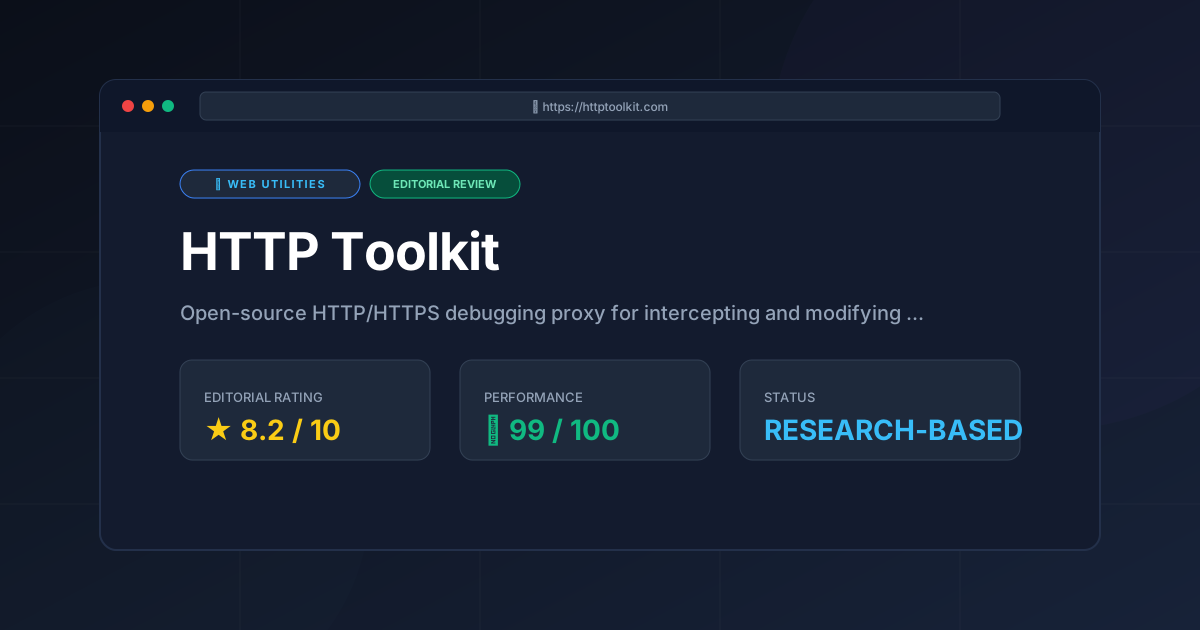
HTTP Toolkit is an open-source HTTP/HTTPS debugging proxy designed to intercept, inspect, and modify network traffic in real-time. Unlike traditional proxies that require manual configuration of system settings and the tedious manual installation of CA certificates, HTTP Toolkit focuses on "zero-config" automation.
It has gained significant traction among developers because it solves the "last mile" problem of network debugging: the setup. By automating the proxying of browsers, terminal sessions, and even Android devices, it removes the friction that typically accompanies the use of a network interceptor. It positions itself not just as a passive observer, but as an active manipulation tool, allowing developers to rewrite requests and responses on the fly to simulate edge cases or server failures.
Key Technical Specifications & Fast Facts #
| Specification | Detail |
|---|---|
| License | Open-source (Core) / Proprietary (Premium) |
| Hosting Type | Desktop Application (Local) |
| Free Tier Availability | Yes (Freemium) |
| API Access | Yes, via internal proxy mechanisms |
| Supported Platforms | Windows, macOS, Linux |
In-Depth Feature Breakdown & Real-World Use Cases #
1. Automatic Proxy Configuration #
The standout feature of HTTP Toolkit is its ability to launch "intercepted" versions of common tools. Instead of forcing the user to manually enter IP addresses and ports into a browser's network settings, the tool can launch a fresh Chrome or Firefox instance pre-configured to route all traffic through the proxy.
Real-World Use Case:
Imagine a developer debugging a JavaScript application that makes calls to a REST API. Instead of fighting with system-wide proxy settings that might break other applications (like Slack or Zoom), the developer launches an intercepted browser via the tool. All traffic from that specific window is captured, while the rest of the OS remains untouched.
2. Request and Response Rewriting #
Beyond simple inspection, this http debugger allows for the modification of data in transit. This is a critical capability for API testing, where you need to see how your frontend handles a 500 Internal Server Error or a malformed JSON payload without actually breaking the backend server.
Workflow Example:
- Capture: Intercept a successful
GET /api/user/profilerequest. - Rule Creation: Set a rule to intercept any request matching that URL.
- Modification: Change the response status code from
200 OKto403 Forbidden. - Observation: Observe how the frontend UI reacts to the unauthorized state in real-time.
3. Detailed Network Inspection & HTTPS Decryption #
HTTP Toolkit handles the complexities of SSL/TLS decryption by automating the CA certificate injection process. This allows developers to view the plaintext content of encrypted HTTPS traffic, which is essential for debugging modern web services.
For those looking for other ways to optimize their web presence, exploring Free Web Utilities: 3 Browser Tools, No Signup can provide complementary tools for frontend optimization, though they lack the deep packet inspection capabilities of a full proxy.
4. Terminal and Android Interception #
The tool extends its reach beyond the browser. It can intercept traffic from a terminal session (via environment variable injection) or from an Android device (via ADB). This makes it a powerful tool for mobile app developers who need to verify the API calls their app is making to a production or staging server.
Step-by-Step Getting Started Guide #
While the tool is designed for automation, following a structured approach ensures a clean setup:
- Installation: Download the installer for your respective OS from the official site.
- Selecting a Target: Upon launch, choose your "Interception Target." Options typically include:
- Chrome/Firefox: Launches a dedicated browser instance.
- Terminal: Opens a shell with
HTTP_PROXYandHTTPS_PROXYvariables pre-set. - Android: Connects via ADB to route device traffic.
- Certificate Trust: If using a custom browser or device, follow the on-screen prompts to trust the HTTP Toolkit CA certificate. This is required to decrypt HTTPS traffic.
- Traffic Capture: Navigate to the URL or trigger the app action you wish to debug. The requests will appear in the main dashboard in real-time.
- Analysis: Click on a specific request to view the Headers, Body (formatted as JSON/HTML), and Response timing.
Objective Pros & Cons Matrix #
| Pros | Cons |
|---|---|
| Zero-Config Setup: Drastically reduces the time spent on proxy and certificate configuration. | Resource Intensive: Running a dedicated intercepted browser instance can consume significant RAM. |
| Modern UI: A clean, intuitive interface that is far more approachable than legacy tools. | Privacy Concerns: As a MITM (Man-in-the-Middle) proxy, it requires high-level system trust. |
| Powerful Rewriting: Ability to mock server responses without writing a separate mock server. | Android Complexity: While automated, Android interception still requires ADB and sometimes root for certain apps. |
| Cross-Platform: Consistent experience across Windows, macOS, and Linux. | Freemium Limitations: Some advanced automation or support features are locked behind a paywall. |
HTTP Debugger vs. Competitors: Direct Comparison #
When choosing an api testing tool, it is important to compare the modern approach of HTTP Toolkit against the industry veterans.
| Feature | HTTP Toolkit | Charles Proxy | Fiddler |
|---|---|---|---|
| Setup Effort | Very Low (Automated) | Medium (Manual) | Medium (Manual) |
| UI/UX | Modern/Electron | Classic/Java | Traditional Windows |
| HTTPS Decryption | Automated CA Injection | Manual Certificate Install | Manual Certificate Install |
| Pricing | Freemium | Paid (Trial available) | Freemium / Paid |
| Best For | Rapid Dev/API Debugging | macOS Power Users | Enterprise Windows Environments |
Pricing Tiers & Value Assessment #
HTTP Toolkit operates on a Freemium model. The free tier is remarkably generous, providing the core interception and inspection capabilities that most individual developers need for daily tasks. Detailed costs can be found on the official pricing page.
The paid tiers typically focus on advanced features, professional support, and potentially more streamlined workflows for teams. For a solo developer or a student, the free version is likely sufficient. However, for a professional agency or a corporate environment where time-to-resolution for bugs is a key KPI, the paid tier's value lies in the reduction of friction and the availability of expert support.
If you are managing a professional site and looking to monetize your technical content, ensuring your site meets the AdSense Approval Checklist 2026: Get Your Site Approved Fast is a separate but vital step in your business workflow.
Technical Edge Cases and Trade-offs #
While HTTP Toolkit is powerful, users should be aware of specific technical constraints:
Certificate Pinning:
Many high-security mobile applications use "Certificate Pinning," where the app only trusts a specific, hard-coded certificate rather than the system trust store. In these cases, a standard http debugger cannot decrypt the traffic without modifying the application binary or using a rooted device with a tool like Frida to bypass the pinning logic.
Performance Overhead:
Because the tool acts as a proxy, every packet must be processed by the Electron-based interface. For high-throughput testing (thousands of requests per second), you may notice a latency increase compared to using a lightweight CLI-based tool or the public repository source for custom builds.
Memory Management:
Since the tool often launches separate browser instances, RAM usage can spike. It is recommended to close intercepted browsers immediately after the debugging session to reclaim system resources.
Frequently Asked Questions #
Is HTTP Toolkit safe to use? #
Yes, it is a local tool. It acts as a Man-in-the-Middle proxy on your own machine. However, because it installs a root certificate to decrypt HTTPS, you should only use it for development and disable/uninstall the certificate when not debugging to maintain standard security postures.
Can I use it to test APIs that require authentication? #
Absolutely. Since it intercepts traffic from your actual browser or app, it captures the authentication headers (like Bearer tokens or Cookies) exactly as they are sent, allowing you to analyze the auth flow of any http debugger session.
Does it support WebSocket interception? #
HTTP Toolkit focuses primarily on HTTP/HTTPS. For deep WebSocket analysis, it is worth checking the official documentation for the latest updates on protocol support, as the tool is frequently updated to include new web standards.
Do I need to be an expert in networking to use this? #
No. One of the primary goals of HTTP Toolkit is to abstract the networking complexity. If you know how to open a browser and a terminal, you can use the tool without needing a degree in TCP/IP.
How does it differ from Chrome DevTools? #
While DevTools only see traffic from the browser, this tool can see traffic from any application on your system, including mobile apps, CLI tools, and background services, providing a much broader scope of analysis.
Final Verdict & Editorial Rating #
HTTP Toolkit represents a paradigm shift in how we approach network debugging. By treating the proxy setup as a "feature" rather than a "chore," it lowers the barrier to entry for deep network analysis. While it may not have the decades-long legacy of Fiddler or Charles, its focus on developer experience (DX) makes it the superior choice for modern web and mobile workflows.
The only significant trade-off is the resource overhead associated with its modern UI and the inherent security risks associated with any MITM tool. However, for the target audience of developers, these are acceptable trade-offs for the speed and visibility provided.
For a broader look at how we evaluate software, you can visit the All Tool Reviews on PulseTools: the Complete Index.
Editorial Rating: 8.2/10 #
Who should use it?
- Frontend Developers who need to mock API responses without backend changes.
- Mobile App Developers debugging HTTPS traffic on Android.
- QA Engineers who need a quick way to intercept and modify requests to test edge cases.
- Beginners who find the configuration of traditional proxies intimidating.
More Tools Worth Reading
Squoosh
Web UtilitiesImage compressor Squoosh reviewed for 2026. Learn how to optimize WebP and AVIF files locally in your browser to boost site speed and UX.

Micro SaaS Statistics: 30 Tools Analysed
Web UtilitiesMicro saas statistics 2026: original data from 30 tool reviews - ratings, pricing models, category spread and review depth, written from published res...
Tally
Web UtilitiesSimple form builder Tally reviewed. Discover if its Notion-style editor and generous free tier make it the best data collection tool for your business...