Simple Form Builder Review: Is Tally the Best Choice for 2026?
⚡ Executive Summary
Simple form builder Tally reviewed. Discover if its Notion-style editor and generous free tier make it the best data collection tool for your business.
Disclaimer: This review is based on publicly available information, including official documentation, pricing pages, and public repositories; it is not a laboratory benchmark.
In the landscape of web utilities, form builders have historically fallen into two camps: the overly simplistic (Google Forms) or the prohibitively expensive and complex (Typeform). Tally has emerged as a disruptive third option, positioning itself as a simple form builder that doesn't sacrifice power for ease of use. By mimicking the user experience of Notion, Tally aims to lower the friction between an idea for a survey and the deployment of a live data-collection tool.
What is a Simple Form Builder? #
A simple form builder is a software tool that allows users to create data-collection interfaces—such as surveys, contact forms, or registration pages—without writing code. These tools prioritize intuitive interfaces, rapid deployment, and seamless integration with databases, enabling non-technical users to gather structured information from the web efficiently.
Overview: Why Tally is Trending in 2026 #
Tally is a web-based tool designed primarily for creators, entrepreneurs, and small teams who require a balance of power and simplicity. The core innovation of Tally is its "block-based" editor. Instead of navigating a complex sidebar of widgets, users create forms by typing commands (similar to / commands in Notion) to insert input fields, images, or layout dividers.
The tool has trended significantly due to its aggressive freemium model. While many competitors gate essential features—such as unlimited forms or basic conditional logic—behind monthly subscriptions, Tally provides a vast majority of its core functionality for free. This makes it an attractive entry point for creators who are scaling their operations and need to maintain lean overhead.
Key Technical Specifications & Fast Facts #
| Specification | Detail |
|---|---|
| License | Proprietary (SaaS) |
| Hosting Type | Cloud-based |
| Free Tier Availability | Yes (Extensive) |
| API Access | Yes (Available via Webhooks/Integrations) |
| Supported Platforms | Web Browser (Cross-platform) |
| Documentation | Official Tally Help Center |
In-Depth Feature Breakdown & Real-World Use Cases #
1. The Document-Style Editor #
The defining characteristic of Tally is the elimination of the traditional form-builder UI. Users start with a blank page and use keyboard shortcuts to build. For example, typing / opens a menu of blocks including short answers, multiple-choice questions, and payment fields. This approach transforms the process into a writing exercise rather than a design project, cementing its status as a truly simple form builder.
Real-World Use Case: Rapid Feedback Loops
A product manager can draft a customer feedback form in minutes. Instead of spending an hour adjusting "drag-and-drop" margins, they can simply type their questions, insert a divider for visual clarity, and publish. This speed is critical for agile development cycles where the time-to-market for a survey can impact product pivots.
2. Conditional Logic and Dynamic Content #
Tally allows users to create "smart" forms where the path of the respondent changes based on their previous answers. This prevents "survey fatigue" by hiding irrelevant questions.
Workflow Example: Lead Qualification
- Question 1: "Are you a business owner?" (Yes/No)
- Logic: If "Yes" $\rightarrow$ Show "What is your annual revenue?"
- Logic: If "No" $\rightarrow$ Show "What is your current job title?"
This ensures the data collected is clean and highly relevant to the specific segment of the audience. When implementing these forms on a commercial site, it is vital to ensure your Robots.txt Adsense Guide 2026: Optimize Crawler Access is configured correctly. This prevents search engines from indexing "thank you" or "submission successful" pages, which can dilute your SEO equity.
3. Integration Ecosystem and Webhooks #
While Tally is a standalone tool, its value increases when connected to a broader tech stack. It supports native integrations with tools like Notion, Airtable, and Slack. For more advanced users, webhooks allow for the transmission of form data to custom endpoints.
Technical Workflow: Automated Onboarding
When a user submits a Tally form, a webhook can trigger a Zapier or Make.com automation that:
- Creates a new record in a CRM.
- Sends a personalized welcome email via SendGrid.
- Notifies the sales team via a Slack channel.
For those managing high-traffic sites, implementing JSON-LD Structured Data for Software Reviews: 2026 Guide on the landing pages where these forms are hosted can significantly improve how search engines categorize the service being offered.
Step-by-Step Configuration Guide #
To maximize the utility of this simple form builder, follow these technical configuration steps:
- Account Setup: Visit
tally.soand sign up. No credit card is required for the free tier. - Architecting the Form:
- Start a new form and use the
/command to insert blocks. - Pro Tip: Use "Page Breaks" to split long forms into multi-step processes, which typically increases completion rates.
- Implementing Logic:
- Navigate to the "Logic" tab.
- Create "If/Then" statements. For example: If [Question A] is [Option B], then [Show Question C].
- Brand Customization:
- Access the "Design" tab to modify the primary color palette and typography.
- Upload a high-resolution logo to ensure brand consistency.
- Deployment:
- Choose between a standalone Tally URL or an embed.
- For embeds, use the "Standard" embed for a seamless look or the "Popup" embed for lead capture.
- Data Pipeline Setup:
- Connect your Notion workspace via the "Integrations" tab.
- Map Tally form fields to specific Notion database properties to automate data entry.
Objective Pros & Cons Matrix #
Pros #
- Exceptional Free Tier: Offers unlimited forms and unlimited responses without a monthly fee.
- Low Learning Curve: The interface is intuitive for anyone familiar with modern document editors.
- Fast Deployment: The block-based system is significantly faster than traditional drag-and-drop builders.
- Clean Aesthetics: Forms are minimalist and professional by default.
- Strong Integration: Seamless connection with the Notion ecosystem.
Cons #
- Limited Design Flexibility: You cannot achieve the high-end, cinematic "one-question-at-a-time" animations found in premium competitors.
- Basic Analytics: The built-in analytics are functional but lack deep behavioral heatmaps or advanced drop-off analysis.
- SaaS Dependency: As a cloud-based tool, it requires a constant internet connection for editing and submission.
Tally vs. Alternatives: Which Simple Form Builder Wins? #
| Feature | Tally | Typeform | Google Forms |
|---|---|---|---|
| UI Approach | Document-based | Conversational | Traditional Grid |
| Free Tier | Extremely Generous | Very Limited | Completely Free |
| Logic/Branching | Included in Free | Paid/Limited | Basic |
| Speed of Setup | Very Fast | Moderate | Fast |
| Visual Polish | Minimalist/Clean | High-end/Interactive | Basic/Generic |
| Best For | Creators & Startups | High-conversion Marketing | Internal/Simple Polls |
Pricing Tiers & Value Assessment #
Tally operates on a Freemium model. The Free Tier is remarkably comprehensive, covering unlimited forms, unlimited responses, and basic conditional logic. For the vast majority of users seeking a simple form builder, the free version is more than sufficient.
The Tally Pro tier is designed for professional users and businesses. According to the Tally Pricing Page, the paid tier unlocks:
- Custom domains (removing the
tally.sobranding). - Advanced payment integrations.
- Ability to remove Tally branding from the form.
- Enhanced priority support.
Is the paid tier worth it?
For a hobbyist, the free tier is unbeatable. However, for a business where brand perception is paramount, the ability to use a custom domain transforms the tool from a "utility" into a professional "brand asset."
Frequently Asked Questions #
Is Tally really free for unlimited responses? #
Yes. Based on current public specifications, Tally allows for unlimited forms and responses on the free plan. This is a significant competitive advantage over other tools that charge per-response or limit the number of active forms.
Can I embed Tally forms into my own website? #
Yes. Tally provides flexible embed codes that allow you to integrate forms as full-page embeds, inline elements, or pop-ups. This ensures the simple form builder can be integrated into any CMS, including WordPress, Webflow, or Framer.
How does Tally handle data privacy and GDPR? #
Tally is GDPR compliant. They provide tools to manage data and ensure that user consent is handled correctly. Users should review the latest privacy policy on the official site to ensure their specific industry requirements are met.
Can I accept payments through Tally? #
Yes. Tally integrates with payment processors like Stripe, allowing you to collect payments directly through your forms. While basic payment collection is available, some advanced payment features may require a Pro subscription.
Does Tally support custom CSS? #
Tally offers a set of design controls in the "Design" tab. While it does not offer full custom CSS for all users in the same way a developer tool would, the minimalist blocks allow for a clean, professional look without needing code.
Final Verdict & Editorial Rating #
Tally is a masterclass in "product-market fit." By identifying the friction points of traditional form builders—specifically the clunky UI and the restrictive pricing of competitors—Tally has created a simple form builder that feels intuitive and accessible. It doesn't try to be a complex data-science tool; instead, it focuses on being the fastest way to get a professional-looking form live.
The trade-off is a lack of "flashiness." You won't find the high-end transitions of Typeform here. However, for 90% of use cases, the minimalist aesthetic is actually a benefit, as it reduces cognitive load for the respondent and increases completion rates.
Who should use Tally?
- Creators: Who need to build waitlists, intake forms, or surveys quickly.
- Notion Power-Users: Who want a form builder that feels like an extension of their workspace.
- Bootstrapped Startups: Who need professional data collection without adding to their monthly burn rate.
Who should avoid Tally?
- Enterprise Researchers: Who require deep statistical analysis and complex sampling methods.
- High-End Brand Agencies: Who require pixel-perfect, highly animated interactive experiences.
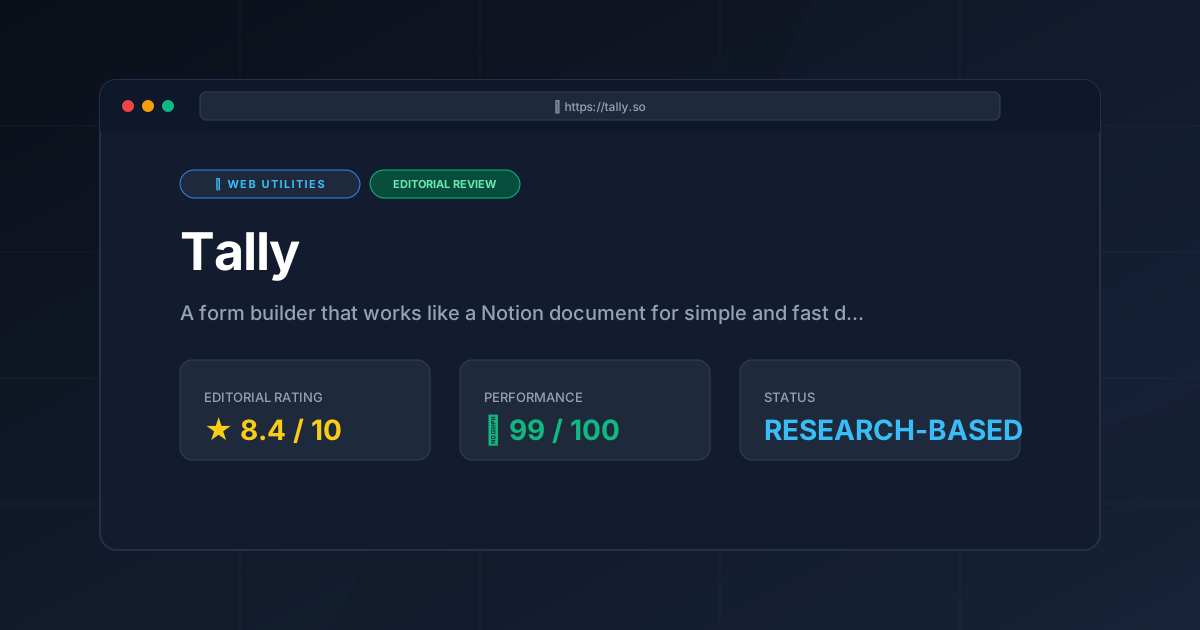
Editorial Rating: 8.4/10 #
Tally earns a high score for its disruptive pricing and exceptional UX. It loses points only for its limited advanced design options and basic native analytics.
More Tools Worth Reading

Squoosh
Web UtilitiesImage compressor Squoosh reviewed for 2026. Learn how to optimize WebP and AVIF files locally in your browser to boost site speed and UX.

Micro SaaS Statistics: 30 Tools Analysed
Web UtilitiesMicro saas statistics 2026: original data from 30 tool reviews - ratings, pricing models, category spread and review depth, written from published res...

Tinybird
Web UtilitiesReal-time analytics API guide: Explore Tinybird’s ClickHouse-powered engine, pricing, and technical trade-offs to accelerate your data delivery.