Best Image Compressor: Squoosh Review (2026) & Guide
⚡ Executive Summary
Image compressor Squoosh reviewed for 2026. Learn how to optimize WebP and AVIF files locally in your browser to boost site speed and UX.
Disclaimer: This review is based on publicly available information, including official documentation, the public repository, and the official product page; it is not a laboratory benchmark.
In the current era of Core Web Vitals and strict PageSpeed Insights metrics, image optimization is no longer optional—it is a critical component of web performance. Finding a reliable image compressor is essential for creators and developers who require granular control over their assets without sacrificing visual fidelity. Developed as an experimental project by the Google Chrome Labs team, Squoosh represents a shift in how we handle media assets, moving the heavy lifting of image processing from the server to the client's browser.
What is an Image Compressor like Squoosh? #
An image compressor is a software utility that reduces the file size of graphic files by removing unnecessary data or approximating colors. Squoosh specifically uses client-side WebAssembly to compress images locally in the browser, allowing users to balance visual quality and file size in real-time without uploading data to a remote server.
Overview: Why Squoosh is Trending in 2026 #
Squoosh is an open-source, browser-based tool that allows users to optimize images using a variety of modern codecs. Unlike traditional online compressors that require you to upload a file to a remote server, Squoosh leverages WebAssembly (Wasm) to perform the compression locally on your machine.
The tool is trending because it solves the "blind compression" problem. Most tools provide a "before" and "after" view, but Squoosh provides a real-time, side-by-side interactive slider. This allows creators to find the exact "sweet spot" where the file size is minimized but the visual artifacts remain invisible to the human eye. Furthermore, its native support for next-generation formats like WebP and AVIF makes it an essential utility for anyone attempting to follow an AdSense Approval Checklist 2026: Get Your Site Approved Fast, as site speed is a known factor in user experience and quality assessments.
Key Technical Specifications & Fast Facts #
| Specification | Detail |
|---|---|
| License | Open Source (Apache 2.0) |
| Hosting Type | Client-side (Browser-based) |
| Free Tier Availability | 100% Free |
| API Access | No official public API (Client-side tool) |
| Supported Platforms | Any modern web browser (Chrome, Firefox, Safari, Edge) |
In-Depth Feature Breakdown & Real-World Use Cases #
Squoosh is more than a simple "shrink" button; it is a technical suite for image manipulation. Below is a detailed analysis of its core capabilities.
1. Local Browser Processing via WebAssembly #
The most significant technical achievement of Squoosh is its use of WebAssembly. Traditionally, image compression requires powerful server-side libraries (like libwebp or mozjpeg). Squoosh ports these libraries to Wasm, meaning the image never leaves your computer. You can view the technical implementation details in the Squoosh GitHub Repository.
Practical Workflow:
- Privacy: Because no data is uploaded to a server, Squoosh is ideal for handling sensitive or proprietary images that cannot be stored on third-party clouds.
- Latency: Once the initial page loads, there is no upload or download lag, making the iteration process significantly faster than server-based tools.
2. Real-Time Visual Comparison Slider #
The core UX of Squoosh is the interactive split-screen slider. As you adjust the quality slider or change the compression method, the image updates in real-time.
Use Case: Finding the "Artifact Threshold"
When converting a high-resolution JPEG to AVIF, a creator can slide the quality from 100 down to 30. By scrubbing the comparison slider back and forth, they can identify the exact point where "blocking" or "ringing" artifacts appear in the shadows of the image. This ensures the smallest possible file size without compromising the professional look of the asset.
3. Modern Codec Support (WebP & AVIF) #
Squoosh provides a comprehensive interface for the most efficient codecs available today. While JPEG and PNG are standard, WebP and AVIF offer superior compression ratios.
Technical Workflow Example:
- Input: A 2MB PNG screenshot.
- Process: Select "AVIF" from the codec dropdown $\rightarrow$ Adjust "Effort" (compression speed vs. quality) $\rightarrow$ Set quality to 50%.
- Result: A ~150KB file with virtually no perceptible loss in quality.
- Verification: To ensure these formats work across all target devices, developers should cross-reference their choices with a Browser Support Review (2026): Is Can I Use Still the Gold to confirm AVIF compatibility.
4. Advanced Resizing and MozJPEG Integration #
Beyond format conversion, Squoosh includes a resizing module that allows for precise pixel dimensions or percentage-based scaling. It also integrates MozJPEG, which is widely regarded as one of the most efficient JPEG encoders for maintaining color accuracy while reducing size.
Step-by-Step Getting Started Guide #
Using this image compressor requires no installation or account creation. Follow these steps for an optimal workflow:
- Access the Tool: Navigate to the official Squoosh app in a modern web browser.
- Import Image: Drag and drop your image file into the browser window or click "Open" to select a file from your local storage.
- Select Codec: On the right-hand panel, use the dropdown menu to choose your target format (e.g., OxiPNG for lossless, WebP for general web use, or AVIF for maximum compression).
- Fine-Tune Settings:
- Quality: Move the slider to balance file size and clarity.
- Effort: Increase the "Effort" setting if you have a powerful CPU and want the absolute smallest file size (this increases processing time).
- Resize: Toggle the "Resize" option to change the image dimensions if the original is too large for web display.
- Visual Audit: Use the vertical slider to compare the original (left) with the compressed version (right).
- Export: Once satisfied, click the download icon in the bottom right corner to save the optimized image to your device.
Edge Cases and Technical Trade-offs #
While Squoosh is powerful, users should be aware of specific technical constraints:
- Memory Limits: Because it runs in the browser, extremely large images (e.g., 100MB+ TIFFs) may crash the browser tab due to RAM limitations.
- CPU Throttling: High "Effort" settings on AVIF compression can spike CPU usage to 100%, potentially slowing down other open applications.
- Color Profiles: While Squoosh handles most standard sRGB profiles well, some specialized CMYK profiles may be converted to RGB during the process.
Objective Pros & Cons Matrix #
| Pros | Cons |
|---|---|
| Privacy First: Images are processed locally; no server uploads. | No Batch Processing: Images must be processed one by one. |
| Zero Cost: Completely open source and free to use. | Resource Intensive: High-effort compression can freeze low-end browsers. |
| Visual Precision: Real-time slider prevents "over-compression." | No Project Saving: Settings are lost once the browser tab is closed. |
| Cutting Edge: Rapid adoption of AVIF and WebP standards. | Manual Workflow: Not suitable for automating thousands of images. |
Squoosh vs. Alternatives: Which Image Compressor to Choose? #
When choosing an image compressor, the decision usually comes down to the need for automation versus the need for precision.
| Feature | Squoosh | TinyPNG | ImageOptim |
|---|---|---|---|
| Processing Location | Local (Browser) | Cloud (Server) | Local (App) |
| Visual Comparison | Real-time Slider | Before/After Thumbnails | None (Automatic) |
| Batch Processing | No | Yes (via API/Paid) | Yes |
| Pricing | Free / Open Source | Freemium | Free / Open Source |
| Modern Codecs | AVIF, WebP, MozJPEG | WebP, PNG, JPEG | PNG, JPEG |
| Best For | Precision & Privacy | Speed & Bulk Uploads | Mac-based Bulk Optimization |
Pricing Tiers & Value Assessment #
Squoosh operates on a purely Open Source model. There are no "Pro" tiers, no monthly subscriptions, and no hidden fees.
From a value perspective, Squoosh provides an unmatched return on investment because it provides professional-grade encoding tools for free. While competitors like TinyPNG offer convenience through batch processing, they often require payment for high-volume usage. Squoosh shifts the "cost" from money to time; you pay in manual effort (processing images one by one) in exchange for total control and zero financial cost. For a creator or a developer who values precision over volume, the value proposition is absolute.
Frequently Asked Questions #
Does Squoosh reduce the quality of my images? #
Yes, if you choose "lossy" compression (like WebP or MozJPEG). However, the tool is designed to let you control exactly how much quality is lost. If you require a perfect copy, use "lossless" options like OxiPNG to ensure no data is discarded.
Why is Squoosh slower than some other online tools? #
Squoosh performs the compression on your computer using WebAssembly, whereas other tools use powerful remote servers. If you increase the "Effort" setting, your browser has to perform more complex calculations to find the most efficient compression path, which takes more time.
Is Squoosh safe for confidential images? #
Yes. Because the processing happens locally in the browser's memory and not on a remote server, your images are not uploaded to the cloud. This makes it significantly more private than most web-based compressors that store files temporarily.
Can I use Squoosh to convert a PNG to a JPEG? #
Yes. Simply upload your PNG and select "MozJPEG" from the codec dropdown. You can then adjust the quality slider to find the best balance between file size and clarity before downloading the resulting JPEG.
Does Squoosh support batch processing? #
No, Squoosh is designed for individual image precision. If you need to optimize hundreds of images at once, you may need a CLI tool or a dedicated desktop application, though you will lose the real-time visual slider.
Final Verdict & Editorial Rating #
Squoosh is a masterclass in leveraging modern web technologies to provide a professional utility. It transforms the tedious task of image optimization into a visual, intuitive process. While it lacks the batch-processing capabilities found in tools like ImageOptim or the API-driven automation of TinyPNG, it compensates with unparalleled transparency and precision.
It is not a tool for someone who needs to optimize 500 product photos in ten seconds. However, for the developer optimizing a landing page, the designer refining a hero image, or the blogger ensuring their site loads instantly, it is the gold standard of any image compressor. For those interested in other high-utility web tools, we recommend browsing our All Tool Reviews on PulseTools: the Complete Index.
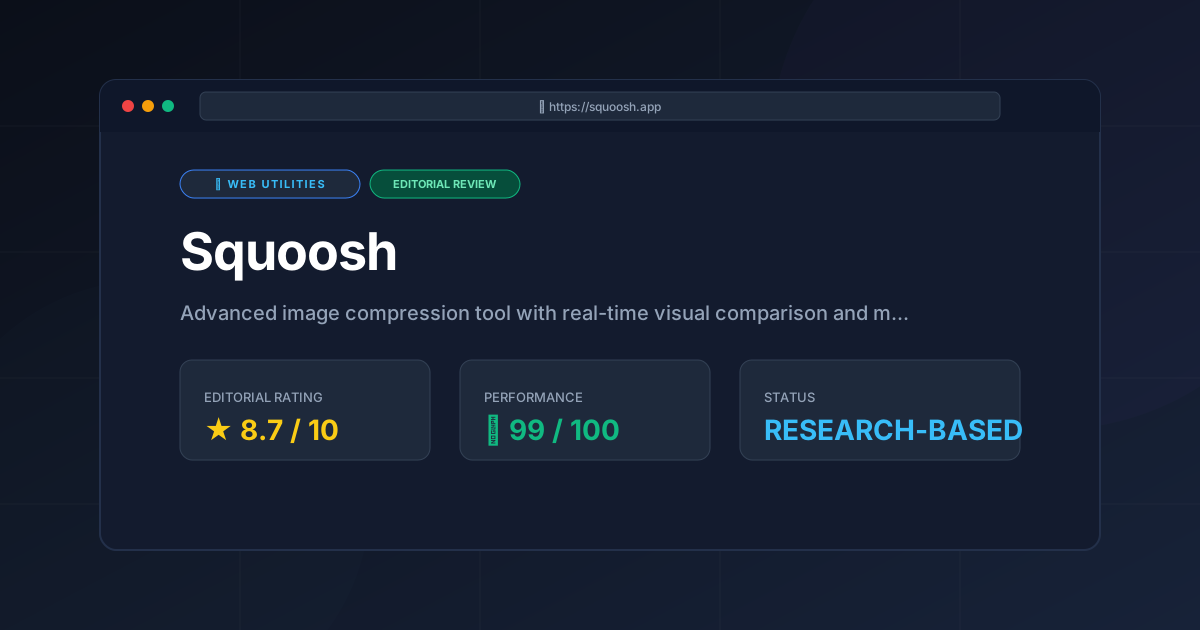
Editorial Rating: 8.7/10 #
Who should use it?
- Web Developers: Who need to hit strict PageSpeed targets.
- UI/UX Designers: Who want to ensure assets look perfect at various compression levels.
- Privacy-Conscious Creators: Who do not want their images stored on third-party servers.
- Performance Enthusiasts: Who want to experiment with AVIF and WebP.
Who should avoid it?
- Enterprise Users: Who require automated, bulk-processing pipelines via API.
- Low-Spec Hardware Users: Who may find the WebAssembly processing too taxing for their system.
More Tools Worth Reading

Valibot
Web UtilitiesLightweight validation is key to performance. Discover how Valibot reduces bundle sizes and improves TTI—read our full 2026 technical analysis.

Webhook.site
Web UtilitiesWebhook tester tools like Webhook.site simplify API debugging. Learn how to inspect payloads and mock responses to accelerate your development workflo...

WebPageTest
Web UtilitiesPage speed test analysis made easy. Discover how WebPageTest provides forensic performance data to boost your Core Web Vitals and search rankings.