AI Agent Framework Review: LangGraph (2026) Features & Verdict
⚡ Executive Summary
AI agent framework LangGraph reviewed. Discover how stateful cyclic graphs improve LLM reliability and why this is the top choice for enterprise AI.
Disclaimer: This review is based on publicly available information, including official documentation, the public GitHub repository, and pricing pages; it is not based on internal laboratory benchmarks.
As the industry shifts from simple "prompt-and-response" LLM interactions toward autonomous agents, the primary technical hurdle has become state management. Most LLM chains are linear (Directed Acyclic Graphs or DAGs), meaning they move from Step A to Step B to Step C. However, true intelligence requires iteration—the ability to loop back, correct a mistake, and refine an answer.
This is where LangGraph enters the ecosystem. Developed by the LangChain team, LangGraph is a specialized AI agent framework designed to build stateful, multi-actor applications using cyclic graphs. It allows AI engineers to move beyond the limitations of linear chains and create complex, looping workflows that mimic human reasoning and correction. By providing a structured way to manage state, it transforms LLMs from simple text generators into reliable operational agents.
What is an AI Agent Framework? #
An AI agent framework is a software library or platform that provides the structural scaffolding necessary to build autonomous systems. Unlike a simple API call, these frameworks manage "state" (memory), orchestrate the sequence of tool calls, and implement logic loops that allow an AI to self-correct, plan, and execute multi-step tasks toward a specific goal.
Overview: Why LangGraph is Trending in 2026 #
LangGraph is trending because it solves the "black box" problem of autonomous agents. While early agent frameworks often felt like "throwing a prompt at a loop and hoping for the best," LangGraph provides a structured way to define the exact flow of an agent's logic.
By treating a workflow as a graph—where nodes are functions (or LLM calls) and edges are the paths between them—developers can precisely control when an agent should loop back to a previous step or exit the process. This level of granularity is essential for enterprise-grade AI, where predictability and auditability are more important than raw autonomy. For those exploring the broader landscape of agent capabilities, our AI Agent Skills Review (2026): Best Marketplace for Agent provides context on how these frameworks integrate with specialized skill sets.
Key Technical Specifications & Fast Facts #
| Specification | Detail |
|---|---|
| License | Open Source (MIT/Apache 2.0) |
| Hosting Type | Self-hosted / Library-based |
| Free Tier Availability | Yes (Open Source) |
| API Access | Via integrated LLM providers (OpenAI, Anthropic, etc.) |
| Supported Platforms | Python, JavaScript/TypeScript |
| Official Documentation | LangGraph Docs |
In-Depth Feature Breakdown & Real-World Use Cases #
To understand LangGraph, one must understand the transition from a "Chain" to a "Graph." In a standard chain, the output of one step is the input of the next. In this AI agent framework, the "State" is a shared object that persists across the entire graph.
1. Cyclic Graph Workflows (The Loop) #
The defining feature of LangGraph is the ability to create cycles. In a standard RAG (Retrieval-Augmented Generation) pipeline, if the retrieved document is irrelevant, the system usually fails or provides a hallucinated answer. With a cyclic graph, you can implement a "Self-Correction" loop:
- Node A: Retrieve documents.
- Node B: Grade the documents for relevance.
- Edge: If "Irrelevant" $\rightarrow$ Loop back to Node A with a refined query. If "Relevant" $\rightarrow$ Proceed to Node C (Generation).
This architecture is critical for high-precision tasks. For those building agents that need to interact with live web data before looping back to refine their logic, comparing this with a Browser Use AI Review (2026): Features, Pricing & Verdict can provide insight into how the "action" phase of a graph is executed.
2. Persistence and State Management #
LangGraph utilizes a "Checkpointer" system. This means the state of the graph is saved after every step. If a process crashes or requires a human to intervene, the agent doesn't have to start from scratch; it can resume from the exact node where it left off.
Practical Use Case: A complex legal document analyzer. The agent parses 50 pages, identifies a discrepancy on page 30, and pauses. The developer can inspect the state, modify the prompt, and trigger the agent to resume from page 30 rather than re-processing the entire document. This persistence is a core reason why LangGraph is viewed as a production-ready AI agent framework.
3. Human-in-the-Loop (HITL) Interaction #
Unlike fully autonomous agents which can "run away" and waste API credits in an infinite loop, LangGraph allows for "breakpoints." You can configure the graph to stop before executing a specific node (e.g., "Execute Payment" or "Send Email") and wait for a human to approve or edit the state.
Workflow Example:
- Agent: Drafts a response to a client.
- Breakpoint: Graph pauses.
- Human: Reviews the draft, edits a sentence, and clicks "Approve."
- Agent: Resumes and sends the email.
Step-by-Step Implementation Guide #
For AI engineers looking to implement this AI agent framework, the workflow generally follows these five technical steps:
Step 1: Define the State #
Create a TypedDict or a Pydantic class. This defines the "memory" of your agent.
from typing import TypedDict, Annotated, List
from langgraph.graph import StateGraph, END

class AgentState(TypedDict):
    messages: Annotated[List[str], "The history of the conversation"]
    next_step: str
Step 2: Define the Nodes #
Write Python functions that take the current state as input, perform an action (like an LLM call), and return an update to the state. Each node should be a discrete unit of logic.
Step 3: Define the Edges #
Establish the connections. Use "Conditional Edges" to determine the path based on the output of a node. For example, if an LLM determines a task is "complete," the edge points to END; otherwise, it points back to the "research" node.
Step 4: Initialize and Compile #
Use the StateGraph class to add your nodes and edges. Once the architecture is mapped, you "compile" the graph into a runnable object.
Step 5: Execute with Checkpointer #
Run the graph using a memory saver (such as the one found in the official GitHub repository). This enables "time travel," allowing you to rewind the agent to a previous state to debug logic errors.
Objective Pros & Cons Matrix #
| Pros | Cons |
|---|---|
| Extreme Control: Precise control over agent logic compared to "black box" frameworks. | Steep Learning Curve: Requires understanding of graph theory and state management. |
| Reliability: Persistence and breakpoints prevent catastrophic "looping" and data loss. | Boilerplate Heavy: Requires more initial code than simple linear chains. |
| Flexibility: Supports both multi-agent collaboration and single-agent iterative loops. | Complexity Overhead: For simple tasks, a graph is overkill compared to a basic chain. |
| Ecosystem Integration: Seamlessly works with the vast library of LangChain tools. | State Management Burden: Developers must carefully manage the state schema to avoid bloat. |
LangGraph vs. Competitors: Direct Comparison #
While many tools claim to build "agents," they differ fundamentally in their philosophy. LangGraph is a low-level AI agent framework for building agents, whereas tools like CrewAI are high-level orchestrators.
| Feature | LangGraph | CrewAI | AutoGPT |
|---|---|---|---|
| Core Philosophy | State Machine / Cyclic Graph | Role-Based Collaboration | Autonomous Goal Pursuit |
| Control Level | High (Granular) | Medium (Role-based) | Low (Goal-based) |
| State Management | Built-in Persistence | Session-based | Ephemeral/Memory-based |
| Human-in-the-Loop | Native Breakpoints | Limited/Manual | Minimal |
| Pricing | Open Source | Open Source | Open Source |
| Best For | Enterprise, Complex Workflows | Team-based Task Automation | Rapid Prototyping |
If you are looking for a tool that handles the "action" part of the agent—specifically interacting with a browser—you might find a Browser Use vs Crawl4AI: Which Is Better? comparison useful to determine which tool should serve as a "node" within your LangGraph.
Pricing Tiers & Value Assessment #
LangGraph itself is an Open Source library. There is no "subscription fee" to use the core logic of the framework. However, the total cost of ownership (TCO) is determined by two factors:
- LLM API Costs: Since LangGraph encourages iterative loops (checking and re-checking work), it can significantly increase token usage compared to a linear chain.
- Infrastructure: While the library is free, hosting the state (persistence layer) in a production environment requires a database (e.g., Postgres or Redis).
Is the "Paid" Ecosystem Worth It?
While the library is free, LangChain offers "LangGraph Cloud" (and LangSmith) for deployment and monitoring. For professional AI engineers, the value of LangSmith's debugging tools—which allow you to visualize the graph execution and trace exactly where a loop went wrong—is immense. It transforms the development process from "guessing" to "engineering." Detailed pricing for these managed services can be found on the LangChain pricing page.
Frequently Asked Questions #
Is LangGraph a replacement for LangChain? #
No. LangGraph is an extension of LangChain. It uses LangChain primitives (like tools and LLM wrappers) but provides a different way to orchestrate them. Think of LangChain as the building blocks and LangGraph as the blueprint for complex, looping structures.
Can I use LangGraph with models other than OpenAI? #
Yes. Because it integrates with LangChain, it is model-agnostic. You can use Anthropic, Google Gemini, or local models via Ollama. This flexibility makes it a highly versatile AI agent framework for diverse infrastructure needs.
How does LangGraph handle "infinite loops"? #
Unlike fully autonomous agents, LangGraph allows developers to set a recursion_limit. If the graph exceeds a certain number of steps without reaching the END node, it will trigger an error, preventing runaway API costs and resource exhaustion.
Do I need to know graph theory to use LangGraph? #
You don't need a PhD in mathematics, but you do need to understand the concept of nodes (actions) and edges (transitions). If you are comfortable with flowcharts and basic state machines, you can master LangGraph quickly.
How does LangGraph differ from a standard DAG? #
A Directed Acyclic Graph (DAG) cannot have cycles; it only moves forward. LangGraph allows for cycles, meaning the agent can return to a previous node. This is what enables "self-correction" and iterative refinement of outputs.
Final Verdict & Editorial Rating #
LangGraph represents a maturation of the AI agent space. It moves away from the "magic" of autonomous agents and toward the "engineering" of stateful workflows. By providing persistence, human-in-the-loop capabilities, and cyclic logic, it solves the most pressing issues of reliability and controllability in LLM applications.
However, it is not for everyone. For a developer who simply needs a chatbot to answer questions from a PDF, LangGraph is unnecessary overhead. For an engineer building a multi-step research agent that must verify its own sources and allow for human oversight, it is currently the gold standard.
Who should use it?
- AI Engineers building production-grade agents.
- Enterprise Developers who require audit trails and human approval steps.
- Researchers implementing complex "Reasoning and Acting" (ReAct) patterns.
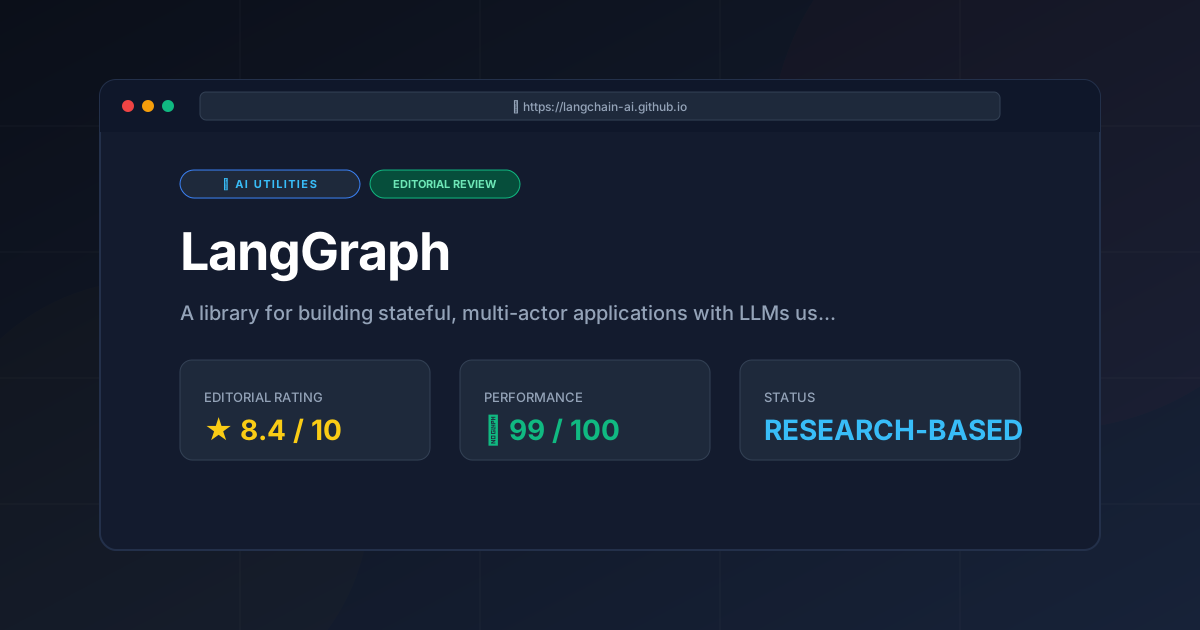
Editorial Rating: 8.4/10 #
A powerhouse for stateful orchestration, held back only by a steep learning curve and the inherent token costs of iterative looping.
More Tools Worth Reading
Cline
Ai UtilitiesCline AI is a powerful open-source autonomous coding agent for VS Code. Read our deep-dive review to discover its features, costs, and setup workflows...
v0.dev
Ai UtilitiesAI UI generator v0.dev reviewed. Learn how this Vercel tool transforms prompts into React code to accelerate your frontend development workflow.
Vercel v0
Ai UtilitiesAI UI generator Vercel v0 reviewed. Learn how to automate React and Tailwind CSS components to accelerate your frontend development workflow today.