AI UI Generator Review: Vercel v0 (2026) Features & Verdict
⚡ Executive Summary
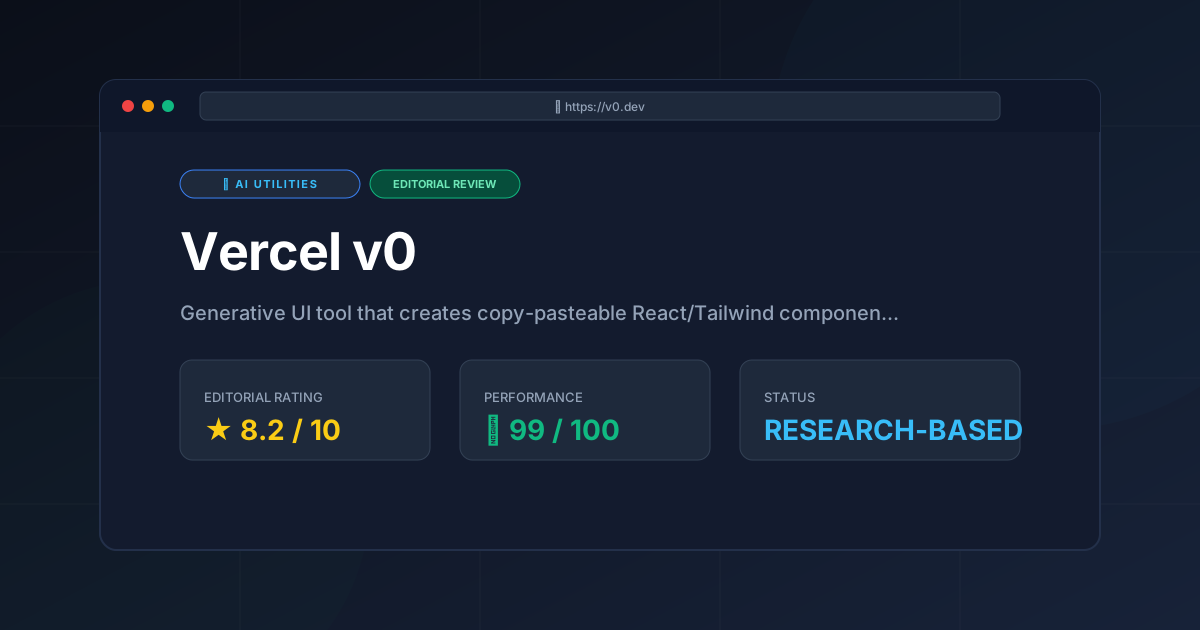
AI UI generator Vercel v0 reviewed. Learn how to automate React and Tailwind CSS components to accelerate your frontend development workflow today.
Disclaimer: This review is based on publicly available information, including official documentation, pricing pages, and public repositories; it is not based on laboratory benchmarks or internal testing.
The modern frontend landscape is shifting from manual coding to generative assembly. At the forefront of this transition is Vercel v0, a specialized AI UI generator designed to bridge the gap between conceptual design and production-ready code. Unlike general-purpose LLMs that provide static code blocks, v0 renders live, interactive previews of the interfaces it creates, allowing developers to iterate in real-time.
By leveraging a deep integration with the Tailwind CSS framework and the shadcn/ui ecosystem, v0 solves the "blank page" problem. Instead of manually assembling layout grids and navigation bars, developers can describe their requirements in natural language and receive a functional React component instantly.
What is an AI UI Generator? #
Vercel v0 is an AI UI generator that transforms natural language prompts into production-ready React code using Tailwind CSS. It allows developers to describe a user interface, preview the visual result in real-time, and copy the resulting code directly into a Next.js or React project for immediate deployment.
Key Technical Specifications & Fast Facts #
| Specification | Detail |
|---|---|
| License | Proprietary (SaaS) |
| Hosting Type | Cloud-based (Vercel) |
| Free Tier Availability | Yes (Credit-based) |
| API Access | Limited/Integration-based |
| Supported Platforms | Web Browser, Vercel Ecosystem |
| Primary Tech Stack | React, Tailwind CSS, shadcn/ui |
In-Depth Feature Breakdown & Real-World Use Cases #
1. Prompt-to-UI Generation #
The core engine of this AI UI generator allows users to input text prompts ranging from simple requests ("Create a SaaS dashboard") to highly technical specifications ("Build a multi-step onboarding form with a progress bar, validation states, and a dark mode toggle using Tailwind").
The system generates a functional React component rather than a static image. For developers already utilizing advanced LLMs for complex business logic—as detailed in our Claude AI Review (2026): Features, Pricing & Verdict—v0 serves as the essential visual counterpart, focusing exclusively on the presentation layer.
Practical Workflow Example:
- Prompt: "A pricing table with three tiers: Basic, Pro, and Enterprise. Highlight the Pro tier with a 'Most Popular' badge and use a subtle gradient background."
- Result: v0 generates a responsive grid of cards using Tailwind's
gridandflexutilities, incorporatinglucide-reacticons and shadcn/ui button components.
2. Iterative Refinement (Conversational Editing) #
A standout feature of v0 is the ability to refine a design without starting from scratch. Users can select specific elements of the generated UI or provide follow-up prompts to tweak the result.
Practical Workflow Example:
- Initial State: A generated landing page.
- Refinement Prompt: "Change the primary blue color to a deep emerald green and make the hero section text center-aligned."
- Result: v0 updates the specific Tailwind classes (e.g., changing
bg-blue-600tobg-emerald-700) while maintaining the structural integrity of the rest of the layout.
3. Direct Vercel Deployment and Integration #
Because v0 is a Vercel product, the friction between generation and deployment is virtually eliminated. Users can move from a prompt to a live URL almost instantaneously. The code is designed to be "copy-pasteable," adhering to standard React patterns that can be dropped into a Next.js project provided the project has Tailwind CSS and shadcn/ui installed.
Technical Implementation: Step-by-Step Guide #
To maximize the utility of this AI UI generator, follow this technical integration workflow:
Step 1: Account and Environment Setup #
Visit v0.dev and sign in using a Vercel or GitHub account. Ensure your local development environment is prepared with a Next.js project.
Step 2: Prompt Engineering for UI #
In the main prompt bar, describe the component. To get the best results, include:
- Layout requirements: (e.g., "3-column grid," "sticky header").
- Visual style: (e.g., "minimalist," "glassmorphism," "enterprise-grade").
- Specific components: (e.g., "use a shadcn/ui Accordion for the FAQ section").
Step 3: Iterative Polishing #
Once the UI renders, use the chat interface to request changes. If the AI misses a detail, be explicit: "The padding on the mobile view is too tight; increase px-4 to px-8."
Step 4: Code Extraction and Local Integration #
Click the "Code" tab to view the source. You can copy the code manually or use the Vercel CLI to add the component. To ensure the code works, you must have the following dependencies installed:
npm install tailwindcss lucide-react
Then, initialize shadcn/ui via the official documentation to ensure the primitive components are available in your /components/ui folder.
Step 5: Mapping Data to Props #
The generated code provides the "shell." You must now replace static text with dynamic data. Create a TypeScript interface for your component props and map your API responses to the generated JSX elements.
Objective Pros & Cons Matrix #
| Pros | Cons |
|---|---|
| Extreme Velocity: Reduces the time from idea to prototype from hours to seconds. | Dependency Lock-in: Heavily reliant on Tailwind CSS and shadcn/ui; difficult to use with other CSS frameworks. |
| High Fidelity: Produces modern, clean aesthetics that follow current design trends. | Logic Limitations: Generates "UI shells"; complex business logic and state management must be written manually. |
| Iterative Workflow: Conversational editing prevents the need for repetitive full-page regenerations. | Credit Constraints: The freemium model can be restrictive for power users who iterate heavily. |
| Seamless Ecosystem: Perfect integration for those already using the Vercel/Next.js stack. | Potential for Redundancy: May generate verbose Tailwind classes that require manual cleanup for optimization. |
Vercel v0 vs. Alternatives: Which AI UI Generator Wins? #
In the landscape of generative design, v0 competes with tools that target different stages of the pipeline.
| Feature | Vercel v0 | Galileo AI | Lovable |
|---|---|---|---|
| Primary Output | React/Tailwind Code | Figma Designs/UI | Full-stack Web Apps |
| Speed to Code | Instant (Copy-Paste) | Medium (Figma $\rightarrow$ Code) | Fast (Deployed App) |
| Pricing | Freemium | Subscription-based | Freemium/Tiered |
| Best For | Frontend Devs | UI/UX Designers | Solo-preneurs/MVPs |
| Ecosystem | Vercel/Next.js | Figma | Independent |
While Galileo AI focuses on the design phase, v0 focuses on the implementation phase. For those looking to automate the browser-based interaction or data extraction process to feed into their UI, exploring the Browser Use vs Crawl4AI: Which Is Better? comparison can help you understand how to gather the data that will eventually populate these v0 components.
Pricing Tiers & Value Assessment #
Vercel v0 operates on a Freemium model. The general structure involves a free tier that allows users to experiment with a limited number of generations per month. Paid tiers offer higher credit limits, priority processing, and private generations to prevent prompts from appearing in the public gallery.
Is the paid tier worth it?
For a professional frontend developer, the paid tier is a high-value investment. If this AI UI generator saves a developer just two hours of manual CSS tweaking per week, the subscription pays for itself. For hobbyists, the free tier is sufficient. We recommend reviewing the official pricing page for the most current credit-to-dollar ratio.
Frequently Asked Questions #
Does v0 write the backend logic for my application? #
No. v0 is an AI UI generator. It creates the "skin" of your application (the React components and Tailwind styling). You remain responsible for writing the API calls, state management (e.g., using Zustand or Redux), and database integrations.
Can I use v0 if I don't use Tailwind CSS? #
While you can copy the code and attempt to convert it, v0 is natively built for Tailwind CSS. Using it with plain CSS or other frameworks like Bootstrap would require significant manual rewriting, which defeats the purpose of the tool.
Is the code generated by v0 accessible (a11y)? #
v0 leverages shadcn/ui, which is built on top of Radix UI. Radix is known for strong accessibility primitives. However, AI can still make mistakes with ARIA labels or heading hierarchies. It is essential to run an accessibility audit using Axe or Lighthouse on the generated code.
Can I export v0 designs directly to Figma? #
v0 is designed for a "Code-First" workflow. While you can screenshot the results for a design document, its primary purpose is to move from prompt to code, not prompt to a design tool.
How does v0 handle responsive design? #
v0 utilizes Tailwind's responsive modifiers (e.g., md:, lg:) automatically. When you prompt for a "responsive" layout, the AI UI generator applies these classes to ensure the UI adapts to mobile, tablet, and desktop screens.
Final Verdict & Editorial Rating #
Vercel v0 represents a paradigm shift in frontend development. It does not replace the developer, but it fundamentally changes the starting point of the development process. By automating the tedious aspects of UI assembly, it allows developers to focus on architecture, performance, and user experience.
The tool's main weakness is its narrow focus on the React/Tailwind stack. If your project requires a different framework, v0 is of limited use. However, given that the React/Tailwind ecosystem is currently dominant, this is a trade-off most developers will accept.
Who should use it?
- Frontend Developers: To accelerate the prototyping phase and bypass the "blank page" syndrome.
- Full-stack Developers: Who may not be design experts but need professional-looking interfaces.
- Product Managers: To create high-fidelity mockups that are technically feasible.
Editorial Rating: 8.2/10
Vercel v0 is an exceptional utility that delivers immediate value. It loses points only for its ecosystem lock-in and the fact that it provides UI shells rather than fully functional application logic.
More Tools Worth Reading
Cline
Ai UtilitiesCline AI is a powerful open-source autonomous coding agent for VS Code. Read our deep-dive review to discover its features, costs, and setup workflows...
Tavily
Ai UtilitiesAI search API Tavily reviewed for 2026. Discover how it optimizes RAG workflows and reduces LLM hallucinations to build better AI agents.
v0.dev
Ai UtilitiesAI UI generator v0.dev reviewed. Learn how this Vercel tool transforms prompts into React code to accelerate your frontend development workflow.