Issue Tracker Review: Linear Method (2026) for High-Velocity
⚡ Executive Summary
Issue tracker analysis of Linear Method: we explore the technical trade-offs, pricing, and speed to help you decide if it fits your dev workflow.
As the Lead Technical Reviewer at PulseTools, I have monitored the shift in project management from "all-in-one" bloated suites to "opinionated" tools that prioritize speed and developer experience. Linear Method stands at the forefront of this movement, positioning itself as a specialized issue tracker for teams that view administrative overhead as a primary enemy of shipping code.
Disclaimer: This review is based on publicly available information, including official documentation, pricing pages, and public repositories; it is not based on a laboratory benchmark or internal installation.
What is an Issue Tracker for Software Teams? #
An issue tracker is a software application designed to document, track, and prioritize bugs, feature requests, and tasks throughout the software development lifecycle. It serves as the central source of truth for a product team, ensuring that every requirement is captured, assigned, and moved from a state of "proposed" to "deployed" without losing critical context.
Overview: The Philosophy of Linear Method #
Linear Method is not merely an issue tracker; it is a philosophy of software development packaged as a productivity tool. While traditional tools like Jira attempt to be everything to everyone—resulting in complex configuration menus and sluggish interfaces—Linear is designed specifically for high-performance product teams who value velocity and minimalism.
The tool is trending because it addresses "tool fatigue." Modern engineering teams are increasingly frustrated by the friction of updating tickets. Linear solves this by implementing a keyboard-first interface and a streamlined workflow that mirrors how developers actually work. By removing the need to navigate deep menu trees to change a status or assign a label, it reduces the cognitive load on the team, allowing them to focus on shipping code rather than managing the tool that tracks the code.
Key Technical Specifications & Fast Facts #
| Specification | Detail |
|---|---|
| License | Proprietary / SaaS |
| Hosting Type | Cloud-based |
| Free Tier Availability | Yes (Freemium) |
| API Access | Yes (GraphQL API) |
| Supported Platforms | Web, macOS, Windows, Linux |
In-Depth Feature Breakdown & Real-World Use Cases #
To understand the technical utility of Linear, one must look beyond the UI and examine the underlying logic of its core features.
1. Keyboard-Centric Navigation (The Command Menu) #
The cornerstone of the Linear experience is the Cmd+K (or Ctrl+K) command palette. This is not a simple search bar; it is a centralized hub for almost every action within the application.
Real-World Use Case:
Imagine a developer who has just finished a feature. In a traditional tool, they would click the issue, find the status dropdown, select "Done," and then manually move it to a different column. In Linear, the workflow is:
- Press
Cmd+K. - Type "Done".
- Press
Enter.
This reduces a 10-second manual process to a 2-second keystroke sequence. For teams managing hundreds of tickets per sprint, this cumulative time saving is significant. This focus on efficiency is a recurring theme in our analysis of the Best Productivity in 2026: 5 Top Picks Reviewed, where we emphasize the importance of reducing "click-depth."
2. Cycle-Based Planning #
Linear replaces the traditional "Sprint" with "Cycles." While similar in concept, Cycles in Linear are designed to be more fluid. They focus on a steady cadence of delivery rather than the rigid, often stressful "sprint commitment" model.
Workflow Example:
- Cycle Setup: A team sets a 2-week cycle.
- Automatic Rollover: If an issue is not completed by the end of the cycle, Linear can be configured to automatically move it to the next cycle or back to the backlog.
- Velocity Tracking: The tool automatically calculates the team's velocity based on completed points, providing a data-driven forecast for future cycles without requiring manual reporting.
3. Automated Workflow States #
Linear utilizes a streamlined state machine for this issue tracker. Instead of allowing users to create an infinite number of custom statuses (which often leads to "process bloat"), Linear encourages a standardized flow: Backlog $\rightarrow$ Todo $\rightarrow$ In Progress $\rightarrow$ Done $\rightarrow$ Canceled.
Technical Application:
These states can be integrated with GitHub or GitLab. For example, when a developer opens a Pull Request (PR) and links it to a Linear issue, the issue state can automatically transition from "In Progress" to "In Review." This automation ensures the project board remains a "single source of truth" without requiring developers to manually update tickets.
Step-by-Step Getting Started Guide #
For teams transitioning from a legacy system, the following path is recommended for a smooth implementation:
- Workspace Initialization: Create your account at
linear.appand define your workspace. Avoid the temptation to create too many teams initially; start with one core product team. - Importing Data: Use the built-in import tools to migrate issues from Jira or Trello. Review your labels and tags during this process to ensure you aren't importing "tag clutter."
- Defining the Backlog: Populate your backlog with raw ideas and bugs. Use the "Triage" feature to review new issues before they are officially accepted into the product roadmap.
- Setting Up Your First Cycle: Define your cycle length (e.g., 14 days). Move high-priority items from the backlog into the current cycle.
- Integration Sync: Connect your version control system (GitHub/GitLab). Configure the automation rules so that PRs update issue statuses automatically.
- Onboarding the Team: Conduct a 15-minute session focusing exclusively on
Cmd+Kand keyboard shortcuts. The tool's value is only realized when the team stops using the mouse.
Critical Limitations and Technical Trade-offs #
While Linear is highly optimized for speed, its "opinionated" nature introduces specific limitations that may be deal-breakers for certain organizational structures.
1. Rigid Workflow Constraints #
Unlike Jira, which allows for near-infinite customization of workflow transitions (e.g., requiring a specific user role to move a ticket from "QA" to "Done"), Linear enforces a streamlined flow. If your organization requires a strict, audited chain of custody for every ticket transition to meet regulatory compliance (such as SOC2 or HIPAA requirements), Linear's flexibility may be insufficient.
2. Absence of Advanced Enterprise Reporting #
Linear prioritizes the "now" over the "historical." It lacks the deep, complex enterprise reporting tools found in legacy systems. Specifically, it does not offer native, highly granular Gantt charts or complex resource allocation heatmaps that allow a PM to see exactly how many hours a specific developer is booked across five different projects over a six-month horizon.
3. Scaling Costs for Large Teams #
While the free tier is generous for small teams, the jump to paid tiers can be abrupt. For large organizations, the per-seat pricing model can become significantly more expensive than bundled enterprise suites. Teams must weigh the "productivity gain" of a faster issue tracker against the increased monthly OpEx.
4. Steep Learning Curve for Non-Technical Users #
The keyboard-first philosophy is a boon for developers but a barrier for non-technical stakeholders. Marketing managers or external clients who are used to "point-and-click" interfaces often find the command-palette approach jarring and unintuitive, which can lead to lower adoption rates among non-engineering team members.
Linear Method vs. Other Issue Tracker Alternatives #
| Feature | Linear Method | Jira | Trello |
|---|---|---|---|
| Primary Focus | High-velocity software teams | Enterprise project management | General task organization |
| Speed/Performance | Ultra-Fast | Often Slow/Bloated | Moderate |
| Configuration | Opinionated/Streamlined | Highly Customizable | Simple/Flexible |
| Learning Curve | Low (if tech-savvy) | High | Very Low |
| Pricing | Freemium | Tiered/Enterprise | Freemium |
| Best For | Startups & Product Teams | Large Corporations | Small Teams/Simple Projects |
Pricing Tiers & Value Assessment #
Linear operates on a Freemium model. The Free Tier is robust, offering unlimited members but limiting the number of issues (typically capped at a specific threshold) that can be stored. This makes it an excellent choice for early-stage startups.
The Paid Tier removes these limits and introduces advanced administrative controls and priority support. Detailed pricing can be found on the official Linear pricing page.
Is the paid tier worth it?
For a professional engineering team, yes. The cost is justified not by the "extra features," but by the removal of constraints. When your project grows to thousands of issues, the free tier's limits become a bottleneck. However, for a hobbyist or a very small team, the free tier is more than sufficient. If you are also managing your team's time and scheduling, you might pair Linear with a dedicated scheduling tool; we recommend checking our Best Scheduling Tool for Teams: Cal.com Review (2026) to see how to optimize your external meeting workflows alongside your internal issue tracking.
Frequently Asked Questions #
Can Linear replace Jira for a large enterprise? #
It depends on the "enterprise" definition. If the organization requires rigid, audited workflows and complex cross-departmental reporting, Jira remains the safer bet. If the organization is a "tech-first" company that values speed over bureaucracy, Linear is a superior alternative for an issue tracker.
How does Linear handle "Triage"? #
Triage is a separate stage where new issues land before they are accepted. This prevents the main backlog from becoming a "dumping ground" and ensures that every issue is vetted by a product manager before it enters the development pipeline.
Is the GraphQL API difficult to implement? #
For developers, the GraphQL API is generally preferred over REST because it allows for more precise data fetching. Linear provides comprehensive technical documentation making it relatively straightforward to sync data with other internal tools.
Does Linear support Kanban boards? #
Yes, while it emphasizes Cycles, it provides a highly efficient board view that functions as a Kanban system, allowing teams to visualize the flow of work from "Todo" to "Done."
Can I host Linear on my own servers? #
No. Linear is a proprietary SaaS (Software as a Service) offering. There is currently no self-hosted or open-source version of the Linear Method available for on-premise installation.
Final Verdict & Editorial Rating #
Linear Method is a masterclass in "less is more." By making intentional decisions about what the tool should not do, they have created a product that does its primary job—acting as a high-performance issue tracker—better than almost any other tool on the market.
However, the rating is tempered by the rigidness of its workflow and the lack of deep enterprise reporting. It is not a universal tool. If you are managing a marketing campaign or a construction project, the opinionated software-centric workflow will feel restrictive. But for software engineers and product managers, it is a breath of fresh air.
Who should use it?
- Early to mid-stage startups.
- High-performance engineering teams.
- Product managers who are tired of "Jira fatigue."
- Teams that prioritize keyboard shortcuts and speed.
Who should avoid it?
- Non-technical teams with no need for Git integration.
- Enterprises requiring extreme customization of workflow states.
- Teams that need deep, legacy-style Gantt charts and complex resource forecasting.
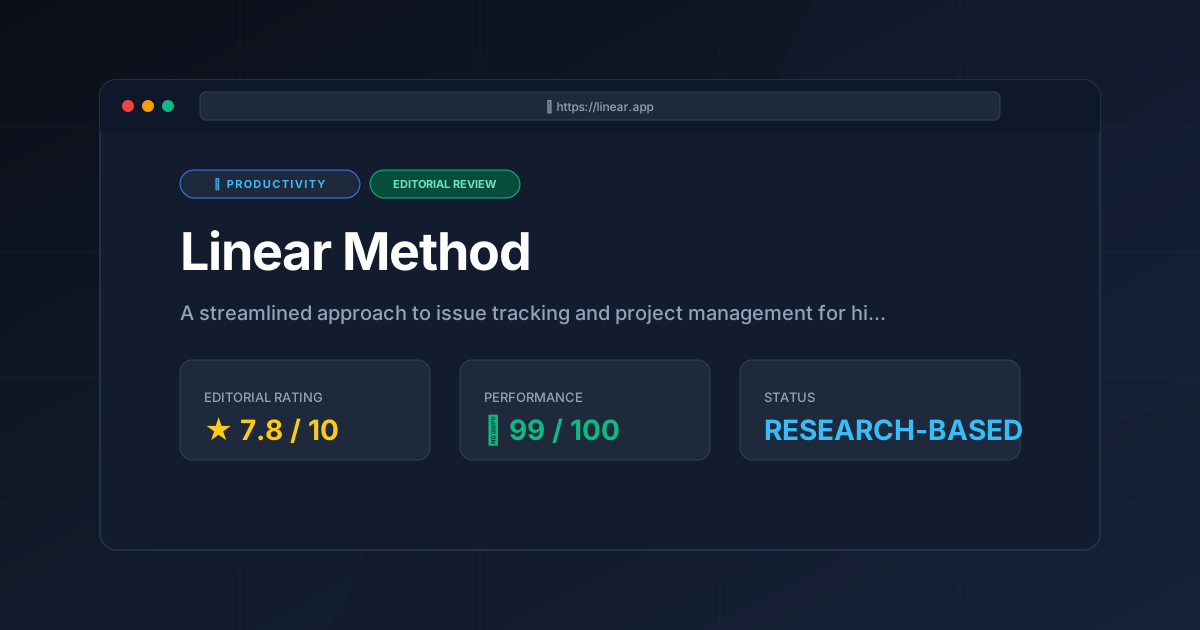
Final Score: 7.8/10 #
A powerhouse of efficiency that trades exhaustive customization and enterprise reporting for unmatched speed and a superior developer experience.
More Tools Worth Reading
Screenpipe
ProductivityIn-depth review of Screenpipe in 2026: key features, pricing, alternatives and who it is best for.
Paperclip
ProductivityIn-depth review of Paperclip in 2026: key features, pricing, alternatives and who it is best for.

Hindsight
ProductivityHindsight review: Explore how this open-source agent memory layer eliminates LLM amnesia, cuts token costs, and powers self-learning AI workflows in 2...