AI Notes Review (2026): Is Mem the Best Self-Organizing
⚡ Executive Summary
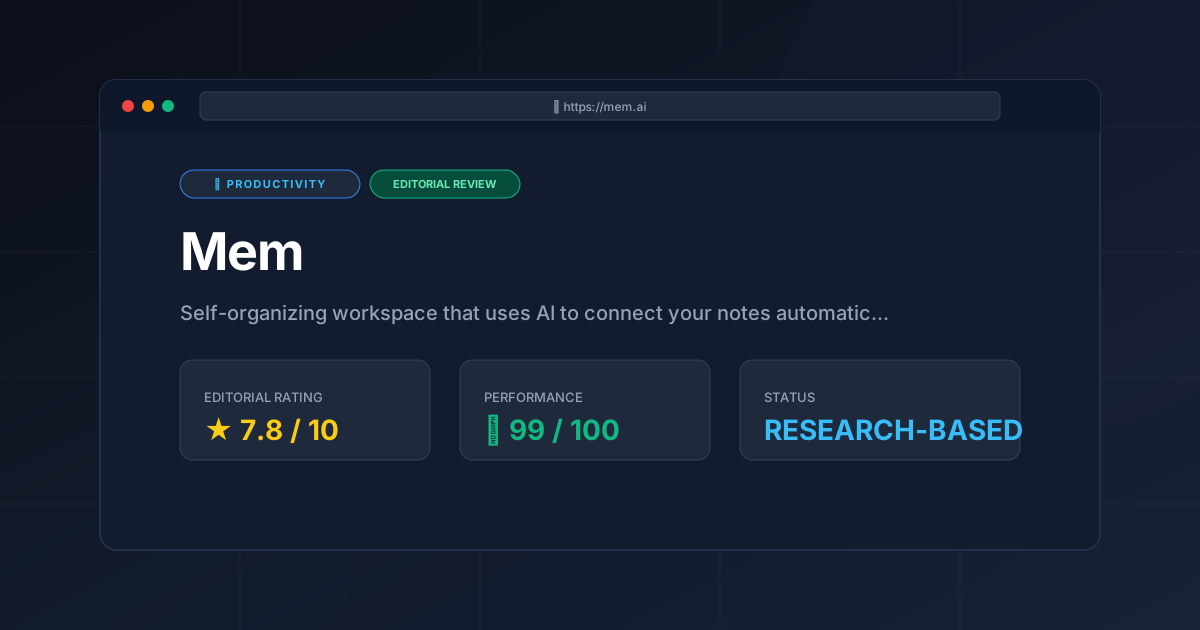
AI notes are evolving. Discover if Mem’s self-organizing workspace actually eliminates the organization tax in our deep-dive 2026 technical review.
Disclaimer: This review is based on publicly available information, including official documentation, pricing pages, and public repositories; it is not a laboratory benchmark.
As the volume of digital information increases, the traditional method of organizing notes—folders, sub-folders, and rigid hierarchies—has become a bottleneck for many knowledge workers. Mem enters the market not as a traditional notebook, but as a "self-organizing workspace." By leveraging AI notes technology to handle the connective tissue of information, Mem attempts to solve the "organization tax" that typically plagues productivity software.
What are AI Notes in Mem? #
AI notes are digital entries that utilize semantic analysis and machine learning to automatically categorize, link, and retrieve information without manual filing. Instead of using folders, the system understands the context of the text to surface relevant connections, effectively transforming a static notebook into a dynamic, searchable knowledge graph.
Overview: Why Mem is Trending in 2026 #
Mem is an AI-native note-taking application designed specifically for creatives, entrepreneurs, and knowledge workers who find traditional folder structures restrictive. Unlike legacy tools that require the user to decide where a note lives before they write it, Mem encourages a stream-of-consciousness approach.
The tool is trending because it shifts the burden of organization from the human to the machine. Through a combination of AI-powered search and automatic linking, Mem aims to surface relevant information exactly when it is needed, rather than requiring the user to navigate a complex directory. In an era where "second brain" methodologies (like Zettelkasten or P.A.R.A.) are popular, Mem provides a modernized, automated implementation of these concepts.
Key Technical Specifications & Fast Facts #
| Specification | Detail |
|---|---|
| License | Proprietary |
| Hosting Type | Cloud-based (SaaS) |
| Free Tier Availability | Yes (Freemium) |
| API Access | Available via Official Documentation |
| Supported Platforms | Web, macOS, Windows, iOS |
In-Depth Feature Breakdown & Technical Substance #
Mem’s value proposition rests on three primary technical pillars: AI-powered search, automatic linking, and smart capture.
1. AI-Powered Search and Retrieval #
Traditional search relies on keyword matching (Exact String Matching). If you search for "Project X Budget" but titled your note "Financials for Project X," a basic search might miss it. Mem utilizes semantic search, which understands the intent and context behind a query.
Technical Implementation:
Mem employs vector embeddings to represent notes in a multi-dimensional space. When a user enters a query, the system calculates the cosine similarity between the query vector and the stored note vectors. This allows the tool to find "conceptually similar" content even if the exact words differ.
Real-World Use Case:
Imagine an entrepreneur managing five different clients. Instead of browsing through five separate folders, they can ask the workspace, "What were the main concerns raised by the client during the last Q3 meeting?" Mem analyzes the semantic meaning of "concerns" and "Q3 meeting" across all notes to surface the most relevant snippets.
2. Automatic Linking and Connection #
One of the most significant pain points in knowledge management is the manual creation of backlinks. Mem utilizes AI to suggest connections between notes based on content similarity.
Workflow Example:
- Note A: A brainstorm about "Sustainable Packaging Materials."
- Note B: A meeting note from a vendor discussing "Biodegradable Polymers."
- The Connection: Mem identifies the conceptual overlap and suggests a link or surfaces Note A while the user is editing Note B.
This reduces the cognitive load of manual tagging and ensures that disparate pieces of information are synthesized over time. For those looking for a broader view of how these tools fit into a wider ecosystem, we recommend exploring our guide on the Best Productivity in 2026: 5 Top Picks Reviewed.
3. Smart Capture and Integration #
Mem focuses on reducing the friction between having a thought and recording it. Smart capture allows users to import information from various sources—emails, browser clips, and quick entries—without worrying about the destination folder.
Configuration Example:
To optimize capture, users can configure the Mem browser extension to automatically tag clips with a source URL. This creates a metadata trail that the AI uses to group research papers or competitor analysis without the user ever creating a "Research" folder.
Step-by-Step Getting Started Guide #
To maximize the utility of a self-organizing workspace, the approach must differ from traditional note-taking.
- Account Setup: Visit the Mem Pricing Page and create an account. Choose the Free tier to begin exploring the interface.
- The "Dump" Phase: For the first two weeks, avoid the urge to organize. Import your existing notes or start writing daily logs. The AI requires a critical mass of data to begin making meaningful connections.
- Utilizing the Timeline: Use the timeline view to track your entries chronologically. This is the primary way to navigate before the AI suggestions become highly accurate.
- Implementing Semantic Queries: Instead of searching for specific titles, start asking questions. Use natural language to find information (e.g., "Who did I talk to about the marketing budget last month?").
- Refining with Tags: While Mem is self-organizing, using a few high-level tags can help the AI categorize your "buckets" of information more efficiently.
Objective Pros & Cons Matrix #
| Pros | Cons |
|---|---|
| Zero-friction entry: No need to manage folders or complex hierarchies. | Lack of structural control: Users who love rigid organization may feel "lost" without folders. |
| Semantic Search: Finds information based on meaning, not just keywords. | Privacy Concerns: AI-driven organization requires the system to "read" and analyze your data. |
| Automatic Synthesis: Surfaces related notes automatically, aiding serendipitous discovery. | Learning Curve: Requires a mental shift from "filing" to "streaming" information. |
| Fast Capture: Excellent tools for quickly getting ideas into the system. | Dependency on AI: The value of the tool scales with the quality of the AI's suggestions. |
Mem vs. Competitors: Direct Comparison #
Mem occupies a unique space between the structured database approach of Notion and the traditional notebook approach of Evernote.
| Feature | Mem | Notion | Evernote |
|---|---|---|---|
| Primary Logic | AI-Driven / Associative | Block-based / Database | Folder-based / Notebook |
| Organization | Automatic | Manual / Highly Structured | Manual / Hierarchical |
| Search Speed | Fast (Semantic) | Moderate (Keyword/Filter) | Fast (Keyword) |
| Pricing | Freemium | Freemium | Freemium (Limited) |
| Best For | Rapid capture & discovery | Project mgmt & Wikis | Long-term archiving |
While Mem handles the "knowledge" side of productivity, many users pair it with a dedicated scheduling tool. If you are managing a team's time alongside your notes, you might find the Best Scheduling Tool for Teams: Cal.com Review (2026) useful for coordinating the meetings that generate these notes.
Pricing Tiers & Value Assessment #
Mem operates on a Freemium model. While the specific feature gates can change, the general structure is as follows:
- Free Tier: Ideal for individuals starting their "second brain." It provides the core note-taking and basic AI capabilities.
- Paid Tier (Mem X / Pro): This tier typically unlocks advanced AI features, higher limits for smart capture, and enhanced search capabilities.
Is the paid tier worth it?
For the casual user, the free tier is sufficient. However, for "power users"—such as consultants or researchers who manage thousands of disparate notes—the paid tier is a significant value add. The ability for the AI to synthesize information across a massive dataset transforms the tool from a simple notebook into a genuine cognitive assistant. If your primary goal is to eliminate the time spent searching for "that one note from six months ago," the investment is justified.
Frequently Asked Questions #
Does Mem replace the need for a calendar? #
No. Mem is a knowledge management tool, not a scheduling tool. It is designed to store the results of your meetings and the thoughts behind your projects. For actual scheduling, users typically integrate it with a calendar application to manage their time.
How does Mem handle privacy and data security? #
Because Mem uses AI to analyze your notes, data processing is central to its function. Users should review the official privacy policy on the Mem website to understand how their data is used to train models and what encryption standards are in place for cloud storage.
Can I export my data if I decide to leave Mem? #
Yes, Mem generally allows for data export. However, because it lacks a traditional folder structure, the exported data may require significant reorganization if moved to a tool like Evernote or Notion, as the "links" are often internal to Mem's AI.
Is Mem suitable for collaborative team projects? #
While Mem is excellent for individual knowledge work, it is less of a "project management" tool than Notion. It is better suited for shared knowledge bases and associative brainstorming than for tracking task statuses, Gantt charts, or hard deadlines.
How does the AI handle conflicting information in notes? #
The AI does not "resolve" conflicts but surfaces all relevant notes. If you have two notes with contradictory information, a semantic search for that topic will likely surface both, allowing the human user to determine which piece of information is current.
Final Verdict & Editorial Rating #
Mem represents a fundamental shift in how we interact with our digital notes. By removing the "organization tax," it allows the user to focus on the act of creation and thinking rather than the act of filing. However, this convenience comes with a trade-off: the loss of granular, manual control.
For those who find the "blank page" of Notion overwhelming or the "folders" of Evernote archaic, Mem is a breath of fresh air. It is not a replacement for a structured database, but it is perhaps the best tool currently available for associative thinking.
Who should use Mem?
- Entrepreneurs: Who juggle multiple projects and need to connect dots quickly.
- Creatives: Who prefer a stream-of-consciousness workflow over a rigid structure.
- Knowledge Workers: Who suffer from "information overload" and spend too much time searching for old notes.
Who should avoid Mem?
- Project Managers: Who require strict hierarchies, Kanban boards, and deadline tracking.
- Privacy Purists: Who are uncomfortable with AI analyzing their personal notes for the sake of organization.
Editorial Rating: 7.8/10 #
A powerful, forward-thinking tool that successfully automates the most tedious part of note-taking, though it may alienate those who prefer traditional structural control.
More Tools Worth Reading
Screenpipe
ProductivityIn-depth review of Screenpipe in 2026: key features, pricing, alternatives and who it is best for.
Paperclip
ProductivityIn-depth review of Paperclip in 2026: key features, pricing, alternatives and who it is best for.
Hindsight
ProductivityHindsight review: Explore how this open-source agent memory layer eliminates LLM amnesia, cuts token costs, and powers self-learning AI workflows in 2...