Work OS Review: Is Monday.com the Best Choice for 2026?
⚡ Executive Summary
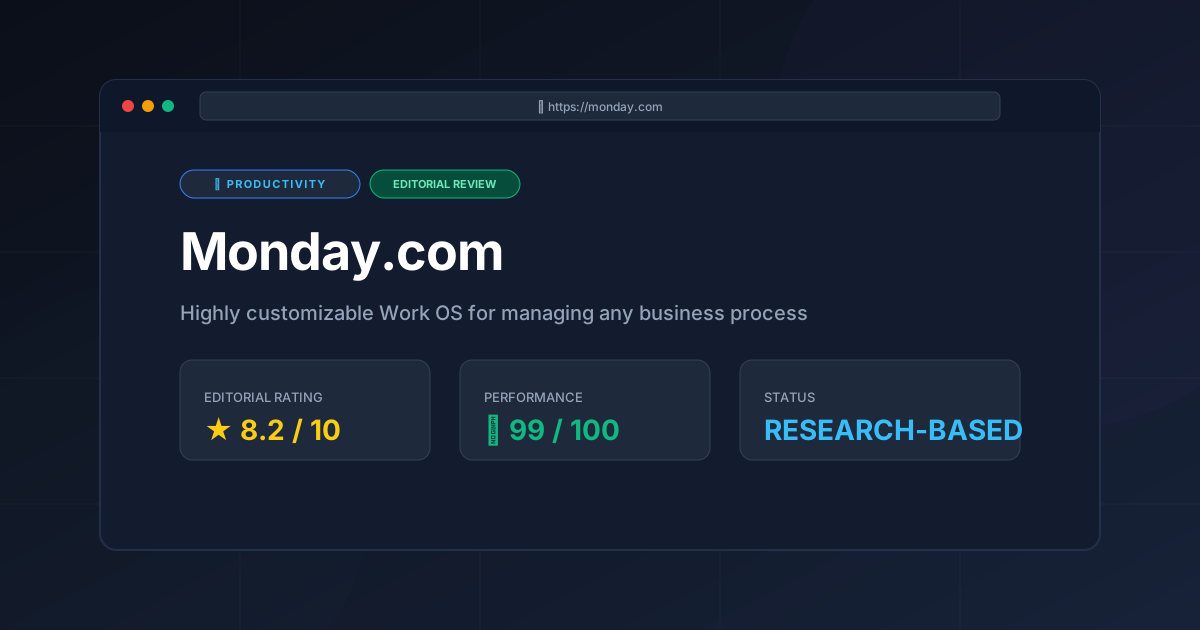
Work OS capabilities redefined. Explore our deep dive into Monday.com to see if its automation and flexibility can scale your business operations.
Disclaimer: This review is based on publicly available information, including official documentation, pricing pages, and public repositories; it is not based on laboratory benchmarks or first-person installation tests.
In the current landscape of digital transformation, the shift from static task lists to a dynamic work OS has become a priority for scaling enterprises. Monday.com has positioned itself at the forefront of this movement, evolving from a simple project management tool into a comprehensive operational framework. By allowing teams to build custom applications for business process management without writing a single line of code, it addresses the "toggle tax"—the productivity loss associated with switching between fragmented software tools.
What is a Work OS? #
A work OS is a flexible, low-code platform that allows organizations to build custom workflows, databases, and applications to manage their unique business processes. Unlike traditional software with rigid structures, a work OS provides modular building blocks—such as columns, boards, and automations—that users can configure to fit their specific operational needs.
Technical Architecture and Core Specifications #
Monday.com operates as a cloud-native SaaS platform. Its architecture is designed for high extensibility, utilizing a robust API layer that allows it to function as the central "brain" of a company's tech stack.
| Specification | Detail |
|---|---|
| License | Proprietary / SaaS |
| Hosting Type | Cloud-based |
| Free Tier Availability | Limited (Individual/Small Team) |
| API Access | REST API / GraphQL |
| Supported Platforms | Web, iOS, Android |
| Data Model | Relational Boards & Items |
In-Depth Feature Breakdown & Technical Implementation #
The utility of monday.com lies in its modularity. Rather than providing a static set of tools, it provides a framework for data organization that can be scaled from a simple to-do list to a complex Enterprise Resource Planning (ERP) system.
1. Custom Columns and Relational Data Architecture #
The core unit of the platform is the "Board." While these resemble spreadsheets, they function as relational databases. Users can implement various column types to track specific data points, including status, priority, timelines, and complex formulas.
Technical Implementation: HR Onboarding Pipeline
To build a professional onboarding system, an HR team should configure a board with the following logic:
- Status Column: Defined as a dropdown (Applied $\rightarrow$ Interviewing $\rightarrow$ Offered $\rightarrow$ Onboarded).
- Timeline Column: To track the orientation window and start date.
- People Column: To assign a mentor and a hiring manager for accountability.
- Formula Column: Using a syntax similar to Excel to calculate
DAYS(Start_Date, TODAY())to track the countdown to a new hire's arrival.
2. The Advanced Automation Engine #
The platform utilizes a "When [Trigger] $\rightarrow$ Then [Action]" logic. This removes the manual overhead of updating statuses or notifying stakeholders, which is essential for maintaining data integrity in large teams.
Workflow Configuration: Marketing Content Approval
- Trigger: When "Status" changes to "Ready for Review."
- Action: Notify "Creative Director" via push notification and move the item to the "Review Board."
- Trigger: When "Status" changes to "Approved."
- Action: Update "Due Date" to the current date and notify the "Social Media Manager."
This automation capability is a primary reason why many teams transition from basic lists to a full work OS environment.
3. Dashboard Reporting and Data Visualization #
Dashboards act as a reporting layer that aggregates data from multiple boards. This allows executives to monitor organizational health without navigating individual task lists.
Real-World Use Case: Agency Resource Allocation
An agency owner can deploy a dashboard containing:
- Battery Widget: Visualizing the percentage of total projects completed across five different client boards.
- Chart Widget: A bar graph showing the workload distribution per employee to identify potential burnout.
- Numbers Widget: Aggregating total revenue tracked from a "Sales Pipeline" board.
4. Integration Ecosystem and Extensibility #
The platform integrates with a vast array of third-party tools. For teams that require specialized scheduling, integrating a dedicated tool like the Best Scheduling Tool for Teams: Cal.com Review (2026) can complement Monday's internal task tracking by handling external appointment booking.
For developers, the Monday.com API Documentation provides the necessary endpoints to build custom apps or sync data with external SQL databases, ensuring the platform doesn't become a data silo.
Step-by-Step Configuration Guide #
To maximize the utility of a work OS, you must plan the data structure before inputting data. Following a haphazard setup often leads to "configuration bloat."
Step 1: Define the Workspace Hierarchy #
Create separate Workspaces for different departments (e.g., "Marketing," "Product," "HR"). This prevents data clutter and allows for granular permission management, ensuring that sensitive HR data isn't visible to the general marketing team.
Step 2: Architect the Board Logic #
Start with a template or a blank board. Define your columns first. Ask: "What is the primary status of this item?" and "Who needs to be notified when this changes?" Ensure you use "Connect Boards" columns to link related data (e.g., linking a "Client" board to a "Project" board).
Step 3: Build the Automation Layer #
Navigate to the "Automations" center. Start with simple notifications (e.g., "When date arrives, notify owner") before moving to complex cross-board movements. Be mindful of your tier's monthly action limits to avoid workflow interruptions.
Step 4: Configure Multi-Dimensional Views #
Switch between views based on the user's role:
- Table View: Best for data entry and bulk editing.
- Kanban View: Ideal for workflow visualization and "pull" systems.
- Gantt View: Essential for timeline dependencies and critical path analysis.
Step 5: Deploy Executive Dashboards #
Create a "Master Dashboard" and link it to all active boards. Use the "Filter" function to create specific views for different stakeholders, tracking KPIs in real-time.
Objective Pros & Cons Matrix #
| Pros | Cons |
|---|---|
| Extreme Flexibility: Can be adapted for almost any business process. | Steep Learning Curve: The "blank canvas" nature can be overwhelming for new users. |
| Visual Appeal: Highly intuitive UI with color-coded statuses. | Pricing Structure: Per-seat pricing can become expensive for large organizations. |
| Powerful Automations: Reduces repetitive manual data entry significantly. | Complexity Overload: Easy to over-engineer a board, making it sluggish. |
| Robust API: GraphQL API allows for deep custom integrations. | Limited Free Tier: The free version is too restrictive for professional teams. |
Monday.com vs. Alternatives: The Work OS Comparison #
When choosing a productivity tool, the decision usually comes down to the balance between "out-of-the-box" functionality and "customizability."
| Feature | Monday.com | ClickUp | Asana |
|---|---|---|---|
| Core Philosophy | Work OS (Build your own) | "Everything App" (Feature-dense) | Task Management (Structured) |
| Customizability | Very High | Extremely High | Moderate |
| Speed/Performance | Smooth, but JS-heavy | Can feel bloated/slower | Generally fast and snappy |
| Pricing | Mid-to-High (Tiered) | Competitive / Value-driven | Premium |
| Best For | Ops/HR/Marketing Teams | Power users / Tech startups | Project Managers / Creative agencies |
For those who find the open-ended nature of Monday.com too daunting, the ClickUp Project Management Review (2026): Is It the Best provides a look at a tool that offers more built-in features but with a different complexity profile.
Pricing Tiers & Value Assessment #
Monday.com operates on a tiered subscription model (Basic, Standard, Pro, and Enterprise). Detailed costs and seat minimums can be found on the official pricing page.
Is the paid tier worth it?
For a professional team, the answer is generally yes. The "Basic" tier is often insufficient because it lacks the advanced automations and integrations that define the work OS experience. The "Standard" or "Pro" tiers are where the actual value is realized.
The value proposition is not in the task tracking—which can be done in a free tool—but in the time recovered through automation. If a manager saves 5 hours a week on manual reporting, the subscription pays for itself. However, solo freelancers may find the cost prohibitive compared to simpler alternatives.
Frequently Asked Questions #
Is Monday.com a CRM or a Project Management tool? #
It is both. Because it functions as a work OS, you can use it as a CRM by creating boards for leads and sales pipelines, or as a project management tool by using Gantt charts and task lists. The user defines the tool's purpose through configuration.
How does the automation limit work? #
Each pricing tier has a monthly cap on the number of automation "actions" that can run. If your workflow is highly complex, you may hit these limits, requiring an upgrade to a higher tier. This is a critical consideration for high-volume operations.
Can Monday.com replace a full-time database? #
For most business operations, yes. However, for massive datasets (hundreds of thousands of rows) or complex relational queries, a dedicated SQL database or a tool like Airtable might be more appropriate due to performance constraints.
Does Monday.com support guest access for clients? #
Yes, it allows for "Guest" users who can be invited to specific boards without seeing the rest of the workspace. This is essential for client-facing project management and maintaining internal privacy.
How does it compare to other productivity suites? #
Compared to the options in our Best Productivity in 2026: 5 Top Picks Reviewed, Monday.com stands out for its visual flexibility and "low-code" approach to business process management.
Final Verdict & Editorial Rating #
Monday.com is a powerhouse of operational efficiency. It successfully bridges the gap between a rigid database and a loose to-do list. Its greatest strength is its versatility; it is one of the few tools that can genuinely serve an HR department, a sales team, and a software development squad simultaneously.
However, this versatility is a double-edged sword. Without a disciplined administrator to set the "rules" of the workspace, the platform can quickly devolve into a chaotic collection of colorful boards. It requires an initial investment of time in "architecting" the system before the productivity gains are realized.
Who should use it?
- Operations Teams: Who need to map complex, multi-step business processes.
- Marketing Agencies: Who manage multiple clients with varying workflows.
- Mid-to-Large Organizations: That have outgrown spreadsheets but aren't ready for custom enterprise software.
Who should avoid it?
- Solo Freelancers: Who may find the pricing and complexity overkill.
- Purely Technical Teams: Who prefer Markdown-based or highly streamlined developer tools.
Editorial Rating: 8.2/10 #
A top-tier productivity solution that earns its high score through unmatched flexibility and automation, though held back slightly by its pricing model and the potential for configuration overwhelm.
More Tools Worth Reading
Screenpipe
ProductivityIn-depth review of Screenpipe in 2026: key features, pricing, alternatives and who it is best for.
Paperclip
ProductivityIn-depth review of Paperclip in 2026: key features, pricing, alternatives and who it is best for.
Hindsight
ProductivityHindsight review: Explore how this open-source agent memory layer eliminates LLM amnesia, cuts token costs, and powers self-learning AI workflows in 2...