Zettelkasten Mastery with Obsidian Review (2026): Full Guide
⚡ Executive Summary
Zettelkasten workflows redefined. Discover how Obsidian enables a local-first second brain with our deep dive into features, pricing, and setup. Read more!
Disclaimer: This review is based on publicly available information, including official documentation, pricing pages, and public repositories, and is not a laboratory benchmark.
Overview: What is Obsidian and Why is it Trending? #
Obsidian is a powerful, local-first knowledge base that operates as a sophisticated interface for a folder of plain-text Markdown files. Unlike traditional note-taking apps that lock data into proprietary databases or cloud-only silos, Obsidian treats your local file system as the "source of truth." For those seeking to implement a Zettelkasten system, Obsidian provides the necessary infrastructure to link disparate ideas into a cohesive, evolving web of knowledge.
The tool has trended significantly among researchers, developers, and writers because it shifts the paradigm from linear note-taking (folders and lists) to networked thought. By utilizing bi-directional linking, Obsidian allows users to create a "second brain," mirroring the associative nature of human memory. As privacy concerns regarding cloud-based AI and data harvesting increase, the commitment to local storage found at the official Obsidian site makes it a primary choice for those who require absolute sovereignty over their intellectual property.
What is the Zettelkasten Method in Obsidian? #
The Zettelkasten method is a knowledge management system that emphasizes the creation of "atomic" notes—single ideas captured on individual slips—which are then linked via unique identifiers. In Obsidian, this is achieved through bi-directional linking, allowing users to discover non-obvious connections between notes and evolve a static archive into a dynamic, generative thinking tool.
Key Technical Specifications & Fast Facts #
| Specification | Detail |
|---|---|
| License | Proprietary (Free for personal use) |
| Hosting Type | Local-first (User-managed storage) |
| Free Tier Availability | Yes (Full feature set for personal use) |
| API Access | Community Plugin API (JavaScript/TypeScript) |
| Supported Platforms | Windows, macOS, Linux, iOS, Android |
In-Depth Feature Breakdown & Real-World Use Cases #
1. Bi-directional Linking and the Knowledge Graph #
At the core of Obsidian is the [[WikiLink]]. When you create a link to another note, Obsidian doesn't just create a pointer; it tracks the relationship in both directions. If Note A links to Note B, Note B automatically shows a "backlink" to Note A.
Real-World Use Case: The Zettelkasten Workflow
For a researcher implementing a Zettelkasten (slip-box) system, this is transformative. Instead of filing a note under "Psychology > Cognitive Bias," the user creates a note on "Confirmation Bias" and links it to "Decision Making" and "Heuristics." Over time, the Knowledge Graph—a visual map of these links—reveals clusters of related ideas that the user may not have consciously recognized, sparking new insights.
2. Local Markdown Storage #
Obsidian does not use a proprietary format. Every note is a .md file stored on the user's hard drive. This ensures that even if the software ceases to exist, the data remains accessible via any text editor.
Workflow Example: Developer Documentation
A developer can keep their Obsidian vault inside a Git repository. This allows them to use professional version control (Git) for their personal knowledge base, enabling branching, merging, and auditing of their notes using standard CLI tools, while using Obsidian as the primary GUI for writing and visualization. This technical flexibility is a hallmark of the Obsidian public repository philosophy regarding community contributions and extensibility.
3. Extensive Plugin Ecosystem #
The community-driven plugin architecture allows Obsidian to evolve from a simple text editor into a full-scale productivity suite. Users can install plugins for Kanban boards, Dataview (SQL-like querying of notes), and Calendar integration.
Practical Workflow: Automated Project Tracking
Using the Dataview plugin, a user can turn their notes into a database. By adding metadata to the top of a note (YAML frontmatter), such as status: in-progress and due: 2026-10-01, they can create a dynamic dashboard page that automatically lists all "in-progress" tasks across their entire vault. This bridges the gap between the flexibility of a notebook and the structure of a database, similar to the functionality found in our analysis of the Best Productivity in 2026: 5 Top Picks Reviewed.
Technical Configuration: Advanced Setup Guide #
To move beyond basic note-taking and into a professional-grade knowledge system, consider the following technical configurations:
Implementing a Robust Folder Structure #
While the Zettelkasten method discourages over-reliance on folders, a hybrid approach is often most stable:
00_Inbox: For raw, unprocessed captures.10_Literature_Notes: Summaries of books, articles, and podcasts.20_Permanent_Notes: Atomic, synthesized ideas (the core of the Zettelkasten).30_Maps_of_Content (MOCs): Index notes that organize links to specific themes.90_Attachments: A dedicated folder for images and PDFs to prevent vault clutter.
Optimizing the Dataview Query #
To automate your dashboard, use the following Dataview syntax in a note to track active projects:
TABLE status, due_date
FROM "20_Permanent_Notes"
WHERE status = "in-progress"
SORT due_date ASC
This transforms a collection of text files into a relational database without sacrificing the local-first nature of the data.
Handling Sync Edge Cases #
Since Obsidian is local-first, syncing across devices can be a friction point.
- Cloud Sync (Dropbox/iCloud): Easiest for beginners, but prone to "conflicted copy" files if two devices edit the same note simultaneously.
- Git Sync: Best for developers. Use the Obsidian Git plugin to automate commits and pushes to a private repository every X minutes.
- Obsidian Sync: The official encrypted solution. It handles conflict resolution more gracefully than generic cloud providers.
Step-by-Step Getting Started Guide #
- Vault Creation: Upon first launch, Obsidian asks you to create a "Vault." A vault is simply a folder on your computer where all your notes and attachments will reside.
- Writing Your First Note: Create a new file and start typing in Markdown. Use
#for headings,**for bold, and-for lists. - Establishing Connections: While writing, wrap any concept or existing note title in double brackets
[[ ]]. This creates a link. If the note doesn't exist yet, Obsidian will create a placeholder for it. - Exploring the Graph: Click the "Graph View" icon in the left sidebar. You will see your notes as nodes and your links as edges. Use the filters to color-code notes by folder or tag.
- Customization: Navigate to
Settings > Community Plugins. Turn off "Safe Mode" to browse the community gallery. We recommend starting with Dataview for organization and Templater for automating note structures.
Objective Pros & Cons Matrix #
Pros
- Data Sovereignty: You own your files; no vendor lock-in.
- Offline Performance: Extremely fast since it doesn't rely on server requests for basic editing.
- Extreme Flexibility: Can be as simple as a diary or as complex as a corporate wiki.
- Privacy: Data stays on your device unless you explicitly choose a sync service.
- Markdown Standard: High interoperability with other tools and platforms.
Cons
- Steep Learning Curve: The "blank slate" nature can be overwhelming for beginners.
- Syncing Friction: Official sync is a paid service; manual syncing (via Dropbox/iCloud/Git) requires technical setup.
- Mobile Experience: While functional, the mobile app is less fluid than cloud-native competitors.
- Plugin Dependency: Many "essential" features require third-party plugins, which can break during core updates.
Obsidian vs. Competitors: Direct Comparison #
| Feature | Obsidian | Notion | Roam Research |
|---|---|---|---|
| Storage | Local-first (Markdown) | Cloud-based (Database) | Cloud-based (Graph) |
| Speed | Instant (Local) | Variable (Network dependent) | Moderate |
| Pricing | Free for personal use | Freemium / Tiered | Paid Subscription |
| Linking | Bi-directional | Page-based / Relations | Bi-directional / Block-level |
| Offline Mode | Native / Full | Limited | Limited |
| Best For | Privacy-focused researchers | Team collaboration | Networked thinkers |
While Obsidian excels in individual knowledge management and Zettelkasten implementation, those requiring heavy team collaboration may find the database-centric approach of Notion more intuitive. However, for those who prioritize a permanent, private archive, Obsidian is the superior choice.
Pricing Tiers & Value Assessment #
Obsidian employs a unique pricing model: the core application is free for personal use. This is a significant value proposition, as most modern "productivity" tools have shifted to monthly subscriptions. Detailed breakdowns can be found on the official Obsidian pricing page.
Paid Offerings:
- Obsidian Sync: A paid encrypted service that synchronizes your vaults across devices.
- Obsidian Publish: A paid service that allows you to turn your vault (or parts of it) into a public website.
- Commercial License: Required for companies with more than two employees.
Is the paid tier worth it?
For the average user, the free version is sufficient. If you are technically proficient, you can replace Obsidian Sync with Syncthing, iCloud, or GitHub. However, for users who want a "zero-config" experience across Windows, iOS, and Android, Obsidian Sync is a worthwhile investment in convenience and security.
Frequently Asked Questions #
Is Obsidian a replacement for a task manager? #
It can be, but it is not a dedicated task manager. While you can use checkboxes and plugins like Tasks, it lacks the native reminders and complex scheduling found in specialized tools. For those needing rigorous team scheduling, we suggest looking at our Open Source Scheduling: Cal.com Review (2026) & Guide.
How does Obsidian handle images and PDFs? #
Obsidian stores attachments in a designated folder within your vault. It links to them using standard Markdown syntax ![[image.png]]. Because these are local files, they load instantly and remain accessible regardless of the app's status.
Can I use Obsidian without knowing Markdown? #
Yes. Obsidian provides a "Live Preview" mode that renders Markdown in real-time, making it feel more like a traditional word processor while keeping the underlying file as plain text for maximum portability.
Is my data safe if Obsidian goes out of business? #
Yes. This is the primary advantage of the tool. Since your notes are just .md files in a folder, you can open them with any text editor (VS Code, Notepad, TextEdit) without needing Obsidian to be installed.
How does Obsidian differ from a standard folder of text files? #
While the data is just text files, Obsidian provides the "intelligence" layer. It manages the bi-directional links, generates the visual knowledge graph, and allows for complex querying via plugins, which would be impossible in a standard file explorer.
Final Verdict & Editorial Rating #
Obsidian is a masterclass in the "tools for thought" movement. By decoupling the data (Markdown files) from the interface (the Obsidian app), it solves the longevity problem that plagues most productivity software. It is not a "plug-and-play" tool; it requires an investment of time to configure and a willingness to learn a new way of organizing information.
However, for the target audience—researchers, developers, and writers—the trade-off is well worth it. The ability to visualize the connections between disparate ideas via the knowledge graph and a strict Zettelkasten approach is a genuine force multiplier for intellectual productivity.
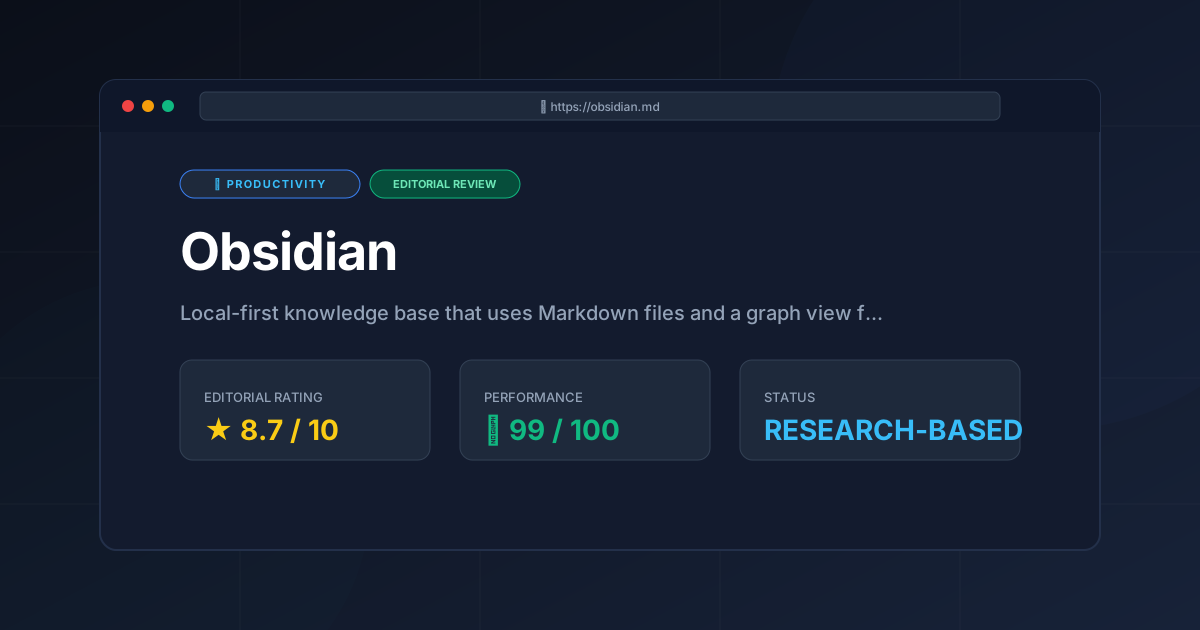
Editorial Rating: 8.7/10
Who should use it?
- The Archivist: Anyone who wants a lifelong, portable record of their thoughts.
- The Academic: Researchers managing hundreds of sources and complex inter-dependencies.
- The Developer: Those who prefer Markdown and want a local-first environment that integrates with their existing file workflows.
Who should avoid it?
- The Casual Note-Taker: If you only need a place for grocery lists and quick reminders, Obsidian is overkill.
- The Heavy Collaborator: If your primary goal is real-time co-editing with a large team, a cloud-native database tool is more appropriate.
More Tools Worth Reading
Screenpipe
ProductivityIn-depth review of Screenpipe in 2026: key features, pricing, alternatives and who it is best for.
Paperclip
ProductivityIn-depth review of Paperclip in 2026: key features, pricing, alternatives and who it is best for.

Hindsight
ProductivityHindsight review: Explore how this open-source agent memory layer eliminates LLM amnesia, cuts token costs, and powers self-learning AI workflows in 2...