Best local LLM UI: Open WebUI Review (2026) & Guide
⚡ Executive Summary
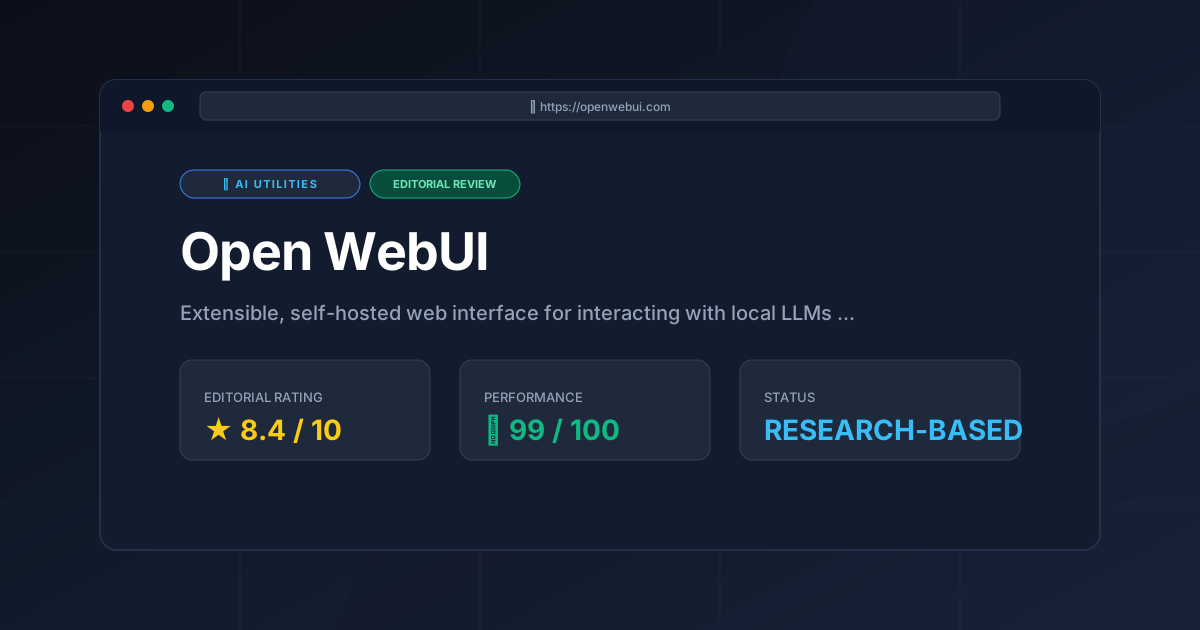
local LLM UI Open WebUI reviewed. Discover how to host your own private AI with RAG and multi-user support to regain your data sovereignty today.
Disclaimer: This review is based on publicly available information, including official documentation, the public GitHub repository, and pricing pages; it is not based on laboratory benchmarks or internal first-person testing.
Overview: What is Open WebUI and Why is it Trending? #
Open WebUI is an extensible, self-hosted web interface designed specifically to bridge the gap between the raw power of local Large Language Models (LLMs) and the polished user experience typically associated with proprietary platforms like ChatGPT or Claude. As a premier local LLM UI, it serves as a versatile frontend that allows users to manage, interact with, and customize their AI deployments without needing to rely on a command-line interface (CLI). While it is most famously paired with Ollama, it functions as a comprehensive orchestration layer for any OpenAI-compatible API.
The tool has trended rapidly within the developer and AI enthusiast communities for one primary reason: sovereignty. As privacy concerns regarding cloud-based AI grow, the demand for a "local-first" stack has surged. Open WebUI provides the missing piece of that stack—a sophisticated interface that supports multi-user management, Retrieval Augmented Generation (RAG), and model switching, all while keeping data strictly on the user's own hardware.
For those who are moving beyond simple chat interfaces and exploring autonomous workflows, this tool acts as a central hub. While it handles the interaction layer, users often pair it with specialized tools for automation, such as those discussed in our AI CLI Agent Review: Claude Code (2026) Features & Verdict, to create a comprehensive local development environment.
What is a local LLM UI? #
A local LLM UI is a graphical user interface (GUI) that allows users to interact with Large Language Models running on their own hardware rather than via a cloud provider. It replaces the technical command-line interface with a web-based dashboard, enabling features like chat history, document uploads (RAG), and easy model switching through a visual menu.
Key Technical Specifications & Fast Facts #
| Specification | Detail |
|---|---|
| License | Open Source (MIT) |
| Hosting Type | Self-Hosted (Docker recommended) |
| Free Tier Availability | 100% Free (Open Source) |
| API Access | Yes (Ollama API / OpenAI compatible) |
| Supported Platforms | Linux, macOS, Windows (via Docker/WSL2) |
| Official Site | Open WebUI Official |
In-Depth Feature Breakdown & Real-World Use Cases #
Open WebUI is more than a simple "skin" for Ollama; it is a full-featured AI orchestration layer. Below is a technical analysis of its core pillars.
1. Integrated RAG (Retrieval Augmented Generation) Support #
One of the most powerful aspects of this local LLM UI is its native support for RAG. Instead of relying on the model's static training data, users can upload documents (PDFs, text files, etc.) directly into the interface. The system parses these documents, creates embeddings, and stores them in a local vector database.
Practical Workflow:
A developer can upload a 200-page technical manual for a proprietary legacy system. When asking a question, Open WebUI performs a semantic search across the uploaded documents and injects the relevant snippets into the prompt context.
- Input: "How do I configure the timeout settings in the legacy API?"
- Process:
Document Search$\rightarrow$Context Extraction$\rightarrow$LLM Generation. - Result: An answer based strictly on the uploaded manual rather than a hallucinated guess.
2. Multi-Model Orchestration and Comparison #
Open WebUI allows users to run multiple models simultaneously. This is critical for "model benchmarking," where a user can send the same prompt to Llama 3, Mistral, and Phi-3 to compare the quality of the output side-by-side.
Practical Workflow:
An AI enthusiast testing a new fine-tuned model can use the interface to switch between a "base" model and a "fine-tuned" version instantly. This eliminates the need to restart the backend or manually change API endpoints in a script, making the iterative testing process significantly faster.
3. Robust User Management and RBAC #
Unlike many local LLM wrappers that are designed for a single user, Open WebUI includes a comprehensive user management system. This allows a team lead to host a single instance of the software on a powerful server and grant access to multiple team members.
Practical Workflow:
A small agency hosts Open WebUI on a GPU-enabled server. The administrator creates accounts for five developers. Using Role-Based Access Control (RBAC), the admin can control who has the authority to pull new models from the Ollama library or modify system prompts, ensuring the server's VRAM isn't exhausted by unauthorized model downloads.
4. Extensibility via "Functions" and "Tools" #
The platform supports a plugin-like architecture where users can add custom functions to extend the LLM's capabilities. This moves the tool from a "chatbot" to an "agentic interface." For those looking to integrate web-browsing capabilities into their local stack, this is where Open WebUI complements tools like those analyzed in our Browser Use AI Review (2026): Features, Pricing & Verdict.
Step-by-Step Getting Started Guide #
To deploy this local LLM UI, the most stable and recommended method is via Docker. This ensures all dependencies (Python, Node, etc.) are encapsulated.
Prerequisites Checklist #
- [ ] Docker Desktop installed and running.
- [ ] Ollama installed on the host machine.
- [ ] Minimum 16GB RAM (32GB+ recommended for larger models).
- [ ] NVIDIA GPU with 8GB+ VRAM (for acceptable inference speeds).
Installation Steps #
- Install the Backend: First, install Ollama on your machine. Ensure the Ollama server is running and accessible.
- Deploy via Docker: Run the following command in your terminal to pull the latest image from the official GitHub container registry:
docker run -d -p 3000:8080 --add-host=host.docker.internal:host-gateway -v open-webui:/app/backend/data --name open-webui ghcr.io/open-webui/open-webui:main- Initial Configuration: Navigate to
http://localhost:3000in your web browser. - Account Creation: The first account created becomes the Administrator. Set up your email and password.
- Connect to Ollama: The software should automatically detect Ollama via the
host.docker.internalgateway. If not, navigate to Settings > Connections and manually enter the Ollama API URL. - Pull a Model: Use the "Model" dropdown to select a model (e.g.,
llama3) and click "Download" to pull it from the registry to your local hardware.
Objective Pros & Cons Matrix #
| Pros | Cons |
|---|---|
| Zero Cost: Fully open-source with no hidden subscription fees. | Hardware Dependent: Performance relies entirely on the user's GPU/RAM. |
| Privacy First: Data never leaves the local network, ensuring total sovereignty. | Setup Friction: Requires Docker knowledge for optimal installation and updates. |
| Feature Rich: RAG and User Management are built-in, not third-party plugins. | Resource Heavy: The UI and vector DB add overhead to the system RAM. |
| UI/UX: Closely mimics the intuitive flow of commercial AI tools like ChatGPT. | Update Velocity: Rapid development can occasionally lead to breaking changes. |
Open WebUI vs. Competitors: Direct Comparison #
When choosing a local LLM UI, it is important to distinguish between a "frontend" and a "loader."
| Feature | Open WebUI | LibreChat | Text-generation-webui |
|---|---|---|---|
| Primary Focus | Ollama Ecosystem / UX | Multi-API Aggregator | Model Loading/Tuning |
| RAG Support | Native & Integrated | Via External Plugins | Basic / Limited |
| User Mgmt | Advanced (RBAC) | Very Advanced | Minimal/Basic |
| Setup Ease | Medium (Docker) | Hard (Complex Config) | Medium (Install scripts) |
| Pricing | Open Source | Open Source | Open Source |
| Best For | Local LLM Power Users | Enterprise API Hubs | LLM Researchers/Tinkers |
Pricing Tiers & Value Assessment #
Open WebUI operates on a purely Open Source model. There are no "Pro" or "Enterprise" tiers offered by the core project.
Value Assessment:
The value proposition is exceptionally high. By providing a professional-grade interface for free, Open WebUI removes the "UX tax" associated with local AI. Users no longer have to choose between the privacy of a CLI and the convenience of a web app. The only "cost" is the hardware investment (GPU) and the time spent on initial configuration.
Frequently Asked Questions #
Do I need a powerful GPU to run Open WebUI? #
Open WebUI itself is a lightweight web interface and does not require a GPU. However, the models it connects to (via Ollama) require significant VRAM for acceptable performance. For a smooth experience, an NVIDIA RTX series GPU is highly recommended to avoid slow token generation.
Can I connect Open WebUI to cloud models like GPT-4 or Claude? #
Yes. While it is designed as a local LLM UI, Open WebUI supports OpenAI-compatible APIs. You can input your API keys in the settings to use cloud models within the same interface, allowing you to toggle between local and cloud models seamlessly.
Is my data safe when using the RAG feature? #
Yes. Unlike cloud RAG services, Open WebUI processes and stores the embeddings locally. Your documents are not uploaded to a third-party server for indexing; they remain within your Docker volume or local storage.
How does Open WebUI differ from the Ollama CLI? #
Ollama is the "engine" (the backend); Open WebUI is the "dashboard" (the frontend). The CLI is efficient for quick tasks, but Open WebUI provides a visual history, document management, and multi-user support that the CLI lacks.
Can I host this on a VPS or a home server? #
Absolutely. Because it is containerized via Docker, you can host it on any Linux-based VPS or home server (like Unraid or TrueNAS). Just ensure the server has the necessary GPU passthrough configured if you intend to run the models on that same machine.
Final Verdict & Editorial Rating #
Open WebUI is currently the gold standard for those seeking a self-hosted AI interface. It successfully transforms the experience of running local LLMs from a technical chore into a seamless, productive workflow. Its integration of RAG and user management makes it a viable alternative to paid corporate AI portals for small teams and privacy-conscious individuals.
The only significant drawback is the dependency on Docker for a stable installation, which may intimidate non-technical users. However, for its target audience of developers and AI enthusiasts, this is a negligible hurdle.
Editorial Rating: 8.4/10 #
Who should use it?
- Developers who want a private, local environment for coding assistance.
- Privacy Advocates who refuse to send sensitive data to cloud providers.
- AI Hobbyists who enjoy swapping and testing different open-source models.
- Small Teams looking to deploy a shared, internal AI knowledge base using RAG.
More Tools Worth Reading
Cline
Ai UtilitiesCline AI is a powerful open-source autonomous coding agent for VS Code. Read our deep-dive review to discover its features, costs, and setup workflows...
v0.dev
Ai UtilitiesAI UI generator v0.dev reviewed. Learn how this Vercel tool transforms prompts into React code to accelerate your frontend development workflow.
Vercel v0
Ai UtilitiesAI UI generator Vercel v0 reviewed. Learn how to automate React and Tailwind CSS components to accelerate your frontend development workflow today.