macos spotlight replacement: Raycast Review (2026) & Guide
⚡ Executive Summary
macos spotlight replacement options analyzed. Discover why Raycast is the top choice for power users to boost efficiency and automate workflows.
Disclaimer: This review is based on publicly available information, including official documentation, pricing pages, and public repositories, and is not a laboratory benchmark.
In the ecosystem of macOS productivity, the "launcher" has evolved from a simple file-search bar into a command-center for the entire operating system. For many, finding a capable macos spotlight replacement is the first step toward a truly keyboard-centric workflow. Raycast has emerged as a primary contender in this space, positioning itself not just as a utility, but as an extensible platform. While Apple's Spotlight provides the baseline functionality, power users—specifically developers and system architects—often find it too restrictive. Raycast aims to fill this gap by blending the speed of a native launcher with the flexibility of a community-driven plugin architecture.
What is a macos spotlight replacement? #
A macos spotlight replacement is a third-party application designed to supersede the native Apple Spotlight search. These tools provide enhanced functionality such as advanced clipboard management, window snapping, and extensible plugins, allowing users to execute complex system commands and API-driven tasks directly from a single command palette without opening multiple separate applications.
Overview: Why Raycast is Trending #
Raycast is an extensible launcher for macOS designed to replace Spotlight. At its core, it is a command palette that allows users to execute tasks, search files, and control applications via a keyboard-centric interface. Unlike traditional launchers that rely on static feature sets, Raycast leverages a robust API that allows the community to build "extensions."
The tool is trending because it shifts the productivity paradigm from "opening an app to perform a task" to "performing a task from the launcher." For a developer, this means the ability to check Jira tickets, search GitHub repositories, or clear a DNS cache without ever leaving the keyboard or switching windows. This philosophy aligns with the broader trend of "command-palette" interfaces seen in modern IDEs like VS Code, making it an intuitive transition for technical professionals.
Key Technical Specifications & Fast Facts #
| Specification | Detail |
|---|---|
| License | Proprietary (Freemium) |
| Hosting Type | Local Client (macOS Native) |
| Free Tier Availability | Yes (Core features & Community Store) |
| API Access | Yes (Node.js / TypeScript based extensions) |
| Supported Platforms | macOS |
In-Depth Feature Breakdown & Real-World Use Cases #
Raycast’s value proposition lies in its ability to consolidate fragmented workflows. Rather than managing ten different small utilities, Raycast integrates these capabilities into a single input field.
1. The Extension Store & Community Plugins #
The crown jewel of Raycast is its Store. Unlike competitors that require manual installation of "workflows" from third-party forums, Raycast provides a curated, integrated marketplace. These plugins are written in TypeScript and React, allowing for rich UI elements within the launcher.
Practical Use Case: A developer can install the "GitHub" extension. Instead of opening a browser, navigating to GitHub, and searching for an issue, they can simply type gh search issues directly into Raycast. This reduces the cognitive load and prevents the "browser tab sprawl" that often plagues high-productivity environments.
2. Clipboard History & Snippets #
Raycast replaces the need for third-party clipboard managers. It maintains a searchable history of text, images, and files copied to the clipboard. Additionally, its "Snippets" feature allows users to create keyboard shortcuts for frequently used text blocks.
Practical Use Case: When managing infrastructure, a DevOps engineer might have a snippet for a complex SSH command or a boilerplate JSON configuration. By typing a keyword (e.g., !ssh-prod), Raycast instantly expands the snippet into the full command, eliminating repetitive typing and reducing the risk of typos in critical environments.
3. Window Management #
Raycast integrates window snapping and positioning directly into the command palette. While macOS has improved its windowing, it still lacks the granular control found in dedicated tools like Rectangle or Magnet.
Practical Use Case: A user can type Left Half or Maximize to instantly snap their active window. When combined with other best productivity in 2026: 5 top picks reviewed, this creates a seamless environment where the user never has to touch the mouse to organize their workspace.
4. System Commands & Quick AI #
Beyond plugins, Raycast provides native system commands (e.g., "Empty Trash," "Sleep," "Restart") and an integrated AI layer that can rewrite text, summarize content, or generate code snippets based on the current clipboard content.
Step-by-Step Getting Started Guide #
Setting up a macos spotlight replacement like Raycast is straightforward, but optimizing it requires a deliberate approach to avoid "feature overload."
- Installation: Download the
.dmgfrom the official website and move Raycast to your Applications folder. - Permissions: Grant the necessary Accessibility and Full Disk Access permissions. This is critical for features like window management and file searching to function.
- The Hotkey: Configure your primary activation shortcut. While
Cmd + Spaceis the macOS default for Spotlight, many users remap Spotlight to something else and assignCmd + Spaceto Raycast for a seamless replacement. - Exploring the Store: Open the Store (
Cmd + K$\rightarrow$ "Store") and search for tools you already use (e.g., Notion, Spotify, Jira, AWS). - Customizing Aliases: For your most-used commands, assign a short alias. For example, instead of typing "Search Google," you can set an alias like
gso thatg [query]triggers a web search immediately. - Integrating with your Stack: If you use a modern scheduling setup, such as the one detailed in our modern calendar review: is cron the best scheduling tool for, look for calendar extensions that allow you to view your next meeting directly from the Raycast bar.
Objective Pros & Cons Matrix #
Pros
- Developer-First Design: Built with TypeScript, making it highly extensible for those who can code.
- Unified Experience: Replaces 4-5 separate apps (Clipboard manager, Window manager, Snippets, Launcher).
- Low Friction Onboarding: The integrated Store makes adding functionality much easier than Alfred's workflow system.
- Modern UI: Clean, aesthetically pleasing interface that feels native to macOS Sonoma/Sequoia.
Cons
- macOS Exclusive: No version available for Windows or Linux, limiting team-wide standardization.
- Resource Overhead: While efficient, running many complex plugins can increase RAM usage compared to basic Spotlight.
- Privacy Trade-offs: Some cloud-based plugins require API keys and data transmission to third-party servers.
- Subscription Model: Some of the most powerful "Pro" features (like AI) require a monthly fee.
Raycast vs. Competitors: Direct Comparison #
When evaluating a macos spotlight replacement, it is essential to compare the technical architecture and pricing models.
| Feature | Raycast | Alfred | Spotlight |
|---|---|---|---|
| Plugin Ecosystem | Integrated Store (TS/React) | Community Workflows (Python/Bash) | None (Native only) |
| Window Management | Built-in | Via Workflows | None |
| Clipboard History | Built-in (Free) | Powerpack (Paid) | None |
| Setup Speed | Very Fast | Moderate (Steep learning curve) | Instant |
| Pricing | Freemium | One-time Powerpack fee | Free (Included) |
| Best For | Developers & Power Users | Legacy Power Users / Minimalists | Casual Users |
Pricing Tiers & Value Assessment #
Raycast operates on a freemium model. The Free Tier is remarkably generous, providing the core launcher, the full community store, clipboard history, and window management. For the vast majority of users, the free version is more than sufficient.
The Paid Tiers (Pro/Teams) primarily focus on:
- Raycast AI: Integration of LLMs directly into the launcher for coding and writing assistance.
- Cloud Sync: Syncing settings and snippets across multiple Macs.
- Team Shared Snippets: Allowing a development team to share a library of common commands.
Value Assessment: If you are an individual developer, the free tier is an absolute win. The paid tier is only "worth it" if you find yourself using AI tools constantly throughout the day and prefer them integrated into your OS rather than in a separate browser tab. For teams, the shared snippet functionality can significantly reduce onboarding time for new engineers. Detailed pricing can be found on the official Raycast pricing page.
Technical Implementation: Building Your Own Extension #
For those who find the existing store lacking, Raycast allows for custom development. The architecture is based on a Node.js environment. To begin, developers use the Raycast CLI to scaffold a project.
Example Workflow for Custom Extension:
- Install the CLI:
npm install -g @raycast/api - Create a new command:
raycast create - Define the UI using React components provided by the
@raycast/apipackage. - Deploy the extension locally for testing or publish it to the store.
This level of customization is why Raycast is often cited as the superior macos spotlight replacement for technical users. You can find the full technical specifications in the Raycast Developer Documentation.
Frequently Asked Questions #
Does Raycast replace Spotlight entirely? #
Yes, it can. While Spotlight remains on the system, you can disable the Cmd + Space shortcut for Spotlight and assign it to Raycast, effectively making Raycast your primary interface for searching and launching.
Is Raycast safe for enterprise use? #
Raycast is a local application, but plugins often require API keys to connect to services (like GitHub or Jira). Users should review the permissions of each plugin they install from the Store. For strict enterprise environments, it is worth checking the official site for their latest security compliance documentation.
Can I write my own plugins for Raycast? #
Yes. Raycast provides a comprehensive API and a CLI tool to scaffold new extensions using React and TypeScript. This makes it far more accessible to modern web developers than the scripting languages used by older launchers.
Does Raycast slow down my Mac? #
For most modern Macs (M1/M2/M3 chips), the impact is negligible. However, because it is a wrapper for various scripts and APIs, it will use more memory than the bare-bones Spotlight.
How does Raycast handle data privacy? #
Most of Raycast's core functionality happens locally on your machine. However, when using the AI features or third-party extensions, data is sent to the respective service providers. Users can manage these permissions on a per-extension basis.
Final Verdict & Editorial Rating #
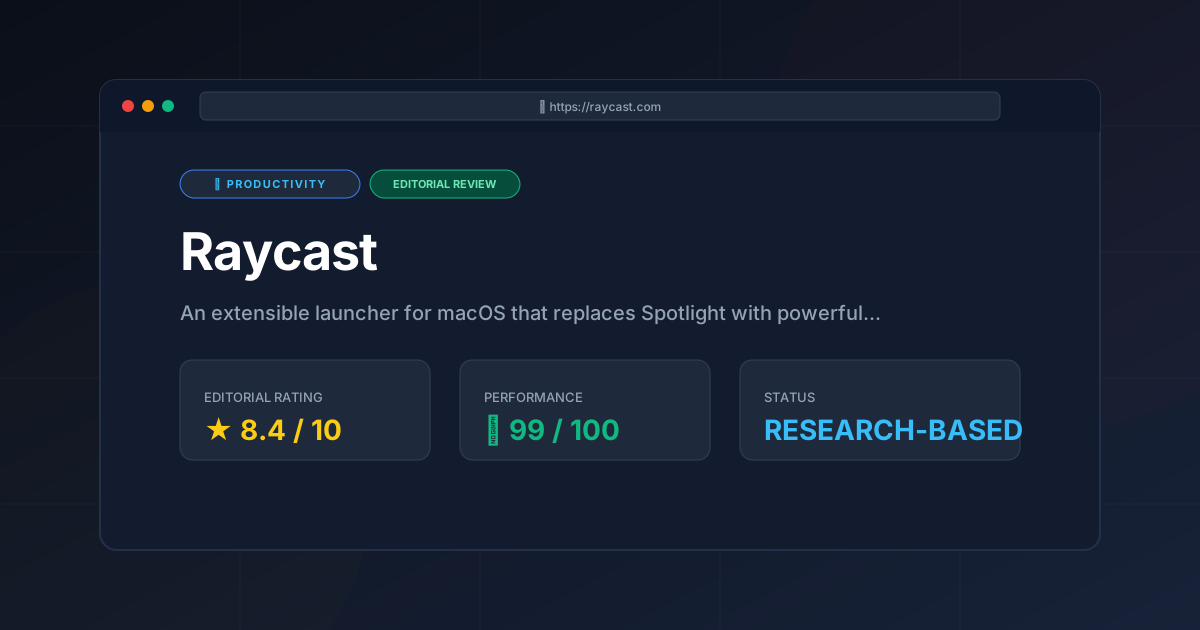
Raycast is a masterclass in modern utility design. It recognizes that the "launcher" is no longer just about finding a file—it is about orchestrating a digital workspace. By integrating window management, clipboard history, and a developer-friendly plugin store, it eliminates the "micro-friction" of switching between multiple small utility apps.
The only significant drawbacks are its platform exclusivity (macOS only) and the potential for "plugin bloat" if a user installs too many unnecessary extensions. However, for a developer looking to optimize their workflow—perhaps alongside a visual PKM like the one described in our visual PKM guide: heptabase review (2026) features & verdict—Raycast is an essential tool.
Final Score: 8.4/10 #
Recommendation:
- Use it if: You are a macOS user, a developer, or someone who spends 8+ hours a day at a keyboard and wants to minimize mouse usage.
- Skip it if: You prefer a completely minimalist system, use Windows/Linux, or find the idea of a "command palette" overwhelming.
More Tools Worth Reading
Screenpipe
ProductivityIn-depth review of Screenpipe in 2026: key features, pricing, alternatives and who it is best for.
Paperclip
ProductivityIn-depth review of Paperclip in 2026: key features, pricing, alternatives and who it is best for.
Hindsight
ProductivityHindsight review: Explore how this open-source agent memory layer eliminates LLM amnesia, cuts token costs, and powers self-learning AI workflows in 2...