Best Regex Tester 2026: Regex101 Comprehensive Review
⚡ Executive Summary
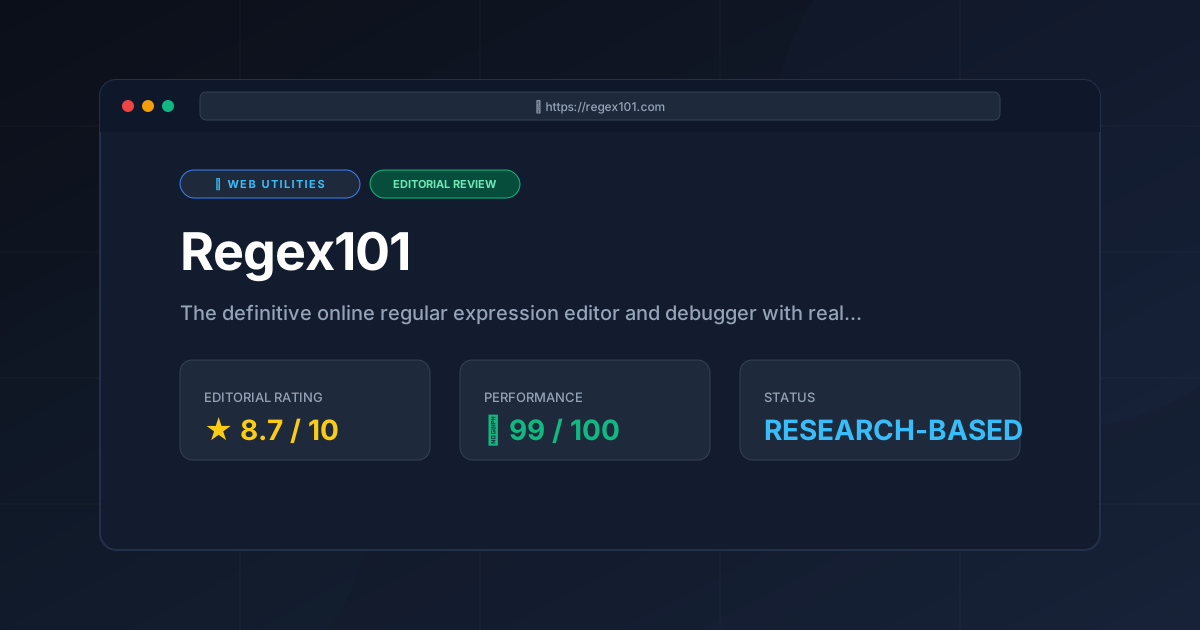
regex tester tools are essential for devs. Discover why Regex101 is the industry standard for debugging patterns and how to master it today.
Disclaimer: This review is based on publicly available information, including official documentation, the pricing page, and public repositories; it is not a laboratory benchmark.
Regular expressions (regex) are notoriously difficult to write, read, and maintain. Even for seasoned developers, a single misplaced quantifier or an unescaped special character can lead to catastrophic backtracking or silent failures in production. To mitigate these risks, using a dedicated regex tester is essential for bridging the gap between theoretical pattern matching and practical, bug-free implementation. In the ecosystem of web-utilities, Regex101 has emerged as the primary resource for developers to validate complex strings before deploying them to production environments.
What is a Regex Tester? #
A regex tester is a specialized development tool that allows users to input a regular expression and a test string to see matches in real-time. It provides immediate visual feedback, explains the logic of the pattern, and ensures compatibility across different programming language engines.
Overview: Why Regex101 is the Industry Standard #
Regex101 is a sophisticated web-based editor designed to allow developers to build, test, and debug regular expressions in real-time. Unlike a simple text search, it provides a comprehensive environment that explains exactly how the regex engine is interpreting a pattern against a given string of text.
The tool solves the "black box" problem of regex. Traditionally, a developer would write a pattern in their IDE, run the code, and if it failed, they would guess which part of the expression was the culprit. Regex101 eliminates this guesswork by providing a live, step-by-step breakdown of the matching process. For those who frequently handle data transformation, it serves as a companion to other powerful tools like the CyberChef Data Converter Review (2026): The Ultimate Guide, which handles the data pipeline while Regex101 handles the precise pattern extraction.
Key Technical Specifications & Fast Facts #
| Specification | Detail |
|---|---|
| License | Proprietary / Free to use |
| Hosting Type | Cloud-based (SaaS) |
| Free Tier Availability | Yes (Full feature set available for free) |
| API Access | Not publicly documented as a primary feature |
| Supported Platforms | Any modern web browser (Chrome, Firefox, Safari, Edge) |
| Official Site | regex101.com |
In-Depth Feature Breakdown & Real-World Use Cases #
1. Real-Time Regex Explanation #
The standout feature of the regex101.com platform is the "Explanation" pane. As you type your pattern, the tool generates a human-readable description of what each token does.
Practical Workflow:
Imagine a developer trying to validate a complex password requirement: at least one uppercase letter, one lowercase letter, one digit, and 8+ characters.
- Pattern:
^(?=.*[a-z])(?=.*[A-Z])(?=.*\d).{8,}$ - The Advantage: Instead of manually tracing the positive lookaheads
(?=.*[a-z]), the tool explicitly states: "Positive lookahead: matches a position where the following characters match the pattern..." This educational feedback loop is invaluable for junior developers and a time-saver for seniors.
2. Multi-Flavor Support #
Regex is not a single language; it is a family of languages. A pattern that works in JavaScript may fail in Python or PHP due to differences in how they handle lookbehinds or named capture groups. This regex tester allows users to switch between flavors:
- PCRE (PHP/R)
- JavaScript
- Python
- Golang
- Java
Real-World Use Case:
A developer migrating a legacy PHP codebase to a Node.js environment can paste their existing PCRE patterns into the editor, switch the flavor to JavaScript, and immediately see if the pattern remains compatible or if it triggers a syntax error.
3. Unit Testing for Patterns #
Writing a regex that works for one string is easy; writing one that works for 1,000 edge cases is hard. Regex101 provides a "Unit Tests" feature that allows users to define a list of strings that should match and strings that should not match.
Practical Workflow:
When building a URL extractor, a developer can input:
https://google.com(Expected: Match)ftp://files.local(Expected: No Match)www.example.com(Expected: Match)
As the regex is tweaked, the tool provides a green/red indicator for each test case, ensuring that fixing one bug doesn't introduce a regression in another part of the pattern.
Step-by-Step Getting Started Guide #
To maximize the utility of this regex tester, follow this structured workflow:
- Select Your Flavor: On the left-hand sidebar, select the programming language you are using (e.g., Python 3). This ensures the engine behaves exactly as it will in your code.
- Input Your Test String: Paste the actual data you are trying to parse into the "Test String" field. This provides the context for the regex engine.
- Draft Your Pattern: Begin typing your regular expression in the top bar. Watch the "Explanation" pane to ensure your logic aligns with your intent.
- Utilize the Quick Reference: If you forget the syntax for a non-capturing group or a lazy quantifier, use the built-in "Quick Reference" cheat sheet located in the sidebar.
- Verify with Unit Tests: Open the Unit Test panel and add your "must-pass" and "must-fail" strings to harden your pattern.
- Export to Code: Once the pattern is verified, use the "Code Generator" feature to wrap the regex in the correct syntax for your chosen language.
Advanced Technical Considerations & Edge Cases #
When using a regex tester for production-grade code, developers must be aware of several technical pitfalls:
Catastrophic Backtracking #
One of the most dangerous aspects of regex is "catastrophic backtracking." This occurs when a pattern contains nested quantifiers (e.g., (a+)+$) and is run against a string that almost matches but fails at the end. The engine tries every possible combination, leading to exponential time complexity and potentially crashing the application (ReDoS attack). Regex101 helps identify this by highlighting the "step count" in the debugger, allowing you to see if a simple string is taking millions of steps to process.
Greedy vs. Lazy Matching #
A common error in pattern matching is the use of greedy quantifiers. By default, .* will match as much as possible.
- Greedy:
<div>Hello</div><div>World</div>matched with<div>.*</div>results in one match:<div>Hello</div><div>World</div>. - Lazy: Adding a
?(e.g.,<div>.*?</div>) results in two matches:<div>Hello</div>and<div>World</div>.
Using a visual regex tester makes this distinction immediately obvious through the highlighted match blocks.
Lookaround Limitations #
Lookaheads (?=...) and lookbehinds (?<=...) are powerful but vary by engine. For instance, some engines require lookbehinds to be of a fixed length. If you are developing for a specific environment, always check the official PCRE documentation or the specific language docs to ensure the feature is supported in your target runtime.
Objective Pros & Cons Matrix #
Pros #
- Educational Value: The real-time explanation turns a debugging tool into a learning platform.
- Zero Friction: No installation, account creation, or payment is required to access core functionality.
- Flavor Accuracy: High fidelity in mimicking the behavior of different language engines.
- Visual Feedback: Color-coded highlighting of matches and capture groups makes complex patterns easier to visualize.
Cons #
- Privacy Concerns: Since it is a web-based tool, users must be cautious about pasting sensitive production data or PII (Personally Identifiable Information) into the test string field.
- Learning Curve: The sheer amount of information in the UI can be overwhelming for absolute beginners.
- Dependency on Browser: As a web utility, it is not available offline, which may be a hindrance in secure, air-gapped environments.
Regex101 vs. Competitors: Direct Comparison #
The primary competitor in this space is RegExr. While both are excellent, they cater to slightly different needs.
| Feature | Regex101 | RegExr |
|---|---|---|
| Detailed Explanation | Extremely granular, token-by-token | High-level, conceptual |
| Flavor Support | Broad (PCRE, JS, Python, Go, Java) | Primarily JavaScript focused |
| Unit Testing | Dedicated test suite panel | Basic match/no-match testing |
| Pricing | Free | Free |
| Best For | Complex debugging & multi-language projects | Quick JS patterns & visual learning |
For those looking for a broader array of free web utilities: 3 browser tools, no signup, Regex101 stands out as the most "technical" of the bunch, prioritizing precision over aesthetic simplicity.
Pricing Tiers & Value Assessment #
Regex101 operates on a free-to-use model. Unlike many modern SaaS tools, it does not lock essential features behind a "Pro" paywall. The core functionality—the editor, the flavor switching, the explanation engine, and the unit tester—is available to everyone.
Is there a paid tier?
While the tool is primarily free, the developers often provide options for donations or sponsorships to keep the service running. You can find more details on their official pricing and support page. Because there is no restrictive "Free vs. Paid" feature matrix, the value assessment is straightforward: the tool provides professional-grade utility at zero cost to the end-user.
Frequently Asked Questions #
Is my data stored on Regex101 servers? #
Data entered into the test fields is processed to provide the match results. However, users should always refer to the official privacy policy on the site. As a best practice, avoid using real passwords, API keys, or private customer data in any online regex tester.
Can Regex101 help me write regex for a language not listed? #
Most languages use a variation of PCRE or JavaScript regex. If your language isn't listed, choosing PCRE is often the closest approximation, but you should verify the specific syntax of your language's documentation.
Does Regex101 support "Lookbehinds"? #
Yes, but support depends on the "Flavor" selected. For example, JavaScript's support for lookbehinds was added in ES2018; if you select an older JS flavor or a language that doesn't support them, the tool will alert you to the syntax error.
How do I save my patterns for later use? #
Regex101 allows you to save patterns via a URL. When you save a regex, the tool encodes the pattern and the test string into the URL itself. You can bookmark this URL to return to your work later.
What is the difference between a capturing and non-capturing group? #
A capturing group (...) remembers the matched text for later use (e.g., in a replacement). A non-capturing group (?:...) groups the tokens for logic (like applying a quantifier) but does not store the result, which improves performance.
Final Verdict & Editorial Rating #
Regex101 is an indispensable asset for any developer's toolkit. It transforms one of the most frustrating aspects of programming—regex debugging—into a transparent and manageable process. While it lacks the offline capability of an IDE plugin, its multi-flavor support and granular explanations make it superior to almost any other web-based alternative.
The only significant caveat is the inherent risk of using a cloud-based tool for sensitive data. For developers working in highly regulated industries (Healthcare, Finance), we recommend using the tool for pattern development with "dummy data" and then implementing the final pattern locally.
For a comprehensive list of other productivity tools, feel free to browse all tool reviews on PulseTools: the complete index.
Final Score: 8.7/10 #
Who should use it?
- Backend Developers: Who need to switch between Python, PHP, and Java.
- Frontend Developers: Who need to validate complex user input in JavaScript.
- Data Analysts: Who are cleaning large datasets and need precise extraction patterns.
- Students: Who want to learn how regular expressions actually work under the hood.
More Tools Worth Reading
Valibot
Web UtilitiesLightweight validation is key to performance. Discover how Valibot reduces bundle sizes and improves TTI—read our full 2026 technical analysis.
Webhook.site
Web UtilitiesWebhook tester tools like Webhook.site simplify API debugging. Learn how to inspect payloads and mock responses to accelerate your development workflo...
WebPageTest
Web UtilitiesPage speed test analysis made easy. Discover how WebPageTest provides forensic performance data to boost your Core Web Vitals and search rankings.