Real-time Analytics API Review (2026): Is Tinybird the Best?
⚡ Executive Summary
Real-time analytics API guide: Explore Tinybird’s ClickHouse-powered engine, pricing, and technical trade-offs to accelerate your data delivery.
Disclaimer: This review is based on publicly available information, including official documentation, pricing pages, and public repositories; it is not based on internal laboratory benchmarks or first-person installation tests.
Overview: What is Tinybird and Why is it Trending? #
In the modern data stack, there is often a painful gap between "data ingestion" and "data consumption." Traditionally, if a developer wanted to show a real-time dashboard to an end-user, they had to build a complex pipeline: streaming data into a warehouse, running scheduled ETL jobs, caching results in a NoSQL database, and finally building a REST API to serve that data.
Tinybird collapses this entire stack. It is a high-performance real-time analytics API that allows developers to ingest raw event streams and transform them into production-ready API endpoints using SQL. At its core, Tinybird is a managed layer built on top of ClickHouse, the columnar database renowned for its blistering query speeds on massive datasets.
Tinybird is trending because it shifts the focus from "managing a database" to "publishing an API." For data engineers and developers, this means the ability to go from a raw JSON event stream to a production-ready endpoint in minutes rather than weeks. It targets the "operational analytics" niche—where data isn't just for internal BI reports, but is a core part of the user-facing product experience.
What is a real-time analytics API? #
A real-time analytics API is a specialized interface that allows applications to ingest high-velocity data streams and query them instantly via HTTP requests. Unlike traditional databases, it optimizes for "read-heavy" analytical queries over millions of rows, delivering aggregated results in milliseconds to power user-facing dashboards and live features.
Key Technical Specifications & Fast Facts #
| Specification | Detail |
|---|---|
| License | Proprietary / SaaS |
| Hosting Type | Fully Managed Cloud |
| Free Tier Availability | Yes (Freemium) |
| API Access | REST API / SDKs |
| Supported Platforms | Cloud-native (Web-based IDE) |
| Core Engine | ClickHouse |
In-Depth Feature Breakdown & Real-World Use Cases #
Tinybird differentiates itself by treating SQL as the primary language for API development. To understand the full capability of this real-time analytics API, we must analyze its core technical pillars.
1. High-Throughput Event Ingestion #
Tinybird is designed to handle "firehose" data. Whether it is clickstream data, IoT sensor readings, or financial transactions, the platform provides ingestion endpoints that can handle millions of events per second.
Practical Workflow:
A developer sets up a "Data Source" via the official Tinybird site. They then send JSON payloads via a POST request to the Tinybird ingestion API. Unlike traditional databases where heavy indexing can slow down writes, Tinybird leverages the ClickHouse MergeTree engine to ensure that ingestion remains fast even as the dataset grows to billions of rows.
2. Real-Time SQL Analytics #
Once data is ingested, it resides in a Data Source. Tinybird provides a built-in SQL IDE where developers can write queries to aggregate or filter this data in real-time. Because it uses a columnar store, queries that would take minutes in PostgreSQL (like calculating the average order value over 100 million rows) typically return in milliseconds.
Example Use Case:
Imagine a ride-sharing app that needs to show drivers the "hottest" zones in the city right now. The developer writes a SQL query that groups GPS pings by geohash and counts them over the last 15 minutes. This query is saved as a "Pipe."
3. Instant API Generation #
This is the "magic" of the platform. Any SQL Pipe can be published as a production real-time analytics API endpoint with a single click. Tinybird handles the infrastructure, scaling, and security.
Technical Flow:
Raw Event Stream $\rightarrow$ Data Source $\rightarrow$ SQL Pipe (Transformation) $\rightarrow$ API Endpoint $\rightarrow$ Frontend Application.
This eliminates the need to write boilerplate Express or FastAPI code to wrap a database query. If you are building a high-traffic site and need to ensure your API responses are optimized, you might also look at our Browser Support Review (2026): Is Can I Use Still the Gold to ensure your frontend delivery is as fast as your backend data.
4. Materialized Views for Optimization #
For extremely heavy workloads, Tinybird allows the creation of Materialized Views. Instead of calculating a sum or average every time the API is called, Tinybird calculates the result as the data arrives. This shifts the computational load from "read-time" to "write-time," ensuring sub-second latency regardless of the number of concurrent users.
Technical Implementation: Step-by-Step Guide #
While we have not run the software internally, the documented onboarding process is streamlined for developers. To deploy a real-time analytics API, follow these steps:
Phase 1: Data Architecture #
- Account Setup: Create an account at
tinybird.coand initialize your workspace. - Create a Data Source: Define the schema for your incoming data. You can upload a CSV for testing or create an ingestion endpoint for live JSON streams.
- Ingest Data: Use
curlor a client library to push your first batch of events to the provided API key and endpoint.
Phase 2: Logic & Transformation #
- Write your first Pipe: Use the SQL editor to query your Data Source. For example:
SELECT count(*) FROM events WHERE event_type = 'signup'. - Optimize with Materialized Views: If the query slows down as data grows, convert the Pipe into a Materialized View to pre-aggregate the data.
Phase 3: Deployment #
- Publish the API: Click the "Publish" button. Tinybird will generate a unique URL.
- Integrate: Call that URL from your frontend or mobile app to display the real-time metric.
Objective Pros & Cons Matrix #
| Pros | Cons |
|---|---|
| Speed to Market: Reduces the time to deploy a data API from weeks to minutes. | Vendor Lock-in: Moving away from Tinybird requires migrating your SQL Pipes and ingestion logic. |
| Performance: Leverages ClickHouse for industry-leading analytical query speeds. | SQL Dependency: Users must be proficient in SQL to get the most out of the tool. |
| Zero Infrastructure: No need to manage clusters, shards, or replicas. | Cost Scaling: As data volume and API calls grow, costs can scale quickly compared to self-hosted options. |
| Developer Experience: Integrated IDE and API management in one place. | Limited General Purpose Use: Not a replacement for a transactional DB for CRUD operations. |
Tinybird vs. Alternatives: Choosing a real-time analytics API #
Tinybird competes in the "Real-time OLAP" (Online Analytical Processing) space. Here is how it stacks up against other heavy hitters.
| Feature | Tinybird | Apache Druid | Rockset |
|---|---|---|---|
| Primary Focus | API-first Analytics | Large-scale BI/Analytics | Real-time Indexing/Search |
| Ease of Setup | Extremely High (SaaS) | Low (Complex Setup) | High (SaaS) |
| Query Language | SQL (ClickHouse) | SQL / JSON | SQL |
| Speed | Ultra-fast (Columnar) | Very Fast (Indexing) | Ultra-fast (Converged Index) |
| Pricing | Freemium / Usage-based | Open Source / Managed | Enterprise / Usage-based |
| Best For | Devs building data-driven apps | Enterprise BI dashboards | Real-time search & analytics |
For those managing a wide array of tools in their stack, we recommend visiting the All Tool Reviews on PulseTools: the Complete Index to compare these data tools with other utility software.
Pricing Tiers & Value Assessment #
Tinybird operates on a Freemium model, detailed on their official pricing page.
- Free Tier: Generally designed for developers to prototype and experiment. It provides enough capacity to build a few pipes and ingest a reasonable amount of data.
- Paid Tiers: These typically scale based on data ingestion volume, storage, and the number of API calls.
Is the paid tier worth it?
For a solo developer or a small project, the free tier is generous. However, for a production application, the paid tier is where the value lies. The cost is essentially a trade-off: you are paying to avoid hiring a dedicated Database Administrator (DBA) to manage a ClickHouse cluster. If the cost of the subscription is lower than the salary of a DevOps engineer required to maintain a similar self-hosted stack, the value proposition is overwhelmingly positive.
Frequently Asked Questions #
Is Tinybird a replacement for my primary database (e.g., PostgreSQL)? #
No. Tinybird is an OLAP (Analytical) tool, not an OLTP (Transactional) tool. You should not use it to store user passwords or manage individual user profiles. Use it for event logs, metrics, and analytics that you want to serve via a real-time analytics API.
How does Tinybird handle data privacy and security? #
Tinybird provides API tokens with different permission levels (Read/Write). Since it is a managed service, it adheres to standard cloud security protocols. Users should refer to the official documentation for specific compliance certifications like SOC2 or GDPR.
Can I import existing data into Tinybird? #
Yes. While it is optimized for streams, you can import historical data via CSV uploads or by connecting to other data sources. This allows you to seed your real-time analytics API with historical context before going live.
What happens if my API endpoint gets a massive spike in traffic? #
Because it is a managed service built on ClickHouse, Tinybird is designed to scale horizontally. The infrastructure handles the load, though you should monitor your usage to avoid unexpected costs in the paid tiers.
Does Tinybird support complex joins? #
Yes, Tinybird supports SQL joins, but because it is a columnar store, it is most efficient when using "Star Schemas" or denormalized tables. For maximum performance, it is recommended to denormalize data during the ingestion phase.
Final Verdict & Editorial Rating #
Tinybird is a surgical tool designed for a very specific problem: the "Last Mile" of data delivery. By turning SQL queries into API endpoints, it removes the friction between the data warehouse and the end-user.
It is not a general-purpose database, and it is not a replacement for a full-scale BI suite. However, for developers who need to build real-time features—such as leaderboards, usage dashboards, or live monitoring tools—it is arguably the most efficient path to production available today.
The main trade-off is the reliance on a proprietary managed layer. While you can run ClickHouse yourself, you lose the "API-in-a-click" experience that makes this real-time analytics API special.
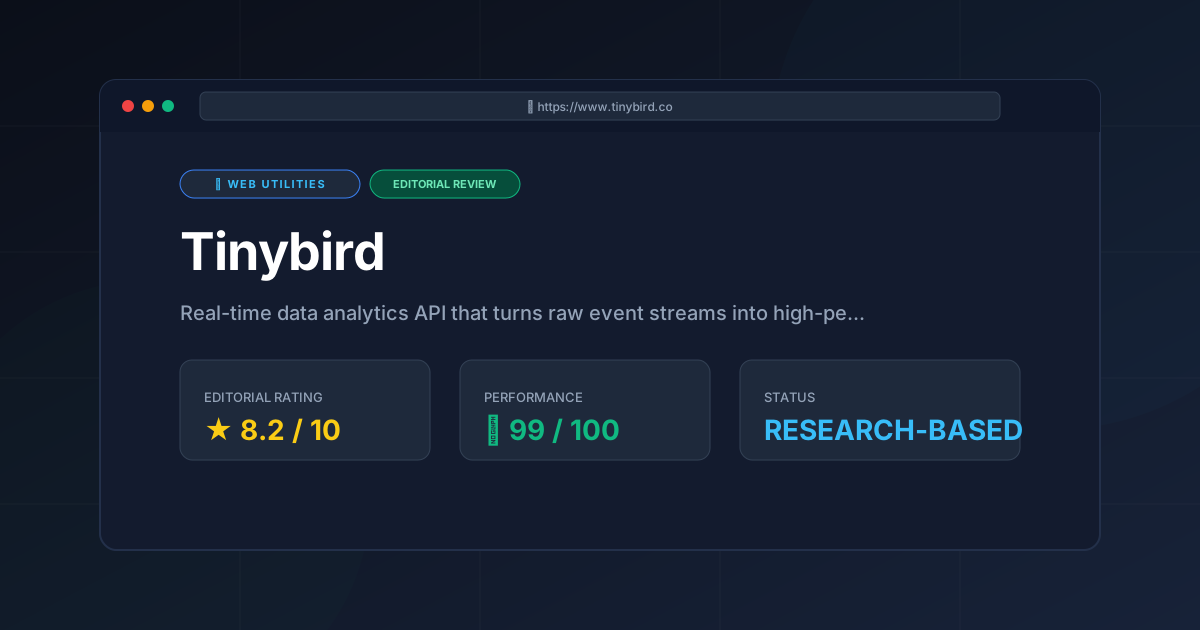
Editorial Rating: 8.2/10 #
Who should use it?
- Product Engineers who need to add analytics features to an app without building a backend data pipeline.
- Data Engineers who want to expose data to other teams via a clean REST API.
- Startups that need to scale their data infrastructure quickly without hiring a dedicated DevOps team.
Who should avoid it?
- Users looking for a primary transactional database for CRUD operations.
- Organizations with strict requirements to host all data on-premises (as Tinybird is a cloud-native SaaS).
- Teams with very low data volumes who can achieve the same results with a simple SQL query in a standard database.
More Tools Worth Reading
Squoosh
Web UtilitiesImage compressor Squoosh reviewed for 2026. Learn how to optimize WebP and AVIF files locally in your browser to boost site speed and UX.

Micro SaaS Statistics: 30 Tools Analysed
Web UtilitiesMicro saas statistics 2026: original data from 30 tool reviews - ratings, pricing models, category spread and review depth, written from published res...
Tally
Web UtilitiesSimple form builder Tally reviewed. Discover if its Notion-style editor and generous free tier make it the best data collection tool for your business...