Minimalist Task Manager: Things 3 Review (2026) & Guide
⚡ Executive Summary
Minimalist task manager Things 3 reviewed for 2026. Discover if this Apple-exclusive tool is the right fit for your workflow and why it beats the bloat.
Disclaimer: This review is based on publicly available information, including official documentation, pricing pages, and public user repositories, and is not a laboratory benchmark.
In an era of "feature bloat," where productivity tools often evolve into complex project management suites, Things 3 stands as a deliberate counter-movement. Developed by Cultured Code, this minimalist task manager is designed exclusively for the Apple ecosystem. It does not attempt to be a collaborative team hub or a database; instead, it focuses on the individual's ability to organize their life without the cognitive overhead of a steep learning curve.
Things 3 is trending in 2026 because of the growing "digital minimalism" movement. As users migrate away from cluttered interfaces, the demand for tools that prioritize aesthetics and intuitive UX has surged. While other tools pivot toward AI-driven automation and enterprise scaling, Things 3 maintains a steadfast commitment to a clean, focused environment. It is specifically engineered for those who find traditional task managers overwhelming and prefer a tool that feels like a natural extension of macOS, iOS, and watchOS.
What is a Minimalist Task Manager? #
A minimalist task manager is a productivity application that prioritizes a clean user interface and a reduced feature set to eliminate cognitive load. Unlike enterprise tools, it focuses on essential functions—capture, organization, and execution—allowing users to manage their daily obligations without the distraction of complex dashboards or unnecessary configuration options.
Key Technical Specifications & Fast Facts #
| Specification | Detail |
|---|---|
| License | Paid (One-time purchase per platform) |
| Hosting Type | Local-first with iCloud Sync |
| Free Tier Availability | No (Trial available) |
| API Access | Limited (URL Schemes supported) |
| Supported Platforms | macOS, iOS, iPadOS, watchOS |
In-Depth Feature Breakdown & Real-World Use Cases #
Things 3 is not defined by the quantity of its features, but by the precision of its execution. Below is a technical analysis of the core pillars that define the user experience.
1. The "Inbox" and "Today" Architecture #
The fundamental workflow of this minimalist task manager revolves around the separation of "capture" and "execution." The Inbox serves as a frictionless entry point for raw ideas. Once captured, these items are moved into Today (for immediate action) or Anytime/Someday (for future consideration).
Real-World Use Case: The "Brain Dump" Workflow
A designer starting their Monday morning can use the Quick Entry shortcut on macOS to dump ten disparate tasks into the Inbox without leaving their current application. Later, they can drag these tasks into specific projects or assign them to "Today." This prevents the "planning phase" from interrupting the "execution phase," a critical distinction for maintaining deep work.
2. Heading-Based Project Organization #
Unlike many task managers that rely on nested folders or complex tags, Things 3 utilizes Headings within projects. This allows users to create a linear, chronological, or thematic flow within a single project list.
Real-World Use Case: Product Launch Sequence
Instead of creating five separate lists for a product launch, a user creates one "Launch" project and uses headings:
- Phase 1: Design (Tasks: Wireframes, UI Kit, Prototyping)
- Phase 2: Development (Tasks: API Integration, Frontend Build)
- Phase 3: QA (Tasks: Beta Testing, Bug Fixes)
This creates a visual roadmap that is far more readable than a flat list of checkboxes.
3. Deep Apple Ecosystem Integration #
Things 3 is built specifically for Apple hardware. It leverages iCloud for seamless synchronization and utilizes native system behaviors (like Haptic Touch and Apple Watch complications) to reduce friction. You can find the full technical capabilities on the official Things site.
Real-World Use Case: The Mobile-to-Desktop Pipeline
A user captures a reminder via their Apple Watch while commuting. Because of the native iCloud integration, that task is instantly available on their Mac when they sit down at their desk. For those managing larger team-based workflows, they might supplement this individual focus with Project Tracking with Asana (2026): Full Review & Guide, using Things 3 for personal "to-dos" and Asana for team deliverables.
Step-by-Step Configuration & Getting Started Guide #
To maximize the utility of this minimalist task manager, users should follow a structured setup to avoid the common pitfall of "list hoarding."
Step 1: The Initial Capture #
Spend 30 minutes adding every single pending task, idea, and commitment into the Inbox. Do not worry about dates or projects yet. The goal is to clear your mental RAM completely.
Step 2: Categorization (Areas) #
Create "Areas" to define the broad spheres of your life (e.g., Work, Health, Finance, Home). Areas are ongoing responsibilities that don't have a definitive end date. This separates your professional identity from your personal maintenance.
Step 3: Project Mapping #
For tasks that require multiple steps, create a Project and assign it to an Area. Use Headings to break the project into manageable milestones.
- Edge Case: If a project has fewer than three steps, keep it as a single task with a checklist to avoid over-engineering your system.
Step 4: Scheduling and Deadlines #
Move tasks from your projects into Today or Anytime.
- The "When" Date: Use this for the day you intend to start the work.
- The "Deadline" Date: Use this only for hard, non-negotiable due dates.
Mixing these two often leads to a cluttered "Today" view that feels overwhelming.
Step 5: The Evening Review #
At the end of each day, review the "Today" list. Move unfinished tasks back to "Anytime" or reschedule them. This keeps the "Today" view honest and achievable, preventing the psychological fatigue of seeing a growing list of "overdue" items.
Objective Pros & Cons Matrix #
| Pros | Cons |
|---|---|
| Exceptional UI/UX: Widely considered one of the most beautiful apps on macOS/iOS. | Platform Lock-in: Zero support for Windows, Android, or Web browsers. |
| Low Friction: Quick entry and intuitive drag-and-drop interactions. | Pricing Model: Separate purchases for Mac, iPhone, and iPad can be costly. |
| Privacy-Centric: Uses iCloud for sync; no third-party account required. | Lack of Collaboration: No shared lists or team assignment features. |
| Focused Scope: Avoids feature bloat, reducing decision fatigue. | Basic Automation: Lacks the robust automation/rules found in OmniFocus. |
Things 3 vs. Alternatives: Choosing a Minimalist Task Manager #
When choosing a task manager, the decision usually comes down to the level of complexity required. Things 3 sits comfortably between the simplicity of Todoist and the power-user complexity of OmniFocus.
| Feature | Things 3 | Todoist | OmniFocus |
|---|---|---|---|
| Primary Focus | Design & Minimalism | Cross-platform Speed | Professional Power-User |
| Pricing | Paid (One-time) | Freemium / Subscription | Paid (One-time/Sub) |
| Collaboration | None (Individual) | Strong (Shared Projects) | Limited |
| Platform Support | Apple Only | All Platforms | Apple Only |
| Speed | Extremely Fast | Very Fast | Moderate (Complex) |
| Best For | Designers & Apple Purists | Generalists & Teams | Project Managers/GTD Pros |
For those who find that Things 3 is too solitary and need a tool that handles complex team scheduling, exploring the Best Scheduling Tool for Teams: Cal.com Review (2026) may provide the missing collaborative piece of the productivity puzzle.
Pricing Tiers & Value Assessment #
Things 3 employs a "Pay-per-Platform" model. Unlike the industry trend toward monthly subscriptions, Cultured Code offers a one-time purchase for each Apple device (Mac, iPhone, iPad). Detailed costs can be verified on the Things pricing page.
Is the paid tier worth it?
The value proposition of this minimalist task manager is not in what it does, but how it does it. If you are looking for a feature-rich powerhouse with AI automation, you will find the price high for the limited toolset. However, if you value a tool that removes mental friction and provides a serene user experience, the one-time payment is a superior long-term value compared to the "subscription fatigue" of modern software.
Frequently Asked Questions #
Does Things 3 support collaboration or shared lists? #
No. Things 3 is designed strictly as a personal productivity tool. There are no shared projects or team assignments. If your workflow requires collaboration, you will need a complementary tool like Asana or Trello to handle team-based deliverables.
Can I use Things 3 on Windows or Android? #
No. Things 3 is built exclusively for the Apple ecosystem, including macOS, iOS, iPadOS, and watchOS. There is no web version or cross-platform application available, as the developers prioritize native Apple integration.
How does the synchronization work? #
Things 3 uses iCloud to sync your data across your Apple devices. This ensures that your data remains under your control and integrates natively with your Apple ID, removing the need for a separate account or third-party cloud provider.
Is there a free version of Things 3? #
There is no permanent free tier. Cultured Code typically offers a trial period to allow users to experience the interface and workflow before committing to the one-time purchase for their specific devices.
Does it support automation or API integrations? #
Things 3 offers limited automation via URL schemes, allowing some integration with tools like Shortcuts on iOS and macOS. However, it lacks a public REST API or the complex automation rules found in professional-grade tools like OmniFocus.
Final Verdict & Editorial Rating #
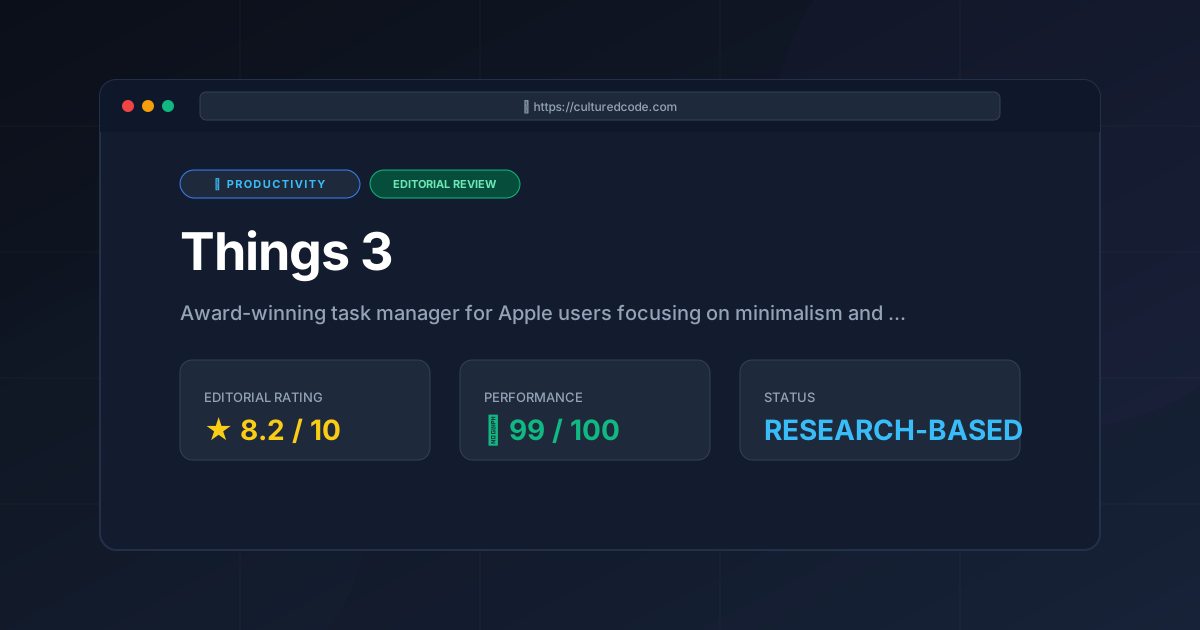
Things 3 is a masterclass in software design. It does not attempt to solve every productivity problem; instead, it solves the problem of over-complication. By stripping away the noise and focusing on a seamless, Apple-native experience, it creates a space where users can actually focus on their work rather than the tool they are using to manage it.
However, the lack of cross-platform support and the absence of collaboration features make it a niche product. It is not a tool for a corporate team or a Windows user. It is a tool for the individual who appreciates craftsmanship and wants a digital sanctuary for their tasks. When compared to the broader landscape of the Best Productivity in 2026: 5 Top Picks Reviewed, Things 3 remains the premier choice for Apple-centric minimalists.
Final Score: 8.2/10 #
Who should use it?
- Apple ecosystem power users who value aesthetics.
- Freelancers and designers who manage their own schedules.
- Individuals overwhelmed by complex project management software.
Who should avoid it?
- Users who require Windows or Android access.
- Teams needing shared task lists and collaboration.
- "Power users" who require complex automation, scripting, or deep API integrations.
More Tools Worth Reading
Screenpipe
ProductivityIn-depth review of Screenpipe in 2026: key features, pricing, alternatives and who it is best for.
Paperclip
ProductivityIn-depth review of Paperclip in 2026: key features, pricing, alternatives and who it is best for.
Hindsight
ProductivityHindsight review: Explore how this open-source agent memory layer eliminates LLM amnesia, cuts token costs, and powers self-learning AI workflows in 2...