Digital Whiteboard Review: Tldraw (2026) Features & Verdict
⚡ Executive Summary
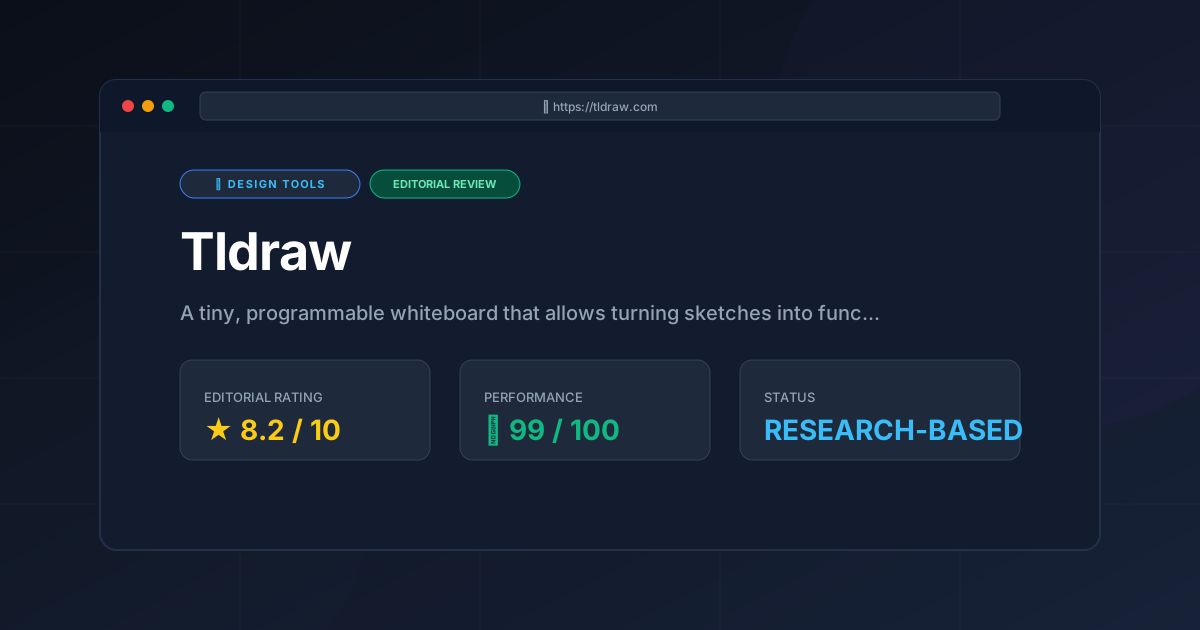
Digital whiteboard Tldraw reviewed. Explore its sketch-to-code AI, open-source SDK, and programmable canvas to accelerate your prototyping workflow.
Disclaimer: This review is based on publicly available information, including official documentation, the public GitHub repository, and pricing pages; it is not based on internal laboratory benchmarks.
Overview: What is Tldraw and Why is it Trending? #
Tldraw is not merely another digital whiteboard; it is a programmable canvas designed to bridge the gap between conceptual sketching and functional software development. While traditional whiteboarding tools focus on documentation and brainstorming, Tldraw positions itself as a "tiny, programmable whiteboard," emphasizing a lightweight footprint and an extensible architecture.
The tool has gained significant traction among creators and developers primarily due to its "Make Real" capability. By integrating Large Language Models (LLMs) with visual inputs, Tldraw allows users to sketch a UI component or a simple application logic flow and convert that drawing into working HTML, CSS, and JavaScript code in real-time. This shifts the tool from a passive recording medium to an active prototyping engine. In an era where rapid iteration is critical, Tldraw appeals to those who find traditional design-to-code handoffs too slow.
What is a Digital Whiteboard? #
A digital whiteboard is a collaborative virtual canvas that replicates the functionality of a physical whiteboard in a digital environment. It allows multiple users to brainstorm, sketch diagrams, and organize ideas in real-time using tools like pens, sticky notes, and shapes, regardless of their physical location.
Key Technical Specifications & Fast Facts #
| Specification | Detail |
|---|---|
| License | Open Source (See Tldraw GitHub) |
| Hosting Type | Client-side / Self-hostable / Cloud |
| Free Tier Availability | Yes (Core functionality is open source) |
| API Access | Extensive (Programmable SDK available) |
| Supported Platforms | Web Browser (Cross-platform) |
In-Depth Feature Breakdown & Real-World Use Cases #
Tldraw differentiates itself through three primary pillars: the infinite canvas, the programmable SDK, and AI-driven code generation.
1. The Infinite Canvas & Collaborative Sketching #
At its core, Tldraw provides a frictionless, low-latency environment for visual thinking. Unlike rigid grid-based tools, the infinite canvas allows creators to expand their thoughts without boundary constraints. The collaboration engine is designed for real-time synchronization, making it suitable for remote pair-programming or design sprints.
Real-World Use Case: A product manager and a lead developer can map out a user journey. Instead of static boxes, they can use the canvas to group related features, draw arrows for logic flows, and leave sticky notes for edge cases, all while seeing each other's cursors in real-time. This fluid approach is a key characteristic of a modern digital whiteboard.
2. "Make Real" (Sketch-to-Code) #
The most disruptive feature of Tldraw is the integration of AI to turn sketches into functional code. By utilizing a vision-capable LLM, the tool analyzes the spatial arrangement and labels of a drawing and generates a corresponding frontend implementation.
Workflow Example:
- Sketch: A user draws a rectangle for a "Login Card," adds a text input for "Email," another for "Password," and a blue button labeled "Submit."
- Trigger: The user selects the area and triggers the "Make Real" function.
- Output: The AI generates a Tailwind CSS and React/HTML snippet that renders a functional, styled login card directly on the screen.
This capability places Tldraw in a similar league to the Best AI Website Builder? Framer AI Review (2026) & Verdict, though Tldraw focuses more on the "sketch-first" mentality than a structured site builder.
3. The Programmable SDK #
Unlike proprietary whiteboards, Tldraw is built as a library. Developers can embed the Tldraw canvas into their own applications, creating custom tools that leverage the whiteboard's engine. This means you can write custom shapes, define specific behaviors for elements, or integrate the canvas with an external database.
Technical Application: A developer building a custom CRM could embed Tldraw to allow users to visually map their sales pipelines, using the SDK to ensure that every "box" drawn on the canvas corresponds to a record in their SQL database. For those interested in how this compares to other lightweight options, see our Virtual Whiteboard Review: Excalidraw (2026) Features & Verdict.
Technical Implementation: Embedding Tldraw #
For developers looking to integrate this digital whiteboard into a React application, the process is streamlined via the npm package.
Configuration Steps: #
- Installation: Run
npm install @tldraw/tldrawin your project directory. - Component Setup: Import the
Tldrawcomponent and wrap it in a container with a defined height and width. - State Management: Use the
onMountcallback to gain access to theeditorinstance, allowing you to programmatically create shapes or listen for changes. - Custom Shapes: Define a custom shape by extending the
ShapeUtilclass, specifying how the shape should be rendered and how it should react to user input.
Edge Cases and Trade-offs: #
- Performance: While the canvas is lightweight, rendering thousands of complex custom shapes can lead to DOM lag. It is recommended to use the built-in optimization patterns provided in the official Tldraw documentation.
- Persistence: By default, the canvas state is local. To implement multi-user persistence, you must integrate a backend synchronization layer (e.g., using Yjs or a custom WebSocket implementation).
Step-by-Step Getting Started Guide #
To begin utilizing Tldraw, follow these steps:
- Access the Canvas: Navigate to
tldraw.com. No complex installation is required for basic use, as it runs directly in the browser. - Master the Basic Toolset: Use the toolbar at the bottom to select the Pen, Rectangle, Ellipse, or Arrow tools. Use the "Hand" tool to pan across the infinite canvas.
- Collaborate: Click the "Share" button to generate a unique URL. Anyone with this link can join the session and edit the canvas in real-time.
- Experiment with AI (Make Real): If you are using the version with AI integration, select a group of shapes you have drawn and look for the "Make Real" option. Ensure your sketches are clearly labeled (e.g., write "Button" or "Search Bar" inside the shapes) to help the AI interpret your intent.
- Developer Integration: If you are a developer, visit the official documentation to install the
@tldraw/tldrawnpm package to begin embedding the canvas into your own React project.
Objective Pros & Cons Matrix #
| Pros | Cons |
|---|---|
| Extreme Speed: Minimalist UI ensures almost zero lag during sketching. | Limited Native Asset Library: Lacks the vast template libraries found in enterprise tools. |
| AI Prototyping: "Make Real" drastically reduces the time from idea to MVP. | Learning Curve for SDK: While the canvas is easy, the programmable SDK requires React proficiency. |
| Open Source: High transparency and the ability to self-host for privacy. | Stability of AI Output: Code generation can be inconsistent depending on sketch clarity. |
| Low Friction: No account required for basic, immediate sketching. | Feature Set: Lacks advanced project management tools like Gantt charts. |
Tldraw vs. Alternatives: Which Digital Whiteboard Wins? #
Tldraw occupies a unique middle ground between a simple drawing tool and a development framework. When compared to other industry leaders, the trade-offs become clear.
| Feature | Tldraw | Excalidraw | Miro |
|---|---|---|---|
| Primary Focus | Programmable/AI Prototyping | Hand-drawn diagrams | Enterprise Collaboration |
| Speed/Weight | Ultra-Lightweight | Lightweight | Heavy/Feature-Rich |
| AI Capability | Sketch-to-Code (High) | Basic AI assistance | AI Mind-mapping/Clustering |
| Pricing | Open Source | Open Source | Freemium/Subscription |
| Best For | Developers & Rapid Prototypers | System Architects | Corporate Teams/Agencies |
For those specifically looking for a tool for system architecture, our Virtual Whiteboard Review: Excalidraw (2026) for System Design provides a deeper dive into how Excalidraw handles technical diagrams compared to the more fluid approach of Tldraw.
Pricing Tiers & Value Assessment #
Tldraw is primarily distributed as an open-source project. This provides immense value to the community, as the core engine is free to use, modify, and embed.
Is there a "paid" aspect?
While the core is open source, users utilizing the hosted "Make Real" AI features may encounter costs associated with API tokens or specific hosted tiers provided by the maintainers to cover the high cost of LLM inference. Detailed pricing for hosted services can be found on their official pricing page.
Value Verdict:
For the average creator, the value is unmatched because the barrier to entry is zero. For developers, the value lies in the SDK, which saves hundreds of hours of development time that would otherwise be spent building a custom canvas engine from scratch. If you require a tool that turns a drawing into a functional React component, the cost of any associated AI tokens is negligible compared to the time saved in manual coding.
Frequently Asked Questions #
Is Tldraw a replacement for Figma? #
No. Figma is a high-fidelity design tool for precise UI/UX specifications. Tldraw is a low-fidelity digital whiteboard for conceptualizing and rapid prototyping. It is best used before Figma to iterate on ideas or after Figma to turn a concept into a quick functional prototype.
How secure is the data on Tldraw? #
Because Tldraw is open source, security-conscious organizations can self-host the tool on their own infrastructure, ensuring that no data ever leaves their internal network. For the hosted version, users should refer to the official privacy policy on the Tldraw website.
Does "Make Real" work with any drawing? #
It works best with clear, labeled sketches. If a drawing is too abstract or lacks labels, the AI may guess the functionality incorrectly. The more descriptive your labels (e.g., "Dropdown Menu" instead of just a box), the more accurate the code output.
Can I export my Tldraw sketches to other formats? #
Yes, Tldraw supports standard exports such as SVG or PNG. This allows you to move your sketches into presentations or other design documents easily.
Is Tldraw suitable for non-developers? #
Yes. While the SDK is for developers, the web-based digital whiteboard is intuitive for anyone. Non-technical users can use it for brainstorming, flow-charting, and basic collaboration without ever touching a line of code.
Final Verdict & Editorial Rating #
Tldraw is a masterclass in "doing one thing exceptionally well." It doesn't try to be a full-scale project management suite like Miro, nor does it try to be a professional vector tool. Instead, it focuses on the intersection of sketching and programming.
The "Make Real" feature is a glimpse into the future of software development, where the distance between a visual thought and a functional prototype is reduced to a single click. However, the tool's reliance on AI for its most trending feature means that output quality can vary, and its minimalist nature may alienate users who need built-in templates and corporate governance features.
Who should use Tldraw?
- Developers who want to embed a whiteboard into their own app.
- Rapid Prototypers who want to test UI ideas without writing boilerplate CSS.
- Creators who prefer a "blank slate" approach to brainstorming.
Who should avoid it?
- Enterprise Project Managers who need integrated task tracking and Gantt charts.
- High-Fidelity Designers who require pixel-perfect precision and advanced typography controls.
Editorial Rating: 8.2/10 #
Tldraw earns a high score for its innovation in the "sketch-to-code" space and its commitment to open-source accessibility. It loses points only for its lack of native high-fidelity design tools and the occasional unpredictability of its AI-generated code.
More Tools Worth Reading
Spline
Design ToolsWeb 3D design made easy. Explore our deep dive into Spline 2026 to see how it transforms interactive sites—read now to optimize your design stack.
Storybook
Design ToolsUI component library management made easy. Explore our deep dive into Storybook 2026 to see if it is the right fit for your design system workflow.
Storyset
Design ToolsFree vector illustrations are the core of Storyset. Learn how to customize, animate, and deploy professional SVGs to boost your site conversion rates.