Webhook Tester: Webhook.site Review (2026) & Full Guide
⚡ Executive Summary
Webhook tester tools like Webhook.site simplify API debugging. Learn how to inspect payloads and mock responses to accelerate your development workflow.
Disclaimer: This review is based on publicly available information, including official documentation, the pricing page, and public repositories; it is not a laboratory benchmark.
In the modern ecosystem of event-driven architecture, webhooks are the glue that connects disparate SaaS platforms. However, debugging a webhook is notoriously difficult because the request originates from a third-party server, leaving the developer blind to the exact payload, headers, and timing of the incoming data. To solve this, developers rely on a dedicated webhook tester to intercept and visualize these requests in real-time without the need for complex local server configurations.
What is a Webhook Tester? #
A webhook tester is a specialized debugging utility that provides a public, unique URL to act as a temporary destination for HTTP requests. It allows developers to capture, inspect, and analyze incoming data payloads and headers from third-party services—such as Stripe, GitHub, or Shopify—without writing any backend code or configuring network tunnels.
Overview: Why Webhook.site is the Industry Standard #
Webhook.site is a specialized web utility designed to provide developers with an instant, unique URL that acts as a "sink" for HTTP requests. Unlike traditional API development, where you must set up a local server, configure a tunnel (like ngrok), and write logging code just to see what a third-party service is sending, Webhook.site eliminates the infrastructure overhead.
The tool is trending because it solves a specific "cold start" problem in integration development. When a developer is integrating a payment gateway, a messaging bot, or a CI/CD trigger, they need to verify the payload structure before writing a single line of production code. Webhook.site provides a real-time dashboard that streams these requests as they arrive, making it an essential part of the free web utilities toolkit for modern integrators.
Key Technical Specifications & Fast Facts #
| Specification | Detail |
|---|---|
| License | Proprietary / SaaS |
| Hosting Type | Cloud-based (SaaS) |
| Free Tier Availability | Yes (Generous) |
| API Access | Yes (For managing URLs/Requests) |
| Supported Platforms | Browser-based (Cross-platform) |
| Primary Protocol | HTTP/HTTPS |
In-Depth Feature Breakdown & Real-World Use Cases #
1. Instant Unique URL Generation #
The core value proposition of this webhook tester is the immediate generation of a unique endpoint. Upon visiting the site, the user is assigned a URL (e.g., webhook.site/unique-id). There is no registration required for basic use, which drastically reduces the friction of starting a debug session.
Real-World Use Case:
Imagine you are configuring a Shopify store to send order notifications to a custom backend. Instead of deploying a test server to Heroku or AWS, you paste your Webhook.site URL into the Shopify admin panel. When a test order is placed, the payload appears instantly on your screen, allowing you to map the JSON fields to your database schema without guesswork.
2. Real-Time Request Inspection #
Webhook.site utilizes WebSockets to push incoming requests to the browser in real-time. The inspection panel breaks down the request into:
- Headers: Full visibility into
Content-Type,User-Agent, and custom authentication headers. - Query Strings: Clear parsing of URL parameters.
- Raw Body: The exact payload, whether it is JSON, XML, or plain text.
For developers dealing with complex data transformations, this tool pairs exceptionally well with the CyberChef Data Converter Review, where a developer can copy a Base64 encoded payload from Webhook.site and decode it instantly to verify data integrity.
3. Custom Response Configuration #
Beyond merely receiving data, Webhook.site allows users to define how the server should respond to the sender. You can configure the HTTP status code (e.g., 200 OK, 404 Not Found, 500 Internal Server Error), the response headers, and the response body.
Practical Workflow Example:
If you are testing how your application handles a "Webhook Failure" from a third party, you can set the tool to return a 503 Service Unavailable. This allows you to verify if the sending service correctly implements a retry logic (exponential backoff) without having to actually crash your own server.
4. API-Driven Management #
For advanced users, Webhook.site provides its own API, as detailed in their official documentation. This allows developers to programmatically retrieve the requests that have hit their unique URL. This transforms the tool from a simple visual debugger into a lightweight automated testing tool.
Step-by-Step Configuration Guide #
To maximize the utility of this webhook tester, follow these technical steps to ensure a clean debugging session:
- Generate your Endpoint: Navigate to
https://webhook.site. The platform will automatically generate a unique URL. Copy this URL to your clipboard. - Configure the Source: Go to the third-party service you are integrating (e.g., GitHub, Stripe, Twilio). Find the "Webhook Settings" or "Payload URL" field and paste your Webhook.site URL.
- Trigger the Event: Perform the action in the third-party service that triggers the webhook (e.g., push a commit to your repository or send a test message).
- Inspect the Payload: Switch back to the Webhook.site browser tab. You will see the request appear in the left-hand sidebar. Click it to view the full headers and body.
- Test Responses (Optional): Click the "Edit" button at the top right to change the response code from
200to400or500to test your source's error handling.
Edge Cases and Troubleshooting #
- Payload Size Limits: Be aware that extremely large payloads may be truncated or cause browser lag. For multi-megabyte payloads, consider using the API to fetch the data.
- CORS Issues: If you are triggering webhooks via client-side JavaScript (AJAX/Fetch), ensure you understand how the tool handles Cross-Origin Resource Sharing.
- URL Expiration: In the free tier, if you clear your browser cookies or cache, you may lose access to your unique URL. Always save the URL in a notepad if you plan to use it over several hours.
Objective Pros & Cons Matrix #
Pros #
- Zero Friction: No account creation or installation required for basic inspection.
- Real-Time Feedback: Instant updates via WebSockets eliminate the need to refresh the page.
- Comprehensive Visibility: Captures every detail of the HTTP request, including obscure headers.
- Response Simulation: Ability to mock server errors is invaluable for robustness testing.
- Clean UI: Minimalist interface that focuses on the data rather than the tool.
Cons #
- Privacy Concerns: In the free tier, data is sent to a third-party server. Sensitive production data should never be sent to a public webhook tester.
- Ephemeral Nature: Free URLs can be deleted or lost if the browser cache is cleared and no account is linked.
- Limited Logic: It is a "sink," not a "processor." You cannot perform complex conditional logic or data manipulation on the fly.
- Dependency on Connectivity: Being a SaaS tool, it is useless during local network outages.
Webhook.site vs. Alternatives: Which Webhook Tester to Use? #
| Feature | Webhook.site | Beeceptor | RequestBin (Pipedream) |
|---|---|---|---|
| Setup Speed | Instant (No Login) | Very Fast | Fast (Requires Account) |
| Real-time View | Yes | Yes | Yes |
| Custom Responses | Yes | Yes | Yes |
| Workflow Automation | No | Limited | Extensive (via Pipedream) |
| Pricing | Freemium | Freemium | Freemium / Tiered |
| Best For | Quick debugging & inspection | Mocking APIs & testing | Building full event-driven apps |
Pricing Tiers & Value Assessment #
Webhook.site operates on a Freemium model. Detailed costs can be found on their pricing page.
- Free Tier: Ideal for the vast majority of developers. It provides the core functionality of receiving and inspecting requests without requiring a credit card or account.
- Paid Tier: Typically offers features such as custom domains, longer data retention, and increased privacy/security controls.
Is the paid tier worth it?
For a freelance developer or a small team, the free tier is usually sufficient. However, for enterprise integrators who need to maintain permanent endpoints for long-term QA testing or those who require custom branded domains to satisfy corporate security policies, the paid tier provides significant professional value. If you are managing a large-scale project, you might also be looking at broader infrastructure checklists, similar to how one would approach an AdSense Approval Checklist 2026 for monetization—ensuring every technical detail is polished before going live.
Frequently Asked Questions #
Is Webhook.site secure for production data? #
No. Webhook.site is a debugging tool. While the URLs are unique and hard to guess, the data is transmitted to a third-party platform. You should use "dummy" data or sanitized payloads during the testing phase and switch to your own secure, authenticated endpoints for production.
Can I use a webhook tester to test local development? #
Yes, but only for incoming requests from the internet. Since Webhook.site provides a public URL, it acts as the bridge. If you need to send a request from the internet to a server running on localhost, you would need a tunneling tool like ngrok; however, if you just want to see what the internet would send, this is the faster choice.
Does Webhook.site support all HTTP methods? #
Yes. It can capture GET, POST, PUT, DELETE, PATCH, and other standard HTTP methods, making it versatile for testing various API architectures and RESTful services.
What happens to my data after the session ends? #
In the free, non-account version, data is stored temporarily. If you need persistent logs or the ability to revisit requests after days or weeks, creating an account is highly recommended to ensure data persistence.
How does this differ from a standard API mock? #
A standard API mock usually simulates a response to a request you send. A webhook tester is designed for the inverse: it waits for a request to be sent to it by an external system, allowing you to see exactly what that system is transmitting.
Final Verdict & Editorial Rating #
Webhook.site is a masterclass in "doing one thing and doing it perfectly." It removes the tedious boilerplate of API debugging, allowing developers to focus on the data structure rather than the infrastructure. While it lacks the complex automation capabilities of Pipedream (RequestBin), its strength lies in its simplicity and speed.
The primary trade-off is the inherent risk of sending data to a third-party cloud service. As long as developers adhere to the golden rule of "no production secrets in test tools," Webhook.site is an indispensable asset for any modern development stack.
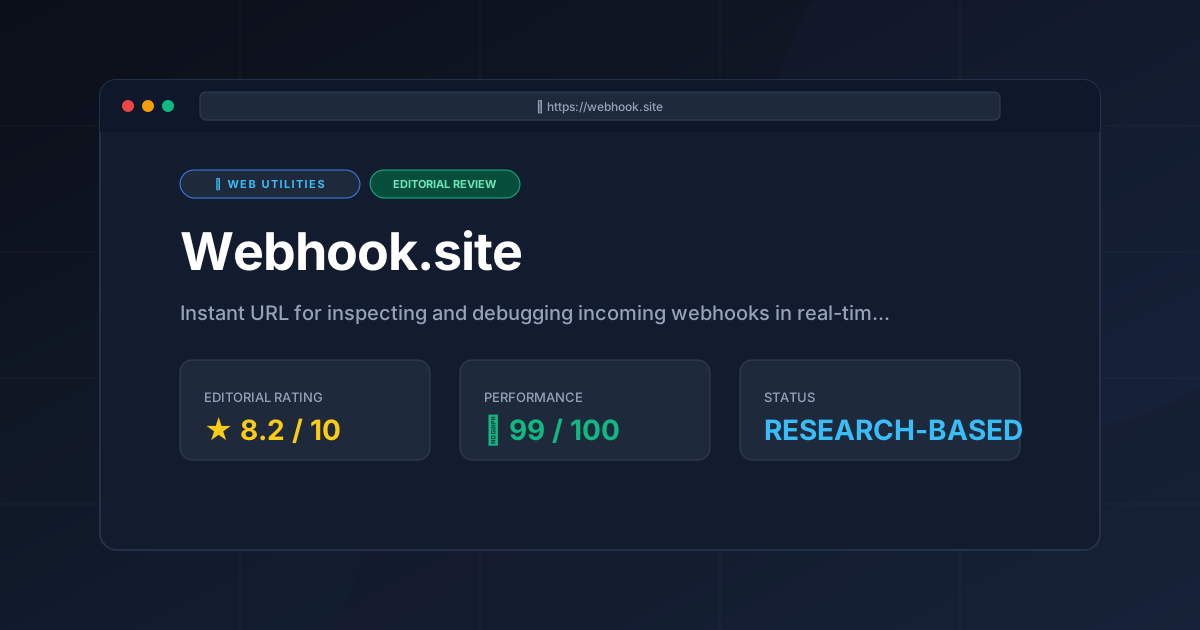
Editorial Rating: 8.2/10 #
Who should use it?
- Backend Developers: For rapid API contract verification.
- QA Engineers: For testing webhook retry logic and error handling.
- Integrators: For mapping third-party JSON payloads to internal systems.
- Students: For learning how HTTP requests and webhooks function in a visual environment.
For more evaluations of similar productivity tools, visit the Complete Index of PulseTools Reviews.
More Tools Worth Reading
Valibot
Web UtilitiesLightweight validation is key to performance. Discover how Valibot reduces bundle sizes and improves TTI—read our full 2026 technical analysis.
WebPageTest
Web UtilitiesPage speed test analysis made easy. Discover how WebPageTest provides forensic performance data to boost your Core Web Vitals and search rankings.

Software Review Methodology at PulseTools: Our Process
Web UtilitiesSoftware review methodology: the five checks every review passes, how the 0-10 score is built, and how corrections are handled, written from published...