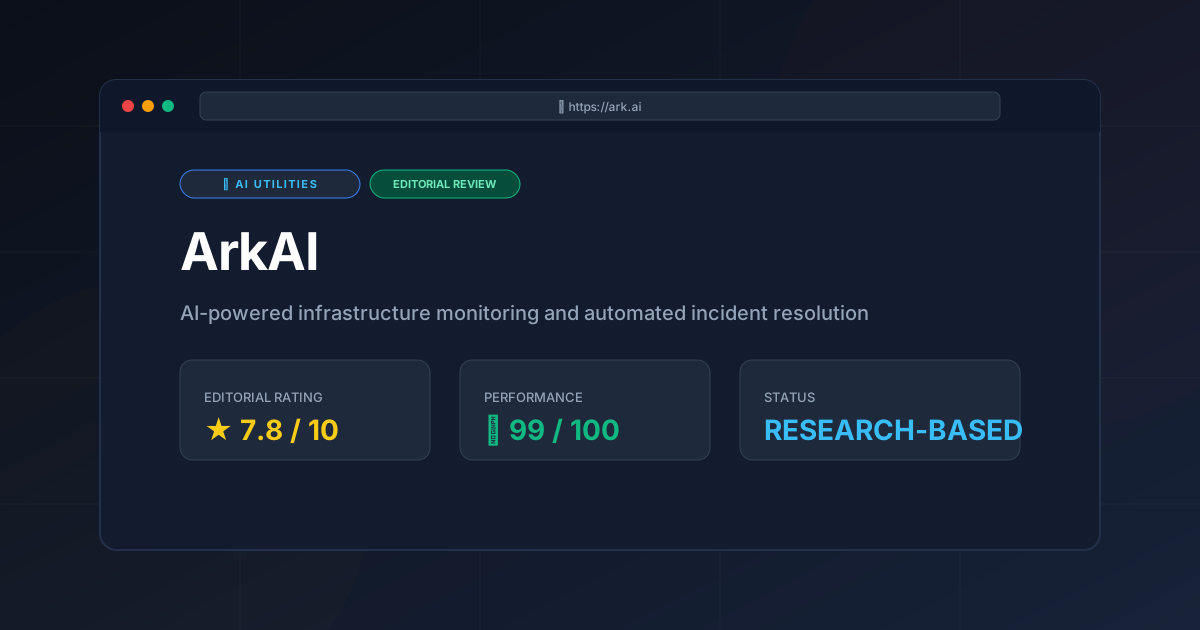
ArkAI AIOps Review (2026): Features, Pricing & Verdict
⚡ Executive Summary
AIOps analysis of ArkAI: Explore automated incident resolution, predictive alerting, and how it compares to Datadog. See if it fits your DevOps stack.
Disclaimer: This review is based on publicly available information, including official documentation, the pricing page, and public repositories; it is not a laboratory benchmark.
Overview: What is ArkAI and Why is it Trending? #
ArkAI is an AI-powered infrastructure monitoring platform designed to automate the detection, analysis, and resolution of system incidents. By integrating directly into a DevOps pipeline, it aims to reduce Mean Time to Resolution (MTTR) by shifting from manual dashboard monitoring to automated, AI-driven remediation.
To understand ArkAI, one must first understand AIOps. Artificial Intelligence for IT Operations (AIOps) is the application of machine learning and big data to IT operations to automate the discovery of anomalies, correlate events, and suggest or execute fixes without human intervention.
ArkAI is trending because it attempts to solve "alert fatigue"—the phenomenon where engineers are overwhelmed by thousands of low-priority notifications. Instead of simply telling a developer that a CPU is at 99%, ArkAI attempts to explain why it is happening and provide the script to fix it.
Key Technical Specifications & Fast Facts #
| Specification | Detail |
|---|---|
| License | Proprietary / SaaS |
| Hosting Type | Cloud-native (SaaS) |
| Free Tier Availability | Yes (Freemium) |
| API Access | REST API available |
| Supported Platforms | AWS, Azure, GCP, Kubernetes, Linux/Windows Servers |
In-Depth Feature Breakdown & Real-World Use Cases #
ArkAI positions itself as more than a monitoring tool; it is an orchestration layer for stability. Below is a technical analysis of its core pillars.
1. Automated Root Cause Analysis (RCA) #
Traditional monitoring tells you that something is broken. ArkAI's RCA engine attempts to tell you what broke it. It does this by correlating telemetry data across different layers of the stack (e.g., linking a spike in 500-errors in the Nginx logs to a specific deployment commit in GitHub).
Practical Workflow:
- Trigger: A latency spike is detected in the checkout service.
- Correlation: ArkAI scans recent changes and finds a database migration that occurred 5 minutes prior.
- Analysis: The AI identifies a missing index on the
orderstable as the likely culprit. - Output: The engineer receives a notification: "Latency spike caused by missing index on table X following commit #123."
2. Predictive Alerting #
Rather than relying on static thresholds (e.g., "Alert me when disk space > 80%"), ArkAI uses baseline behavioral analysis. It learns the "normal" seasonality of your traffic. If your traffic always spikes on Friday nights, ArkAI won't trigger a false alarm, but it will alert you if a Tuesday morning spike deviates from the historical norm.
This predictive nature is similar to how advanced LLMs analyze patterns. For teams already using tools like the Claude AI Review (2026): Features, Pricing & Verdict to write their infrastructure-as-code, ArkAI acts as the runtime guardian for that code.
3. AI-Generated Remediation Scripts #
This is the most ambitious part of the platform. When an incident is identified, ArkAI doesn't just notify the team; it generates a suggested remediation script (Bash, Python, or Terraform) to resolve the issue.
Example Scenario:
If a pod in a Kubernetes cluster is stuck in a CrashLoopBackOff due to memory limits, ArkAI might generate a kubectl patch command to increase the memory limit based on the observed usage patterns. The DevOps engineer can then review the script and execute it with one click, rather than manually diagnosing the OOM (Out of Memory) error.
Step-by-Step Getting Started Guide #
Based on the official documentation, the onboarding process follows a standard SaaS integration flow:
- Account Setup: Create an account via the ArkAI pricing page and select the Freemium tier to begin.
- Infrastructure Connection: Connect your cloud provider. This typically involves creating a read-only IAM role in AWS or a Service Account in GCP to allow ArkAI to ingest telemetry data.
- Agent Deployment: For on-premise or specific VM monitoring, install the ArkAI agent via a provided shell script or Helm chart for Kubernetes.
- Baseline Period: Allow the tool to run in "Observation Mode" for 7–14 days. This is critical for the AIOps engine to learn your system's normal behavior and avoid false positives.
- Policy Configuration: Define which "Remediation Scripts" the AI is allowed to suggest and which require manual approval before execution.
Objective Pros & Cons Matrix #
| Pros | Cons |
|---|---|
| Reduced Alert Fatigue: Filters noise by grouping related events into a single incident. | "Black Box" Logic: It can be difficult to understand exactly why the AI flagged a specific root cause. |
| Faster MTTR: AI-generated scripts eliminate the "research phase" of incident response. | Integration Overhead: Initial setup and "learning period" require patience before the tool becomes useful. |
| Cloud Agnostic: Works across the major hyperscalers (AWS, Azure, GCP). | Risk of Hallucination: AI-generated scripts must be reviewed; executing them blindly could lead to outages. |
| Low Barrier to Entry: Freemium model allows small teams to test the value proposition. | Dependency Lock-in: Relying on AI for RCA can degrade the manual troubleshooting skills of junior engineers. |
ArkAI vs. Competitors: Direct Comparison #
In the landscape of AIOps, ArkAI competes with established giants. While Datadog provides superior visualization and PagerDuty excels at on-call orchestration, ArkAI focuses heavily on the resolution phase.
| Feature | ArkAI | PagerDuty | Datadog |
|---|---|---|---|
| Primary Focus | Automated Resolution | Incident Orchestration | Full-Stack Observability |
| RCA Capability | AI-Driven / Automated | Manual / Workflow-based | Correlation-based |
| Remediation | Generates Fix Scripts | Triggers Webhooks | Manual Action/Automation |
| Speed to Value | Medium (Needs Learning) | Fast (Configuration) | Medium (Installation) |
| Pricing | Freemium | Per User / Tiered | Per Host / Metric |
| Best For | Lean DevOps teams | Enterprise On-Call | Large-scale Monitoring |
Pricing Tiers & Value Assessment #
ArkAI utilizes a Freemium model. While specific pricing for the enterprise tier should be verified on the official site, the general structure is as follows:
- Free Tier: Ideal for hobbyists or very small projects. It typically includes limited node monitoring and basic alerting.
- Pro/Team Tier: Targeted at growing startups. This unlocks the predictive alerting and the AI-generated remediation scripts.
- Enterprise Tier: Includes advanced security compliance, dedicated support, and higher data retention limits.
Is the paid tier worth it?
For teams spending more than 10 hours a week on manual incident triage, the Pro tier is a high-value investment. The ability to move from "Something is wrong" to "Here is the script to fix it" justifies the cost by reclaiming engineering hours. However, for teams with very stable, simple architectures, the basic monitoring of a free tool may suffice.
Frequently Asked Questions #
Q: Does ArkAI automatically execute scripts on my production servers?
A: By default, ArkAI suggests remediation scripts. While it can be configured for "Auto-Remediation," it is strongly recommended to keep a "Human-in-the-Loop" (HITL) workflow for production environments to prevent AI-driven errors.
Q: How does ArkAI differ from standard log aggregation?
A: Log aggregation (like ELK stack) stores and searches logs. ArkAI analyzes those logs in real-time, correlates them with metrics, and uses ML to predict failures before they happen.
Q: Can I use ArkAI with my existing monitoring tools?
A: Yes. ArkAI is designed to sit atop your existing infrastructure, often ingesting data from the same sources your current tools use, acting as an intelligence layer rather than a total replacement.
Q: What happens if the AI suggests a wrong fix?
A: This is a known trade-off of AIOps. Because the AI generates scripts based on patterns, it may occasionally suggest a fix that doesn't apply to a unique edge case. This is why manual review of scripts is mandatory.
Final Verdict & Editorial Rating #
ArkAI is a powerful entry into the AIOps space, successfully bridging the gap between observability (seeing the problem) and remediation (fixing the problem). It is not a "magic bullet"—the risk of AI hallucinations in infrastructure scripts and the necessary "learning period" are significant trade-offs. However, for DevOps teams struggling with scale and alert fatigue, it provides a sophisticated path toward automation.
If you are interested in how AI agents can handle more general tasks beyond infrastructure, you might find our AI Agent Skills Review (2026): Best Marketplace for Agent useful for expanding your automation stack.
Editorial Rating: 7.8/10
Who should use it?
- Recommended for: Mid-sized DevOps teams managing complex Kubernetes or multi-cloud environments.
- Not recommended for: Very small projects with simple architectures or organizations with zero tolerance for AI-generated code in production.
Key Takeaways #
- Core Value: Shifts focus from monitoring alerts to automated root cause analysis and remediation.
- AIOps Edge: Uses predictive baselining instead of static thresholds to reduce noise.
- Critical Caution: Always review AI-generated scripts before execution in production.
- Competitive Position: More focused on "the fix" than Datadog or PagerDuty.
- Onboarding: Requires a 1-2 week baseline period to be effective.
More Tools Worth Reading
Cline
Ai UtilitiesCline AI is a powerful open-source autonomous coding agent for VS Code. Read our deep-dive review to discover its features, costs, and setup workflows...
v0.dev
Ai UtilitiesAI UI generator v0.dev reviewed. Learn how this Vercel tool transforms prompts into React code to accelerate your frontend development workflow.
Vercel v0
Ai UtilitiesAI UI generator Vercel v0 reviewed. Learn how to automate React and Tailwind CSS components to accelerate your frontend development workflow today.