Best TypeScript ORM for Enterprise: Prisma Review 2026
⚡ Executive Summary
Best TypeScript ORM for enterprise apps? Prisma reviewed for 2026. Explore technical trade-offs, performance, and scaling to see if it fits your stack.
Disclaimer: This review is based on publicly available information, including official documentation, the public GitHub repository, and pricing pages; it is not based on laboratory benchmarks or internal first-person testing.
When architecting large-scale applications, the bridge between a relational database and application logic is often the most fragile point of the stack. For organizations seeking the best TypeScript ORM for enterprise needs, Prisma has emerged as a dominant force by redefining how schemas are managed and queried. Rather than forcing developers to write manual interfaces that mirror database tables, Prisma automates the synchronization between the database and the code.
By utilizing a custom declarative language, this tool ensures that your IDE knows exactly what your data looks like before you even hit "save." This eliminates the common "undefined" errors that plague JavaScript developers and accelerates the development cycle for teams scaling complex data models. If you are comparing this against a general-purpose Drizzle ORM, you will find that Prisma prioritizes developer velocity and type safety over raw, thin-layer performance.
Overview #
A best TypeScript ORM for enterprise is a library that allows developers to interact with a relational database using TypeScript objects instead of writing raw SQL, specifically optimized for maintainability, team collaboration, and strict type safety. It maps database tables to type-safe classes or interfaces, enabling compile-time validation of queries and ensuring that the data returned from the database matches the expected application types.
Key Technical Specifications & Fast Facts #
| Specification | Detail |
|---|---|
| License | Apache License 2.0 |
| Hosting Type | Self-hosted / Client-side Library |
| Free Tier Availability | Open Source (Free) |
| API Access | Generated Client API |
| Supported Platforms | Node.js, Edge Functions, Serverless |
| Supported Databases | PostgreSQL, MySQL, SQLite, SQL Server, MongoDB |
Pros & Cons Matrix #
| Pros | Cons |
|---|---|
| • Auto-generated Types: Eliminates manual interface maintenance. | • Cold Start Latency: Rust engine adds overhead in serverless. |
• Declarative Schema: Single source of truth via .prisma files. |
• Binary Bloat: Increases deployment package size. |
| • Prisma Studio: Built-in GUI for rapid data exploration. | • Complex Query Limits: Requires raw SQL for advanced joins. |
| • Robust Migrations: Version-controlled schema changes. | • Schema Rigidity: Not suitable for dynamic table creation. |
In-Depth Feature Breakdown & Real-World Use Cases #
Prisma is not just a query builder; it is a comprehensive suite of tools designed to manage the entire database lifecycle. To understand its value, one must look at the three core pillars of the Prisma official site.
1. The Declarative Prisma Schema #
The heart of this best TypeScript ORM for enterprise is the .prisma file. Instead of writing CREATE TABLE statements in SQL, developers define their data models in a human-readable language called PSL (Prisma Schema Language).
Example Workflow:
A developer defines a User and a Post model with a one-to-many relationship:
model User {
  id    Int    @id @default(autoincrement())
  email String @unique
  posts Post[]
}

model Post {
  id        Int     @id @default(autoincrement())
  title     String
  author    User    @relation(fields: [authorId], references: [id])
  authorId  Int
}
Once defined, the prisma migrate command handles the heavy lifting of altering the actual database schema, ensuring that the database state always matches the code.
2. The Type-Safe Prisma Client #
The most praised feature is the auto-generated client. Because Prisma knows the schema, it generates TypeScript types specifically for your models. If you attempt to query a field that doesn't exist or assign a string to an integer field, the IDE will flag it as an error before the code even runs.
Practical Use Case:
When fetching a user and their posts, the developer doesn't need to cast the result to an interface:
const userWithPosts = await prisma.user.findUnique({
  where: { email: 'alex@example.com' },
  include: { posts: true },
});
// 'userWithPosts' is automatically typed as User & { posts: Post[] }
This level of integration is particularly powerful when paired with high-performance runtimes. For those exploring the limits of execution speed, checking out our JS Runtime Review: Is Bun the Fastest Choice for 2026? can provide context on how the client performs in different environments.
3. Prisma Studio #
Prisma Studio is a visual editor for your database. It provides a GUI that allows developers to view, edit, and delete data without writing SQL or using a separate third-party tool like pgAdmin. This is invaluable during the prototyping phase, where data needs to be tweaked rapidly to test edge cases.
4. Prisma Migrate #
Migration management is often the most fragile part of database administration. Prisma Migrate tracks the history of schema changes in a migrations folder, allowing teams to version-control their database structure. This ensures that every developer on a team and every environment (staging, production) is running the exact same schema version.
Step-by-Step Getting Started Guide #
To integrate the best TypeScript ORM for enterprise into your project, follow these architectural steps:
- Initialization: Install the Prisma CLI as a development dependency and initialize the project.
npm install prisma --save-dev
npx prisma init
- Database Connection: Open the generated
.envfile and provide the connection string for your database (e.g.,postgresql://user:password@localhost:5432/mydb). - Schema Modeling: Define your models in
schema.prisma. This is where you establish your tables, fields, and relationships. - Migration: Run
npx prisma migrate dev --name initto push your schema to the database and generate the client. - Client Implementation: Import the
PrismaClientinto your application code to begin performing CRUD operations. - Exploration: Run
npx prisma studioto open the browser-based GUI and verify your data.
Critical Limitations & Trade-offs #
While Prisma offers a superior developer experience, it is not without significant technical trade-offs. Objective analysis of the architecture reveals four primary limitations:
1. The "Query Engine" Cold Start Problem #
Unlike "thin" ORMs, Prisma relies on a binary Query Engine written in Rust. In serverless environments (AWS Lambda, Vercel Functions), this binary must be initialized during a "cold start." This can add several hundred milliseconds of latency to the first request, which is unacceptable for high-performance, low-latency APIs.
2. Abstraction Leakage in Complex Queries #
Prisma excels at CRUD, but struggles with complex SQL. For deeply nested joins, window functions, or complex aggregations, the abstraction becomes cumbersome. Developers are often forced to use prisma.$queryRaw, which bypasses the type-safety that makes the best TypeScript ORM for enterprise attractive in the first place.
3. Deployment Package Bloat #
The inclusion of the Rust engine binaries increases the size of the deployment artifact. In environments with strict package size limits (like some Edge platforms), this can lead to deployment failures or slower upload times compared to lightweight alternatives.
4. The "Schema-First" Rigidity #
Because the .prisma file is the single source of truth, you cannot easily define your schema dynamically in code. This makes Prisma less suitable for applications that require dynamic table creation or highly flexible, runtime-defined schemas.
Prisma vs. Alternatives: Which TypeScript ORM to Choose? #
| Feature | Prisma | Drizzle ORM | TypeORM |
|---|---|---|---|
| Approach | Declarative Schema | TypeScript-first / SQL-like | Class-based / Decorators |
| Type Safety | Auto-generated | Inferred from code | Manual/Decorator based |
| Runtime Speed | Moderate (Engine overhead) | Very High (Thin layer) | High |
| Migration Tool | Built-in (prisma migrate) |
Built-in (drizzle-kit) |
Manual/Automatic |
| Pricing | Open Source | Open Source | Open Source |
| Best For | Rapid dev, Type-safety | Performance, Edge/Serverless | Enterprise, Legacy Java-style |
For developers who prefer a "Backend as a Service" approach where the database and ORM are handled as a unified platform, our Supabase Review (2026): The Best Backend as a Service for offers a contrasting perspective on managed infrastructure.
Pricing Tiers & Value Assessment #
Prisma is primarily an Open Source tool. The core ORM, the Client, and the Migration tools are free to use under the Apache 2.0 license.
However, Prisma offers complementary paid services via the Prisma Pricing Page to solve the "serverless connection" problem. These paid tiers focus on:
- Connection Pooling (Accelerate): Managing database connections in serverless environments to prevent "Too many connections" errors.
- Edge Caching: Reducing latency by caching queries closer to the user.
Is the paid tier worth it?
For a standard monolithic application, the open-source version is sufficient. However, if you are deploying to a serverless architecture and experiencing connection exhaustion, the paid connection pooling services provide significant operational value.
Frequently Asked Questions #
Does Prisma support NoSQL databases? #
Yes, Prisma provides support for MongoDB. While it is primarily designed for relational data, it maps MongoDB's document structure into the Prisma Schema, allowing you to use the same type-safe client for both SQL and NoSQL environments.
How does Prisma handle database migrations in production? #
In production, you should use npx prisma migrate deploy. Unlike the dev command, deploy does not check for drift or prompt for resets; it simply applies pending migrations to the database, making it safe for CI/CD pipelines.
Can I write raw SQL if the ORM is too limiting? #
Yes. Prisma provides the $queryRaw and $executeRaw methods. This allows you to write native SQL for complex reports or performance-critical queries while still benefiting from the ORM for 90% of your standard CRUD operations.
Is Prisma suitable for "Edge" computing? #
Standard Prisma requires a Rust binary, which isn't natively compatible with all Edge runtimes. However, Prisma has introduced "Prisma Accelerate" and a specialized client to enable database access from the Edge. Check the official documentation for the latest compatibility matrix.
How does Prisma compare to Drizzle for enterprise? #
Prisma is generally better for teams prioritizing developer experience and rapid onboarding due to its declarative schema. Drizzle is often preferred for enterprise apps where absolute minimum latency and zero-overhead runtime performance are the primary requirements.
Final Verdict & Editorial Rating #
Prisma represents a paradigm shift in how developers interact with databases. By prioritizing the developer experience and leveraging TypeScript's type system, it eliminates an entire class of runtime errors that have plagued web development for decades. It is arguably the best TypeScript ORM for enterprise teams that value maintainability and strict type safety over raw execution speed.
However, the "magic" comes at a cost. The reliance on a Rust-based query engine introduces a performance tax and deployment overhead that cannot be ignored. While it is a productivity powerhouse, it is not the most efficient tool for every architecture.
Who should use Prisma?
- TypeScript Developers: If your stack is TS-based, this is a top-tier choice.
- Rapid Prototypers: The combination of the declarative schema and Prisma Studio allows for incredibly fast iteration.
- Collaborative Teams: The migration system and shared schema file make it excellent for team environments.
Who should look elsewhere?
- Extreme Performance Seekers: If every millisecond of overhead is critical, a thinner layer like Drizzle may be better.
- Pure SQL Purists: If you prefer writing every migration and query by hand in SQL, the Prisma abstraction may feel restrictive.
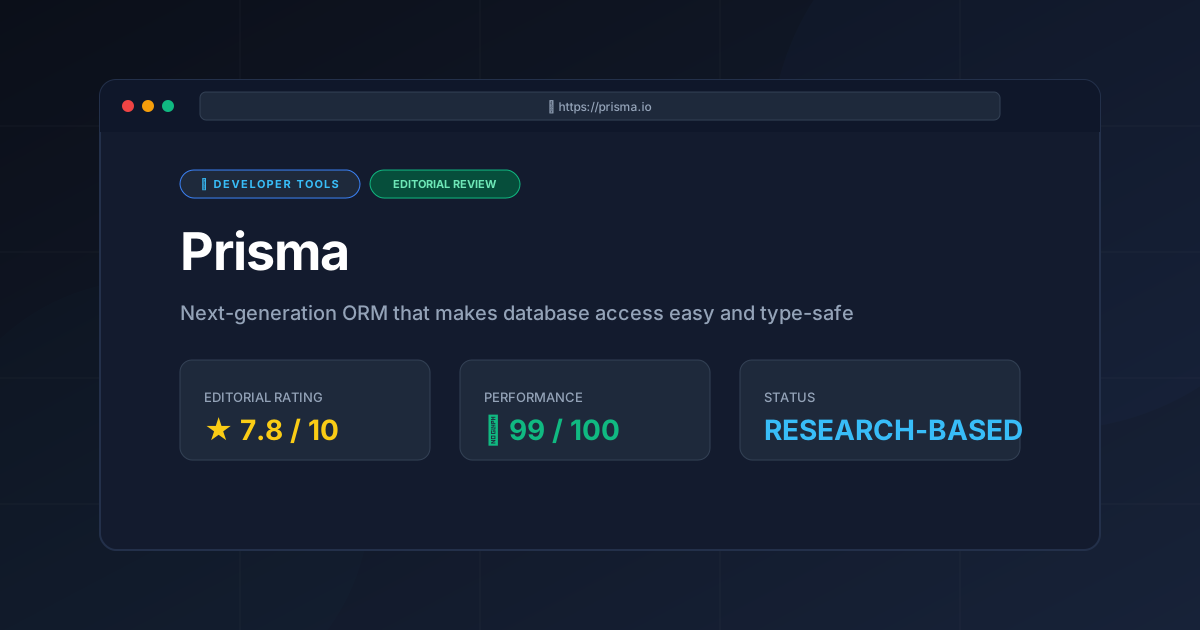
Editorial Rating: 7.8/10 #
An industry-leading tool for productivity and type-safety, though its runtime engine overhead and serverless cold-starts prevent a perfect score.
More Tools Worth Reading
Supabase
Developer ToolsOpen source firebase alternatives are evolving. Discover if Supabase is the right backend for your 2026 project with our deep technical analysis.
Supabase Edge Functions
Developer ToolsSupabase Edge Functions review: Explore the Deno-powered serverless architecture, pricing, and limitations to accelerate your global app deployment.
Supabase
Developer ToolsBackend-as-a-Service redefined. Explore our deep dive into Supabase 2026 to see if this open-source powerhouse is the right choice for your next proje...