Backend-as-a-Service: Supabase Review (2026) & Verdict
⚡ Executive Summary
Backend-as-a-Service redefined. Explore our deep dive into Supabase 2026 to see if this open-source powerhouse is the right choice for your next project.
Disclaimer: This review is based on publicly available information, including official documentation, pricing pages, and public repositories; it is not based on laboratory benchmarks or first-person installation tests.
Overview: What is Supabase and Why is it Trending? #
Supabase has emerged as a dominant force in the Backend-as-a-Service (BaaS) landscape by positioning itself as the "Open Source Firebase alternative." While Google's Firebase revolutionized the industry by abstracting the backend, it did so using a proprietary NoSQL document store (Firestore), which often led to "vendor lock-in" and challenges with complex relational queries.
Supabase takes a fundamentally different architectural approach. Instead of a proprietary engine, it provides a full suite of tools built on top of PostgreSQL, one of the most reliable and widely used relational databases in existence. By leveraging Postgres, Supabase allows developers to enjoy the ease of a managed Backend-as-a-Service while maintaining the power of SQL, ACID compliance, and a massive ecosystem of extensions.
The tool is trending because it strikes a balance between the "magic" of serverless development and the control of traditional database administration. For developers who are increasingly moving toward rapid prototyping—perhaps using tools like the Bolt.new Review (2026): Features, Pricing & Verdict to scaffold their frontends—Supabase provides a production-ready backend that doesn't require writing a custom Express or Go server from scratch.
What is Backend-as-a-Service (BaaS)? #
Backend-as-a-Service (BaaS) is a cloud computing model that replaces the need for developers to build and maintain their own server-side infrastructure. It provides pre-built services—such as database management, user authentication, and file storage—via APIs, allowing developers to focus exclusively on the frontend application logic and user experience.
Key Technical Specifications & Fast Facts #
| Specification | Detail |
|---|---|
| License | Apache 2.0 (Open Source) |
| Hosting Type | Cloud (Managed) or Self-Hosted (Docker) |
| Free Tier Availability | Yes (Generous free tier for hobbyists) |
| API Access | REST (PostgREST), GraphQL, Client SDKs |
| Supported Platforms | Web, iOS, Android, Desktop |
| Primary Database | PostgreSQL |
In-Depth Feature Breakdown & Real-World Use Cases #
1. PostgreSQL Database & Real-time Subscriptions #
At its core, Supabase is a managed Postgres instance. However, it adds a layer called "Realtime" that allows developers to listen to database changes via WebSockets.
How it works: Supabase uses a replication slot in Postgres to listen for changes (INSERT, UPDATE, DELETE) and broadcasts them to subscribed clients. This is a critical component of a modern Backend-as-a-Service offering, as it removes the need for manual polling.
Practical Use Case: A collaborative project management tool. When a user moves a task from "To Do" to "Done," the database update triggers a real-time event that updates the UI for all other team members instantly.
2. Built-in Authentication & User Management #
Supabase Auth provides a complete identity solution that integrates directly with the database. It supports email/password, magic links, and various OAuth providers (Google, GitHub, Apple, etc.).
The Technical Edge: It utilizes Row Level Security (RLS). Instead of writing complex middleware in a backend server to check if a user owns a piece of data, you write a policy directly in SQL:
CREATE POLICY "Users can only update their own profiles" ON profiles FOR UPDATE USING (auth.uid() = id);
This ensures that security is handled at the database level, making the application inherently more secure.
3. Edge Functions (Serverless Logic) #
To handle logic that cannot reside on the client (like payment processing via Stripe or sending emails), Supabase offers Edge Functions. These are TypeScript functions deployed to the edge of the network using Deno.
Workflow Example: A user signs up for a premium plan. The frontend calls an Edge Function, which securely communicates with the Stripe API to verify the payment and then updates the user's subscription status in the Postgres database. Because these run on a JS Runtime environment at the edge, latency is minimized for global users.
4. Storage & Vector Support #
Supabase provides a scalable object storage system for files, images, and videos. More recently, they have integrated pgvector, allowing Supabase to function as a Vector Database for AI applications. This allows developers to store embeddings and perform similarity searches, making it a viable Backend-as-a-Service for LLM-powered apps.
Step-by-Step Getting Started Guide #
For developers looking to integrate Supabase into their workflow, the process is designed to be frictionless:
Phase 1: Environment Setup #
- Project Initialization: Create an account at the official Supabase site and start a new project. You will be prompted to set a database password—keep this secure as it provides full administrative access.
- Schema Design: Use the built-in Table Editor (a GUI for Postgres) to create your tables. Define your columns, data types (UUID, Text, JSONB), and primary keys.
- Enable Row Level Security (RLS): This is the most critical step. By default, tables are protected. You must create "Policies" to define who can read or write data.
Phase 2: Integration & Deployment #
- Client Integration: Install the Supabase client library:
npm install @supabase/supabase-js
- Connection: Initialize the client using your Project URL and Anon Key (found in the API settings).
- Data Interaction: Use the SDK to perform CRUD operations:
    const { data, error } = await supabase
      .from('posts')
      .select('*')
      .eq('status', 'published');
Phase 3: Advanced Configuration #
- Edge Function Deployment: Use the Supabase CLI to deploy serverless logic:
supabase functions deploy my-function
- Database Migrations: For production apps, avoid the GUI. Use the Supabase CLI to manage migrations, ensuring your local development environment matches your production schema.
Objective Pros & Cons Matrix #
Pros #
- No Vendor Lock-in: Since it is based on PostgreSQL, you can export your data and move to any other Postgres provider if needed.
- SQL Power: Access to complex joins, views, and stored procedures that NoSQL alternatives cannot match.
- Rapid Development: Combines Auth, Database, and Storage into one dashboard, eliminating the need to manage three separate services.
- Developer Experience: The auto-generated REST and GraphQL APIs mean you rarely have to write boilerplate backend code.
Cons #
- RLS Learning Curve: Writing secure SQL policies can be daunting for developers who are only familiar with frontend JavaScript.
- Cold Starts: Like most serverless Edge Functions, there can be a slight "cold start" delay for infrequently used functions.
- Complexity for Simple Apps: For a very basic app, a full Postgres setup might be overkill compared to a simple JSON store.
- Self-Hosting Overhead: While open-source, self-hosting the entire Backend-as-a-Service stack via Docker is significantly more complex than using their managed cloud.
Supabase vs. Competitors: Direct Comparison #
| Feature | Supabase | Firebase | Appwrite |
|---|---|---|---|
| Database Type | Relational (PostgreSQL) | NoSQL (Firestore) | NoSQL (MariaDB/MongoDB) |
| Open Source | Yes | No | Yes |
| Real-time | Yes (via Postgres) | Yes (Native) | Yes |
| Auth | Built-in (RLS based) | Built-in (Firebase Auth) | Built-in |
| Speed | High (SQL Optimized) | Very High (Document) | High |
| Pricing | Freemium (Usage-based) | Freemium (Blaze Plan) | Freemium / Self-host |
| Best For | Relational data, AI apps | Rapid MVP, Simple data | Self-hosted BaaS needs |
Pricing Tiers & Value Assessment #
Supabase follows a Freemium model designed to grow with the developer. Detailed costs can be found on their official pricing page.
- Free Tier: Ideal for hobbyists and small prototypes. It typically includes a limited database size and monthly active user (MAU) cap. It is an excellent way to validate an idea without financial risk.
- Pro Tier: This is the "sweet spot" for growing startups. It removes the limits of the free tier and provides better performance guarantees. The value here lies in the managed nature of the service—avoiding the need for a dedicated DevOps engineer to manage a database.
- Enterprise Tier: Aimed at large organizations requiring custom SLAs, dedicated support, and advanced security compliance.
Is the paid tier worth it? For professional projects, yes. The cost of managing a production-grade PostgreSQL instance (backups, scaling, security patches) far outweighs the monthly subscription fee of the Pro tier. However, if you have a strong DevOps team, you might find a Self-hosted PaaS Review (2026): Is Coolify the Best Heroku approach more cost-effective for hosting the open-source version of Supabase.
Frequently Asked Questions #
Can I migrate from Firebase to Supabase? #
Yes. Supabase provides migration tools and documentation to help move data from Firestore to PostgreSQL. However, because you are moving from NoSQL to Relational, you will need to redesign your data schema to take advantage of tables and foreign keys.
Is Supabase truly "Open Source"? #
The majority of the Supabase stack is open source (Apache 2.0). You can host the entire platform on your own infrastructure using Docker. The "Cloud" version is a managed wrapper that simplifies the deployment and scaling of those open-source tools.
How does Supabase handle security? #
Security is primarily handled through Row Level Security (RLS). Instead of relying on a middle-tier server to validate requests, the database itself checks the user's JWT (JSON Web Token) against the policy defined for that specific row of data.
Does Supabase support GraphQL? #
Yes. While the primary SDK uses a PostgREST-based syntax, Supabase provides a GraphQL API via the pgloader and pggraphile ecosystem, allowing developers to query their database using GraphQL.
What is the difference between Edge Functions and Database Functions? #
Edge Functions are TypeScript scripts running on Deno at the network edge, ideal for third-party API integrations. Database Functions are written in PL/pgSQL and run directly inside PostgreSQL, ideal for heavy data manipulation and internal logic.
Final Verdict & Editorial Rating #
Supabase is a masterclass in modern developer tooling. By choosing to build on top of PostgreSQL rather than inventing a proprietary database, they have solved the biggest pain point of the Backend-as-a-Service era: vendor lock-in.
The platform is not without its challenges. The shift toward RLS-based security requires a mental shift for many frontend developers, and the complexity of self-hosting the full stack remains high. However, for the vast majority of developers, the trade-off is overwhelmingly positive. It provides the speed of a serverless environment with the reliability and power of a professional relational database.
Who should use Supabase?
- Startups who need to move from idea to production in days, not months.
- AI Developers who need a database that supports both relational data and vector embeddings.
- Frontend Engineers who want to build full-stack applications without becoming full-time backend administrators.
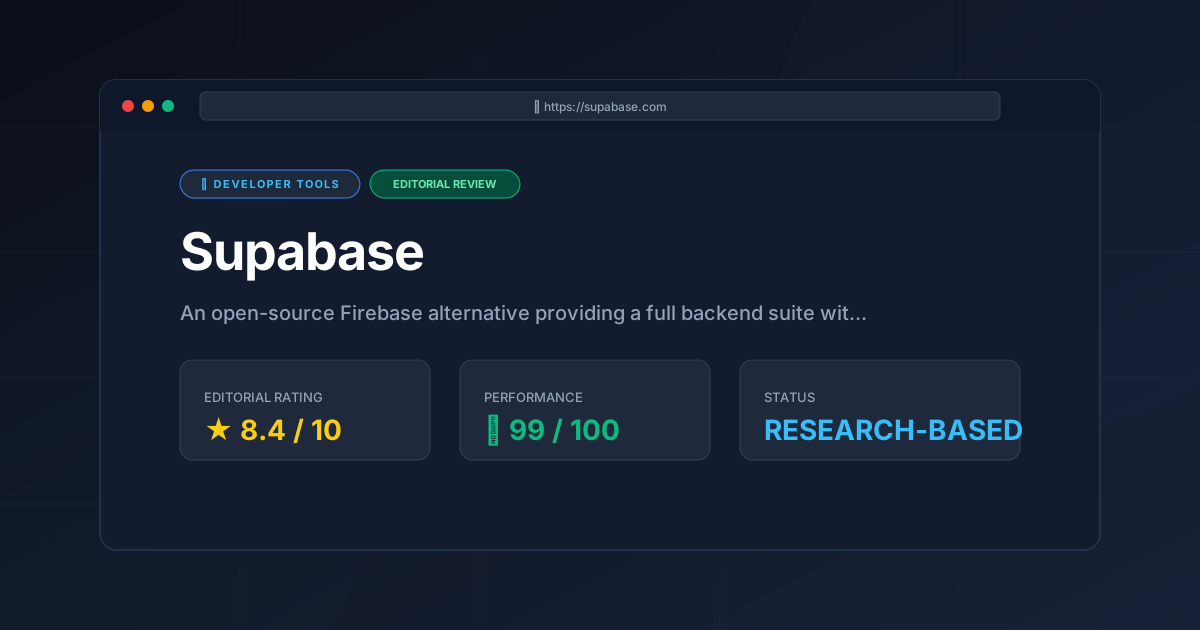
Editorial Rating: 8.4/10
A powerful, flexible, and transparent alternative to proprietary BaaS platforms. It loses a few points only for the steep learning curve of SQL policies for beginners and the complexity of its self-hosted deployment.
More Tools Worth Reading
Supabase
Developer ToolsOpen source firebase alternatives are evolving. Discover if Supabase is the right backend for your 2026 project with our deep technical analysis.
Supabase Edge Functions
Developer ToolsSupabase Edge Functions review: Explore the Deno-powered serverless architecture, pricing, and limitations to accelerate your global app deployment.
TanStack Query
Developer ToolsReact query is the gold standard for server state management. Discover its 2026 capabilities, technical trade-offs, and why your stack needs it.