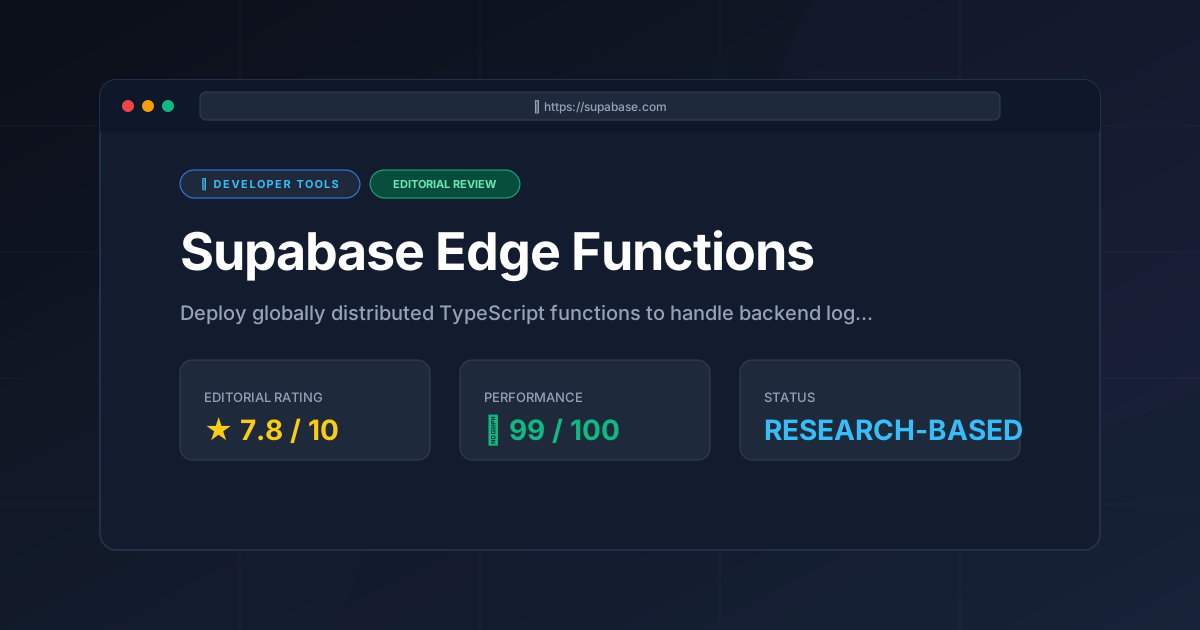
Supabase Edge Functions Review (2026): Performance & Scaling
⚡ Executive Summary
Supabase Edge Functions review: Explore the Deno-powered serverless architecture, pricing, and limitations to accelerate your global app deployment.
Disclaimer: This review is based on publicly available information, including official documentation, pricing pages, and public repositories; it is not based on laboratory benchmarks or first-person installation tests.
The shift toward decentralized computing has made Supabase Edge Functions a critical component for developers seeking to minimize latency. While traditional serverless functions often reside in a single region—leading to "cold starts" and significant lag for distant users—Edge Functions are deployed globally. By executing code at the data center closest to the end-user, Supabase aims to eliminate the geographic bottleneck of the traditional cloud.
For developers already utilizing the Supabase ecosystem for PostgreSQL and authentication, these functions provide a seamless way to inject custom business logic. By utilizing the Deno runtime instead of Node.js, the platform removes the overhead of massive node_modules folders. This offers a leaner, more secure execution environment. In an era where milliseconds impact conversion rates, globally distributed TypeScript functions are now a requirement for high-performance web applications.
Overview: What is Supabase Edge Functions? #
Supabase Edge Functions are globally distributed, serverless TypeScript functions powered by the Deno runtime. They allow developers to execute backend logic at the network edge, closest to the user. This reduces latency and eliminates traditional cold starts while integrating natively with Supabase's database and authentication services.
Key Technical Specifications & Fast Facts #
| Specification | Detail |
|---|---|
| License | Proprietary (Managed Service) |
| Hosting Type | Serverless / Edge Computing |
| Free Tier Availability | Yes (Freemium) |
| API Access | REST / HTTPS |
| Supported Platforms | Web, Mobile, IoT (via HTTP) |
| Runtime | Deno |
| Language Support | TypeScript / JavaScript |
Pros & Cons Matrix #
| Pros | Cons |
|---|---|
| Near-Zero Cold Starts: Deno's architecture allows for rapid execution. | Deno Limitations: Some Node.js native C++ modules are incompatible. |
| Global Distribution: Code runs in the region closest to the user. | Execution Timeouts: Not suitable for long-running compute tasks. |
| Native Integration: Seamless connection to Supabase Auth and DB. | Vendor Lock-in: Deployment logic is proprietary to Supabase. |
No Package Management: URL-based imports replace npm install. |
Debugging Complexity: Harder to trace errors across global nodes. |
In-Depth Feature Breakdown & Real-World Use Cases #
1. The Deno Runtime Advantage #
Unlike traditional serverless environments that rely on Node.js, Supabase Edge Functions are built on Deno. Deno was created to resolve architectural flaws in Node. It provides native TypeScript support. It also removes the need for a package.json file. Dependencies are imported via URLs. This drastically reduces the deployment package size.
For developers comparing runtimes, other high-performance alternatives exist. For instance, our JS Runtime Review: Is Bun the Fastest Choice for 2026? explores how different runtimes handle execution speed and module resolution.
Practical Use Case: Validating a Stripe webhook. Instead of configuring a full Express server, a developer writes a single TypeScript function. They import the Stripe library via a URL, validate the signature, and update the database. This happens without managing a local dependency tree.
2. Global Distribution & Low Latency #
Supabase leverages a globally distributed infrastructure. When a request is made to a function, it is routed to the nearest available edge node. This eliminates the "round-trip" latency associated with centralized servers in a single region.
Practical Use Case: A global e-commerce site calculating shipping taxes based on the user's IP address. By running this logic at the edge, the calculation happens milliseconds away from the user. This ensures the checkout page feels instantaneous regardless of whether the user is in Tokyo or New York.
3. Deep Database & Auth Integration #
The primary value of Supabase Edge Functions is their native integration with the broader suite. Functions have direct access to the Supabase Client. This allows them to interact with the PostgreSQL database and verify User JWTs (JSON Web Tokens) with minimal boilerplate.
Practical Use Case: Implementing a "Welcome Email" trigger. When a new user signs up via Supabase Auth, a database webhook can trigger an Edge Function. This function verifies the user's identity and calls an external API to send a personalized email. This keeps sensitive API keys hidden from the client-side code.
Getting-Started Guide #
To deploy a function, developers must interact with the Supabase CLI. Based on the official Supabase documentation, the standard workflow follows these steps.
Step 1: Environment Setup #
First, install the Supabase CLI via npm or Homebrew. Once installed, run supabase init to establish the local project structure. This creates the necessary configuration files for your project.
Step 2: Creating the Function #
Execute supabase functions new [function-name] to generate the TypeScript boilerplate. This creates a folder with an index.ts file where your logic will live.
Step 3: Local Development and Testing #
Use supabase start to emulate the Supabase stack locally. You can test your functions using the local server before pushing them to the cloud. This prevents breaking production code.
Step 4: Managing Secrets #
Set environment variables using supabase secrets set NAME=VALUE. This ensures that API keys and database passwords remain encrypted and secure.
Step 5: Production Deployment #
Run supabase functions deploy [function-name] to push your code to the global network. Your function is now live and accessible via a public URL.
Deployment Checklist #
- [ ] CLI Installation: Install the Supabase CLI.
- [ ] Project Initialization: Run
supabase init. - [ ] Function Creation: Execute
supabase functions new. - [ ] Local Testing: Use
supabase start. - [ ] Secret Management: Set environment variables via CLI.
- [ ] Production Push: Run
supabase functions deploy.
Configuration Example: Basic Edge Function #
// Example: A simple greeting function with Auth check
import { serve } from "https://deno.land/std@0.168.0/http/server.ts"
import { createClient } from 'https://esm.sh/@supabase/supabase-js@2'

serve(async (req) => {
  const authHeader = req.headers.get('Authorization')

  if (!authHeader) {
    return new Response(JSON.stringify({ error: 'No auth header' }), { status: 401 })
  }

  return new Response(JSON.stringify({ message: 'Hello from the Edge!' }), {
    headers: { 'Content-Type': 'application/json' },
  })
})
Honest Analysis: Limitations and Trade-offs #
While the platform is powerful, it has concrete constraints.
- Deno Compatibility Gap: The platform uses Deno. Any Node.js library that relies on native C++ bindings will not work. While the
npm:prefix has improved compatibility, complex legacy packages often fail. - Execution Time Limits: Edge Functions are for short-lived tasks. They have strict wall-clock time limits. If a process requires heavy computation, such as video transcoding, the function will be terminated.
- Vendor Lock-in: The logic is TypeScript, but the deployment pipeline is proprietary. Migrating these functions to AWS Lambda would require a complete rewrite of the infrastructure-as-code.
- Debugging Complexity: Debugging a global function is harder than debugging a central server. Reproducing "edge-only" bugs, like regional DNS issues, can be frustrating.
Supabase Edge Functions vs. Competitors #
| Feature | Supabase Edge Functions | AWS Lambda | Vercel Functions |
|---|---|---|---|
| Runtime | Deno (TypeScript/JS) | Node, Python, Go, etc. | Node.js / Edge Runtime |
| Distribution | Global Edge | Regional | Global Edge / Regional |
| Cold Starts | Extremely Low | Variable | Low (on Edge) |
| DB Integration | Native (PostgreSQL) | Manual (via VPC/RDS) | Manual (via API/ORM) |
| Pricing | Freemium / Usage | Pay-as-you-go | Usage-based / Pro Tiers |
Pricing Tiers & Value Assessment #
Supabase utilizes a Freemium model. According to the Supabase Pricing Page, the free tier is generous for hobbyists. It provides a baseline of invocations and execution time.
As projects scale, the "Pro" plan becomes necessary. The value here is the reduction of "DevOps tax." For teams already using the Supabase database, the Pro plan is often cheaper than hiring an engineer to manage AWS Lambda and API Gateway. However, if a project needs only one isolated function, a dedicated serverless provider may be more cost-effective.
For those exploring AI-driven development, integrating these functions with tools like Bolt.new Review (2026): Features, Pricing & Verdict could accelerate the path from prompt to production.
Frequently Asked Questions #
Can I use npm packages in Supabase Edge Functions? #
Yes, but not via npm install. Deno supports npm packages using the npm: prefix. For example, use import { createClient } from "npm:@supabase/supabase-js". This allows access to the JS ecosystem while keeping the performance of the Deno runtime.
How do I handle secrets and environment variables? #
Secrets are managed via the Supabase CLI using the supabase secrets set command. Once set, these variables are encrypted. You can access them in your code using Deno.env.get("VARIABLE_NAME"). This ensures keys are never exposed in version control.
Is there a limit to how long a function can run? #
Yes. Edge Functions are designed for short-lived tasks. They have a maximum execution time. For long-running processes, such as heavy data analysis, you should use a dedicated background worker or a traditional virtual machine.
Can I use Edge Functions for a full backend? #
While possible, it is not recommended. Edge Functions are best for "glue logic," API endpoints, and webhooks. For complex business logic, combine them with Supabase database functions (PL/pgSQL) and Row Level Security (RLS) for a more robust architecture.
Do Edge Functions support WebSockets? #
No, Edge Functions use a request-response model. For real-time, bidirectional communication, you should use Supabase Realtime. This is a separate service designed specifically for WebSocket-based data streaming.
Final Verdict & Editorial Rating #
Supabase Edge Functions are a high-performance solution for developers who prioritize deployment speed. By leveraging Deno and a global distribution model, they remove the friction of backend management. They provide an industry-leading experience for those already in the Supabase ecosystem.
However, the tool is not a universal replacement for all serverless needs. The reliance on Deno creates a compatibility gap for some Node.js libraries. Strict execution time limits make them unsuitable for compute-heavy workloads. Furthermore, vendor lock-in is a trade-off for seamless integration.
If you are building a high-performance app and use Supabase for data, this is an exceptional choice. If you require multi-cloud portability or a language other than TypeScript, AWS Lambda remains the more robust alternative.
Final Score: 7.8/10 #
Who should use it?
- Frontend Developers who want backend logic without becoming DevOps experts.
- SaaS Founders needing to deploy a global MVP with minimal latency.
- Supabase Users who want a unified, integrated developer experience.
Who should avoid it?
- Enterprise Architects requiring strict multi-cloud portability.
- Developers whose core logic depends on native Node.js C++ modules.
- Data Scientists needing long-running, heavy-compute environments.
More Tools Worth Reading
Supabase
Developer ToolsOpen source firebase alternatives are evolving. Discover if Supabase is the right backend for your 2026 project with our deep technical analysis.
Supabase
Developer ToolsBackend-as-a-Service redefined. Explore our deep dive into Supabase 2026 to see if this open-source powerhouse is the right choice for your next proje...
TanStack Query
Developer ToolsReact query is the gold standard for server state management. Discover its 2026 capabilities, technical trade-offs, and why your stack needs it.