Best mac productivity tools: Raycast Store Review (2026)
⚡ Executive Summary
mac productivity tools start here. Explore our deep dive into the Raycast Store to see how this command palette can automate your entire macOS workflow.
The landscape of macOS efficiency has shifted from simple app launchers to complex, extensible ecosystems. For those seeking the most potent mac productivity tools, the Raycast Store represents the current gold standard in command-line interface (CLI) utility for the desktop. By consolidating fragmented workflows into a single, keyboard-driven hub, it aims to eliminate the cognitive load associated with constant app-switching and menu diving.
What are mac productivity tools like Raycast Store? #
Mac productivity tools are software utilities designed to optimize the macOS user experience by automating repetitive tasks, streamlining navigation, and consolidating multiple functions—such as window management, clipboard history, and API integrations—into a single interface to reduce friction and increase professional output.
Overview: The Evolution of the Command Palette #
The Raycast Store is not a standalone application but the centralized marketplace for extensions that power the Raycast command palette. While macOS comes with Spotlight, power users often find it too restrictive for professional workflows. Raycast positions itself as a comprehensive replacement for multiple utility apps—calculators, window managers, currency converters, and API clients—by consolidating them into a single, keyboard-driven interface.
The "Store" aspect is the primary engine of its growth. Instead of requiring users to manually write scripts or hunt for third-party plugins on GitHub, Raycast provides a curated, one-click installation experience. This lowers the barrier to entry for complex automation, allowing users to transform their command palette into a personalized operating system. It is essentially an App Store for your keyboard, designed specifically for developers, designers, and productivity enthusiasts.
Key Technical Specifications & Fast Facts #
| Specification | Detail |
|---|---|
| License | Proprietary (Freemium) |
| Hosting Type | Local Client / Cloud-Synced Store |
| Free Tier Availability | Yes (Core features & most extensions) |
| API Access | Yes (via Raycast SDK for extension developers) |
| Supported Platforms | macOS |
| Official Marketplace | Raycast Store |
In-Depth Feature Breakdown & Technical Substance #
The value proposition of the Raycast Store lies in its ability to reduce "app switching fatigue." By bringing the functionality of external apps into a command line, it minimizes the cognitive load required to perform repetitive tasks.
1. Community Extensions and the SDK #
The heart of the Store is its library of community-built extensions. These are not mere shortcuts but fully functional mini-apps built using a robust SDK. For example, a developer can install a Jira extension to search for tickets or a GitHub extension to manage Pull Requests without ever opening a browser.
Technical Workflow Example:
Instead of the traditional path: Cmd+Tab to Browser $\rightarrow$ Navigate to GitHub $\rightarrow$ Search for Issue #123.
The Raycast Workflow is: Option+Space $\rightarrow$ Type "GitHub Issue 123" $\rightarrow$ Enter.
This efficiency is a core reason why it ranks highly among best productivity in 2026: 5 top picks reviewed, as it transforms the OS from a collection of silos into a unified stream of data.
2. Quick Links and URL Schemes #
Quick Links allow users to create custom URL schemes that accept arguments. This is particularly powerful for those who use web-based tools for project management or scheduling.
Practical Configuration Example:
A user can create a Quick Link for a CRM with the URL https://crm.example.com/search?q={query}. By typing the command and a client's name, Raycast opens the browser directly to that client's profile. This level of integration is essential for those who also utilize a modern calendar review: is Cron the best scheduling tool for to maintain a seamless transition between client search and meeting scheduling.
3. AI Integration and LLM Orchestration #
Raycast has aggressively integrated AI into the core experience. Beyond simple chat, the AI can be used to rewrite text, generate code snippets, or summarize clipboard contents. This transforms the command palette from a navigation tool into a generative utility.
From a technical standpoint, this integration allows for system-wide text manipulation. You can highlight text in any application and use a Raycast AI command to transform it, bypassing the need to copy-paste into a separate browser tab.
4. Window Management & System Commands #
While not "Store" extensions per se, the built-in commands (which the Store complements) allow for precise window snapping and system control. This eliminates the need for standalone window managers like Rectangle or Magnet. Users can define custom layouts and snap windows to halves, quarters, or thirds using simple keyboard aliases.
Step-by-Step Implementation Guide #
To maximize the utility of the Raycast Store, follow this technical implementation path:
- Installation & Permissions: Download the client from the official Raycast site. You must grant "Accessibility" permissions in macOS System Settings; without this, window management and system-level commands will fail.
- Command Discovery: Use the default
Option+Space(or your preferred hotkey) to open the palette. Type "Store" to enter the Raycast Store. - Extension Selection: Search for tools you use daily. Recommended starting points include:
- Window Management: For snapping windows to halves or quarters.
- Clipboard History: To access a searchable list of everything you've copied.
- Developer Tools: JSON formatters, Base64 encoders, or API clients.
- Alias Configuration: Navigate to
Settings$\rightarrow$Extensions. Assign "Aliases" (short keyboard shortcuts) to your most-used extensions. For example, assign "gh" to the GitHub extension so you don't have to type the full name. - Quick Link Setup: Create your first Quick Link for a frequently visited internal company dashboard or a specific project board.
Objective Pros & Cons Matrix #
| Pros | Cons |
|---|---|
| Unified Interface: Replaces 5-10 small utility apps, reducing RAM overhead. | macOS Exclusive: No version available for Windows or Linux. |
| Low Friction: One-click installation of complex community scripts. | Privacy Trade-off: Some extensions require third-party API keys. |
| High Performance: Extremely fast indexing and execution speeds. | Learning Curve: Power users will love it, but casual users may find it overwhelming. |
| Developer Friendly: Robust SDK for creating custom internal tools. | Dependency: Reliance on the Raycast Store for updates to community plugins. |
Raycast Store vs. Competitors: Direct Comparison #
When evaluating mac productivity tools, the primary competition comes from the long-standing Alfred and the native macOS Spotlight.
| Feature | Raycast Store | Alfred | Spotlight |
|---|---|---|---|
| Extension Model | Centralized Store (One-click) | Community Workflows (Manual) | Native Only |
| AI Integration | Deeply integrated / Native | Via 3rd party plugins | Basic (Siri/Apple Intelligence) |
| Speed | Very High | Extremely High | High |
| Pricing | Freemium | Paid (Powerpack) | Free (Built-in) |
| Best For | Power Users & Developers | Automation Purists | Casual Users |
Pricing Tiers & Value Assessment #
Raycast operates on a freemium model. The core application and the vast majority of the Raycast Store extensions are free. Detailed pricing can be found on the official pricing page.
- Free Tier: Includes the command palette, window management, clipboard history, and community extensions. For 90% of users, this is sufficient.
- Pro Tier: This is primarily where the AI features and advanced cloud synchronization reside. It targets users who want a "copilot" integrated into their OS.
Is the paid tier worth it?
If you are a professional who spends 8+ hours a day in a code editor or a browser and finds value in LLM-driven text manipulation and system-wide AI, the Pro tier is a justifiable expense. However, if you only need a faster way to launch apps and manage windows, the free version is one of the most generous in the productivity space.
Frequently Asked Questions #
Is the Raycast Store safe? Do extensions have access to my data? #
Raycast extensions run in a sandbox, but because they are community-developed, they may request API keys for the services they connect to (e.g., a Notion API key). It is recommended to check the extension's permissions and the developer's reputation via the public repository before granting access to sensitive data.
Can I build my own extensions for the Store? #
Yes. Raycast provides a comprehensive SDK based on React and TypeScript. You can build extensions for personal use or publish them to the Store for the community. This makes it a highly flexible tool for internal company automation.
Does Raycast replace the need for a dedicated scheduling tool? #
It replaces the navigation to those tools. While it doesn't replace the logic of a tool like Cal.com, it makes accessing your open source scheduling: Cal.com review (2026) & guide much faster via Quick Links and extensions.
Will Raycast slow down my Mac? #
Based on technical specifications, Raycast is designed to be lightweight. However, having dozens of active extensions with background polling may impact resources. Most users report negligible impact on system performance compared to running multiple standalone utility apps.
How does Raycast handle keyboard conflicts? #
Raycast allows you to customize the activation hotkey (default Option+Space). If you have other mac productivity tools that use the same shortcut, you can remap Raycast in the settings to avoid conflicts with system-level shortcuts or other third-party software.
Final Verdict & Editorial Rating #
The Raycast Store represents a paradigm shift in how we interact with the macOS desktop. By moving away from the "app-centric" model and toward a "command-centric" model, it eliminates the friction of the modern GUI. It is not without its flaws—specifically its platform exclusivity and the inherent trust required for community plugins—but its execution is nearly flawless.
Who should use it?
- Developers: A must-have for API shortcuts and system utilities.
- Project Managers: Ideal for consolidating Jira, GitHub, and Slack workflows.
- Mac Minimalists: Perfect for those who want to uninstall five different utility apps in favor of one.
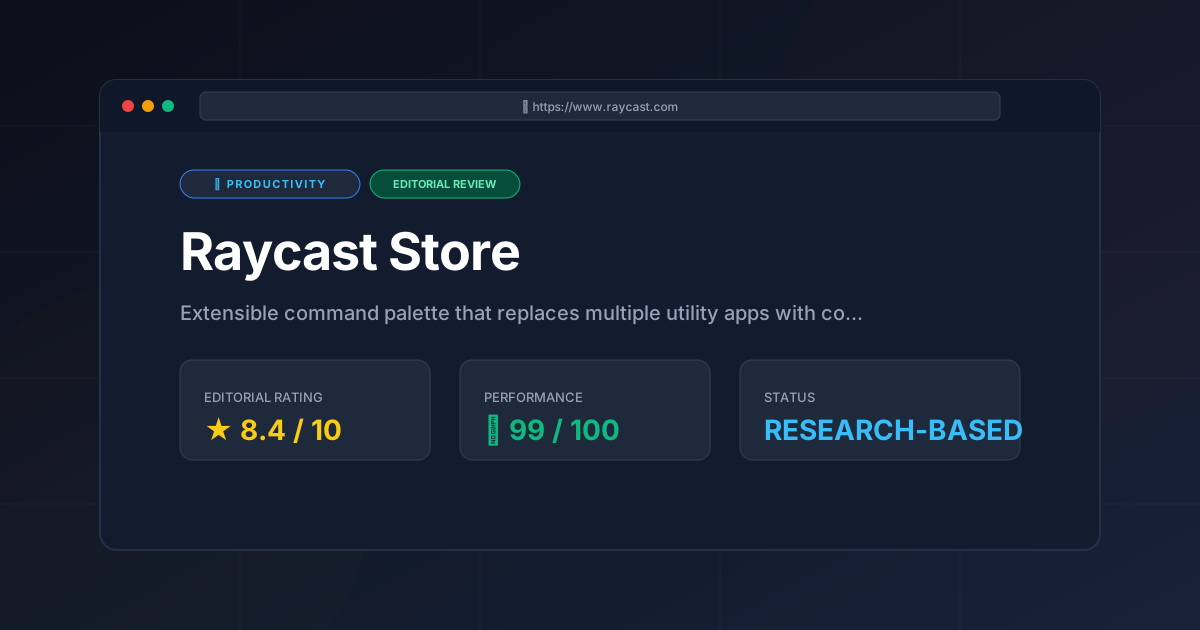
Editorial Rating: 8.4/10
A powerhouse of productivity that almost reaches perfection, held back only by its macOS limitation and the occasional complexity of its Pro AI pricing.
More Tools Worth Reading
Screenpipe
ProductivityIn-depth review of Screenpipe in 2026: key features, pricing, alternatives and who it is best for.
Paperclip
ProductivityIn-depth review of Paperclip in 2026: key features, pricing, alternatives and who it is best for.

Hindsight
ProductivityHindsight review: Explore how this open-source agent memory layer eliminates LLM amnesia, cuts token costs, and powers self-learning AI workflows in 2...