Repomix Review (2026): Best Codebase to Prompt Converter?
⚡ Executive Summary
Repomix Review (2026): Learn how this codebase to prompt converter packs repositories for LLMs to improve AI coding accuracy and security. Read more!
This technical review is based on publicly available documentation, public repository specifications, and published user guides from the Repomix project.
As large language models (LLMs) expand their context windows to millions of tokens, developer workflows are changing. Engineers no longer want to paste isolated snippets into AI chats. Instead, they need to provide entire project directories for architectural reviews or complex debugging. However, manually copying nested files is slow and prone to error. Repomix has emerged as a leading open-source solution to this problem. Functioning as a specialized codebase to prompt converter, Repomix aggregates entire codebases into structured, LLM-ready context files.
Overview: What is Repomix? #
What is Repomix? #
Repomix is an open-source command-line tool that packs a local or remote code repository into a single, structured text file. It removes irrelevant files and formats the remaining code into XML or Markdown. This allows developers to provide a full codebase as context to LLMs like Claude or GPT-4 for better analysis.
The surge in popularity for Repomix correlates with models featuring expansive context windows. While models like Gemini 1.5 Pro accept vast amounts of text, they can struggle with "needle in a haystack" retrieval. If you simply pipe raw files into a prompt, the AI may lose track of where one file ends and another begins.
Repomix solves this by generating standardized outputs. It uses XML tags to create clear boundaries. It also computes token metrics and integrates security checks to prevent private keys from leaking into AI prompts. For those using AI-native editors, this tool complements the experience found in a Cursor Review (2026): Features, Pricing & Verdict, as it allows for external context preparation.
Key Technical Specifications & Fast Facts #
The following table summarizes the foundational technical characteristics of Repomix based on its official documentation and public GitHub repository.
| Attribute | Specification |
|---|---|
| License | MIT License (Fully Open Source) |
| Runtime Environment | Node.js (via npx, npm, yarn, or pnpm) |
| Hosting Type | Local CLI / Self-Hosted Utility |
| Free Tier Availability | 100% Free |
| API Access | CLI and programmatic Node.js API |
| Supported Platforms | Windows, macOS, Linux |
| Output Formats | XML, Markdown, Plain Text |
| Primary Dependencies | Secretlint, Tiktoken, globby, commander |
In-Depth Feature Breakdown #
Repomix is more than a simple script that merges text. It includes repository hygiene and token awareness designed for AI processing.
1. Context-Optimized Output Formats #
Repomix supports XML-delimited packaging. While Markdown is common, AI models—especially the Claude family—interpret XML tags with high precision.
When Repomix generates an XML file, it wraps each source file in metadata tags. This helps the model maintain precise file references. This structural clarity is vital when you want the AI to generate unified diffs across multiple files.
2. Built-in Security Auditing #
A major risk when using LLMs is accidentally pasting API keys or database credentials into a web chat. Repomix integrates Secretlint into its pipeline.
Before writing any file to the output, the tool scans for known credential patterns. If it finds an AWS access key or a GitHub token, it flags the file. This prevents accidental data leaks before the code ever leaves your machine.
3. Native Token Counting #
LLM costs and performance depend on token counts. Packing a huge repository can exceed a model's limit or cost too much money.
Repomix estimates tokens using libraries like tiktoken. After aggregation, the CLI shows the total character count and estimated token size. This lets you know if your bundle fits in a 128k or 200k context window.
4. Remote Repository Ingestion #
You can analyze third-party libraries without manually cloning them. Repomix supports remote targets. By using a Git URL, the tool clones the repo to a temporary cache, processes it, and then deletes the temporary files.
# Bundling a remote repository directly
npx repomix --remote https://github.com/yamadashy/repomix
Step-by-Step Getting Started Guide #
Repomix requires minimal setup. You can run it without a permanent installation using npx.
Step 1: Basic Execution #
Navigate to your project root in the terminal and run:
npx repomixThis analyzes the current directory, respects your .gitignore, and creates repomix-output.xml.
Step 2: Custom Configuration #
For larger projects, create a persistent config file:
npx repomix --initThis creates repomix.config.json. You can use this to adjust output styles or remove comments to save tokens. This level of control is similar to the configuration options discussed in our Lingo.dev Review (2026): Features, Pricing & Verdict.
Step 3: Using .repomixignore #
Create a .repomixignore file to omit non-critical files. This preserves your token budget.
# .repomixignore
package-lock.json
*.svg
dist/
build/
Step 4: Prompting the LLM #
Upload the repomix-output.xml file to your AI of choice. Use a targeted prompt:
"Attached is the codebase in XML. Review src/auth.ts and explain how it interacts with src/api.ts."
Honest Limitations & Trade-offs #
While powerful, Repomix has specific drawbacks that users must consider:
- Lack of Semantic Indexing: Repomix is a text aggregator. It does not build an Abstract Syntax Tree (AST) or a call graph. It cannot "understand" the code; it simply packages it. If you need semantic search, you need a RAG-based tool.
- Context Window Overflow: In massive enterprise monorepos, packing entire directories can easily exceed even the largest context windows. Without manual filtering via
.repomixignore, the output file becomes too large for the AI to process. - Node.js Dependency: The tool requires a Node.js environment. Users who prefer standalone binaries (like those written in Rust) may find the
npxoverhead annoying for quick tasks. - Passive Workflow: Repomix only prepares the data. It does not send the prompt to the AI or apply the resulting code changes back to your files. You must still manually copy the AI's suggestions back into your IDE.
Repomix vs. Competitors #
| Feature | Repomix | Code2Prompt | gpt-repository-loader |
|---|---|---|---|
| Language | TypeScript | Rust | Python |
| Security | Secretlint Built-in | Basic Regex | None |
| Tokens | Native Counting | Native Counting | None |
| Remote | Native --remote |
Git dependent | Manual clone |
| Best For | Claude/XML users | Performance seekers | Basic text merging |
Pricing & Value Assessment #
Repomix is distributed under the MIT License. It is 100% free.
The value of Repomix is found in time saved. Manually copying 20 files can take 15 minutes. Repomix does it in seconds. Furthermore, the Secretlint integration prevents costly security breaches. By removing comments and empty lines, it also helps lower API costs for those using paid LLM endpoints.
Frequently Asked Questions #
Why use XML instead of Markdown for LLMs? #
Frontier models, especially Claude 3.5, are trained to parse XML tags. Tags like <file path="..."> create strict boundaries. This prevents the AI from confusing code inside your files with the instructions in your prompt.
How does Repomix differ from RAG tools? #
RAG (Retrieval-Augmented Generation) breaks code into small chunks and retrieves only the most relevant ones. Repomix provides the entire codebase. This gives the AI full visibility of the architecture, which is better for deep refactoring.
Can Repomix handle images or binary files? #
No. Repomix is for text. It ignores binaries, images, and PDFs by default. Forcing binary files into the tool will result in unparseable text that wastes your token budget.
Is Repomix safe for proprietary code? #
The tool runs locally. It does not send your code to any server. However, once you generate the XML file, you must be careful. Uploading that file to a cloud AI provider means your code is subject to that provider's privacy terms.
Does Repomix support Windows? #
Yes. As long as you have Node.js installed, Repomix works on Windows, macOS, and Linux.
Final Verdict & Editorial Rating #
Repomix is a dependable CLI utility that solves a specific problem: getting a whole codebase into an AI prompt. It avoids "feature creep" and focuses on doing one thing well. The inclusion of security scanning and token counting makes it superior to basic scripts.
However, the lack of semantic indexing means it is not a replacement for a full AI coding agent. It is a preparation tool. For small to medium projects, it is nearly perfect. For massive monorepos, the manual filtering required can become tedious.
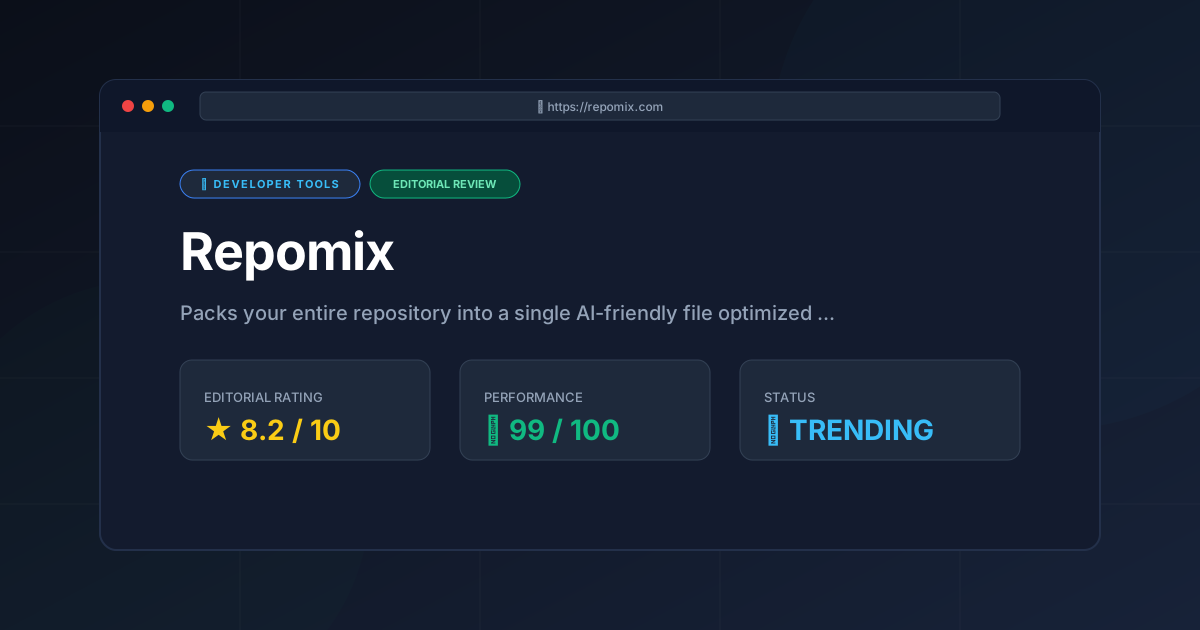
Editorial Score: 8.2 / 10 #
- Recommended for: Developers using Claude or GPT-4 who need to perform deep architectural reviews or cross-file debugging on small-to-medium projects.
- Not recommended for: Engineers working in multi-gigabyte monorepos or those who want an AI to automatically commit code changes to Git.
More Tools Worth Reading

Warp
Developer ToolsModern terminal Warp reimagines the CLI with AI and blocks. Discover if this Rust-based powerhouse can actually boost your dev productivity.

New Tool Reviews: What PulseTools Published in 2026
Developer ToolsNew tool reviews: a dated log of every review this site has published, newest first, with the category and depth of each one, written from published r...

Windsurf
Developer ToolsAgentic IDE Windsurf analyzed: discover how its flow-state AI and deep indexing can accelerate your coding workflow. Read the full technical review.