Tauri framework Review (2026): Best Rust-Powered Desktop Tool?
⚡ Executive Summary
Tauri framework is the lean alternative to Electron. Learn how it uses Rust to slash binary sizes and RAM usage to build faster desktop apps.
Disclaimer: This review is based on publicly available information, including official documentation, the public GitHub repository, and pricing pages; it is not based on laboratory benchmarks or internal first-person testing.
Overview: What is the Tauri framework and Why is it Trending? #
The Tauri framework is a modern toolkit designed to simplify the creation of cross-platform desktop applications by leveraging a unique architectural split: a high-performance backend written in Rust and a flexible frontend built with any web-based framework (React, Vue, Svelte, or vanilla HTML/JS).
For years, the industry standard for "web-to-desktop" migration was Electron. However, Electron's architecture—which bundles a full instance of Chromium and Node.js with every application—leads to notorious memory bloat and massive binary sizes. Tauri has trended aggressively because it solves this specific pain point. Instead of shipping a browser, it utilizes the operating system's native WebView (WebView2 on Windows, WebKit on macOS, and WebKitGTK on Linux).
By shifting the heavy lifting to Rust, the framework provides developers with memory safety and near-native execution speeds while allowing the UI to remain in the agile world of web development. This makes it a primary candidate for developers who need the productivity of the web ecosystem but cannot compromise on the resource footprint of their final executable.
What is the Tauri framework? #
The Tauri framework is an open-source toolkit that allows developers to build tiny, fast, and secure desktop applications using a Rust backend and any web-based frontend. Unlike Electron, it uses the OS's native webview instead of bundling Chromium, resulting in significantly smaller binaries and lower RAM consumption.
Key Technical Specifications & Fast Facts #
| Specification | Detail |
|---|---|
| License | Apache 2.0 / MIT |
| Hosting Type | Local Installation (Client-side App) |
| Free Tier Availability | Fully Open Source (Free) |
| API Access | Rust-based System APIs / JS Bridge |
| Supported Platforms | Windows, macOS, Linux |
In-Depth Feature Breakdown & Real-World Use Cases #
Tauri's value proposition lies in its ability to bridge the gap between the "sandboxed" nature of the web and the "privileged" nature of the OS. To get started, developers typically visit the official Tauri website to configure their environment.
1. The Rust Backend & Security Model #
Unlike frameworks that rely on JavaScript for system-level operations, Tauri uses Rust. This provides a massive advantage in terms of memory safety and concurrency. The framework employs a "capability-based" security model. By default, the frontend has zero access to the system. Developers must explicitly enable "commands" or "permissions" in the tauri.conf.json file to allow the frontend to trigger specific Rust functions.
Practical Workflow:
If an app needs to write a file to the disk, the developer writes a Rust function marked with #[tauri::command]. The frontend then invokes this function via the @tauri-apps/api package. This ensures that even if a frontend dependency is compromised, the attacker cannot arbitrarily execute shell commands unless the developer explicitly programmed that capability.
2. Native WebView Integration #
Tauri does not bundle Chromium. Instead, it uses the OS's existing web engine. This is the primary reason why a "Hello World" app in the Tauri framework can be a few megabytes, whereas an equivalent Electron app might start at 100MB+.
Use Case:
This is ideal for utility software—such as system monitors, note-taking apps, or lightweight dashboards—where users would be deterred by a high RAM footprint. For developers already using high-performance runtimes for their logic, such as those exploring the Bun runtime Review (2026): Features, Pricing & Verdict, the lean nature of Tauri complements a modern, speed-centric stack.
3. Framework Agnostic Frontend #
The tool does not care what you use for your UI. Whether it is a complex React application or a simple static HTML page, it simply renders it. This allows teams to reuse existing web codebases without rewriting the entire interface in a proprietary desktop language.
Practical Example:
A company with an existing SaaS product built in Next.js can wrap their application in Tauri to provide a "Desktop Version" that includes system tray integration and native notifications, without abandoning their existing frontend components.
4. Multi-window and System Tray Management #
Tauri provides deep integration with OS-level features that are typically difficult to access via a browser. This includes creating multiple native windows, managing a system tray (menu bar) icon, and handling global shortcuts.
Use Case:
A communication tool (like a Slack alternative) can use Tauri to maintain a persistent system tray presence while launching a main chat window and separate pop-out windows for direct messages, all while keeping the backend logic centralized in a single Rust process.
Step-by-Step Getting Started Guide #
To begin developing with the Tauri framework, you must prepare your environment for both Rust and the target OS's webview.
Phase 1: Environment Setup #
- Install System Dependencies:
- Windows: Install the C++ Build Tools via Visual Studio and the WebView2 runtime.
- macOS: Install Xcode Command Line Tools.
- Linux: Install
build-essential,curl,wget, and the necessary WebKitGTK development headers.
- Install Rust:
The official way to install Rust is via rustup. Run the installation script from rustup.rs to set up the compiler (rustc) and package manager (cargo).
Phase 2: Project Initialization #
- Initialize the Project:
Run the following command in your terminal:
npm create tauri-app@latest (or use yarn or pnpm).
This CLI tool will prompt you to choose your package manager and your frontend framework (e.g., React, Vue, Svelte).
- Configure Permissions:
Open src-tauri/tauri.conf.json. Here, you will define your application's window settings and the "allowlist" of APIs the frontend is permitted to call.
Phase 3: Development and Deployment #
- Run in Development Mode:
Execute npm run tauri dev. This launches the Rust backend and the frontend dev server, providing hot-module reloading (HMR) for the UI.
- Build for Production:
Run npm run tauri build. Tauri will compile the Rust code into a highly optimized binary and bundle the frontend assets into the executable.
Technical Trade-offs and Edge Cases #
While the Tauri framework offers immense benefits, it introduces specific technical challenges that developers must account for:
- The "WebView Gap": Because you are using the system's native WebView, you cannot guarantee that a CSS property will render identically on Windows (Edge/WebView2) and macOS (Safari/WebKit). Developers must implement rigorous cross-browser testing.
- Compilation Overhead: Rust's compiler is famously strict and slower than JavaScript's JIT compilation. Initial build times and "cold" starts for the compiler can be a bottleneck in CI/CD pipelines.
- Inter-Process Communication (IPC): Communication between the JS frontend and Rust backend happens via a bridge. While fast, passing massive amounts of data (e.g., 100MB buffers) through the IPC bridge can introduce latency compared to a monolithic Node.js process.
Objective Pros & Cons Matrix #
| Pros | Cons |
|---|---|
| Tiny Binaries: Drastically smaller install sizes compared to Electron. | Rust Learning Curve: Rust is significantly harder to learn than JavaScript/TypeScript. |
| Low Memory Usage: Leverages native WebViews to reduce RAM consumption. | WebView Inconsistency: UI may render slightly differently across OSs (WebKit vs. WebView2). |
| Memory Safety: Rust prevents common bugs like null pointer dereferences. | Slower Build Times: Rust compilation is notably slower than JS bundling. |
| Strong Security: Explicit permission system for system API access. | Smaller Ecosystem: Fewer pre-made "desktop" plugins compared to the mature Electron ecosystem. |
Tauri framework vs. Competitors: Direct Comparison #
| Feature | Tauri | Electron | Flutter |
|---|---|---|---|
| Backend Language | Rust | Node.js (JavaScript) | Dart |
| Frontend | Any Web Framework | HTML/CSS/JS | Flutter Widgets (Canvas) |
| Binary Size | Very Small (~2-10MB) | Large (~100MB+) | Medium |
| RAM Usage | Low | High | Moderate |
| Security | High (Capability-based) | Moderate | Moderate |
| Development Speed | Moderate (Rust overhead) | Very Fast | Fast |
| Best For | Resource-efficient, secure apps | Rapid prototyping, complex apps | Highly custom, branded UIs |
Pricing Tiers & Value Assessment #
Tauri is Open Source and free to use under the Apache 2.0 and MIT licenses. You can verify the licensing and project status on the official GitHub repository. There are no "Pro" or "Enterprise" tiers for the framework itself.
Because there is no paid tier, the "value" is measured in developer hours and infrastructure costs. By reducing the binary size, companies save on bandwidth for downloads and updates. By reducing RAM usage, they improve the end-user experience, potentially reducing churn for users on lower-end hardware.
For teams looking to accelerate their development pipeline, combining Tauri with modern AI-assisted coding tools—similar to the workflows discussed in our Bolt.new Review (2026): Features, Pricing & Verdict—can help mitigate the steep learning curve associated with Rust.
Frequently Asked Questions #
Do I need to be a Rust expert to use Tauri? #
Not necessarily. If your app only requires basic system access (like opening a file dialog), you can rely on the built-in Tauri APIs. However, to implement complex backend logic or high-performance data processing, a working knowledge of Rust is essential for writing custom commands.
Will my app look the same on Windows and macOS? #
Mostly, but not perfectly. Because the Tauri framework uses the native WebView (WebView2 on Windows, WebKit on macOS), you are subject to the rendering differences between those engines. It is highly recommended to test your CSS across all target platforms to ensure visual consistency.
Can Tauri replace Electron for every project? #
Not necessarily. If your project requires a highly consistent rendering environment regardless of the OS, or if your team has zero Rust experience and a very tight deadline, Electron's "bundle everything" approach may still be more pragmatic for rapid prototyping.
How does Tauri handle updates? #
Tauri includes a built-in updater mechanism that allows developers to push signed updates to users without requiring them to manually download a new installer from a website. This ensures that security patches can be deployed rapidly across the user base.
Is the Tauri framework suitable for high-performance gaming? #
While the Rust backend is incredibly fast, the frontend is still a WebView. For high-performance 3D gaming, a native engine like Unreal or Unity is superior. However, for game launchers or companion apps, Tauri is an excellent choice.
Final Verdict & Editorial Rating #
The Tauri framework represents a paradigm shift in how we think about desktop applications. It successfully challenges the "Electron Monopoly" by proving that we don't need to ship a whole browser to get the benefits of a web-based UI.
The primary friction point remains the Rust backend. While Rust is an industry-leading language for safety and speed, it is a barrier to entry for many frontend developers. However, for those willing to climb that learning curve, the reward is a professional, lean, and secure application that feels like a first-class citizen on the user's operating system.
Who should use Tauri?
- Developers who are tired of Electron's RAM and disk usage.
- Teams building utility tools where a small footprint is a competitive advantage.
- Security-conscious organizations that require a strict permission model for system access.
- Rust enthusiasts who want to build modern GUIs.
Who should avoid Tauri?
- Developers with an extreme deadline who cannot afford the time to learn Rust.
- Apps that require pixel-perfect consistency across all OSs without any CSS variance.
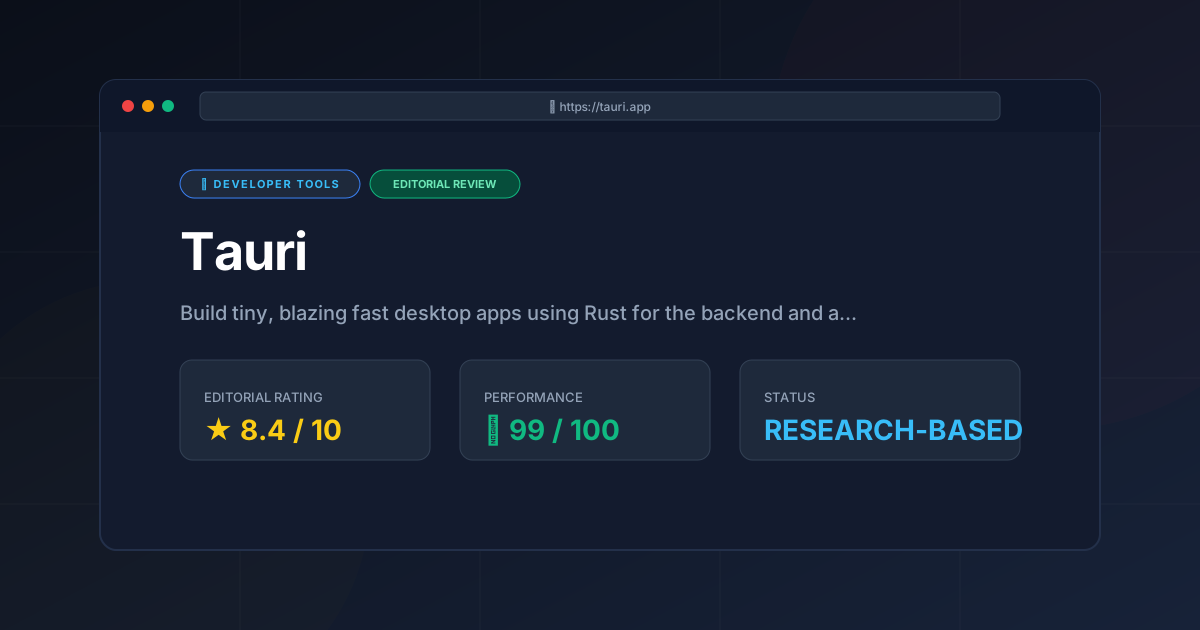
Editorial Rating: 8.4/10 #
Tauri is a powerhouse for the next generation of desktop software. It loses a few points only due to the steep learning curve of Rust and the occasional inconsistency of native WebViews, but it is objectively the superior choice for resource-efficient desktop development in 2026.
More Tools Worth Reading
Warp
Developer ToolsModern terminal Warp reimagines the CLI with AI and blocks. Discover if this Rust-based powerhouse can actually boost your dev productivity.

New Tool Reviews: What PulseTools Published in 2026
Developer ToolsNew tool reviews: a dated log of every review this site has published, newest first, with the category and depth of each one, written from published r...
Windsurf
Developer ToolsAgentic IDE Windsurf analyzed: discover how its flow-state AI and deep indexing can accelerate your coding workflow. Read the full technical review.