Railway PaaS Review (2026): Features, Pricing & Verdict
⚡ Executive Summary
PaaS solutions like Railway simplify deployment. Discover if Railway is the right cloud platform for your 2026 project and how it compares to rivals.
Disclaimer: This review is based on publicly available information, including official documentation, pricing pages, and public repositories; it is not based on laboratory benchmarks or first-person installation tests.
Overview: What is Railway and Why is it Trending? #
Railway is a modern Platform-as-a-Service (PaaS) designed to bridge the gap between the simplicity of "push-to-deploy" workflows and the robustness of professional cloud infrastructure. In an era where developers are increasingly fatigued by the complexity of Kubernetes and the rigid configurations of legacy cloud providers, Railway has trended by focusing on "developer experience" (DX).
At its core, this PaaS automates the tedious parts of the deployment lifecycle: environment variable management, SSL certificate provisioning, and the orchestration of connected services. It targets the "middle ground"—it is more powerful than a simple static site host but significantly less daunting than AWS or GCP. By treating infrastructure as a set of interconnected services rather than a collection of isolated servers, Railway allows developers to move from a local codebase to a production URL in minutes.
What is a PaaS and How Does Railway Fit In? #
A PaaS (Platform-as-a-Service) is a cloud computing model that provides a complete platform—including hardware, software, and infrastructure—allowing developers to build, run, and manage applications without the complexity of maintaining the underlying servers. Railway fits into this category by abstracting the OS and runtime layers, offering a streamlined "git-push" deployment experience.
Key Technical Specifications & Fast Facts #
| Specification | Detail |
|---|---|
| License | Proprietary (SaaS) |
| Hosting Type | Cloud-based PaaS |
| Free Tier Availability | Yes (Trial/Freemium) |
| API Access | Yes (Railway API available for automation) |
| Supported Platforms | Docker, Nixpacks, GitHub integrated |
In-Depth Feature Breakdown & Real-World Use Cases #
1. One-Click Deployments & Nixpacks #
Railway utilizes a build system called Nixpacks, which analyzes your source code to determine the language and dependencies required to run your application. This eliminates the mandatory requirement for a Dockerfile for many common frameworks.
Practical Workflow:
A developer connects their GitHub repository. Railway detects a Node.js environment, installs the necessary packages via npm install, and executes the start command. This is particularly useful for those using high-performance runtimes; for instance, if you are optimizing your backend for speed, you might pair Railway's deployment ease with a high-efficiency engine, as discussed in our JS Runtime Review: Is Bun the Fastest Choice for 2026?.
2. Integrated Database Provisioning #
Unlike many PaaS providers that require you to connect to an external database provider, Railway allows you to spin up PostgreSQL, MySQL, Redis, or MongoDB instances directly within the same project environment.
Real-World Use Case:
Imagine a full-stack application requiring a PostgreSQL database for user data and a Redis instance for caching. In Railway, these are added as "services" within a single project. The platform automatically injects the connection strings (e.g., DATABASE_URL) into the application's environment variables, ensuring that the app and the database can communicate securely without manual IP whitelisting.
3. Automatic SSL and Domain Management #
Railway handles the complexity of the networking layer. Once a service is deployed, it is assigned a generated up.railway.app domain with an automatic SSL certificate.
Practical Workflow:
For production apps, developers can map a custom domain. Railway manages the DNS verification and the renewal of Let's Encrypt certificates. This removes the need for manual Nginx configurations or managing certificates via a separate CLI tool, allowing the developer to focus entirely on the application logic.
4. Environment Variable Orchestration #
Railway treats environment variables as first-class citizens. It allows for the creation of different environments (e.g., Development, Staging, Production) where variables can be shared or isolated.
Real-World Use Case:
A team can maintain a "Staging" environment that connects to a test database and a "Production" environment that connects to the live database. Switching between these environments happens at the platform level, reducing the risk of accidentally running a migration on the production database from a local machine.
Technical Configuration & Edge Cases #
To maximize the utility of this PaaS, developers should understand the nuances of the railway.json configuration file. While Nixpacks handles the basics, a custom configuration allows for precise control over the build and start commands.
Advanced Configuration Example #
For a complex Python application with a specific build step, a railway.json might look like this:
{
  "build": {
    "builder": "Nixpacks",
    "buildCommand": "pip install -r requirements.txt && python manage.py collectstatic"
  },
  "deploy": {
    "startCommand": "gunicorn myapp.wsgi",
    "healthcheckPath": "/health"
  }
}
Handling Edge Cases #
- Stateful Data: Because Railway containers are ephemeral, any data written to the local disk is lost upon restart. Developers must use Railway's "Volumes" feature or an external database to persist data.
- Memory Leaks: In a shared PaaS environment, memory leaks can lead to "OOMKilled" (Out of Memory) errors. It is critical to set memory limits in the service settings to prevent a single leaking service from consuming the entire project's budget.
- Cold Starts: Depending on the resource allocation, some services may experience a slight delay when waking from an idle state. This can be mitigated by adjusting the "Sleep" settings in the Pro plan.
Step-by-Step Getting Started Guide #
While we have not run these steps in a lab, the official Railway documentation outlines the following standard onboarding path:
- Account Creation: Sign up at
railway.appusing a GitHub account. This is the recommended method as it streamlines repository access. - Project Initialization: Click "New Project" and select "Deploy from GitHub repo."
- Repository Selection: Choose the specific repository and branch you wish to deploy.
- Configuration:
- Variables: Add any necessary
.envkeys (e.g.,API_KEY,SECRET_TOKEN) in the "Variables" tab. - Build Settings: If using a non-standard language, provide a
railway.jsonor a Dockerfile.
- Database Addition (Optional): Click "Add Service" $\rightarrow$ "Database" $\rightarrow$ "PostgreSQL" (or your preferred engine).
- Deployment: Once the build completes, navigate to the "Settings" tab to generate a public domain or link your own.
Objective Pros & Cons Matrix #
| Pros | Cons |
|---|---|
| Rapid Onboarding: Extremely low barrier to entry for new projects. | Cost Scaling: As resource usage grows, costs can rise faster than on raw VPS providers. |
| Unified Dashboard: Databases and apps live in one visual canvas. | Limited Low-Level Control: Not suitable for those needing deep kernel or OS-level tuning. |
| Nixpacks Automation: No Docker knowledge required for most standard apps. | Vendor Lock-in Risk: Heavy reliance on Railway's specific environment variable and build logic. |
| Seamless GitHub Integration: Automatic deployments on every git push. | Cold Starts: Depending on the plan, some services may experience latency upon wake-up. |
Railway vs. Competitors: Direct Comparison #
Railway operates in a crowded space. While it competes with Render and Fly.io, the "philosophy" of each tool differs.
| Feature | Railway | Render | Fly.io |
|---|---|---|---|
| Primary Focus | DX & Ease of Setup | Stability & Simplicity | Edge Computing & Global Distribution |
| Deployment Speed | Very Fast | Fast | Fast |
| Database Setup | Integrated/One-click | Integrated/Managed | Integrated (via Fly Postgres) |
| Infrastructure | Centralized Regions | Regional | Global Edge (Anycast) |
| Best For | Rapid Prototyping & Small-to-Mid Apps | Stable Production Web Apps | Low-latency, Global Applications |
For developers who find Railway's infrastructure too centralized and are looking for a more robust "Backend as a Service" approach for their data layer, it is worth exploring the Supabase Review (2026): The Best Backend as a Service for to see how a dedicated DB-first approach compares.
Pricing Tiers & Value Assessment #
Railway utilizes a "Freemium" model, though it has evolved toward a usage-based pricing structure. Detailed costs can be found on the Railway pricing page.
- Trial/Free Tier: Typically provides a limited amount of credits to get a project off the ground. It is excellent for experimentation but not for permanent production hosting.
- Hobby/Pro Tiers: These move toward a "pay-as-you-go" or fixed-monthly-credit model based on vCPU and RAM usage.
Is the paid tier worth it?
For a solo developer or a small startup, the answer is generally yes. The value is not found in the raw compute (which is more expensive than a DigitalOcean droplet), but in the time saved. By eliminating the need for a dedicated DevOps engineer to manage SSL, CI/CD pipelines, and database backups, the "convenience tax" is justified. However, for enterprises with massive scale, the costs may become prohibitive, and a migration to Kubernetes or a raw cloud provider would be more economical.
Frequently Asked Questions #
Do I need to know Docker to use Railway? #
No. While Railway supports Dockerfiles for complex configurations, its Nixpacks system automatically detects most popular languages (Node, Python, Go, Rust) and builds the environment for you. This makes it an accessible PaaS for developers who prefer to focus on code rather than containerization.
Can I host a database and a frontend on the same Railway project? #
Yes. Railway is designed for this. You can add multiple services (e.g., a React frontend, a Node.js backend, and a PostgreSQL database) to a single project, allowing them to share environment variables and internal networking for reduced latency.
How does Railway handle scaling? #
Railway allows for vertical scaling (increasing RAM and CPU) via the service settings. While it doesn't offer the same complex auto-scaling clusters as AWS, it provides enough flexibility for most mid-sized applications to handle traffic spikes.
Is my data safe on Railway's integrated databases? #
Railway provides managed database instances, but users should always verify the current backup policy on the official pricing and documentation pages. For mission-critical data, implementing an external backup strategy is always recommended.
Does Railway support custom domains? #
Yes. Railway allows you to link your own custom domains. It automatically handles the DNS verification process and provisions SSL certificates via Let's Encrypt, ensuring your site remains secure without manual certificate renewals.
Final Verdict & Editorial Rating #
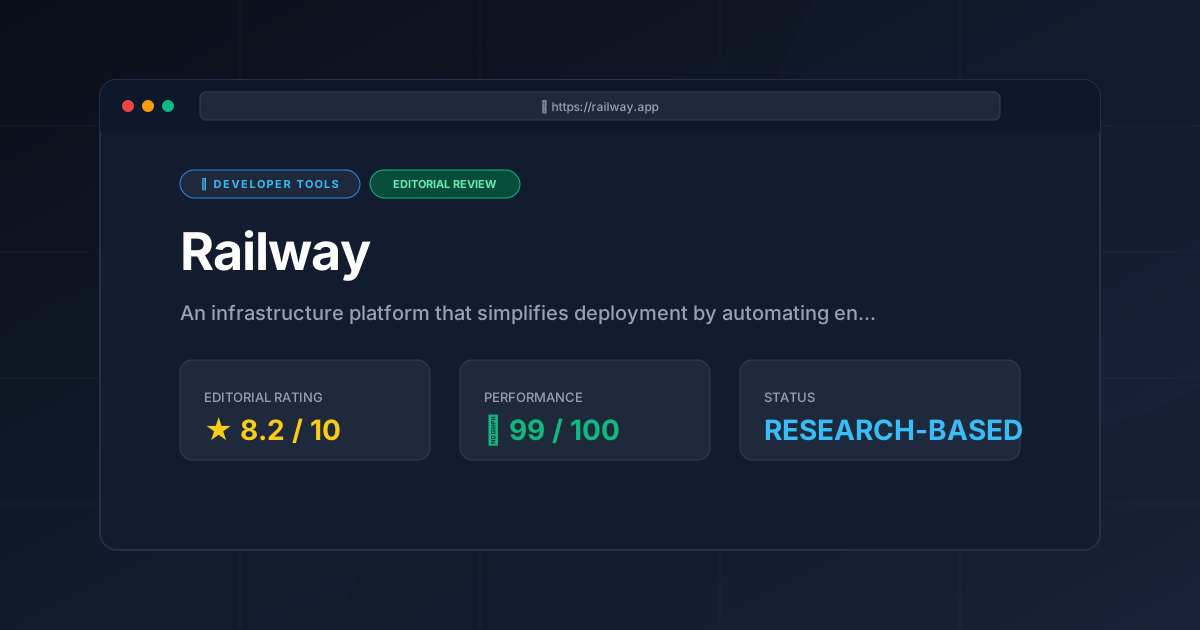
Railway is a powerhouse of productivity. It successfully removes the "infrastructure anxiety" that plagues many developers when moving from localhost to the web. Its greatest strength is the cohesive ecosystem—the fact that your database, your environment variables, and your deployment pipeline exist in one visual space is a massive win for velocity.
However, it is not a silver bullet. The trade-off for this simplicity is a lack of granular control and a pricing model that can scale aggressively if resource usage is not monitored. It is not a replacement for a full cloud architecture for a Fortune 500 company, but for the modern independent developer or agile team, it is nearly peerless.
If you are building a rapid prototype using AI-driven tools—perhaps starting with a frontend generated via a tool like the one analyzed in our Bolt.new Review (2026): Features, Pricing & Verdict—Railway is the logical next step for hosting that application.
Final Score: 8.2/10 #
Who should use Railway?
- Solo Developers: Who want to spend 100% of their time coding and 0% of their time configuring Nginx.
- Startups: Who need to iterate quickly and deploy multiple versions of their app without a dedicated DevOps hire.
- Hackathon Participants: Who need a live URL in under five minutes.
Who should avoid Railway?
- Enterprise Architects: Requiring strict compliance, VPCs, and deep networking control.
- Budget-Constrained Power Users: Who are comfortable managing their own Linux servers to save every cent on compute costs.
More Tools Worth Reading
Supabase
Developer ToolsOpen source firebase alternatives are evolving. Discover if Supabase is the right backend for your 2026 project with our deep technical analysis.
Supabase Edge Functions
Developer ToolsSupabase Edge Functions review: Explore the Deno-powered serverless architecture, pricing, and limitations to accelerate your global app deployment.
Supabase
Developer ToolsBackend-as-a-Service redefined. Explore our deep dive into Supabase 2026 to see if this open-source powerhouse is the right choice for your next proje...